
შესავალი
This manual provides essential information for the safe and efficient operation of your Brookstone iDesign Tower Stereo System. Please read this manual thoroughly before using the product and retain it for future reference.
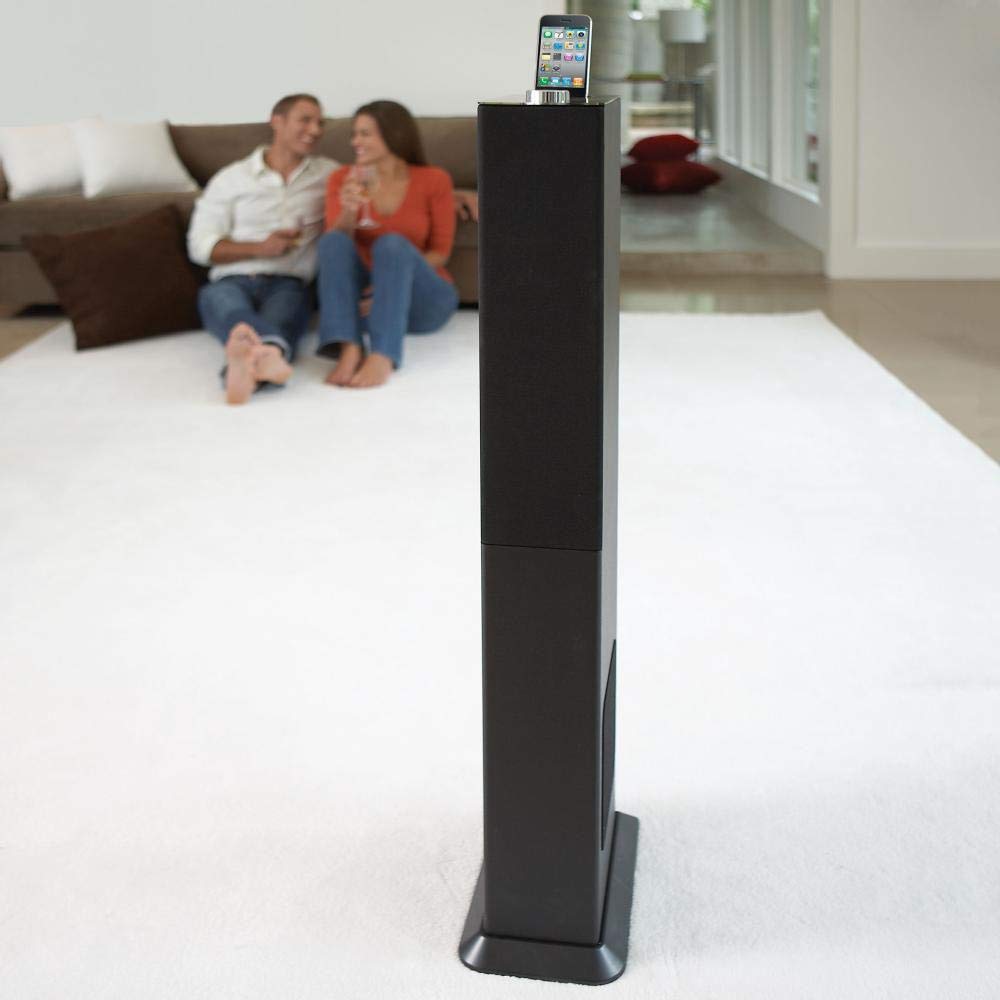
Image: The Brookstone iDesign Tower Stereo System, a tall, slender speaker unit designed for audio playback and device charging.
უსაფრთხოების ინფორმაცია
- დენის წყარო: გამოიყენეთ მხოლოდ მითითებული კვების ადაპტერი. დარწმუნდით, რომ მოცულობაtagე შეესაბამება თქვენს ადგილობრივ ელექტრომომარაგებას.
- ვენტილაცია: არ დაბლოკოთ ვენტილაციის ღიობები. დაამონტაჟეთ მწარმოებლის ინსტრუქციის შესაბამისად.
- წყალი და ტენიანობა: არ დატოვოთ ეს მოწყობილობა წვიმის ან ტენიანობის ზემოქმედების ქვეშ. არ დადოთ სითხეებით სავსე ნივთები, მაგალითად, ვაზები, მოწყობილობაზე.
- სითბო: არ დააინსტალიროთ სითბოს წყაროსთან ახლოს, როგორიცაა რადიატორები, სითბოს რეგისტრები, ღუმელები ან სხვა მოწყობილობა (მათ შორის ampგამხსნელები), რომლებიც წარმოქმნიან სითბოს.
- დასუფთავება: გაწმინდეთ მხოლოდ მშრალი ქსოვილით.
- მომსახურება: მიაწოდეთ ყველა სერვისი კვალიფიციურ მომსახურე პერსონალს. მომსახურება აუცილებელია, როდესაც აპარატი რაიმე ფორმით დაზიანებულია.
პაკეტის შიგთავსი
გთხოვთ, შეამოწმოთ, რომ ყველა ნივთი შეფუთვაშია:
- iDesign Tower Stereo System
- დისტანციური მართვა
- დენის ადაპტერი
- მომხმარებლის სახელმძღვანელო (ეს დოკუმენტი)
- Note: iPod/iPhone devices are not included.
პროდუქტი დასრულდაview
The iDesign Tower Stereo System features a sleek design with integrated speakers and a docking station for compatible Apple devices. It includes a backlit on/volume knob and a remote control for convenient operation, delivering full, deep bass, crisp, clear highs, and warm middle tones.
ძირითადი კომპონენტები:
- სპიკერის ცხაური: Multi-angled speakers for room-filling sound.
- დოკის პორტი: For iPod and iPhone devices (1st and 2nd generation iPod touch, iPod classic, 4th and 5th generation iPod nano, iPhone 3GS, iPhone 3G, iPhone).
- On/Volume Knob: Backlit control for power and volume adjustment.
- დამხმარე შეყვანა: For connecting other audio devices (cable not included).
- დენის შეყვანა: კვების ადაპტერის დასაკავშირებლად.
- დისტანციური მართვის სენსორი: იღებს სიგნალებს დისტანციური მართვისგან.
დაყენება
1. დასაქმების
Place the iDesign Tower Stereo System on a stable, flat surface. Ensure there is adequate space around the unit for proper ventilation. Avoid placing it in direct sunlight or near heat sources.
2. დენის კავშირი
- Connect the power adapter cable to the Power Input port on the back of the iDesign Tower Stereo System.
- შეაერთეთ დენის ადაპტერი სტანდარტული კედლის განყოფილებაში.
3. Device Docking (iPod/iPhone)
The system is designed for specific iPod and iPhone models:
- iPod touch (1st and 2nd generation)
- iPod კლასიკური
- iPod nano (4th and 5th generation)
- iPhone 3GS
- iPhone 3G
- iPhone
Carefully align your compatible iPod or iPhone device with the docking port and gently push it down until it is securely seated. The device will begin charging automatically when docked and the system is powered on.
4. Auxiliary Input (Optional)
To connect other audio devices (e.g., MP3 players, CD players) that are not compatible with the docking port, use a 3.5mm audio cable (not included) to connect the device's headphone output to the Auxiliary Input port on the iDesign Tower Stereo System.
ოპერაციული ინსტრუქციები
1. ჩართვა/გამორთვა
Press the On/Volume knob to turn the system on or off. The knob will illuminate when the system is powered on.
2. ხმის კონტროლი
Rotate the On/Volume knob clockwise to increase the volume and counter-clockwise to decrease it. You can also adjust the volume using the remote control.
3. წყაროს შერჩევა
The system automatically detects a docked iPod or iPhone. If an auxiliary device is connected, you may need to select the input source using the remote control (if available) or by cycling through inputs with a dedicated button (refer to remote control section for details).
4. დისტანციური მართვის გამოყენება
The included remote control allows you to manage playback functions (play, pause, skip tracks) and volume for your docked iPod or iPhone from a distance. Point the remote control towards the sensor on the front of the tower system.
5. დამტენი მოწყობილობები
When a compatible iPod or iPhone is docked and the system is powered on, the device will charge automatically.
მოვლა
დასუფთავება
Wipe the exterior of the system with a soft, dry cloth. Do not use liquid cleaners or aerosol sprays, as these may damage the finish or internal components. Ensure the system is unplugged before cleaning.
შენახვა
If storing the system for an extended period, unplug it from the power outlet and store it in a cool, dry place, away from direct sunlight and extreme temperatures.
პრობლემების მოგვარება
| პრობლემა | შესაძლო მიზეზი | გამოსავალი |
|---|---|---|
| არავითარი ძალა | დენის ადაპტერი არ არის შეერთებული ან სოკეტი არ მუშაობს. | Ensure power adapter is securely connected to the system and a working wall outlet. |
| მიმაგრებული მოწყობილობიდან ხმა არ არის | Device not properly docked; volume too low; device not playing. | Re-seat the device in the dock. Increase system volume and device volume. Ensure music is playing on the device. |
| No sound from auxiliary input | Auxiliary cable not connected; incorrect source selected; volume too low. | Ensure auxiliary cable is securely connected. Select auxiliary input. Increase system and source device volume. |
| დისტანციური მართვა არ მუშაობს | Batteries dead; remote not pointed at sensor; obstruction. | Replace remote control batteries. Point remote directly at the sensor. Remove any obstructions between remote and system. |
| მოწყობილობა არ იტენება | Device not compatible; system not powered on; device not properly docked. | Verify device compatibility (see Setup section). Ensure system is powered on. Re-seat the device in the dock. |
სპეციფიკაციები
- მოდელი: B003YB9T2C
- ბრენდი: ბრუკსტოუნი
- პაკეტის ზომები: 42.6 x 14 x 8.6 ინჩი
- ნივთის წონა: 28.3 ფუნტი
- პირველი ხელმისაწვდომი: 10 წლის 2010 მარტი
- თავსებადობა: iPod touch (1st/2nd gen), iPod classic, iPod nano (4th/5th gen), iPhone 3GS, iPhone 3G, iPhone.
გარანტია და მხარდაჭერა
გარანტიის შესახებ ინფორმაციისა და მომხმარებელთა მხარდაჭერისთვის, გთხოვთ, იხილოთ თქვენს შენაძენთან ერთად მოწოდებული დოკუმენტაცია ან ეწვიოთ Brookstone-ის ოფიციალურ ვებგვერდს. webსაიტი. შეინახეთ შეძენის დამადასტურებელი საბუთი გარანტიის მოთხოვნისთვის.
"Made for iPod" and "Made for iPhone" mean that an electronic accessory has been designed to connect specifically to iPod or iPhone, respectively, and has been certified by the developer to meet Apple performance standards. Apple is not responsible for the operation of this device or its compliance with safety and regulatory standards. Please note that the use of this accessory with iPod or iPhone may affect wireless performance.