
1. პროდუქტი დასრულდაview
The TP-Link TL-WA750RE is a 150Mbps Universal Wireless Range Extender designed to expand the coverage of an existing wireless network. It eliminates Wi-Fi dead zones by boosting the wireless signal to previously unreachable or hard-to-wire areas. Its compact, wall-mounted design allows for flexible deployment and easy relocation within your home or office.
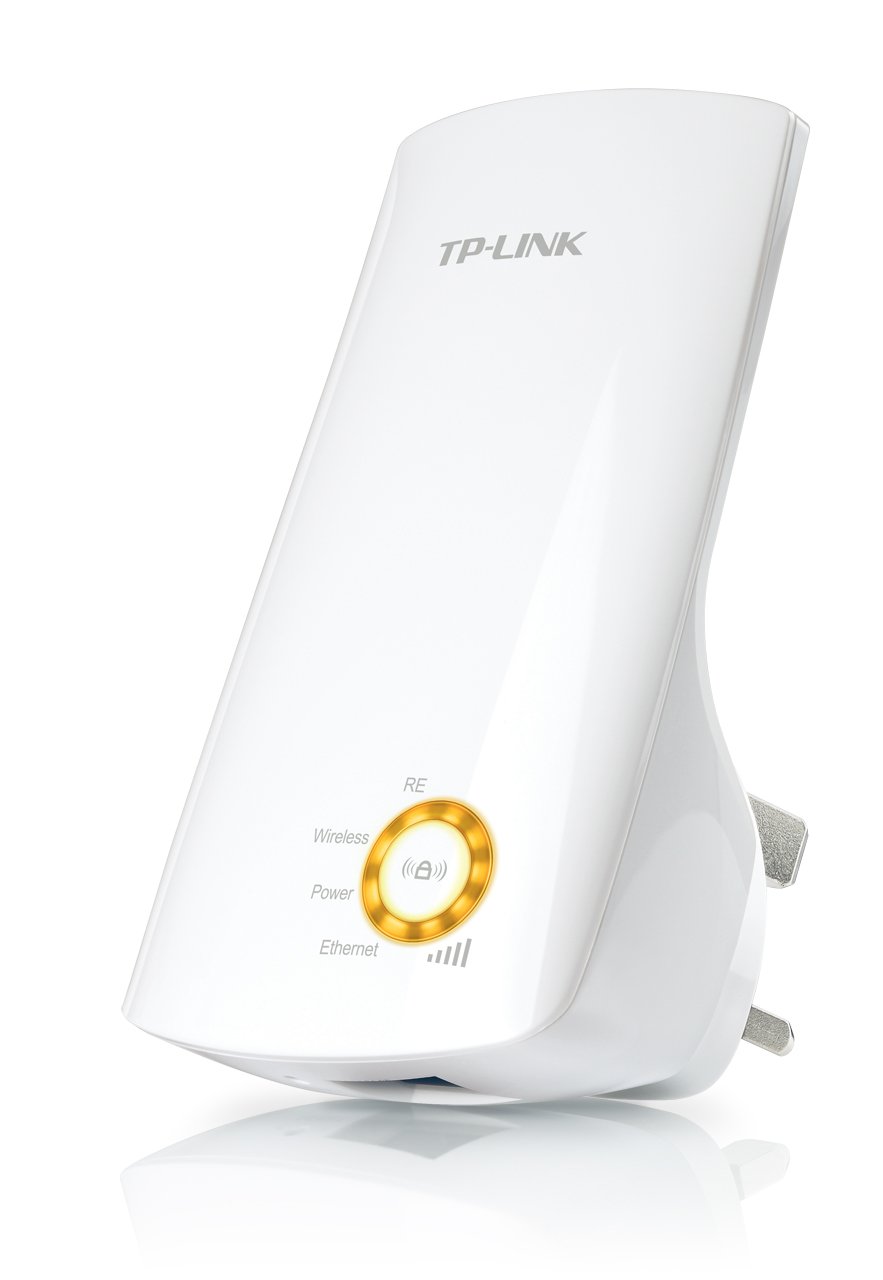
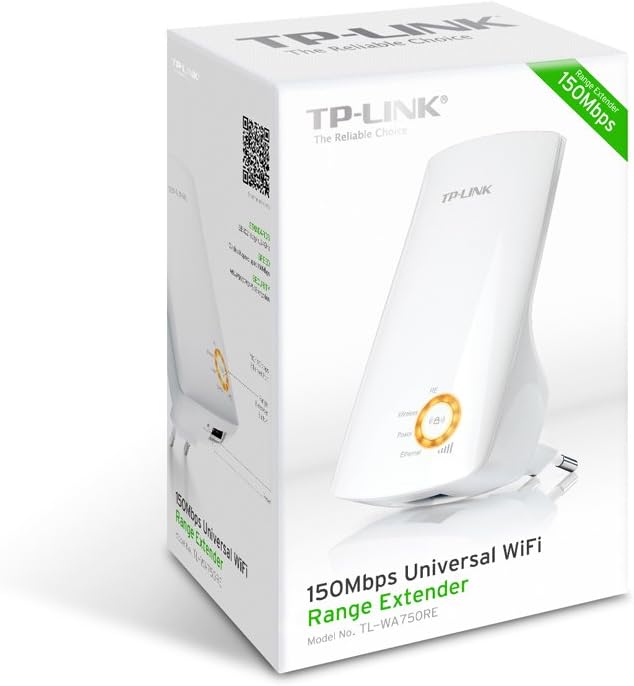
სურათი 1: TP-Link TL-WA750RE Universal Wireless Range Extender. This image shows the device in its retail packaging, highlighting its compact design and wall-plug form factor.
2. ძირითადი მახასიათებლები
- დიაპაზონის გაფართოების რეჟიმი: Boosts wireless signal to eliminate Wi-Fi dead zones and extend network coverage.
- კომპაქტური დიზაინი: Small size and wall-mounted design for easy deployment and flexible movement.
- WPS ღილაკი: Allows for instant setup and secure connection with compatible routers.
- ჭკვიანი სიგნალის ინდიკატორი: Helps users find the optimal location for placing the range extender for best performance.
- უნივერსალური თავსებადობა: Works seamlessly with all 802.11n/g/b wireless devices.
3. პაკეტის შიგთავსი
პროდუქტის ნაკრები, როგორც წესი, მოიცავს შემდეგ ელემენტებს:
- TP-Link TL-WA750RE 150Mbps Universal Wireless Range Extender
- ინსტრუქციის სახელმძღვანელო
4. დაყენების გზამკვლევი
4.1. სწრაფი დაყენება WPS ღილაკის გამოყენებით
- შეერთება: Plug the TL-WA750RE into an electrical outlet near your wireless router.
- როუტერზე WPS-ის გააქტიურება: Press the WPS button on your main wireless router. Refer to your router's manual for the exact location and procedure.
- გაააქტიურეთ WPS Extender-ზე: Within two minutes, press the WPS button on the TL-WA750RE. The Signal LED on the extender should begin to flash.
- დაელოდეთ კავშირს: The Signal LED will turn solid blue or green when a successful connection is established.
- გაფართოების გადატანა: Unplug the extender and move it to a location between your router and the Wi-Fi dead zone. Ensure the Signal LED indicates a strong connection (e.g., solid blue or green) in the new location.
4.2. Manual Setup via Web ბრაუზერი
- შეერთება: Plug the TL-WA750RE into an electrical outlet near your computer.
- გაფართოებულთან დაკავშირება: Connect your computer to the extender's Wi-Fi network (e.g., "TP-LINK_Extender_XXXXXX"). No password is required initially.
- წვდომა Web ინტერფეისი: გახსენით ა web ბრაუზერი და აკრიფეთ http://tplinkrepeater.net or the extender's default IP address (usually 192.168.0.254) into the address bar.
- შესვლა: Enter "admin" for both the username and password when prompted.
- მიჰყევით ეკრანზე მითითებებს: Use the Quick Setup wizard to select your main Wi-Fi network and enter its password.
- გაფართოების გადატანა: Once configured, unplug the extender and move it to an optimal location between your router and the desired coverage area.
სურათი 2: მხარე view of the TL-WA750RE. This image illustrates the physical layout of the device, including the WPS button and Ethernet port, which are crucial for setup and operation.
5. Operating the Range Extender
Once the TL-WA750RE is successfully set up, it will automatically extend your existing Wi-Fi network. Devices within the extended range can connect to the network name created by the extender (e.g., "YourNetworkName_EXT").
5.1. Smart Signal Indicator
The Smart Signal Indicator LEDs on the front of the device provide real-time feedback on the signal strength received from your main router. This helps you determine the best placement for the extender:
- მყარი ლურჯი/მწვანე: შესანიშნავი სიგნალის სიძლიერე.
- მყარი წითელი: Weak signal strength. Consider relocating the extender closer to your router.
- გამორთულია: No connection to the main router.
5.2. Ethernet Port Usage
The TL-WA750RE includes an Ethernet port. This port can be used to connect a wired device, such as a desktop computer, gaming console, or smart TV, to your wireless network, providing a stable wired connection in the extended Wi-Fi area.
6. მოვლა
- დასუფთავება: მოწყობილობის გასაწმენდად გამოიყენეთ რბილი, მშრალი ქსოვილი. არ გამოიყენოთ თხევადი ან აეროზოლური საწმენდი საშუალებები.
- განთავსება: Avoid placing the extender in direct sunlight, near heat sources, or in areas with high humidity.
- Firmware განახლებები: პერიოდულად შეამოწმეთ TP-Link-ის ოფიციალური ვებგვერდი webსაიტი პროგრამული უზრუნველყოფის განახლებებისთვის ოპტიმალური მუშაობისა და უსაფრთხოების უზრუნველსაყოფად.
- დენის ციკლი: If the device experiences issues, try unplugging it from the power outlet for 10 seconds and then plugging it back in.
7. Დიაგნოსტიკა
- კითხვა 1: რა უნდა გავაკეთო, თუ გამაფართოებელზე წვდომა არ მაქვს? web მართვის გვერდი?
- A1: Ensure your computer is connected to the extender's network. Verify that http://tplinkrepeater.net is correctly typed in the browser. If issues persist, try using the extender's IP address (e.g., 192.168.0.254) or reset the extender to factory defaults.
- Q2: My extended network has poor signal or frequent disconnections.
- A2: Check the Smart Signal Indicator on the extender. If it's red or off, the extender is too far from your main router. Relocate the extender to a position where the indicator shows a strong signal (solid blue/green). Ensure there are no major obstructions between the router and the extender.
- კითხვა 3: როგორ აღვადგინო გამაფართოებელი ქარხნულ პარამეტრებზე?
- A3: With the extender powered on, use a pin to press and hold the Reset button (usually a small hole) for approximately 5-10 seconds until all LEDs flash briefly. The extender will then restart with factory default settings.
8. სპეციფიკაციები
| ბრენდი | TP-ლინკი |
| მოდელის ნომერი | TL-WA750RE |
| უკაბელო სტანდარტი | 802.11ბ/გ/ნ |
| მონაცემთა გადაცემის სიჩქარე | 150 Mbps |
| სიხშირე | 2.4 გჰც |
| განსაკუთრებული თვისებები | Smart Signal Indicator, WPS Button |
| კონექტორის ტიპი | RJ45 (Ethernet პორტი) |
| ნივთის წონა | 0.4 ფუნტი |
| ფერი | თეთრი |
9. გარანტია და მხარდაჭერა
9.1. ინფორმაცია გარანტიის შესახებ
This TP-Link TL-WA750RE device comes with a 2 წლიანი გარანტია შეძენის დღიდან. გთხოვთ, შეინახოთ შეძენის დამადასტურებელი საბუთი გარანტიის შემთხვევაში. გარანტია მოიცავს მასალებისა და დამუშავების დეფექტებს ნორმალური გამოყენების შემთხვევაში.
9.2. ტექნიკური მხარდაჭერა
ტექნიკური დახმარების, პრობლემების მოგვარების ან დამატებითი შეკითხვებისთვის, გთხოვთ, ეწვიოთ TP-Link-ის ოფიციალურ მხარდაჭერის საიტს. webსაიტზე ან დაუკავშირდით მათ მომხმარებელთა მომსახურების სამსახურს. დეტალური დახმარების რესურსები, ხშირად დასმული კითხვები და საკონტაქტო ინფორმაცია შეგიძლიათ იხილოთ შემდეგ ბმულზე: www.tp-link.com/support.