
UDIRC U46
UDIRC U46 Mini Drone User Manual
მოდელი: U46
1. შესავალი
The UDIRC U46 Mini Drone is a compact quadcopter designed for beginners and recreational flying. It features user-friendly controls and safety mechanisms to ensure an enjoyable experience. This manual provides essential information for operating and maintaining your drone.

Image 1.1: The UDIRC U46 Mini Drone, its remote controller, and three included batteries.
2. უსაფრთხოების სახელმძღვანელო
- ასაკობრივი რეკომენდაცია: ეს პროდუქტი რეკომენდებულია 14 წლის და უფროსი ასაკის მომხმარებლებისთვის.
- შიდა გამოყენება: The U46 drone is primarily designed for indoor use. Avoid flying in windy conditions outdoors, as this can lead to loss of control.
- გასუფთავება ფართობი: Operate the drone in an open area free from obstacles, people, and pets.
- პროპელერის უსაფრთხოება: Keep fingers, hair, and loose clothing away from the spinning propellers. The drone features propeller guards for added safety.
- ბატარეის უსაფრთხოება: Do not overcharge batteries. Use only the provided USB charger. Discontinue use if batteries show signs of damage or swelling.
- წყლის ექსპოზიცია: ელექტრონული კომპონენტების დაზიანების თავიდან ასაცილებლად მოერიდეთ წყალთან ან ტენიანობასთან კონტაქტს.
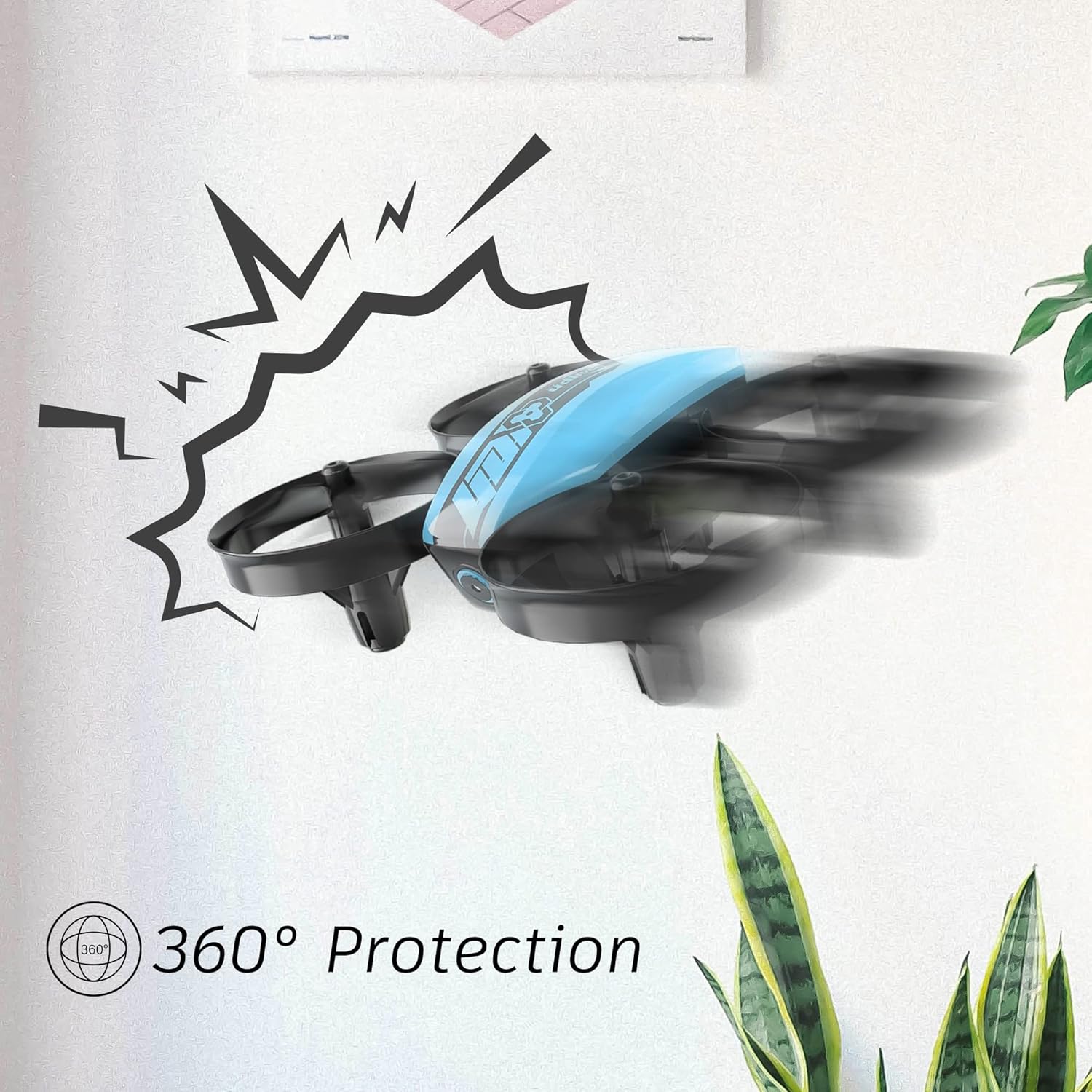
Image 2.1: The drone's 360-degree propeller protection guards help prevent damage during minor collisions.
3. პაკეტის შიგთავსი
დარწმუნდით, რომ შეფუთვაში ყველა ნივთია:
- 1 x U46 Mini Drone
- XXX x კონტროლერი
- 3 x დრონის ბატარეა
- 1 x USB დამტენი
- 4 x Extra Propellers
- 1 x მომხმარებლის სახელმძღვანელო

Image 3.1: All components included in the UDIRC U46 Mini Drone package.
4. კომპონენტები დასრულდაview
Familiarize yourself with the drone and controller components.
4.1 დრონის კომპონენტები
- პროპელერები: ოთხი მბრუნავი პირი აწევისა და მოძრაობისთვის.
- პროპელერის დამცავი საშუალებები: Integrated protective rings around each propeller.
- ძირითადი სხეული: Houses the electronics and battery.
- ინდიკატორის ნათურები: Provide status information (e.g., pairing, low battery).
4.2 კონტროლერის კომპონენტები
- მარცხენა ჯოისტიკი (დროსელი/გადახრა): აკონტროლებს სიმაღლეს და ბრუნვას.
- მარჯვენა ჯოისტიკი (Pitch/Roll): აკონტროლებს წინ/უკან და მარცხნივ/მარჯვნივ მოძრაობას.
- ერთი ძირითადი აფრენის/დაშვების ღილაკი: ავტომატურად იწყებს აფრენას ან დაშვებას.
- სიჩქარის რეჟიმის ღილაკი: გადართვა სხვადასხვა ფრენის სიჩქარეს შორის.
- უთავო რეჟიმის ღილაკი: ააქტიურებს უთავო ფრენას.
- დენის შეცვლა: რთავს/გამორთავს კონტროლერს.
- ინდიკატორის შუქი: აჩვენებს კონტროლერის სტატუსს.
5. დაყენება
5.1 დრონის აკუმულატორის დატენვა
- Connect the drone battery to the USB charger.
- Plug the USB charger into a USB power source (e.g., computer, USB wall adapter).
- The indicator light on the USB charger will illuminate during charging and turn off when fully charged.
- Charging time is approximately 30 minutes per battery.
5.2 Installing Controller Batteries
- გახსენით ბატარეის განყოფილება კონტროლერის უკანა მხარეს.
- Insert 3 x 1.5V AA batteries (not included), ensuring correct polarity.
- უსაფრთხოდ დახურეთ ბატარეის განყოფილება.
5.3 დრონისა და კონტროლერის დაწყვილება
- განათავსეთ დრონი ბრტყელ, დონის ზედაპირზე.
- ჩართეთ დრონის ჩართვის გადამრთველი. დრონის ინდიკატორის შუქები აინთება.
- Turn on the controller's power switch. The controller's indicator light will flash.
- მარცხენა ჯოისტიკი (დროსელი) ბოლომდე მაღლა ასწიეთ, შემდეგ კი ბოლომდე ქვემოთ.
- The drone and controller indicator lights will become solid, indicating successful pairing.
Video 5.1: This video demonstrates the simple frequency pairing process, one-key take-off/landing, headless mode, altitude hold, and low battery alarm features of the UDI U46 Mini Drone.
6. დრონის მართვა
6.1 ერთი გასაღების აფრენა და დაფრენა
- After pairing, press the One Key Take-off/Landing button. The drone will automatically ascend to a stable hovering altitude.
- To land, press the One Key Take-off/Landing button again. The drone will slowly descend and land.
6.2 ფრენის მართვის საშუალებები
- მარცხენა ჯოისტიკი (დროსელი): სიმაღლის გასაზრდელად აწიეთ ზემოთ, შესამცირებლად კი ჩამოწიეთ ქვემოთ.
- მარცხენა ჯოისტიკი (მოხვევის მიმართულებით): Push left or right to rotate the drone horizontally.
- Right Joystick (Pitch): Push up to fly forward, pull down to fly backward.
- Right Joystick (Roll): Push left to fly left, push right to fly right.
6.3 უთავო რეჟიმი
- Press the Headless Mode button to activate. In this mode, the drone's orientation is irrelevant; it will always move relative to the pilot's position.
- Press the button again to exit Headless Mode.
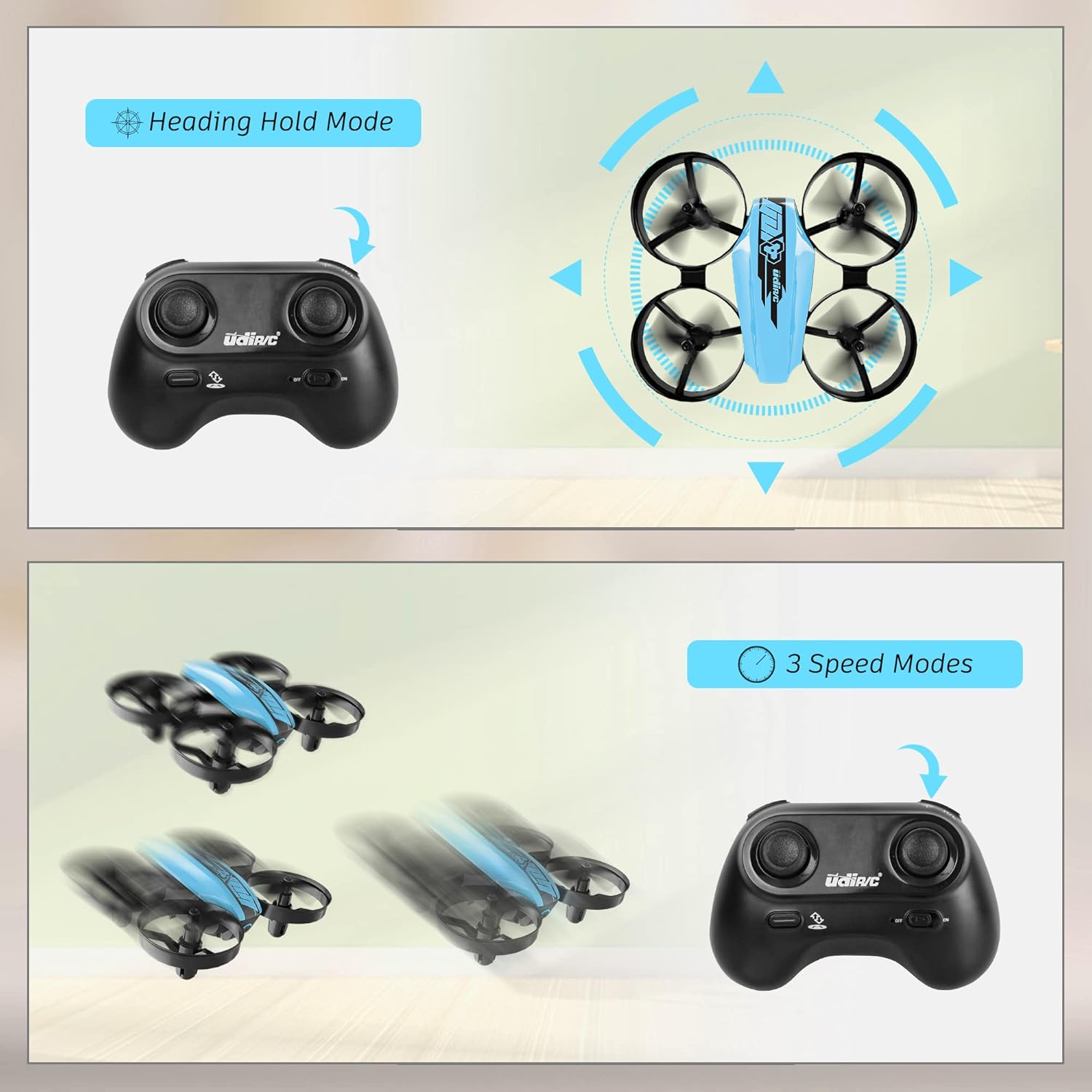
Image 6.1: Illustration of the Headless Mode feature and its activation on the controller.
6.4 სიმაღლის შენარჩუნების ფუნქცია
- The U46 drone features an altitude hold function, allowing it to maintain a stable height automatically. This simplifies control, especially for beginners.

Image 6.2: Visual representation of Altitude Hold Mode, One Button Take Off/Landing, and Emergency Stop features.
6.5 სიჩქარის რეჟიმი
- The drone has three speed modes (low, medium, high). Press the Speed Mode button to cycle through them.
- Start with low speed for learning and gradually increase as you gain proficiency.
6.6 გადაუდებელი გაჩერება
- In case of an emergency or loss of control, press and hold the One Key Take-off/Landing button for a few seconds to perform an emergency stop. The propellers will immediately cease rotation.
7. მოვლა
7.1 პროპელერის გამოცვლა
- If a propeller is damaged, carefully remove it and replace it with a new one from the spare parts. Ensure the correct propeller (A or B) is installed on the corresponding motor.
7.2 დასუფთავება და შენახვა
- Wipe the drone with a soft, dry cloth after use. Avoid using water or cleaning agents.
- დრონი და კონტროლერი შეინახეთ გრილ, მშრალ ადგილას, მზის პირდაპირი სხივებისა და ექსტრემალური ტემპერატურისგან მოშორებით.
- Remove batteries from the controller if storing for extended periods.
8. Დიაგნოსტიკა
- დრონი არ რეაგირებს: Ensure both drone and controller are powered on and successfully paired. Check controller batteries.
- დრონის დრიფტი ფრენის დროს: Perform calibration on a flat surface. Use the trim buttons on the controller to adjust for minor drifts.
- მოკლე ფრენის დრო: Ensure batteries are fully charged. Flight time can vary based on flight style and environmental factors.
- პროპელერები არ ბრუნავენ: Check for obstructions or damage to propellers. Ensure they are correctly installed.
- დაბალი ბატარეის სიგნალიზაცია: The controller will emit an alarm sound when the drone's battery is low, indicating it's time to land and recharge.
9. სპეციფიკაციები
| ბრენდი | UDIRC |
| მოდელის სახელი | U46S |
| დრონის წონა | 0.05 ფუნტი (დაახლოებით 22.68 გრამი) |
| დრონის ზომები | 3.54" სიგრძე x 3.54" სიგანე x 1.25" სიმაღლე |
| ფრენის დრო | 6-7 minutes per battery (up to 21 minutes with 3 batteries) |
| კონტროლერის სიხშირე | 2.4 გჰც |
| კონტროლერის ბატარეა | 3 x 1.5 ვოლტიანი AA ელემენტი (არ მოყვება) |
| ბატარეის ტევადობა | 180 მლნamp საათები (ლიტიუმ-პო) |
| უნარების დონე | დამწყები |
| განსაკუთრებული თვისებები | Altitude Hold, Headless Mode, One Key Take-off/Landing, 3 Speed Modes, 360° Protection |

Image 9.1: Flight time illustration, showing extended flight with multiple batteries.

Image 9.2: Dimensions of the UDIRC U46 Mini Drone, shown next to a smartphone for size comparison.
10. გარანტია და მხარდაჭერა
For warranty information or technical support, please refer to the contact details provided with your purchase or visit the official UDIRC webსაიტი. შეინახეთ შეძენის დამადასტურებელი საბუთი გარანტიის მოთხოვნისთვის.