
Google G013A
Google Pixel 3-ის მომხმარებლის სახელმძღვანელო
მოდელი: G013A
შესავალი
Welcome to the user manual for your Google Pixel 3 smartphone. This guide provides comprehensive instructions on setting up, operating, maintaining, and troubleshooting your device. The Google Pixel 3 is designed to offer a seamless and intelligent smartphone experience, featuring an advanced camera system, the Google Assistant, and an all-day battery.
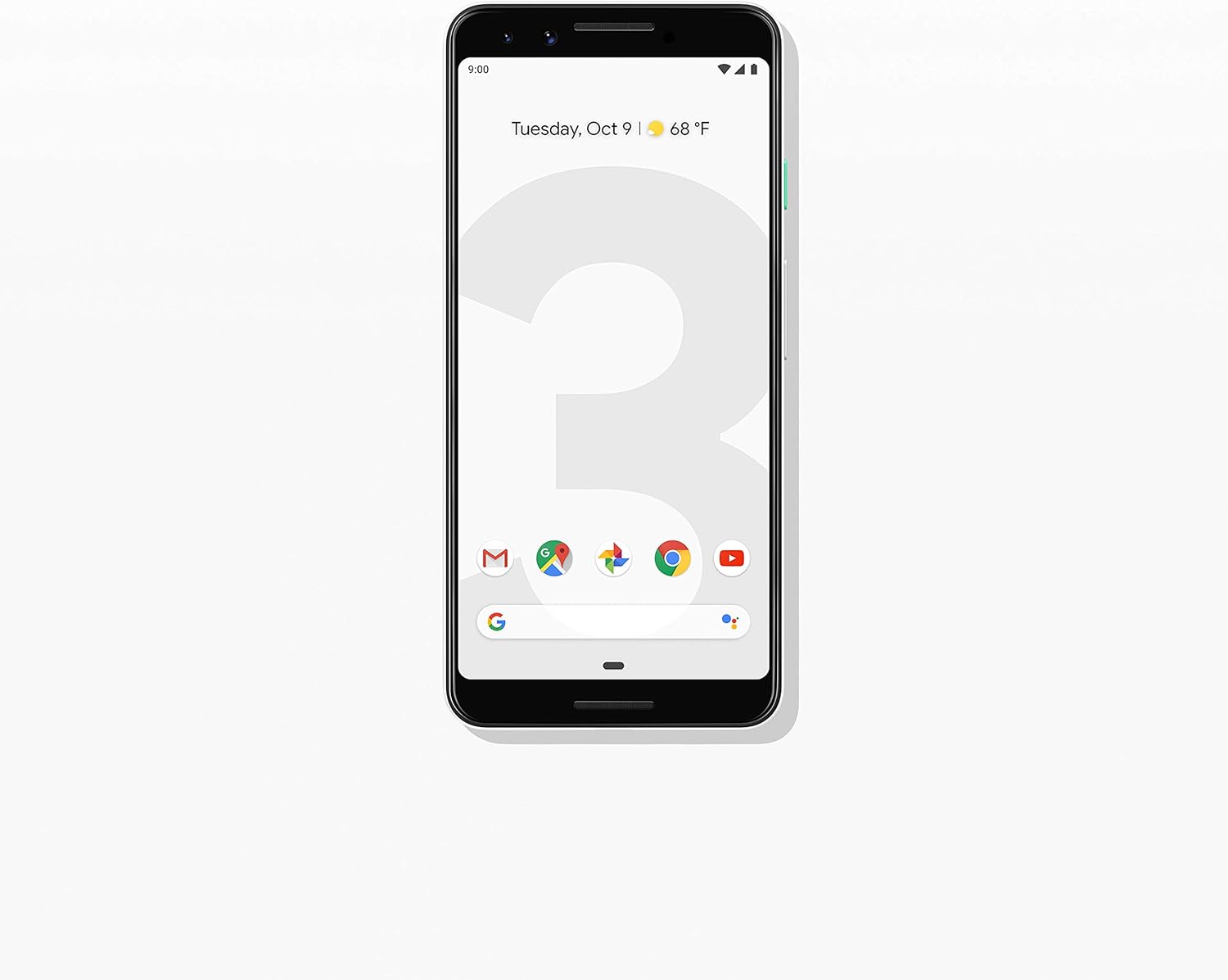
სურათი: წინა მხარე view of the Google Pixel 3 smartphone, showcasing its display and sleek design in Clearly White.
დაყენება
1. ამოღება და პირველადი შემოწმება
Upon opening the package, ensure all components are present and in good condition. The standard package for your Google Pixel 3 includes:
- Google Pixel 3 Smartphone
- USB-C digital earbud
- USB-C to USB-C კაბელი
- USB-C to 3.5mm headphone adapter
- Quick Switch Adapter (USB-A to USB-C)
- SIM ინსტრუმენტი
2. SIM ბარათის დაყენება
To install your Nano-SIM card:
- იპოვეთ SIM ბარათის უჯრა ტელეფონის მარცხენა მხარეს.
- Insert the SIM tool into the small hole on the tray to eject it.
- მოათავსეთ თქვენი Nano-SIM ბარათი უჯრაში ოქროსფერი კონტაქტებით ქვემოთ.
- ფრთხილად ჩასვით უჯრა ტელეფონში, სანამ არ დააწკაპუნებს.

სურათი: გვერდი view of the Google Pixel 3, highlighting the location of the SIM card tray and volume/power buttons.
3. პირველადი ჩართვისა და დაყენების ოსტატი
Press and hold the power button on the right side of the phone until the Google logo appears. Follow the on-screen instructions to complete the initial setup, including connecting to Wi-Fi, signing in with your Google account, and setting up security features.
4. მოწყობილობის დატენვა
Connect the USB-C cable to the phone's charging port at the bottom and the other end to the power adapter. Plug the adapter into a wall outlet. The Pixel 3 supports fast charging and wireless charging. A full charge typically takes approximately 2 hours.
ოპერაციული ინსტრუქციები
1. Basic Navigation (Android 9 Pie)
The Google Pixel 3 runs on Android 9 Pie, offering intuitive gesture navigation.
- საწყისი ეკრანი: საწყის ეკრანზე გადასასვლელად გადაფურცლეთ ეკრანის ქვემოდან ზემოთ.
- აპლიკაციის უჯრა: ყველა აპლიკაციაზე წვდომისთვის მთავარი ეკრანიდან ზემოთ გადაფურცლეთ.
- ბოლო აპლიკაციები: ქვემოდან ზემოთ გადაფურცლეთ და გააჩერეთ view ახლახან გამოყენებული აპლიკაციები.
- უკან: Tap the back arrow icon or swipe from the left or right edge of the screen (if gesture navigation is enabled).
- შეტყობინებები: გადაფურცლეთ ქვემოთ ეკრანის ზემოდან view შეტყობინებები და სწრაფი პარამეტრები.

Image: The Google Pixel 3 display showing the home screen with various app icons and the date/weather widget.
2. კამერის მახასიათებლები
The Pixel 3 camera is equipped with advanced features to capture high-quality photos and videos.
- Group Selfies: Utilize the wide-angle front camera to fit more people into your selfies.
- პორტრეტის რეჟიმი: Create professional-looking photos with a blurred background (bokeh effect).
- Top Shot: Automatically recommends the best shot from a burst of photos, ensuring no blinks or missed moments.
- Night Sight: Enhances low-light photography, capturing vibrant details in dark environments.
- 4K ვიდეოს ჩაწერა: Record high-resolution videos at 30 frames per second.
3. Google ასისტენტი
Access the Google Assistant by squeezing the sides of your phone or by saying "Hey Google" or "Ok Google." The Assistant can help with tasks such as setting alarms, getting directions, making calls, sending messages, and providing information.
4. Call Screening
The Call Screen feature allows the Google Assistant to answer calls from unknown numbers and provide a real-time transcription of the conversation, helping you avoid spam and nuisance calls.
5. Digital Wellbeing
Monitor and manage your screen time with Digital Wellbeing. Set app timers, enable Wind Down mode to grayscale your screen and mute notifications for better sleep, and focus on what matters.
6. Google Lens
Use Google Lens to search what you see. Point your camera at objects, text, or landmarks to get information, translate languages, or identify plants and animals.
მოვლა
1. ბატარეის მოვლა
To maximize battery life (2915 mAh capacity):
- მოერიდეთ ექსტრემალურ ტემპერატურას.
- Use the provided charger or a certified wireless charger.
- Enable Adaptive Battery in settings to limit battery usage for infrequently used apps.
- Consider using Battery Saver mode when battery is low.
2. პროგრამული უზრუნველყოფის განახლებები
Keep your device's software up to date to ensure optimal performance, security, and access to new features. Navigate to პარამეტრები > სისტემა > გაფართოებული > სისტემის განახლება განახლებების შესამოწმებლად და დასაინსტალირებლად.
3. თქვენი მოწყობილობის გაწმენდა
Use a soft, lint-free cloth to clean the screen and body of your Pixel 3. Avoid abrasive materials or harsh chemicals. For stubborn smudges, slightly dampქსოვილი წყლით.
4. შენახვის მენეჯმენტი
The Pixel 3 comes with 64GB of internal storage. To manage storage effectively:
- Regularly clear app caches.
- წაშალეთ არასაჭირო fileს, ფოტოები და ვიდეოები.
- Utilize cloud storage services like Google Photos (which offers free unlimited storage for Pixel users at original quality for photos and videos uploaded from the device).
პრობლემების მოგვარება
This section addresses common issues you might encounter with your Google Pixel 3.
| პრობლემა | გამოსავალი |
|---|---|
| ტელეფონი არ ირთვება | Ensure the battery is charged. Connect to a charger for at least 15 minutes. If unresponsive, press and hold the power button for 30 seconds. |
| ცუდი ბატარეის ხანგრძლივობა | Check battery usage in settings to identify draining apps. Reduce screen brightness, disable unnecessary features (Bluetooth, GPS when not in use), and enable Adaptive Battery. |
| აპლიკაციების გათიშვა ან გაყინვა | აპლიკაციის ქეშისა და მონაცემების გასუფთავება (Settings > Apps & notifications > App info > [App Name] > Storage & cache). Update the app or reinstall it. Ensure system software is up to date. |
| კავშირის პრობლემები (Wi-Fi/Bluetooth) | Toggle Wi-Fi/Bluetooth off and on. Restart the phone. Forget and reconnect to the network/device. Reset network settings (Settings > System > Advanced > Reset options > Reset Wi-Fi, mobile & Bluetooth). |
| ტელეფონი ნელია ან არ პასუხობს | Restart the phone. Clear cached data. Uninstall unused apps. Check for system updates. As a last resort, consider a factory reset (back up data first). |
ქარხნული გადატვირთვა
A factory reset will erase all data from your phone's internal storage. გაგრძელებამდე შექმენით ყველა მნიშვნელოვანი მონაცემის სარეზერვო ასლი.
- გადადით პარამეტრები > სისტემა > გაფართოებული > პარამეტრების გადაყენება.
- შეეხეთ ყველა მონაცემის წაშლა (ქარხნული პარამეტრების გადატვირთვა).
- დაადასტურეთ თქვენი გადაწყვეტილება და საჭიროების შემთხვევაში შეიყვანეთ თქვენი PIN კოდი/ნიმუში/პაროლი.
- შეეხეთ წაშალეთ ყველა მონაცემი.
სპეციფიკაციები
Key technical specifications for the Google Pixel 3 (Model: G013A):
| ფუნქცია | დეტალი |
|---|---|
| პროდუქტის ზომები | 5.73 x 2.69 x 0.31 ინჩი |
| ნივთის წონა | 12.8 უნცია |
| ოპერაციული სისტემა | Android 9.0 Pie |
| ოპერატიული მეხსიერება | 4 GB |
| მეხსიერების შენახვის მოცულობა | 64 GB |
| ეკრანის ზომა | 5.5 ინჩი |
| რეზოლუცია | 2560 x 1440 |
| ბატარეის ტევადობა | 2915 მლნamp საათები |
| დატენვის დრო | 2 საათი (დაახლოებით) |
| დაკავშირების ტექნოლოგიები | Bluetooth, 4G მობილური ინტერნეტი |
| განსაკუთრებული თვისებები | 4K Video Recording, GPS |
| ფერი | Clearly White |
გარანტია და მხარდაჭერა
Your Google Pixel 3 is covered by a limited warranty provided by Google LLC. For detailed warranty terms and conditions, please refer to the warranty information included with your device packaging or visit the official Google support webსაიტი.
დაუკავშირდით მხარდაჭერას
For technical assistance, troubleshooting beyond this manual, or warranty claims, please contact Google Support:
- ონლაინ დახმარება: ეწვიეთ support.google.com/pixelphone
- საზოგადოების ფორუმი: Engage with other Pixel users and experts on Google's official forums.
When contacting support, please have your device's model number (G013A) and serial number ready.
Ask a question about this manual
Ask about setup, troubleshooting, compatibility, parts, safety, or missing instructions. Manuals+ will review the question and use this page’s manual context to help answer it.