
1. შესავალი
მადლობა შენაძენისთვისasing the LUPO Digital Pocket Scale. This precision instrument is designed for accurate weighing of small items up to 200 grams with a 0.01 gram graduation. Its compact and portable design makes it ideal for various applications, including weighing jewelry, food ingredients, herbs, and other small objects. Please read this manual carefully to ensure proper operation and longevity of your scale.
ძირითადი მახასიათებლები:
- მაქსიმალური ტევადობა: 200 გ
- გამოსაშვები: 0.01გრ
- Multiple Weighing Units: g, gn, oz, ozt, ct, tl, dwt
- Durable Stainless Steel Platform
- განათებული LCD ეკრანი
- ტარის ფუნქცია
- ავტომატური გამორთვა
- დაბალი ბატარეის ინდიკატორი
- გადატვირთვისაგან დაცვა
2. პაკეტის შიგთავსი
- 1 x LUPO 200g Digital Pocket Scale
- 2 x AAA ბატარეები
- 1 x მომხმარებლის სახელმძღვანელო
3. დაყენება
3.1 ბატარეის დაყენება
The scale requires 2 AAA batteries (included). To install or replace batteries:
- გახსენით სასწორის ქვედა მხარეს მდებარე ბატარეის განყოფილების საფარი.
- ჩადეთ 2 AAA ელემენტი, დარწმუნდით, რომ სწორი პოლარობაა (+/-).
- უსაფრთხოდ დახურეთ ბატარეის განყოფილების საფარი.
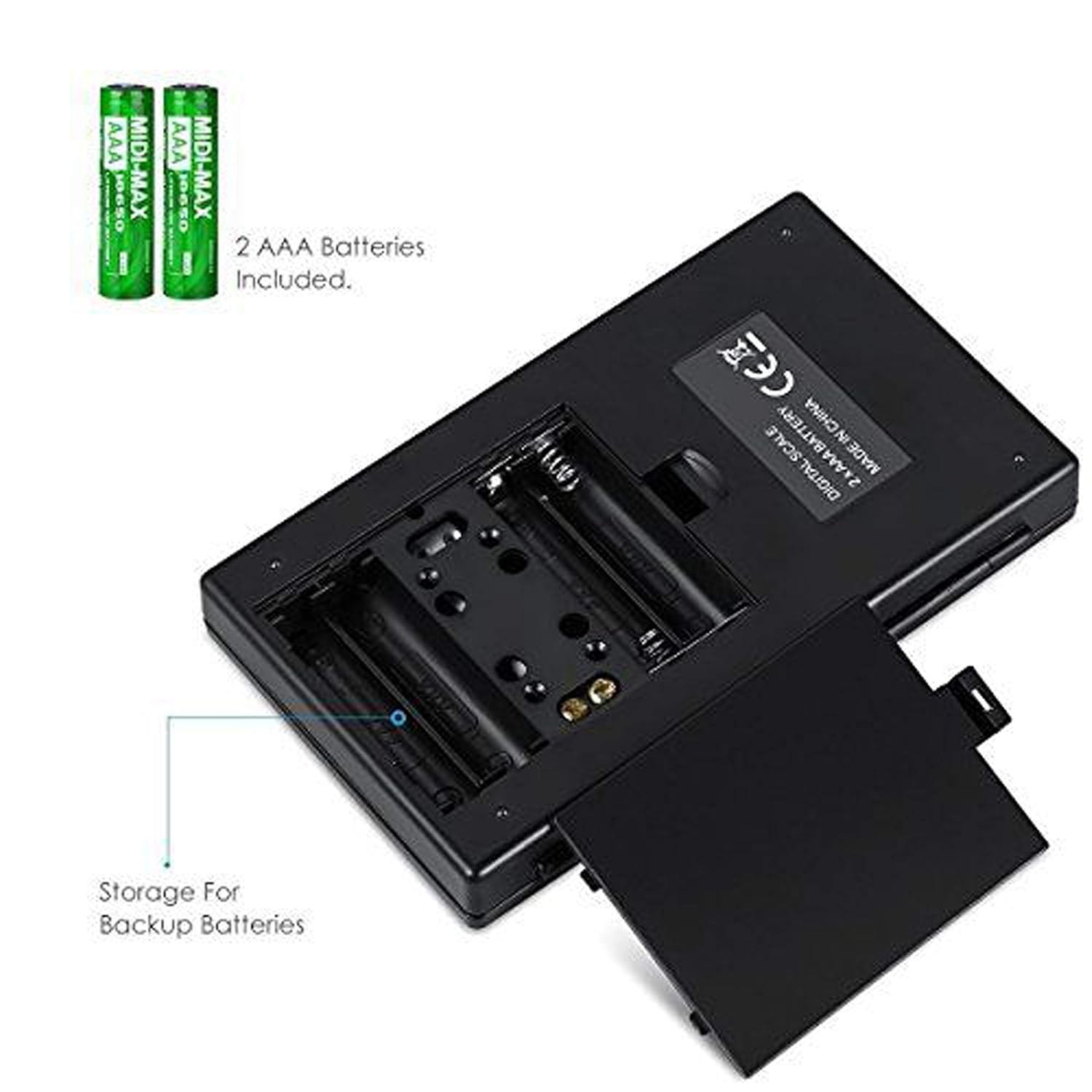
სურათი 3.1: აკუმულატორების განყოფილება AAA ტიპის აკუმულატორებით.
3.2 საწყისი განთავსების ადგილი
For accurate readings, place the scale on a hard, flat, and stable horizontal surface. Avoid placing it on soft or uneven surfaces, or near sources of vibration or electromagnetic interference.
4. ოპერაცია
4.1 ძირითადი აწონვა
- დააჭირეთ ჩართვა/გამორთვა ღილაკი სასწორის ჩართვისთვის.
- Wait for the display to show "0.00" (or "0") before placing any items on the weighing platform.
- Gently place the item(s) you wish to weigh onto the center of the stainless steel weighing platform.
- წონა გამოჩნდება LCD ეკრანზე.

Figure 4.1: Quick start guide for basic weighing.
4.2 ერთეულის კონვერტაცია
The scale supports multiple weighing units. To change the unit:
- With the scale turned on and displaying "0.00", press the MODE ღილაკი არაერთხელ.
- The display will cycle through the available units: grams (g), grains (gn), ounces (oz), troy ounces (ozt), carats (ct), and pennyweights (dwt).
- შეწყვიტე დაჭერა MODE when your desired unit is displayed.
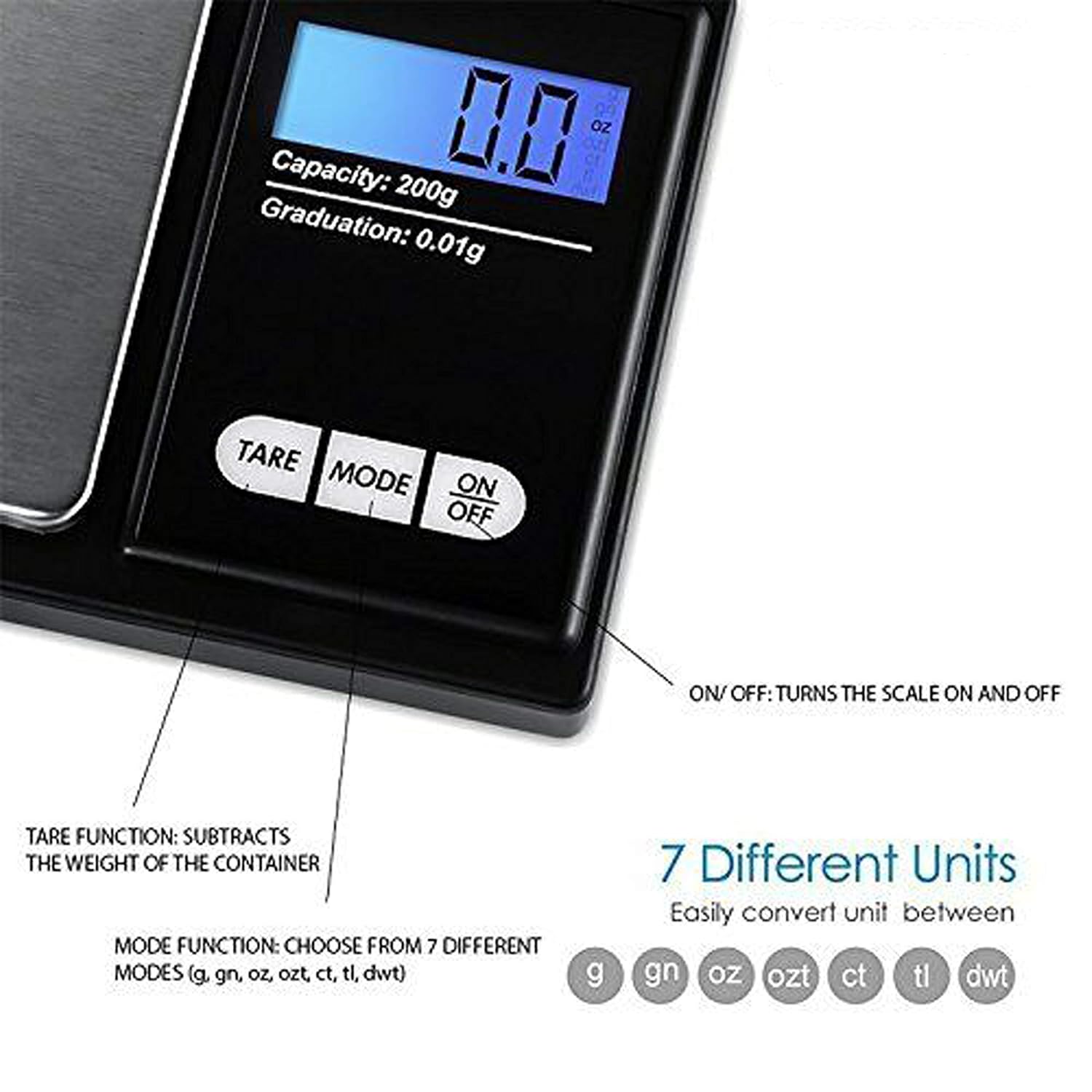
Figure 4.2: Available weighing units and button functions.
4.3 ტარის ფუნქცია
The tare function allows you to subtract the weight of a container, so you only measure the net weight of its contents.
- ცარიელი კონტეინერი მოათავსეთ აწონვის პლატფორმაზე.
- დააჭირეთ ტარი ღილაკი. ეკრანი დაუბრუნდება „0.00“-ს.
- Now, place the item(s) you wish to weigh into the container. The display will show only the weight of the item(s).
5. კალიბრაცია
Calibration ensures the accuracy of your scale. It is recommended to calibrate the scale periodically or if you notice inconsistent readings. A 200g calibration weight is required (not included).
- ჩართეთ სასწორი დაჭერით ჩართვა/გამორთვა ღილაკი.
- Wait for the display to show "0.00".
- დააჭირეთ და გააჩერეთ MODE button until the display shows "CAL", then release the button.
- დააჭირეთ MODE button again. The display will show "CAL" followed by the required calibration weight (e.g., "200.00g").
- Place the exact 200g calibration weight onto the center of the weighing platform.
- The display will show "PASS" and then return to normal weighing mode.
- Remove the calibration weight. Calibration is complete.
Note: If you do not have a 200g calibration weight, you may need to acquire one separately for accurate calibration.
6. მოვლა
6.1 დასუფთავება
გაასუფთავეთ სასწორი ოდნავ დamp cloth. Do not immerse the scale in water or use abrasive cleaners. Keep the weighing platform clean and free of debris.
6.2 შენახვა
Store the scale in a clean, dry environment. If the scale will not be used for an extended period, it is recommended to remove the batteries to prevent leakage.
7. Დიაგნოსტიკა
If you encounter issues with your scale, consider the following:
- არაზუსტი წაკითხვები:
- დარწმუნდით, რომ სასწორი სტაბილურ, თანაბარ ზედაპირზეა.
- Avoid placing the scale near strong radio frequency interference.
- Keep the scale away from high humidity, air currents (e.g., fans, open windows), and extreme temperatures.
- Minimize vibration during weighing.
- Perform a calibration (refer to Section 5).
- "Lo" or "Low Battery" Display: შეცვალეთ AAA ბატარეები.
- "O-Ld" or "Overload" Display: The item on the platform exceeds the maximum capacity of 200g. Remove the item immediately to prevent damage to the scale.
- სასწორი არ ირთვება: შეამოწმეთ ბატარეის დამონტაჟება და დარწმუნდით, რომ ბატარეები არ არის დაცლილი.

Figure 7.1: Overload and Low Battery indicators.
8. სპეციფიკაციები
| ფუნქცია | დეტალი |
|---|---|
| ბრენდი | ლუპო |
| მოდელის ნომერი | BHT2018376_200g_pock |
| ტევადობა | 0.05 გ-დან 200 გ-მდე |
| გამოსაშვები | 0.01გრ |
| ასაწონი ერთეული | g, gn, oz, ozt, ct, tl, dwt |
| ჩვენების ტიპი | LCD უკანა განათებით |
| დენის წყარო | 2 x AAA ბატარეები (შედის) |
| მასალა | Plastic, Stainless Steel Platform |
| ზომები (დაახლოებით) | 14.8 x 9 x 2.4 cm (Package); 5.0 x 3.0 x 0.8 inches (Scale) |
| წონა (დაახლოებით) | 140 გრამი (შეფუთვა) |
| განსაკუთრებული თვისებები | Backlit display, Auto-off, Tare function, Lightweight, Portable |
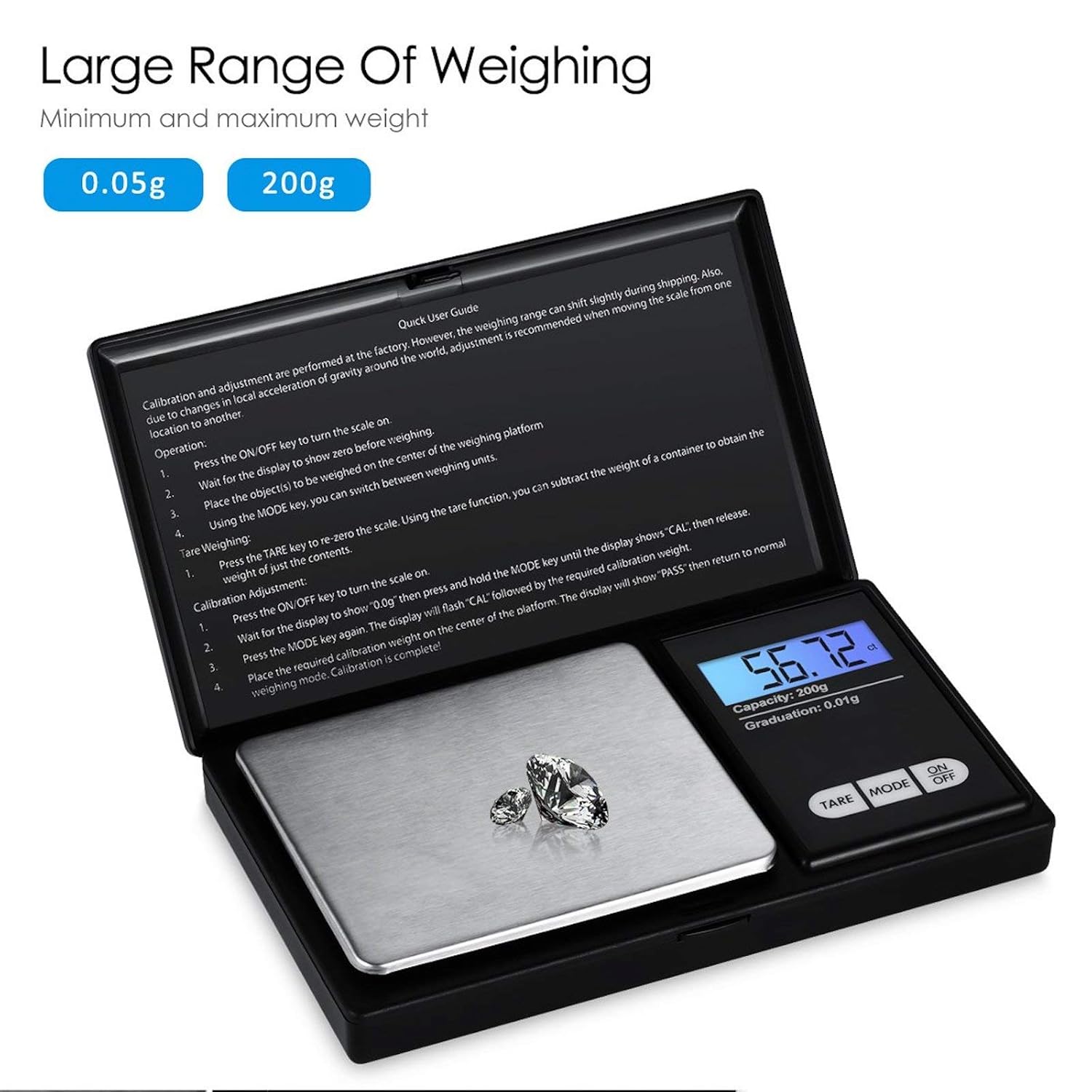
Figure 8.1: Weighing range of the scale.
9. გარანტია და მხარდაჭერა
Warranty information for this product is not explicitly specified in the provided details. For any support inquiries or warranty claims, please contact the retailer or manufacturer directly.