
1. შესავალი
This manual provides comprehensive instructions for the Microsoft Surface Laptop 3, Model VGY-00001. Designed for productivity and portability, this device features a 13.5-inch touchscreen, Intel Core i5 processor, 8GB RAM, and a 128GB Solid State Drive. Please read this manual thoroughly to ensure proper setup, operation, and maintenance of your device.
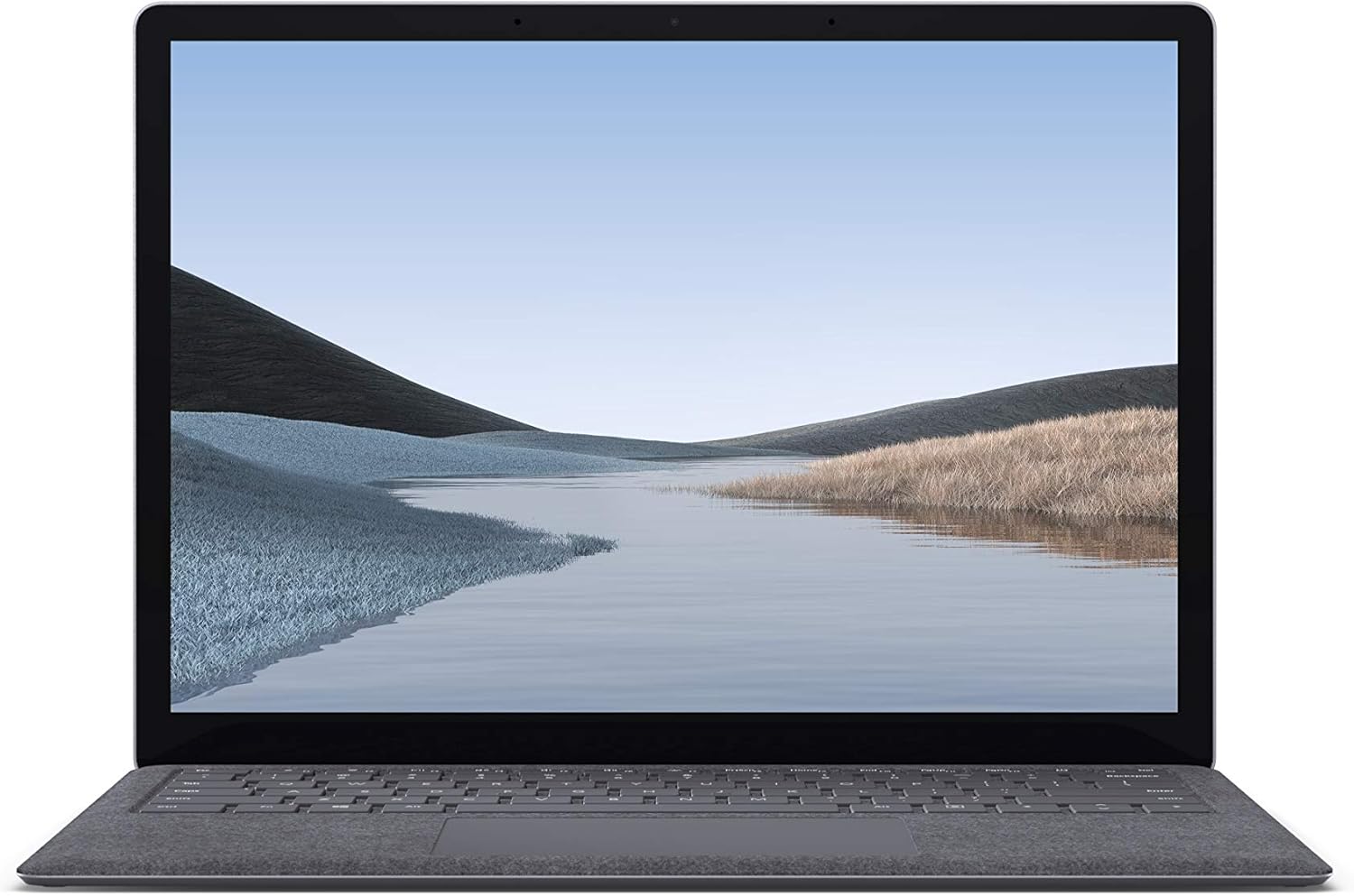
სურათი 1.1: წინა view of the Microsoft Surface Laptop 3 with its display active.
The Surface Laptop 3 offers a clean, elegant design, weighing approximately 2.79 pounds, making it easy to carry. It features improved speed and performance with its 10th Gen Intel Core processors, offering up to two times faster performance than previous models. Connectivity options include USB-C and USB-A ports for connecting to displays, docking stations, and accessories. The device provides up to 11.5 hours of battery life and supports fast charging, reaching up to 80% in about one hour.
2. რა არის ყუთში
Upon unboxing your Microsoft Surface Laptop 3, verify that all the following items are present:
- Microsoft Surface Laptop 3 (Model VGY-00001)
- სწრაფი დაწყების სახელმძღვანელო (QSG)
- კვების წყარო (ცვლადი ცვლადი დენის ადაპტერი)
3. დაყენება
3.1 საწყისი ჩართვა
- დაკავშირება ძალა: Plug the power supply into a wall outlet and connect the magnetic Surface Connect port to your laptop. The LED indicator on the connector will light up when properly connected.
- ჩართვა: გახსენით ლეპტოპის სახურავი ან დააჭირეთ კლავიატურაზე მდებარე ჩართვის ღილაკს.
- Windows-ის დაყენება: Windows 10 Home-ის დაყენების დასასრულებლად მიჰყევით ეკრანზე მოცემულ ინსტრუქციებს. ეს მოიცავს თქვენი რეგიონის არჩევას, Wi-Fi ქსელთან დაკავშირებას და მომხმარებლის ანგარიშის შექმნას.
- Windows Hello: Configure Windows Hello for secure and fast login using facial recognition.
3.2 პერიფერიული მოწყობილობების შეერთება
თქვენს Surface Laptop 3-ს აქვს სხვადასხვა პორტი გარე მოწყობილობების დასაკავშირებლად:
- USB-C პორტი: მონაცემთა გადაცემის, ვიდეო გამომავალი და თავსებადი მოწყობილობების დატენვისთვის.
- USB-A პორტი: For connecting traditional USB devices like mice, keyboards, and external storage.
- 3.5 მმ ყურსასმენის ჯეკი: ყურსასმენებში ან გარე დინამიკებში აუდიო გამომავალისთვის.
- Surface Connect პორტი: For the power supply and compatible Surface docking stations.

სურათი 3.1: გვერდი view illustrating the available ports on the Surface Laptop 3.
4. თქვენი Surface Laptop 3-ის მართვა
4.1 დისპლეი და სენსორული ეკრანი
The 13.5-inch PixelSense touchscreen display offers a resolution of 2256 x 1504 pixels. It supports multi-touch gestures and is compatible with the Surface Pen (sold separately) for writing and drawing directly on the screen.
4.2 კლავიატურა და სენსორული პანელი
The full-size ergonomic keyboard features backlighting for comfortable typing in various lighting conditions. The large precision touchpad supports multi-finger gestures for navigation and control.
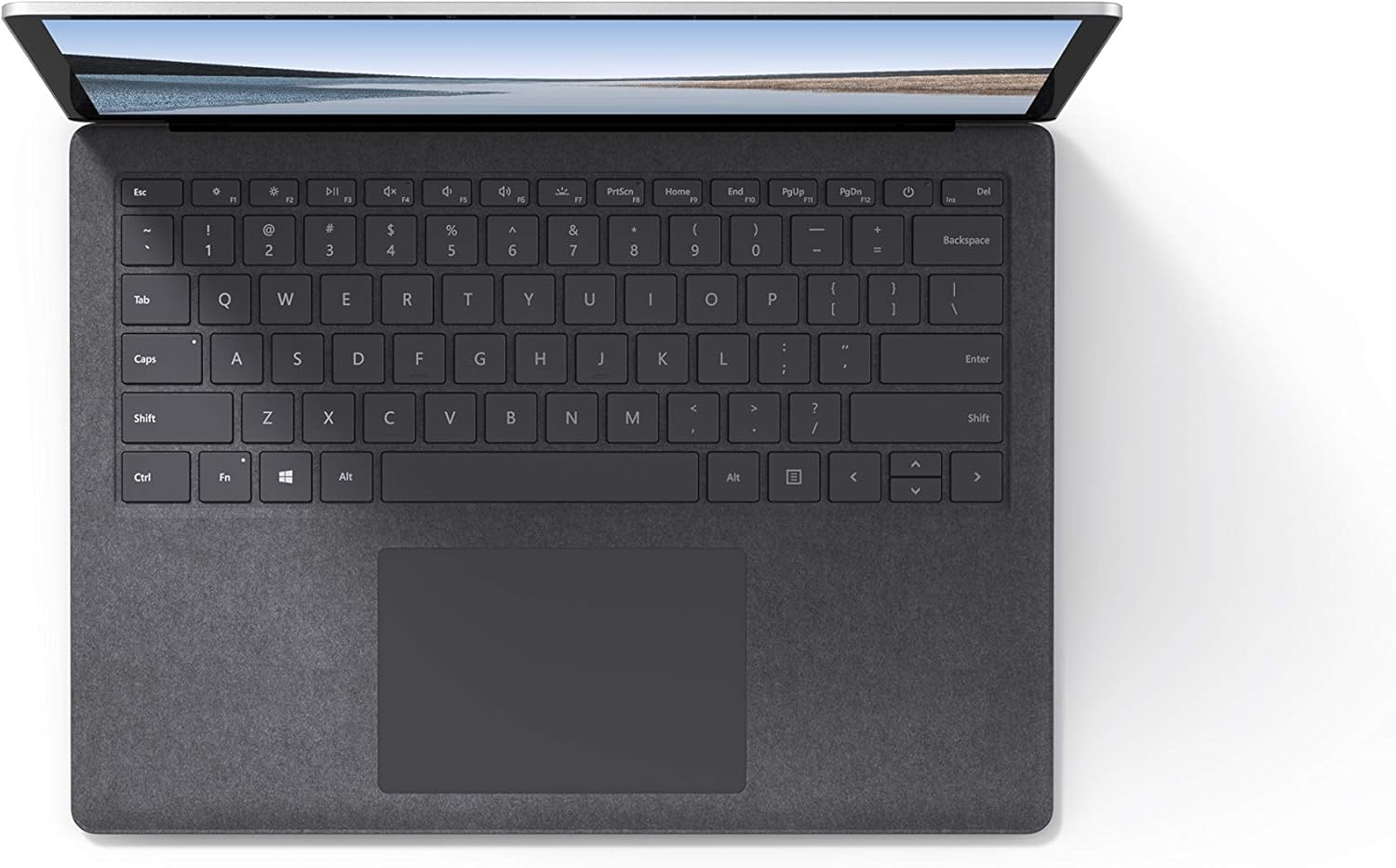
სურათი 4.1: ზემოდან ქვემოთ view კლავიატურის და სენსორული პანელის არეალი.
4.3 აუდიო და კამერა
The laptop is equipped with Omnisonic Speakers with Dolby Audio Premium for clear sound. Dual far-field Studio Mics enhance voice clarity for calls and recordings. A front-facing 720p HD camera supports video conferencing and Windows Hello facial authentication.
4.4 უსადენო კავშირი
The Surface Laptop 3 supports Wi-Fi 6 (802.11ax) for fast and reliable internet access, and Bluetooth 5.0 for connecting wireless accessories.
Video 4.1: Official Microsoft video showcasing the Surface Laptop 3's features and design.
5. მოვლა
5.1 თქვენი მოწყობილობის გაწმენდა
- გამოიყენეთ რბილი, უბინავის ქსოვილი დampened with water or an approved screen cleaner to clean the display.
- კლავიატურისა და კორპუსისთვის გამოიყენეთ რბილი, მშრალი ქსოვილი. მოერიდეთ უხეში ქიმიკატების ან აბრაზიული მასალების გამოყენებას.
- შეინახეთ პორტები მტვრისა და ნამსხვრევებისგან თავისუფალი.
5.2 პროგრამული უზრუნველყოფის განახლებები
ოპტიმალური მუშაობის, უსაფრთხოებისა და უახლეს ფუნქციებზე წვდომის უზრუნველსაყოფად, რეგულარულად შეამოწმეთ და დააინსტალირეთ Windows-ის განახლებები. გადადით პარამეტრები > განახლება და უსაფრთხოება > Windows-ის განახლება.
5.3 ბატარეის მოვლა
- მოერიდეთ ექსტრემალურ ტემპერატურას.
- ბატარეის ოპტიმალური ხანგრძლივობისთვის, მოერიდეთ მის მუდმივად 0%-მდე დაცლას ან 100%-ზე შენარჩუნებას დიდი ხნის განმავლობაში.
- გამოიყენეთ მხოლოდ მოწოდებული კვების წყარო.
6. Დიაგნოსტიკა
6.1 ელექტროენერგიის პრობლემები
- მოწყობილობა არ ირთვება: Ensure the power supply is securely connected and the outlet is functional. Try a forced shutdown by holding the power button for 30 seconds, then release and press again briefly to restart.
- აკუმულატორი არ იტენება: Verify the Surface Connect cable is properly attached. Check for any damage to the cable or port.
6.2 შესრულების პრობლემები
- ნელი შესრულება: Close unnecessary applications. Check Task Manager for resource-intensive processes. Ensure Windows is up to date.
- გადახურება: Ensure ventilation vents are not blocked. Avoid using the laptop on soft surfaces that can obstruct airflow.
6.3 დაკავშირების პრობლემები
- Wi-Fi არ უკავშირდება: Restart your router and the laptop. Check Wi-Fi settings and ensure the correct network is selected and password entered.
- Bluetooth მოწყობილობა არ წყვილდება: დარწმუნდით, რომ Bluetooth მოწყობილობა დაწყვილების რეჟიმშია და მის დიაპაზონშია. შეამოწმეთ Bluetooth-ის პარამეტრები თქვენს ლეპტოპზე.
7. სპეციფიკაციები
| ფუნქცია | დეტალი |
|---|---|
| ბრენდი | მაიკროსოფტი |
| მოდელის სახელი | ზედაპირული ლეპტოპი 3 |
| მოდელის ნომერი | VGY-00001 |
| ეკრანის ზომა | 13.5 ინჩი |
| რეზოლუცია | 2256 x 1504 პიქსელი |
| CPU მოდელი | Intel Core i5 (10th Generation) |
| პროცესორის სიჩქარე | 1.2 GHz (up to 3.7 GHz with Turbo Boost) |
| დამონტაჟებული ოპერატიული მეხსიერების ზომა | 8 GB LPDDR4 |
| მყარი დისკის ზომა | 128 GB SSD |
| ოპერაციული სისტემა | Windows 10 Home (Free Upgrade to Windows 11 when available) |
| გრაფიკული კოპროცესორი | Intel Iris Plus |
| დაკავშირების ტექნოლოგია | 1 x USB-C, 1 x USB-A, 3.5 mm headphone jack, 1 x Surface Connect port |
| უკაბელო ტექნოლოგია | Wi-Fi 6 (802.11ax), Bluetooth 5.0 |
| ბატარეის ხანგრძლივობა | 11.5 საათამდე |
| ნივთის წონა | 2.79 ფუნტი |
| Dimensions (L x W x Thickness) | 8.8" სიგრძე x 12.1" სიგანე x 0.57" სიგანე |
| კამერა | Front-facing 720p HD camera with Windows Hello face authentication |
| აუდიო | Omnisonic Speakers with Dolby Audio Premium, Dual far-field Studio Mics |
8. გარანტია და მხარდაჭერა
8.1 პროდუქტის გარანტია
The Microsoft Surface Laptop 3 (Model VGY-00001) comes with a 1 წლიანი მწარმოებლის შეზღუდული გარანტიაეს გარანტია ფარავს მასალებისა და დამუშავების დეფექტებს ნორმალური გამოყენების პირობებში. კონკრეტული პირობებისა და წესების სანახავად, გთხოვთ, იხილოთ თქვენს პროდუქტთან ერთად მოწოდებული გარანტიის დოკუმენტაცია ან ეწვიოთ Microsoft-ის ოფიციალურ მხარდაჭერის სამსახურს. webსაიტი.
8.2 მომხმარებელთა მხარდაჭერა
For technical assistance, troubleshooting, or warranty claims, please contact Microsoft Support. You can find contact information and additional resources on the official Microsoft Surface support website. Keep your proof of purchase and product serial number readily available when contacting support.
ონლაინ დახმარება: ეწვიეთ support.microsoft.com/surface for FAQs, drivers, and software downloads.