
1. შესავალი
This manual provides essential information for the installation, operation, and maintenance of your ZOTAC Gaming GeForce RTX 3070 Twin Edge OC graphics card. This card is built on the NVIDIA Ampere architecture, featuring 2nd Gen Ray Tracing Cores, 3rd Gen Tensor Cores, and GDDR6 memory for high-fidelity gaming performance.
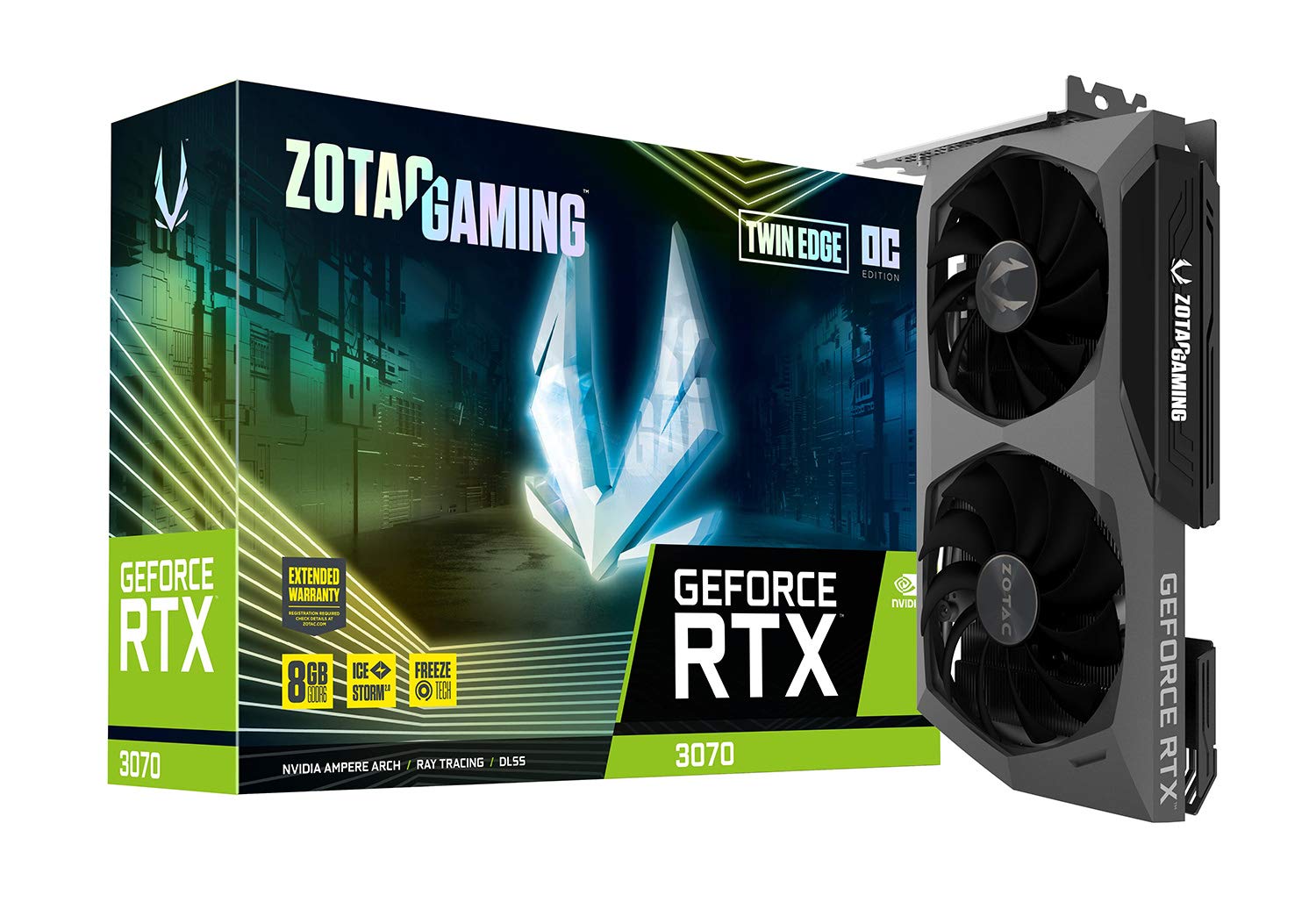
სურათი: წინა მხარე view of the ZOTAC Gaming GeForce RTX 3070 Twin Edge OC graphics card.
2. რა არის ყუთში
დარწმუნდით, რომ თქვენი პროდუქტის შეფუთვაში შედის ყველა შემდეგი ნივთი:
- ZOTAC GAMING GeForce RTX 3070 Twin Edge OC graphics card
- 2x Dual 6-pin to 8-pin adapter
- მომხმარებლის სახელმძღვანელო (სწრაფი ინსტალაციის სახელმძღვანელო)

Image: Quick Installation Guide and two 6-pin to 8-pin power adapters included with the graphics card.
3. სპეციფიკაციები
| ფუნქცია | სპეციფიკაცია |
|---|---|
| გრაფიკული კოპროცესორი | NVIDIA GeForce RTX 3070 |
| ბრენდი | ZOTAC |
| გრაფიკული ოპერატიული მეხსიერების ზომა | 8 GB |
| ვიდეო გამომავალი ინტერფეისი | 3 x DisplayPort 1.4a, 1 x HDMI 2.1 |
| გრაფიკული RAM ტიპი | GDDR6 |
| თავსებადი მოწყობილობები | დესკტოპის კომპიუტერი |
| გრაფიკული ბარათის ინტერფეისი | PCI-Express 4.0 x16 |
| Boost Clock Speed | 1755 MHz |
| Maximum Digital Resolution | 7680 x 4320 @ 60 Hz |
| ელემენტის ზომები (L x W) | 9.1" სიგრძე x 5.6" სიგანე (231.9 მმ x 141.3 მმ) |
| მოდელის ნომერი | ZT-A30700H-10P |
| ნივთის წონა | 998 გრამი |
Image: Detailed dimensions and output port configuration (3x DisplayPort 1.4a, 1x HDMI 2.1) of the graphics card.
4. მონტაჟი
- მოამზადეთ თქვენი სისტემა: გამორთეთ კომპიუტერი და გათიშეთ ყველა კაბელი. გახსენით კომპიუტერის კორპუსი.
- იპოვეთ PCIe სლოტი: დედა დაფაზე იპოვეთ ხელმისაწვდომი PCI Express 4.0 x16 სლოტი. საჭიროების შემთხვევაში, მოხსენით გაფართოების სლოტების საფარი.
- გრაფიკული ბარათის ჩასმა: ფრთხილად გაასწორეთ გრაფიკული ბარათი PCIe სლოტთან და მჭიდროდ დააჭირეთ, სანამ ის საიმედოდ არ დამაგრდება. დარწმუნდით, რომ დამჭერი კლიპი თავის ადგილზეა ჩამაგრებული.
- დაცული ბარათი: ვიდეო ბარათი კომპიუტერის კორპუსზე მიამაგრეთ ქეისში მოცემული ხრახნის ან საკეტის მექანიზმის გამოყენებით.
- დაკავშირება ძალა: This graphics card requires two 8-pin PCIe power connectors. Connect the power cables from your power supply unit (PSU) to the corresponding ports on the graphics card. Ensure your PSU can provide sufficient power (minimum 650W recommended). If your PSU only has 6-pin connectors, use the included 6-pin to 8-pin adapters.
- Close Case and Connect Cables: Close your computer case, reconnect all external cables (monitor, power, peripherals), and power on your system.

სურათი: გვერდი view illustrating the location of the dual 8-pin PCIe power input on the graphics card.
5. საოპერაციო ინსტრუქციები
5.1 დრაივერის ინსტალაცია
After physical installation, you must install the latest NVIDIA graphics drivers. Visit the official NVIDIA webსაიტი (www.nvidia.com/drivers) to download the appropriate drivers for your GeForce RTX 3070 card and operating system. Follow the on-screen instructions for installation.
5.2 ეკრანის კავშირი
Connect your monitor(s) to the graphics card using DisplayPort or HDMI cables. This card supports up to four displays simultaneously. Ensure you use Ultra High Speed HDMI cables for 8K/60FPS or 4K/120FPS resolutions.

Image: Rear panel of the graphics card with three DisplayPort and one HDMI output.
5.3 ZOTAC FireStorm Utility
The ZOTAC FireStorm Utility software allows you to monitor your graphics card's performance, adjust fan speeds, and customize LED lighting. Download the utility from the official ZOTAC webსაიტი (www.zotac.com/support).
6. გაგრილების ფუნქციები
The ZOTAC Gaming GeForce RTX 3070 Twin Edge OC features the IceStorm 2.0 Advanced Cooling system for optimal thermal management.
- IceStorm 2.0 Advanced Cooling: A refined cooling system designed for wider coverage, keeping the GPU cooler and maintaining performance. It includes a wide array aluminum heatsink with up to five copper heat pipes and 11-blade fans for increased airflow.
- FREEZE Fan Stop: This feature automatically stops the fans when the GPU is idle, providing quieter operation and reducing wear on the fan system.
- Active Fan Control: Users can adjust fan rotations independently using the ZOTAC GAMING FireStorm software, allowing for precise airflow control where and when it is needed.

სურათი: აფეთქებული view of the IceStorm 2.0 cooling system, highlighting the metal backplate, heatsink, and fan design.
Image: Representation of Active Fan Control, demonstrating independent fan speed adjustments.
7. მოვლა
თქვენი ვიდეო ბარათის ოპტიმალური მუშაობისა და ხანგრძლივი მუშაობის უზრუნველსაყოფად, რეკომენდებულია რეგულარული მოვლა:
- მტვრის მოცილება: Periodically clean dust from the fans and heatsink using compressed air. Ensure the system is powered off before cleaning.
- ჰაერის ნაკადი: Maintain good airflow within your computer case by ensuring proper cable management and clear ventilation paths.
- დრაივერის განახლებები: განაახლეთ თქვენი გრაფიკული დრაივერები NVIDIA-ს უახლეს ვერსიამდე webსაიტი მუშაობის გაუმჯობესებისა და შეცდომების გამოსწორებისთვის.
8. Დიაგნოსტიკა
თუ თქვენს გრაფიკულ ბარათთან დაკავშირებით პრობლემები შეგექმნათ, განიხილეთ შემდეგი გავრცელებული პრობლემების მოგვარების ნაბიჯები:
- ეკრანის გამომავალი არ არის:
- Ensure the monitor cables are securely connected to the graphics card.
- დარწმუნდით, რომ გრაფიკული ბარათი სრულად არის ჩასმული PCIe სლოტში.
- Check that all required PCIe power connectors are properly attached.
- თუ შესაძლებელია, შეამოწმეთ სხვა ეკრანის კაბელით ან მონიტორით.
- სისტემის არასტაბილურობა/გაჭედვა:
- Ensure your Power Supply Unit (PSU) meets the minimum wattage requirement (650W recommended) and can deliver stable power through separate PCIe power cables, not just daisy-chained connectors from a single PSU output.
- განაახლეთ თქვენი გრაფიკული დრაივერები უახლეს ვერსიამდე.
- Monitor GPU temperatures using the FireStorm Utility to check for overheating.
- მძღოლის პრობლემები:
- Perform a clean installation of the graphics drivers. Uninstall existing drivers before installing new ones.
For further assistance, refer to the ZOTAC support page.
9. გარანტია და მხარდაჭერა
Your ZOTAC Gaming GeForce RTX 3070 Twin Edge OC graphics card comes with a 2 წლიანი მწარმოებლის გარანტიაგთხოვთ, შეინახოთ შეძენის დამადასტურებელი საბუთი გარანტიის მოთხოვნებისთვის.
For customer service, technical support, or general inquiries, please visit the dedicated ZOTAC support page:
დამატებითი ფუნქციები
- White LED Logo Lighting: The card features a white LED illuminated ZOTAC GAMING logo, which can be customized via the FireStorm Utility.
- ლითონის საყრდენი ფირფიტა: A durable metal backplate provides structural protection for the PCB and enhances the overall aesthetic design of the card.
Image: The graphics card showcasing its white LED logo lighting.
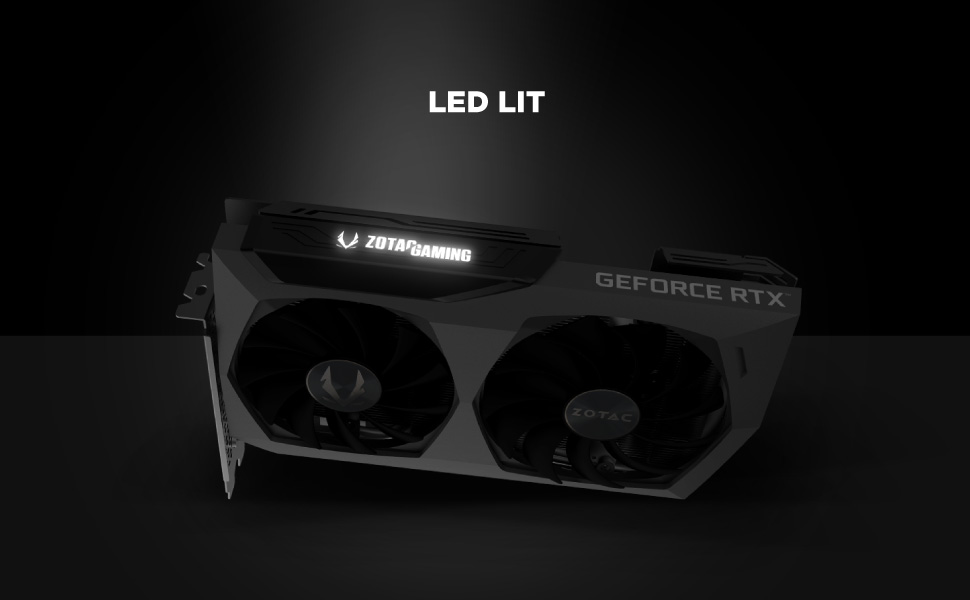
Image: The metal backplate component of the graphics card, providing protection and structural integrity.