შესავალი
The VOX VFS3 is a dedicated 3-button footswitch designed to enhance the functionality and control of your VOX Mini Go series amplifier. This footswitch allows for hands-free operation of various amplifier features, such as program switching, effect on/off, or looper control, depending on your specific Mini Go amplifier model. This manual provides essential information for the proper setup, operation, and maintenance of your VFS3 footswitch.
უსაფრთხოების ინფორმაცია
- არ დაუშვათ მოწყობილობა წვიმის ან ტენიანობის ქვეშ.
- მოერიდეთ მოწყობილობის განთავსებას სითბოს წყაროებთან ახლოს ან მზის პირდაპირ სხივებში.
- არ სცადოთ მოწყობილობის დაშლა ან მოდიფიცირება. ყველა სახის მომსახურებისთვის მიმართეთ კვალიფიციურ პერსონალს.
- Use only with compatible VOX Mini Go ampმებრძოლები.
- შეინახეთ ბავშვებისთვის მიუწვდომელ ადგილას.
პაკეტის შიგთავსი
- VOX VFS3 3-Button Footswitch (with integrated cable)
- მომხმარებლის სახელმძღვანელო (ეს დოკუმენტი)
პროდუქტი დასრულდაview
The VFS3 footswitch features three robust buttons, each with an associated LED indicator, and an integrated cable for connection to your ampმაცოცხლებელი.
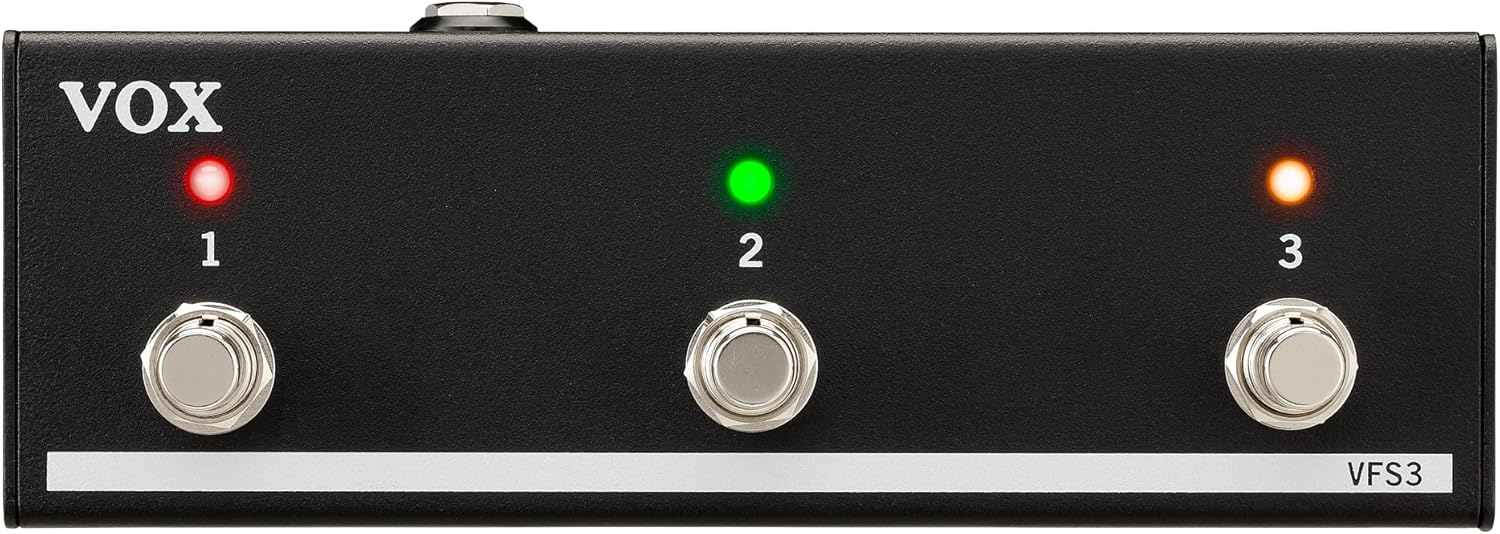
წინა view of the VOX VFS3 3-Button Footswitch. It features three silver footswitches labeled 1, 2, and 3, each with a corresponding LED indicator above it. The VOX logo is on the left, and 'VFS3' is on the bottom right.
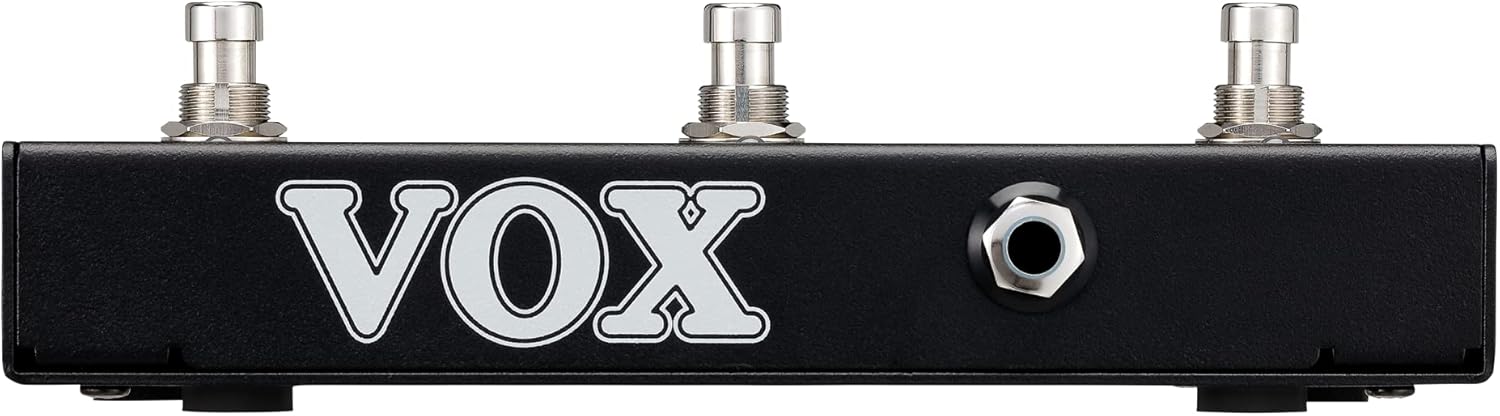
მხარე view of the VOX VFS3 footswitch, highlighting its compact and durable metal casing.

უკან view of the VOX VFS3 footswitch, displaying the integrated cable that connects to the amplifier. The VOX logo is prominently featured.
დაყენება
- Connect the Footswitch: Locate the footswitch input jack on your VOX Mini Go amplifier. This is typically a 3.5mm (1/8-inch) stereo jack.
- კაბელის ჩასმა: Firmly insert the integrated 3.5mm cable from the VFS3 footswitch into the footswitch input jack on your Mini Go ampმაცოცხლებელი.
- ჩართვა: Turn on your VOX Mini Go amplifier. The footswitch is powered by the amplifier, so no external power supply is needed for the VFS3.
- დაადასტურეთ კავშირი: The amplifier should recognize the footswitch. Refer to your Mini Go amplifier's manual for specific indications or settings related to footswitch connection.

The VOX VFS3 footswitch connected to a VOX Mini Go amplifier, illustrating the proper connection of the cable to the ampლიფიკატორის შემავალი ჯეკი.
ოპერაციული ინსტრუქციები
The specific functions controlled by the VFS3 footswitch buttons (1, 2, and 3) are determined by the connected VOX Mini Go amplifier model and its current settings. Please consult the user manual for your specific VOX Mini Go amplifier for detailed information on footswitch assignments and configuration.
Common Functions (May Vary by Amplifier Model):
- Program/Preset Switching: Buttons may be assigned to switch between amplifier programs or presets (e.g., Clean, Overdrive, Distortion).
- ეფექტის ჩართვა/გამორთვა: Control individual effects (e.g., Reverb, Delay, Chorus) by toggling them on or off.
- ლუპერის კონტროლი: For Mini Go models with a built-in looper, the buttons often control looper functions such as:
- ღილაკი 1: ჩაწერა/დაკვრა
- ღილაკი 2: გაჩერდი
- ღილაკი 3: Clear/Undo
- შეეხეთ ტემპს: ზოგიერთი amplifiers may allow one of the buttons to be used for tap tempo functionality for time-based effects.
The LEDs above each button indicate the status of the assigned function (e.g., effect on/off, selected program). Refer to your amplifier's manual for the meaning of specific LED colors or states.
მოვლა
- დასუფთავება: გაწმინდეთ მოწყობილობა რბილი, მშრალი ქსოვილით. არ გამოიყენოთ აბრაზიული საწმენდები, ცვილები ან გამხსნელები.
- შენახვა: When not in use for extended periods, store the footswitch in a clean, dry environment away from extreme temperatures.
- საკაბელო მოვლა: Avoid sharp bends or kinks in the integrated cable to prevent damage.
პრობლემების მოგვარება
| პრობლემა | შესაძლო მიზეზი | გამოსავალი |
|---|---|---|
| Footswitch not responding | Cable not fully inserted; Amplifier not powered on; Incorrect ampგამხსნელის პარამეტრები. | Ensure the 3.5mm cable is securely connected to the amplifier. Verify the amplifier is powered on. Check your Mini Go amplifier's settings to ensure footswitch control is enabled and configured correctly. |
| LED-ები არ ანათებენ | No power from amplifier; Faulty connection. | დაადასტურეთ amplifier is on and the cable is properly connected. The footswitch draws power from the ampმაცოცხლებელი. |
| Buttons perform unexpected functions | Footswitch assignments are incorrect on the ampმაცოცხლებელი. | Refer to your VOX Mini Go amplifier's manual to reconfigure the footswitch button assignments. |
სპეციფიკაციები
- მოდელი: VFS3
- თავსებადი მოწყობილობები: VOX Mini Go Ampმებრძოლები
- კონექტორის ტიპი: 3.5mm Jack (integrated cable)
- მასალა: ლითონის შასი
- ზომები (L x W x H): დაახლოებით 7.9 x 3 x 2.5 ინჩი (20.1 x 7.6 x 6.4 სმ)
- წონა: დაახლოებით 1.1 ფუნტი (0.5 კგ)
- დენის წყარო: Powered by connected ampუფრო ცოცხალი
გარანტია და მხარდაჭერა
For warranty information and technical support, please refer to the documentation provided with your VOX Mini Go amplifier or visit the official VOX webსაიტი. შეინახეთ თქვენი შესყიდვის ქვითარი შეძენის დასადასტურებლად.