
1. შესავალი
The Homematic IP HmIP-SK16 Heating Set is designed to provide intelligent and energy-efficient control over your room temperature. This system allows for automated heating regulation, contributing to increased living comfort and potential energy savings. The set includes an Access Point and two Radiator Thermostats, which can be managed conveniently via a smartphone application.
2. პაკეტის შიგთავსი
გთხოვთ, დარწმუნდეთ, რომ ქვემოთ ჩამოთვლილი ყველა ნივთი შედის თქვენს პაკეტში:
- Homematic IP Access Point (including power supply and network cable)
- Homematic IP Radiator Thermostat - Basic (2 units)
- ბატარეები
- სამონტაჟო მასალა
- ინსტრუქციის სახელმძღვანელო (ეს დოკუმენტი)

სურათი 2.1: დასრულდაview of the Homematic IP HmIP-SK16 Heating Set components.
3. უსაფრთხოების ინფორმაცია
Please read these safety instructions carefully before operating the device and keep them for future reference. Failure to follow these instructions may result in fire, electric shock, injury, or damage to the product or property.
- ზოგადი უსაფრთხოება: Do not open the device. Contains no user-serviceable parts.
- ბატარეები: Use only the specified battery type. Do not mix old and new batteries, or different types of batteries. Dispose of batteries according to local regulations.
- ინსტალაცია: Installation should be performed by a qualified person if you are unsure about any steps. Ensure the power supply is disconnected before any installation work on electrical components.
- გარემო: Do not expose the device to extreme temperatures, direct sunlight, moisture, or corrosive environments.
- ბავშვები: შესაფუთი მასალები და მცირე ნაწილები ბავშვებისთვის მიუწვდომელ ადგილას შეინახეთ.
4. დაყენება
The setup process involves installing the Access Point, mounting the Radiator Thermostats, and configuring the system via the Homematic IP smartphone app.
4.1. Homematic IP Access Point Installation
- განთავსება: Choose a central location in your home for the Access Point to ensure optimal wireless coverage for all devices.
- დენის კავშირი: Connect the provided power supply to the Access Point and plug it into a wall outlet.
- ქსელთან კავშირი: Connect the Access Point to your internet router using the provided network cable.
- ინიციალიზაცია: Wait for the Access Point to fully boot up. The status LED will indicate readiness (refer to the Access Point's specific LED indicators for details).

Image 4.1: The Homematic IP Access Point.
4.2. Radiator Thermostat Mounting
- ბატარეის ჩასმა: Open the battery compartment of each Radiator Thermostat and insert the provided batteries, ensuring correct polarity.
- მომზადება: Remove your existing conventional radiator thermostat head. You may need a wrench for this.
- მონტაჟი: Attach the Homematic IP Radiator Thermostat to the radiator valve. Use the provided mounting material (adapters) if necessary to ensure a secure fit. Hand-tighten the thermostat.
- დაწყვილება: Follow the instructions in the Homematic IP app to pair each thermostat with your Access Point. This typically involves pressing a button on the thermostat and confirming in the app.
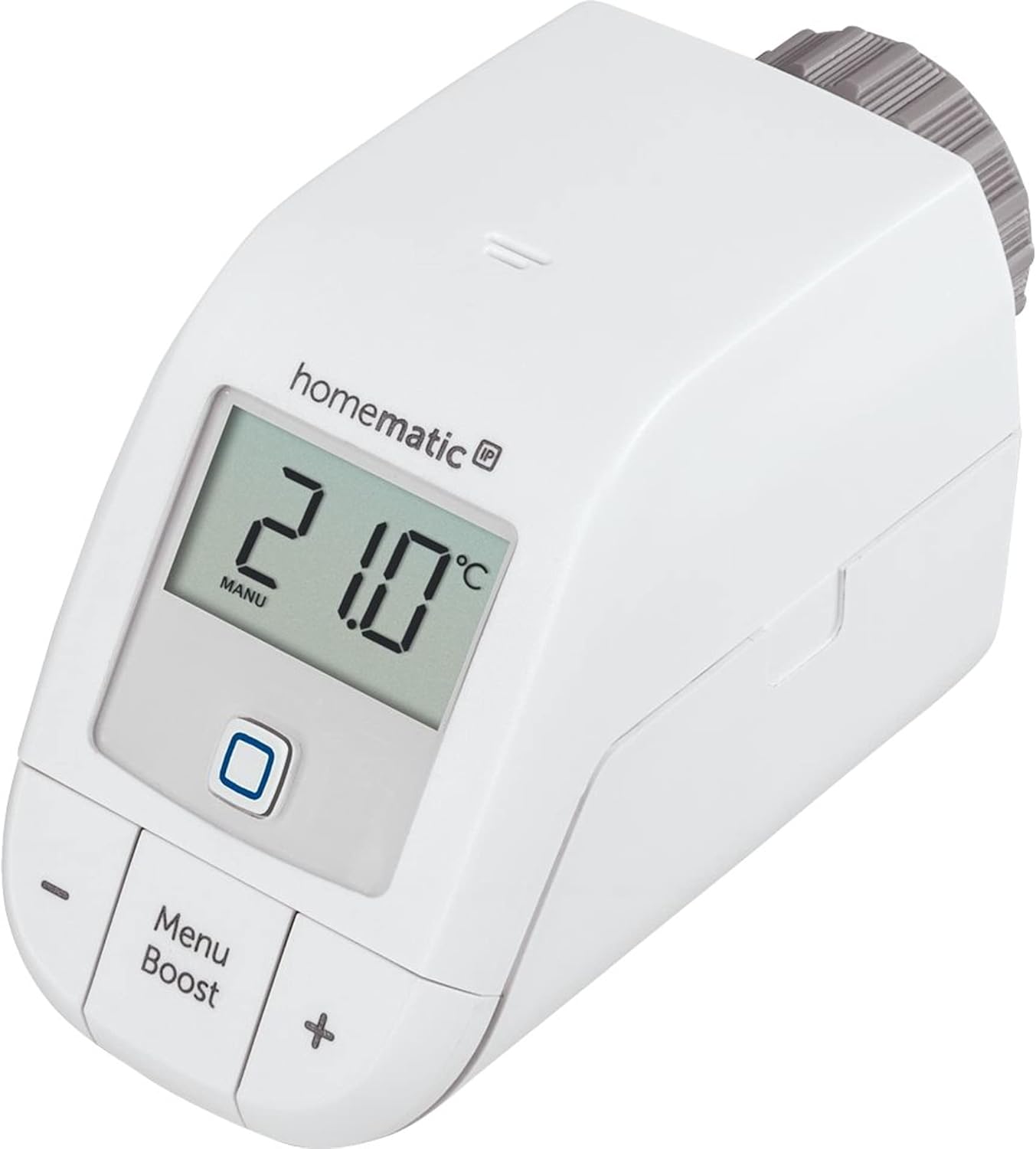
Image 4.2: A Homematic IP Radiator Thermostat.
4.3. აპლიკაციის კონფიგურაცია
- ჩამოტვირთეთ აპლიკაცია: Download the Homematic IP app from your smartphone's app store (iOS or Android).
- ანგარიშის შექმნა: Create a Homematic IP user account or log in if you already have one.
- მოწყობილობების დამატება: Follow the in-app instructions to add your Access Point and then each Radiator Thermostat. The app will guide you through the pairing process.
- Room Assignment: Assign each thermostat to its respective room within the app for organized control.
5. მოქმედებს
The Homematic IP Heating Set offers flexible control options, both via the smartphone app and directly on the thermostat.
5.1. აპლიკაციის კონტროლი
The Homematic IP app provides comprehensive control over your heating system:
- ტემპერატურის რეგულირება: Easily set your desired room temperature for each assigned room.
- გათბობა პროfiles: Create and manage weekly heating schedules to automatically adjust temperatures based on your daily routine.
- გამაძლიერებელი ფუნქცია: Activate the Boost function for a quick, temporary increase in heating.
- ფანჯრის გახსნის გამოვლენა: If integrated with window/door contacts (sold separately), the system can automatically lower heating when a window is open.

სურათი 5.1: ყოფილიample of a heating schedule in the Homematic IP app.
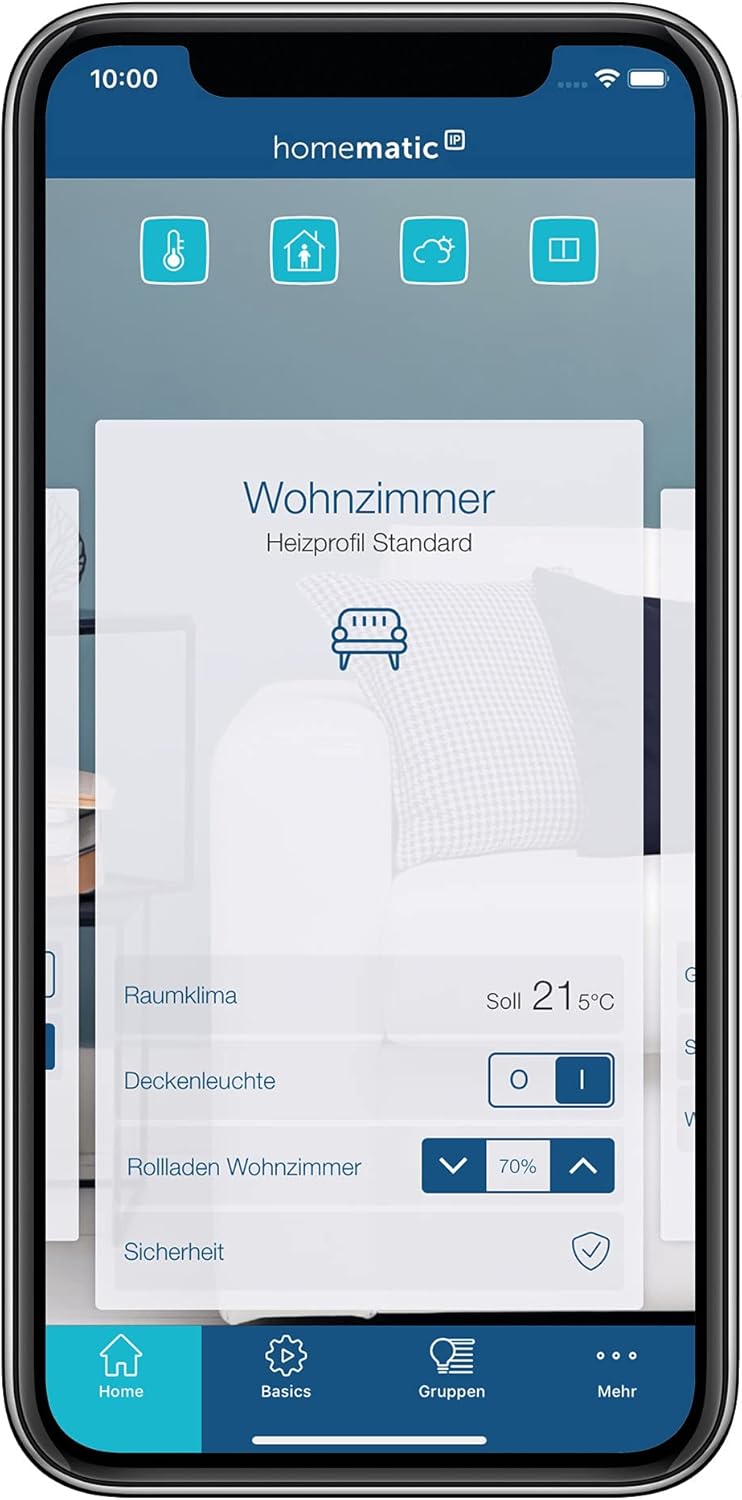
Image 5.2: Room climate control interface in the Homematic IP app.

Image 5.3: The Boost function in the Homematic IP app.
5.2. Manual Control on Thermostat
You can also adjust the temperature directly on the Radiator Thermostat:
- ტემპერატურის რეგულირება: გამოიყენეთ + და - buttons to manually increase or decrease the desired temperature. The new setting will be displayed on the LCD.
- გამაძლიერებელი ფუნქცია: დააჭირეთ Menu/Boost button to activate the Boost function for a short period of maximum heating.
- მენიუს წვდომა: დააჭირეთ და გააჩერეთ Menu/Boost button to access additional settings on the thermostat's display.
6. მოვლა
Regular maintenance ensures the longevity and optimal performance of your Homematic IP Heating Set.
- ბატარეის გამოცვლა: The Radiator Thermostats are battery-powered. When the battery level is low, an indicator will appear on the display and in the app. Replace all batteries in a thermostat simultaneously with new ones of the same type (Alkaline).
- დასუფთავება: Clean the devices with a soft, dry, lint-free cloth. Do not use abrasive cleaners, solvents, or wet cloths, as these can damage the housing or electronics.
- Firmware განახლებები: Ensure your devices and the Homematic IP app are always updated to the latest firmware version for optimal functionality and security. Updates are typically managed via the app.
7. Დიაგნოსტიკა
If you encounter issues with your Homematic IP Heating Set, refer to the following common problems and solutions:
| პრობლემა | შესაძლო მიზეზი | გამოსავალი |
|---|---|---|
| Thermostat not responding to app commands. | Loss of connection to Access Point, low battery, or app issue. |
|
| რადიატორი არ ათბობს/აგრილებს მოსალოდნელი შედეგის შესაბამისად. | Incorrect temperature setting, valve stuck, or air in the radiator. |
|
| Access Point offline. | ძალა შენtage, network cable disconnected, or router issue. |
|
If problems persist, please refer to the Homematic IP support webსაიტი ან დაუკავშირდით მომხმარებელთა მომსახურებას.
8. სპეციფიკაციები
| ფუნქცია | დეტალი |
|---|---|
| მოდელის ნომერი | HmIP-SK16 |
| ბრენდი | ჰომემატიკური IP |
| მწარმოებელი | eQ-3 AG |
| Product Dimensions (Thermostat) | 10.2 x 5.7 x 6.8 სმ |
| წონა (კომპლექტი) | 998 გრამი |
| ფერი | თეთრი |
| მასალა | პლასტიკური |
| დენის წყაროს ტიპი | Battery Powered (Thermostats) |
| ბატარეის უჯრედის ტიპი | ტუტე |
| დაკავშირების ტექნოლოგია | Homematic IP Wireless |
| განსაკუთრებული თვისებები | Remote access and control, smart home integration, energy saving |
| კონტროლერის ტიპი | Amazon Alexa (via Homematic IP Access Point) |

Image 8.1: Dimensions of the Homematic IP Radiator Thermostat.
9. გარანტია და მხარდაჭერა
For warranty information and technical support, please refer to the official Homematic IP webადგილზე ან დაუკავშირდით თქვენს საცალო მოვაჭრეს. შეინახეთ შეძენის დამადასტურებელი საბუთი გარანტიის მოთხოვნებისთვის.
- მწარმოებელი: eQ-3 AG
- ონლაინ დახმარება: Visit the Homematic IP official website for FAQs, documentation, and contact options.