
1. შესავალი
The LAUNCH CRP909E OBD2 Scanner is a professional diagnostic tool designed for comprehensive vehicle system analysis and maintenance. This device offers advanced features for automotive technicians and enthusiasts, providing accurate and efficient diagnostic capabilities for a wide range of vehicle models.
Key features include full system diagnostics, over 28 reset functions, full OBD2 modes, power balance testing, and extensive vehicle compatibility. The CRP909E operates on Android 7.0, features a 7-inch IPS touchscreen, and is equipped with a 6000mAh battery for extended use.

Image: The LAUNCH CRP909E OBD2 Scanner, showcasing its 7-inch touchscreen and robust design, ready for diagnostic tasks.
2. პაკეტის შიგთავსი
შეფუთვის გახსნის შემდეგ, დარწმუნდით, რომ ყველა კომპონენტი ადგილზეა და კარგ მდგომარეობაშია:
- LAUNCH CRP909E Main Unit
- დამტენი
- დენის ადაპტერი
- USB-C კაბელი
- OBD2 დიაგნოსტიკური კაბელი
- მომხმარებლის სახელმძღვანელო (ეს დოკუმენტი)
- Carry Box

Image: Contents of the LAUNCH CRP909E package, including the scanner, charger, adapter, USB-C cable, OBD2 cable, user manual, and a protective carry box.
3. დაყენება და პირველი გამოყენება
3.1 მოწყობილობის ჩართვა
The CRP909E is equipped with a built-in Lithium Polymer battery. To power on, press and hold the power button located on the side of the device until the screen illuminates. Ensure the device is sufficiently charged before first use. Connect the charger if the battery level is low.
3.2 საწყისი კონფიგურაცია
Upon first startup, the device will guide you through initial setup steps, including language selection, Wi-Fi connection, and time zone settings. A stable Wi-Fi connection is recommended for software updates and online features.
3.3 პროგრამული უზრუნველყოფის განახლებები
It is crucial to keep the device's software updated to ensure optimal performance and access to the latest vehicle models and diagnostic functions. The CRP909E offers 2 years of free updates. Connect to Wi-Fi and navigate to the "Upgrade" section on the main menu to check for and install available updates.
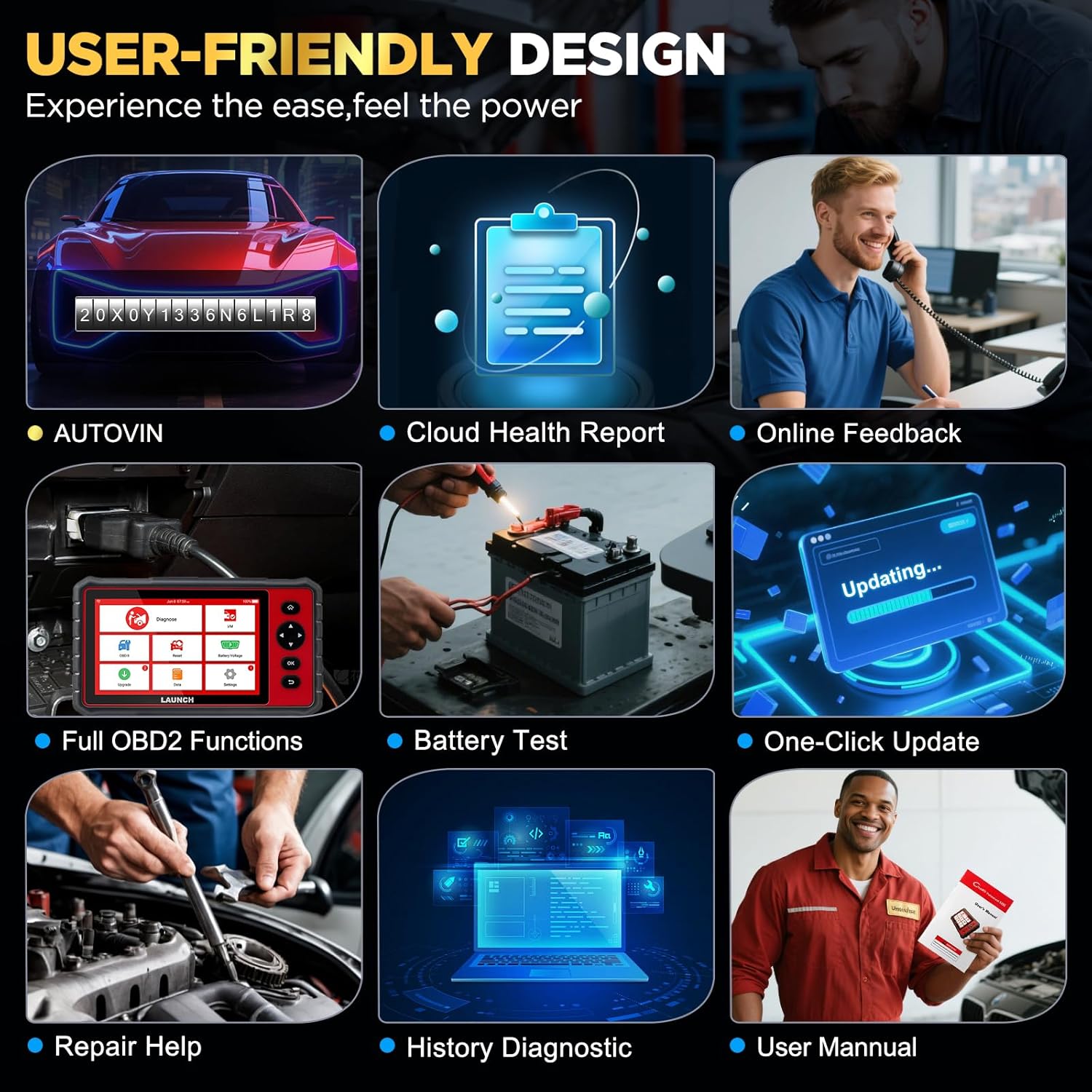
Image: The user-friendly interface of the LAUNCH CRP909E, highlighting the "Upgrade" icon for software updates and other key functions like AutoVIN and Battery Test.
4. სკანერის მართვა
4.1 სრული სისტემის დიაგნოსტიკა
The CRP909E can read and clear diagnostic trouble codes (DTCs) and view live data for all available vehicle systems. This includes, but is not limited to, Engine, Transmission, Airbag (SRS), Anti-lock Braking System (ABS), Electronic Stability Program (ESP), Tire Pressure Monitoring System (TPMS), Cruise Control, Gateway, Steering, Rain, Brake, Fuel, 4WD system, Radio, Air Conditioning, Central Locking, Electric Windows, and Xenon Headlights.
To perform a full system scan:
- Connect the OBD2 diagnostic cable to the vehicle's OBD2 port and the scanner.
- გადართეთ ავტომობილის ანთება ON პოზიციაზე (ძრავა გამორთულია).
- Select "Diagnose" from the main menu.
- The device will automatically detect the vehicle's VIN (Auto-VIN Scan) or prompt for manual entry.
- Follow the on-screen instructions to initiate a full system scan.
- Review the generated Cloud Health Report for a comprehensive overview ავტომობილის ჯანმრთელობის შესახებ.

Image: The LAUNCH CRP909E connected to a vehicle, illustrating its capability to perform OE All Systems Diagnostics, including reading and clearing DTCs across various modules like ABS, SRS, and Engine.
4.2 Special Functions and Maintenance Services
The CRP909E provides over 28 common reset and maintenance functions. These functions allow for specific component calibration, adaptation, or reset procedures after repairs or part replacements. Some of the key functions include:
- ზეთის ნათურის გადატვირთვა: ზეთის შეცვლის შემდეგ ხელახლა ანათებს ზეთის მომსახურების ნათურას.
- ელექტრონული სადგომი მუხრუჭის (EPB) გადატვირთვა: Deactivates and reactivates the brake control system for brake pad replacement.
- დიზელის ნაწილაკების ფილტრის (DPF) რეგენერაცია: აშორებს DPF ფილტრს ნაწილაკებისგან.
- საჭის კუთხის სენსორის (SAS) კალიბრაცია: ახდენს საჭის კუთხის სენსორის კალიბრაციას.
- Tire Pressure Monitoring System (TPMS) Reset: Resets TPMS sensors after tire rotation or replacement.
- ABS სისხლდენა: Performs brake bleeding to restore ABS brake sensitivity.
- დროსელის ადაპტაცია: Initializes the throttle actuator to the default state.
- ინჟექტორის კოდირება: აკოდირებს ინჟექტორის ახალ ნომრებს ECU-ზე.
- Battery Management System (BMS) Reset: Registers new battery replacement.
- აღჭურვილობის შესწავლა: Completes gear learning after engine ECU replacement or crankshaft position sensor replacement.
- Sunroof Reset, Suspension Reset, AFS Headlamp Reset, Gearbox Reset, A/C System Relearn, A/F Reset, Coolant Bleed, Language Change, NOx Sensor Reset, Seats Calibration, Stop/Start Reset, Transport Mode, Tyre Reset, Windows Calibration.
To access these functions, select "Reset" from the main menu and choose the desired service function. Follow the on-screen prompts carefully.

Image: A visual representation of the 28+ special functions available on the LAUNCH CRP909E, including TPMS Reset, ABS Reset, Throttle Relearn, and Oil Reset.
4.3 სრული OBDII ფუნქციები
The CRP909E supports all 10 OBDII test modes, allowing for comprehensive engine and emission-related diagnostics:
- Read Codes (P0, P1, P2, P3, U0, U1)
- Erase Codes and Reset
- პირდაპირი მონაცემების ნაკადი
- I/M მზადყოფნის სტატუსი
- ჩარჩოს მონაცემების გაყინვა
- O2 სენსორის ტესტი
- საბორტო მონიტორის ტესტი
- კომპონენტის ტესტი
- Vehicle Information (VIN, CIN, CVN)
- წარმოდგენილი მოდულები
Access these functions via the "OBD II" icon on the main menu.
4.4 Real-Time Data Stream
The device can display live sensor data in text, graph, or gauge format, allowing for real-time monitoring of vehicle performance parameters such as engine RPM, vehicle speed, oil temperature, misfire data, and tire pressure. The 4-in-1 graphic display mode is particularly useful for comparing multiple data streams simultaneously.

Image: The LAUNCH CRP909E displaying real-time data streams in a graphical format, showing parameters like oil temperature, vehicle speed, and accelerator pedal positions for detailed analysis.
4.5 ავტომობილის თავსებადობა
The LAUNCH CRP909E supports 12V passenger cars, hybrid cars, diesel cars, pickups, light trucks, SUVs, gasoline cars, minivans, caravans, and vans from 1996 to 2025. It covers OBD2/EOBD/KOBD/CAN protocols and is compatible with over 150 car brands globally, including major manufacturers from USA, Europe, and Asia. For OBD1 and JOBD vehicles, an appropriate adapter is required (sold separately).

Image: A map illustrating the global vehicle coverage of the LAUNCH CRP909E, highlighting compatibility with major car brands across USA, Europe, and Asia, along with support for 11 languages.
5. მოვლა
Proper maintenance ensures the longevity and optimal performance of your CRP909E scanner.
- დასუფთავება: გამოიყენეთ რბილი, დamp cloth to clean the device's screen and body. Avoid abrasive cleaners or solvents.
- შენახვა: Store the device in its protective carry box in a cool, dry place when not in use. Avoid extreme temperatures.
- ბატარეის მოვლა: For optimal battery life, avoid fully discharging the battery frequently. If storing for an extended period, charge the battery to about 50% and recharge every few months.
- პროგრამული განახლებები: Regularly check for and install software updates to ensure compatibility with new vehicle models and access to enhanced features.
6. Დიაგნოსტიკა
This section addresses common issues you might encounter with your CRP909E scanner.
| პრობლემა | შესაძლო მიზეზი | გამოსავალი |
|---|---|---|
| მოწყობილობა არ ჩაირთვება. | Low battery; power button not held long enough; device malfunction. | Charge the device for at least 30 minutes. Press and hold the power button for 3-5 seconds. If issue persists, contact support. |
| მანქანასთან კომუნიკაცია არ არის. | Loose OBD2 connection; vehicle ignition off; incompatible vehicle protocol; blown vehicle fuse. | Ensure OBD2 cable is securely connected. Turn ignition to ON. Verify vehicle compatibility. Check vehicle's OBD2 port fuse. |
| პროგრამული უზრუნველყოფის განახლება ვერ ხერხდება. | არასტაბილური Wi-Fi კავშირი; არასაკმარისი მეხსიერება; სერვერის პრობლემა. | Ensure strong Wi-Fi signal. Check available storage space. Try updating again later. |
| ეკრანი იყინება ან არ რეაგირებს. | Software glitch; system overload. | Perform a forced restart by holding the power button until the device shuts down, then restart. |
For more detailed troubleshooting or issues not listed here, utilize the "Online Feedback" or "Repair Help" functions available on the device, or refer to the official user manual PDF linked in the support section.
7. სპეციფიკაციები
| ფუნქცია | დეტალი |
|---|---|
| მოდელი | LAUNCH CRP909E |
| ოპერაციული სისტემა | Android 7.0 |
| ჩვენება | 7 დიუმიანი IPS სენსორული ეკრანი |
| ბატარეა | 6000 mAh ლითიუმის პოლიმერი |
| მეხსიერება | 2GB RAM / 16GB Storage (internal) |
| დაკავშირება | Wi-Fi (2.4 & 5 GHz) |
| ზომები | დაახლოებით 15 x 10.83 x 5.59 ინჩი (პაკეტი) |
| ნივთის წონა | დაახლოებით 6.89 ფუნტი |
| მხარდაჭერილი პროტოკოლები | OBD2/EOBD/KOBD/CAN |
| განახლების პოლიტიკა | 2 Years Free Update |
8. გარანტია და მხარდაჭერა
The LAUNCH CRP909E comes with a commitment to ongoing support and updates.
- უფასო განახლებები: Enjoy 2 years of free software updates to ensure your device remains current with the latest vehicle data and diagnostic capabilities.
- ტექნიკური მხარდაჭერა: For technical assistance, troubleshooting, or inquiries, utilize the "Online Feedback" or "Repair Help" features directly on your device.
- ოფიციალური მომხმარებლის სახელმძღვანელო: A detailed user manual in PDF format is available for download. For comprehensive instructions and advanced operations, please refer to the official document: LAUNCH CRP909E User Manual (PDF).