
Samsung SM-S908U
Samsung Galaxy S22 Ultra 5G SM-S908U User Manual
Model: SM-S908U
შესავალი
Welcome to the user manual for your Samsung Galaxy S22 Ultra 5G. This guide provides essential information on setting up, operating, maintaining, and troubleshooting your device. Please read this manual carefully to ensure optimal performance and longevity of your smartphone.

სურათი: წინა მხარე view of the Samsung Galaxy S22 Ultra 5G in Burgundy, showcasing the display and the integrated S-Pen.
დაყენება
1. SIM ბარათის ჩასმა
- იპოვეთ SIM ბარათის უჯრა თქვენი მოწყობილობის გვერდზე.
- Use the SIM ejector tool (usually included in the box) to open the tray.
- Place your Nano-SIM card(s) into the tray with the gold contacts facing down. This device supports Dual SIM functionality.
- ფრთხილად ჩადეთ უჯრა ტელეფონში.
2. პირველადი ჩართვა და დაყენება
- დააჭირეთ და გეჭიროთ ჩართვის/გვერდითი ღილაკი, სანამ Samsung-ის ლოგო არ გამოჩნდება.
- მიჰყევით ეკრანზე მოცემულ მითითებებს ენის ასარჩევად, Wi-Fi ქსელთან დასაკავშირებლად და თქვენი Google ანგარიშის დასაყენებლად.
- You will be guided through setting up security features like facial recognition.
3. S-Pen Integration
The S-Pen is integrated directly into your Galaxy S22 Ultra 5G. To use it, gently press the end of the S-Pen to release it from its slot at the bottom of the device. Reinsert it firmly until it clicks into place when not in use.

სურათი: გვერდი view of the Samsung Galaxy S22 Ultra 5G with the S-Pen partially extended from its slot.
თქვენი მოწყობილობის მუშაობა
კამერის მახასიათებლები
- 8K სუპერ სტაბილური ვიდეო: Record videos at an impressive 8K resolution with automatic focus stabilization. Access this mode within the Camera app's video settings.
- ღამის რეჟიმი: Capture clear and bright photos and videos in low-light conditions. The camera automatically adjusts for optimal results.
- პორტრეტის რეჟიმი: Automatically detects and focuses on subjects, blurring the background for professional-looking portraits.
- 108 MP რეზოლუცია: Utilize the 108-megapixel rear camera for capturing highly detailed images.
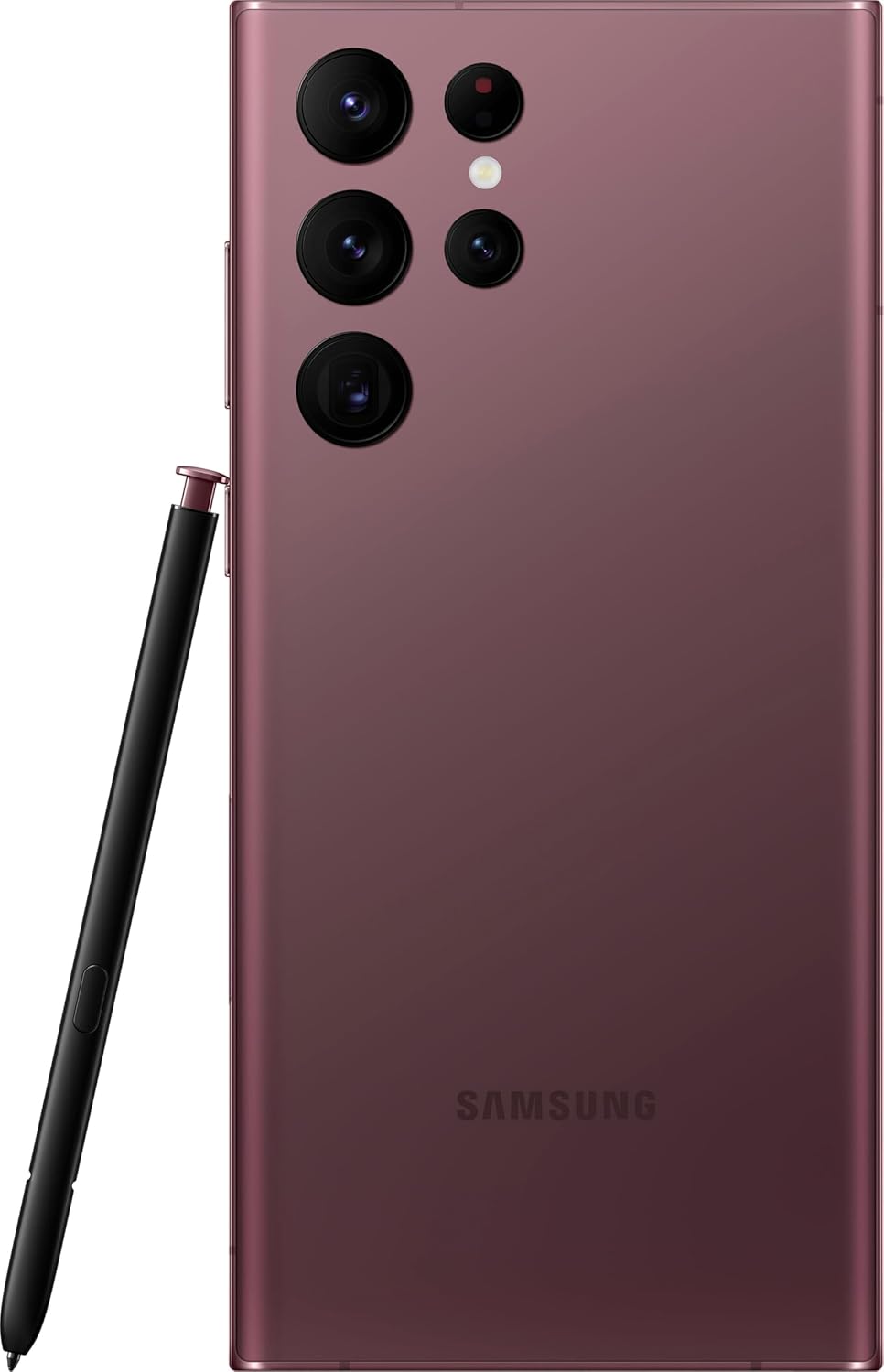
სურათი: უკანა view of the Samsung Galaxy S22 Ultra 5G, highlighting the multi-lens camera system and the S-Pen.
ჩვენება და ვიზუალური მასალა
- ადაპტური ფერის კონტრასტი: The Galaxy S22 Ultra's display automatically optimizes color and brightness for both indoor and outdoor viewing, ensuring clarity in various lighting conditions.
- მხედველობის გამაძლიერებელი: Enhances screen visibility, making your content appear vibrant and clear even in bright environments.

სურათი: წინა მხარე view of the Samsung Galaxy S22 Ultra 5G with the screen displaying colorful, dynamic content.
S-Pen Usage
The integrated S-Pen allows for precise interaction with your device. Use it for:
- Taking quick notes directly on the screen.
- Editing photos and videos with enhanced precision.
- Drawing and sketching with a natural pen-on-paper feel.
- Navigating the user interface and selecting text.
მოვლა
თქვენი მოწყობილობის გაწმენდა
To clean your phone, use a soft, lint-free cloth. Avoid abrasive materials or harsh chemicals. For stubborn smudges, slightly dampen the cloth with water. Ensure no liquid enters openings like the charging port or speaker grilles.
ბატარეის მოვლა
Your device is equipped with a 5000 mAh Li-Ion battery. To maximize battery life:
- მოერიდეთ ექსტრემალურ ტემპერატურას.
- ხშირად ნუ დაუშვებთ ბატარეის სრულად დაცლას.
- გამოიყენეთ ორიგინალი ან სერტიფიცირებული დამტენი აქსესუარები.
პროგრამული უზრუნველყოფის განახლებები
Regularly check for and install software updates to ensure your device has the latest features, security patches, and performance improvements. You can usually find this option in the device settings under "Software update".
წყლის წინააღმდეგობა
The Galaxy S22 Ultra 5G is rated as water-resistant. This means it can withstand splashes and brief immersion in shallow water. It is not fully waterproof. Avoid exposing it to high-pressure water, saltwater, or other liquids. If the device gets wet, dry it thoroughly before charging or using accessories.
პრობლემების მოგვარება
საერთო საკითხები და გადაწყვეტილებები
- მოწყობილობა არ ირთვება: დარწმუნდით, რომ ბატარეა დატენილია. შეაერთეთ მოწყობილობა დამტენთან და დაელოდეთ რამდენიმე წუთი, სანამ ხელახლა ჩართავთ.
- ეკრანი არ რეაგირებს: სცადეთ მოწყობილობის გადატვირთვა ჩართვის/გვერდითი ღილაკებისა და ხმის დაწევის ღილაკების ერთდროულად დაახლოებით 7 წამის განმავლობაში დაჭერით.
- ცუდი ბატარეის ხანგრძლივობა: Check background app usage, reduce screen brightness, disable unnecessary features like GPS or Bluetooth when not in use. Consider a factory reset if the issue persists after trying other solutions.
- ქსელთან დაკავშირების პრობლემები: Ensure your SIM card is properly inserted. Try toggling Airplane Mode on and off. If issues persist, contact your wireless carrier (T-Mobile for this model).
ქარხნული გადატვირთვა
A factory reset will erase all data from your device and restore it to its original factory settings. Back up all important data before proceeding. To perform a factory reset, navigate to პარამეტრები > ზოგადი მენეჯმენტი > გადატვირთვა > ქარხნული მონაცემების აღდგენა.
სპეციფიკაციები
| ფუნქცია | დეტალი |
|---|---|
| ბრენდი | სამსუნგი |
| მოდელის სახელი | Galaxy S22 Ultra 5G |
| მოდელის ნომერი | SM-S908U |
| ოპერაციული სისტემა | Android |
| CPU მოდელი | A-სერიის ორბირთვიანი პროცესორი A4-3420 |
| შენახვის მოცულობა | 512 GB |
| ეკრანის ზომა | 6.8 ინჩი |
| ჩვენების გარჩევადობა | 1440 x 3200 |
| განახლების სიხშირე | 60 ჰც |
| უსადენო გადამზიდავი | T-Mobile |
| სიმ ბარათის სლოტები | ორმაგი SIM |
| დაკავშირების ტექნოლოგია | 5G, Wi-Fi, CDMA, GSM, LTE |
| ბიომეტრიული უსაფრთხოება | სახის ამოცნობა |
| წყლის წინააღმდეგობის დონე | წყალგამძლე |
| აუდიო ჯეკი | No Headphone Jack |
| უკანა კამერის გარჩევადობა | 108 MP (3 cameras) |
| Front Camera Count | 1 |
| ბატარეის ტიპი | ლი-იონი |
| ბატარეის ტევადობა | 5000 mAh |
| ვიდეო გადაღების რეზოლუცია | 8K |
| ფერი | შინდისფერი |
გარანტია და მხარდაჭერა
საგარანტიო ინფორმაცია
This product is a refurbished device. It typically comes with a 90-day return policy for refund or replacement. For specific warranty details, please refer to the documentation provided at the time of purchase or contact your retailer. Manufacturer warranties for new devices may not apply to refurbished products.
მომხმარებელთა მხარდაჭერა
დამატებითი დახმარების, ტექნიკური მხარდაჭერის ან მომსახურების შესახებ შეკითხვებისთვის, გთხოვთ, ეწვიოთ Samsung-ის ოფიციალურ მხარდაჭერის საიტს. website or contact their customer service. You can find contact information and FAQs on their webსაიტი.
For issues related to your T-Mobile service, please contact T-Mobile customer support directly.
Ask a question about this manual
Ask about setup, troubleshooting, compatibility, parts, safety, or missing instructions. Manuals+ will review the question and use this page’s manual context to help answer it.