
1. შესავალი
The MAUL Commercial Calculator MXL16 is designed for commercial use, offering a stable and resilient build with an extra-large case (20.5 x 15.5 cm) for comfortable operation. It features a large, angled 16-digit display for improved readability and large, distinctively colored buttons for quick and accurate input. This calculator combines precision and reliability for both desk and mobile use.
ძირითადი მახასიათებლები მოიცავს:
- 16-digit LCD display with 1 line.
- Angled display for optimal viewინგ.
- Solar and battery powered (LR44 battery included).
- Automatic shut-off to conserve energy.
- Comprehensive functions including tax calculation, 3-button memory, root calculation, and percentage.
- Durable plastic buttons for easy cleaning.
2. დაყენება
2.1 დენის წყარო
The MAUL MXL16 calculator operates using both solar power and a single LR44 battery. The solar panel provides power in well-lit environments, while the battery ensures operation when light is insufficient. An LR44 battery is included with the calculator.

სურათი 2.1: ქვედა view of the calculator, indicating the battery compartment.
2.2 საწყისი გამოყენება
Upon first use, ensure the calculator is exposed to adequate light for solar power or that the included LR44 battery is correctly installed. The calculator features an automatic shut-off function to conserve power when not in use.

სურათი 2.2: მხარე view showing the angled display for better reading.
3. საოპერაციო ინსტრუქციები
The MAUL MXL16 calculator provides a range of functions for commercial calculations. The buttons are color-coded for easier identification and faster operation.
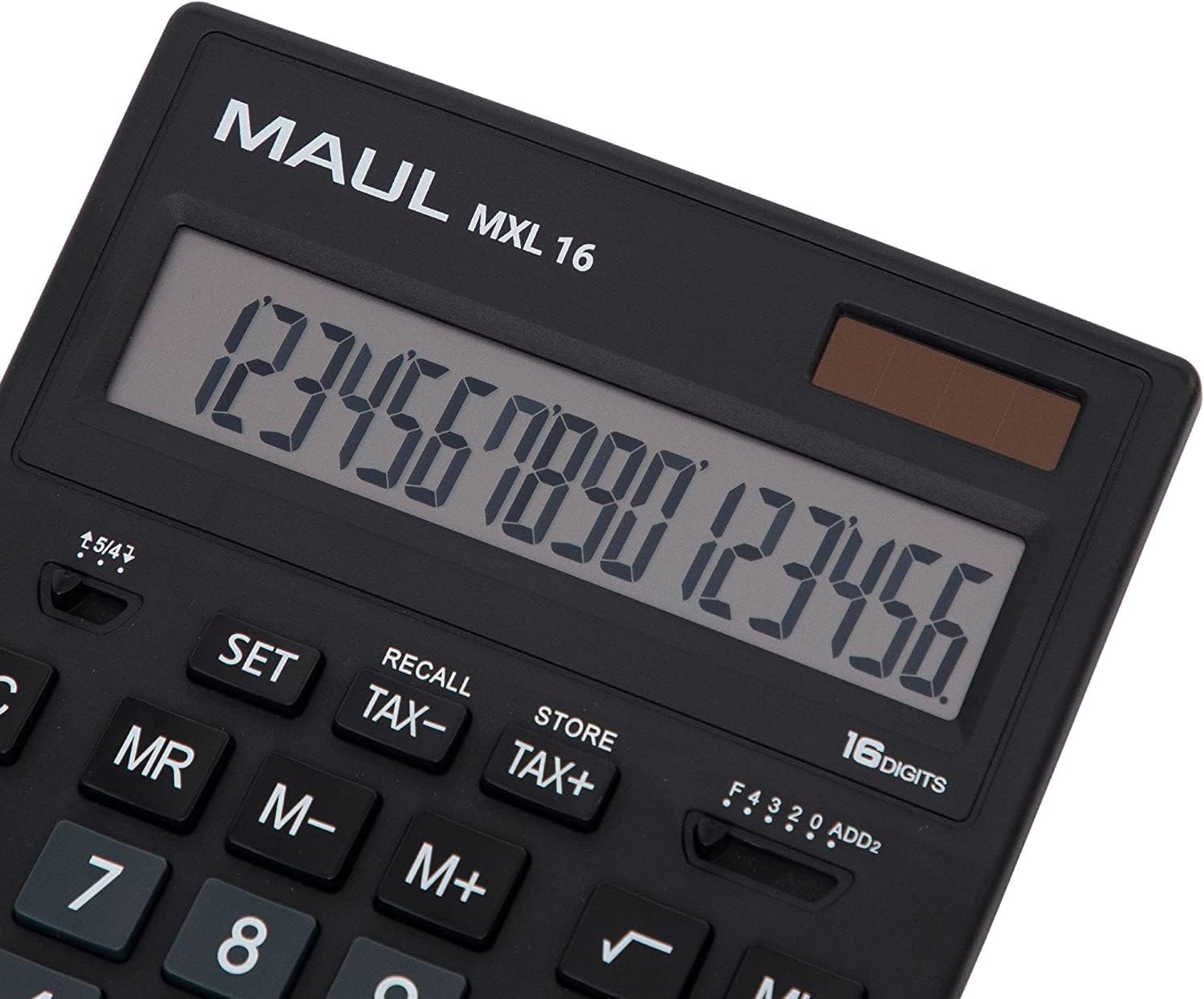
სურათი 3.1: Display and key layout of the MAUL MXL16.
3.1 ძირითადი ოპერაციები
- ჩართვა/AC: Turns the calculator on or clears all entries and memory.
- CE/C: Clears the last entered number or the current calculation without affecting memory. Pressing twice may clear all.
- ნომრის გასაღებები (0-9): Input numerical values.
- Decimal Point (.): შეაქვს ათობითი წერტილი.
- არითმეტიკული ოპერატორები (+, -, ×, ÷): შეასრულეთ შეკრება, გამოკლება, გამრავლება და გაყოფა.
- Equals (=): Displays the result of a calculation.
3.2 სპეციალური ფუნქციები
- Tax Calculation (TAX+, TAX-): Allows for easy calculation of prices with or without tax. Use the SET button to configure the tax rate.
- Memory Functions (MR, M-, M+):
- M+: ნაჩვენები მნიშვნელობა მეხსიერებას უმატებს.
- M-: მეხსიერებიდან აკლებს ნაჩვენები მნიშვნელობას.
- MR: Recalls the value stored in memory.
- MC: Clears the memory (often by pressing MR twice or a dedicated MC button).
- Root Calculation (√): ითვლის ნაჩვენები რიცხვის კვადრატულ ფესვს.
- პერჩენიtage (%): Performs percentage გამოთვლები.
- ნიშნის შეცვლა (+/-): Changes the sign of the displayed number (positive to negative, or vice versa).
- Double Zero (00) / Triple Zero (000): For quick entry of multiple zeros.
- Comma Selector Switch: Adjusts the decimal point display.
- Automatic Rounding: Allows selection of how numbers are rounded (e.g., up, down, or standard).
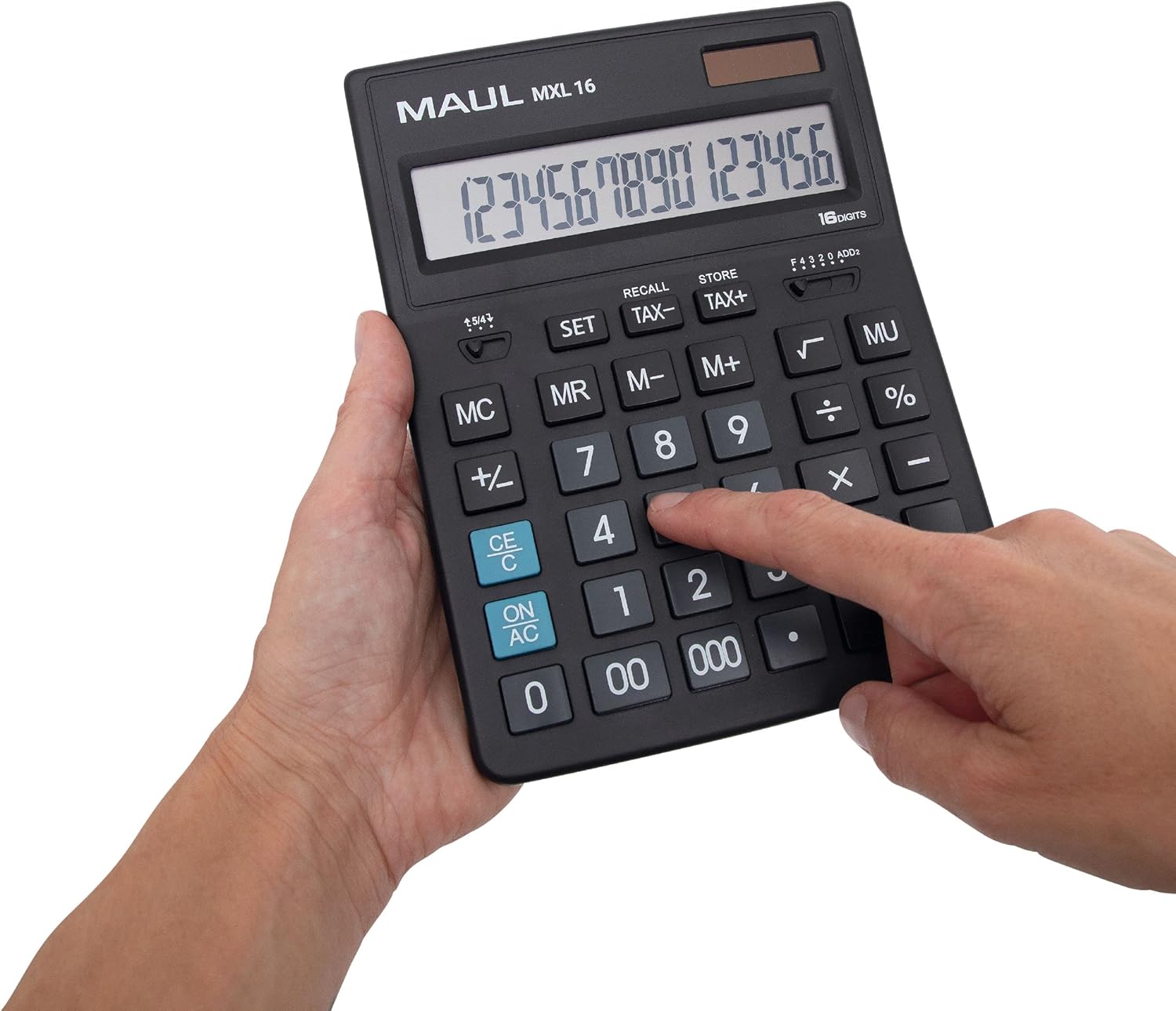
სურათი 3.2: User interacting with the calculator keys.
4. მოვლა
The MAUL MXL16 calculator is designed for durability with sturdy plastic buttons that are easy to clean.
- დასუფთავება: Use a soft, dry cloth to wipe the calculator's surface and keys. For stubborn dirt, a slightly damp შეგიძლიათ გამოიყენოთ რბილი საპნის მქონე ქსოვილი, რათა დარწმუნდეთ, რომ სითხე არ მოხვდება მოწყობილობაში.
- შენახვა: შეინახეთ კალკულატორი გრილ, მშრალ ადგილას, მოარიდეთ მზის პირდაპირ სხივებს და ექსტრემალურ ტემპერატურას.
- ბატარეის გამოცვლა: If the display becomes dim or the calculator functions intermittently in low light, the LR44 battery may need replacement. Refer to the battery compartment on the underside of the calculator for access.
5. Დიაგნოსტიკა
- კალკულატორი არ ირთვება:
- დარწმუნდით, რომ კალკულატორი მზის ენერგიისთვის საკმარის სინათლეზეა.
- Check if the LR44 battery is correctly installed and has sufficient charge. Replace if necessary.
- არასწორი გამოთვლები:
- Press the ON/AC button to clear all previous entries and memory, then re-enter the calculation.
- Verify the correct input of numbers and operations.
- ეკრანი ბუნდოვანია ან ციმციმებს:
- Ensure adequate lighting for the solar panel.
- Replace the LR44 battery.
6. სპეციფიკაციები
| მოდელის სახელი | MXL16 |
| მოდელის ნომერი | 7267890 |
| ჩვენება | 16 Digits, 1 Line LCD, Angled |
| ზომები (L x W) | 20.5 x 15.5 სმ |
| დენის წყარო | Solar and 1 x LR44 Battery (included) |
| მასალა | Plastic (housing and buttons) |
| ფუნქციები | Tax calculation, 3-button memory, Root, Percent, Sign change, Automatic rounding, Double/Triple zero buttons, Comma selector switch |
| ავტომატური გამორთვა | დიახ |
7. გარანტია
The MAUL Commercial Calculator MXL16 comes with a 5 წლიანი გარანტიაგთხოვთ, შეინახოთ შეძენის დამადასტურებელი საბუთი გარანტიის მოთხოვნებისთვის. გარანტია ფარავს წარმოების დეფექტებს ნორმალური გამოყენების პირობებში.
8. მხარდაჭერა
For further assistance, technical support, or warranty inquiries, please contact your retailer or the MAUL customer service department. Refer to the product packaging or the MAUL official webსაიტი საკონტაქტო ინფორმაციისთვის.