
შესავალი
The Abovsare Digital Alarm Clock is designed to provide clear time, date, and temperature information with a large LED display. Its modern design complements various room decors, and its silent operation ensures a peaceful environment. This manual provides detailed instructions for setting up and operating your new digital alarm clock.
უსაფრთხოების მნიშვნელოვანი ინფორმაცია
- Always connect the device to a USB port or use only a 5V/1A or 5V/2A power adapter. Using an adapter with excessive voltage may cause screen damage or malfunction.
- This clock requires continuous power and must be plugged in to operate. It is not battery-operated for primary function. A built-in CR2025 3V button battery serves only as a memory backup for time data during power outagეს.
- მოერიდეთ საათის ექსტრემალურ ტემპერატურაზე, მზის პირდაპირ სხივებზე ან მაღალ ტენიანობაზე ზემოქმედებას.
- არ სცადოთ მოწყობილობის დამოუკიდებლად დაშლა ან შეკეთება. ნებისმიერი შეკეთებისთვის მიმართეთ კვალიფიციურ სერვის პერსონალს.
პაკეტის შიგთავსი
გთხოვთ, შეამოწმოთ შეფუთვა შემდეგი ნივთებისთვის:
- Abovsare Digital Alarm Clock (Model B0BLCYTFB2)
- USB დენის კაბელი
- USB Power Adapter (5V/1A or 5V/2A)
პროდუქტი დასრულდაview
გაეცანით საათის კომპონენტებსა და მართვის საშუალებებს.
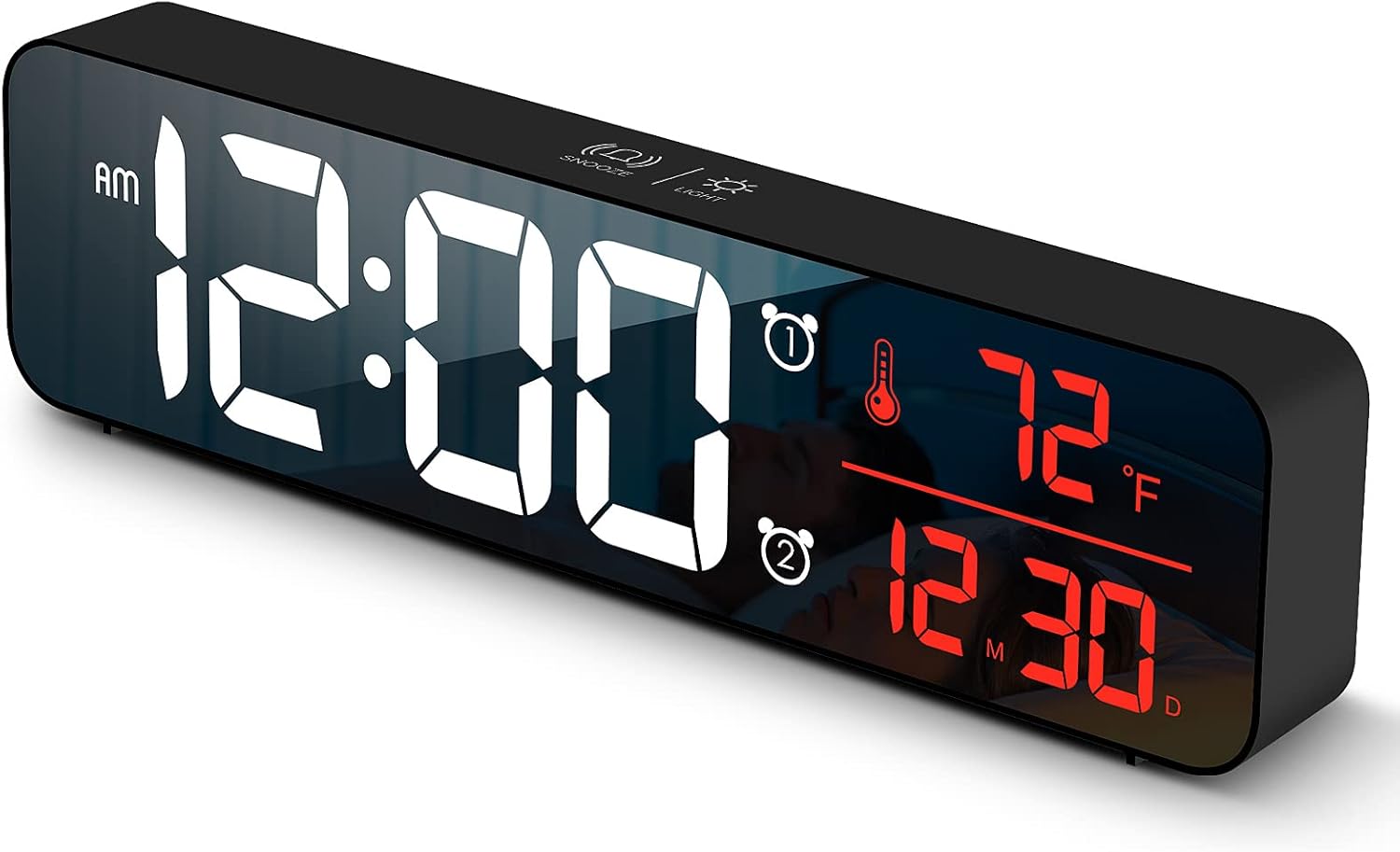
სურათი 1: წინა view of the Abovsare Digital Alarm Clock, displaying time, temperature, and date in red LED digits.
სურათი 2: უკანა view of the clock, highlighting the control buttons and USB power input. The buttons are typically for setting time, alarms, and adjusting modes.
მართვის ღილაკები და ფუნქციები:
- SET ღილაკი: Used to enter setting modes for time, date, and alarms.
- UP/DOWN ღილაკები: Used to adjust values during settings and navigate options.
- ALARM 1/2 Buttons: Used to activate/deactivate and set Alarm 1 and Alarm 2.
- გადადების/განათების ღილაკი (ზედა): Taps to adjust brightness, long press for snooze during alarm.
- USB დენის პორტი: Connects the clock to the power adapter.
დაყენება
- დენის კავშირი: Connect the provided USB power cable to the clock's USB port and then to the USB power adapter. Plug the adapter into a standard wall outlet. The display will light up.
- საწყისი დროის პარამეტრი:
- დააჭირეთ SET დროის დაყენების რეჟიმში გადასასვლელად დააჭირეთ ღილაკს ერთხელ. საათის ციფრები აციმციმდება.
- გამოიყენეთ UP or ქვემოთ ღილაკები საათის დასარეგულირებლად.
- დააჭირეთ SET again to move to minute setting. Adjust minutes with UP or ქვემოთ.
- განაგრძეთ დაჭერა SET წლის, თვის და დღის პარამეტრების გადართვა, თითოეულის კორექტირებით UP or ქვემოთ.
- დააჭირეთ SET ბოლოჯერ პარამეტრების რეჟიმიდან გასასვლელად.
- ტემპერატურის ერთეული: The clock displays temperature in either Celsius or Fahrenheit. Refer to the operating instructions for how to switch between these units.
ოპერაციული ინსტრუქციები
Time, Date, and Temperature Display
The clock continuously displays the current time, date (month/day), and indoor temperature. The large LED digits ensure readability from a distance.
სიკაშკაშის რეგულირება

სურათი 3: The clock on a nightstand, demonstrating its display in a bedroom setting, with text indicating 5 levels of brightness adjustment.
The clock features 5 levels of brightness. You can adjust it manually or use the automatic dimmer function.
- ხელით რეგულირება: შეეხეთ SNOOZE / შუქი button on the top of the clock to cycle through the 5 brightness levels.
- ავტომატური დიმერი: The clock automatically adjusts brightness based on the time of day.
- 7:00 AM - 5:59 PM: Highlight brightness
- 6:00 PM - 10:59 PM: Medium brightness
- 11:00 PM - 5:59 AM: Darkest brightness
- 6:00 AM - 6:59 AM: Medium highlight
შენიშვნა: If you manually adjust brightness, the clock will remember your setting for that specific time period on subsequent days. However, when a new period begins, the brightness will revert to the system's preset automatic rule.
სიგნალიზაციის დაყენება (სიგნალიზაცია 1 და სიგნალიზაცია 2)
The clock supports two independent alarms. This is useful for different wake-up times or for heavy sleepers.
- დააჭირეთ სიგნალიზაცია 1 or სიგნალიზაცია 2 button to select which alarm to set. The alarm icon and hour digits will flash.
- გამოიყენეთ UP or ქვემოთ ღილაკები განგაშის საათის დასარეგულირებლად.
- Press the selected სიგნალიზაცია button again to move to minute setting. Adjust minutes with UP or ქვემოთ.
- დააჭირეთ სიგნალიზაცია button one last time to confirm and exit alarm setting. The alarm icon will remain lit, indicating the alarm is active.
- To deactivate an alarm, press its corresponding სიგნალიზაცია ღილაკს დააჭირეთ მანამ, სანამ სიგნალიზაციის ხატულა ეკრანიდან არ გაქრება.
Ringtone Selection and Volume
The clock offers 40 selectable ringtones and 4 volume levels.
- During alarm setting, after setting the minutes, press the სიგნალიზაცია button again to enter ringtone selection. Use UP or ქვემოთ წინასწარview ზარის მელოდიები.
- დააჭირეთ სიგნალიზაცია button again to enter volume adjustment. Use UP or ქვემოთ to select one of the 4 volume levels.
- დააჭირეთ სიგნალიზაცია button to confirm your selection and exit.
ჩაჩუმების ფუნქცია
When an alarm sounds, tap the SNOOZE / შუქი button on the top of the clock to activate the snooze function. The alarm will temporarily pause and sound again after a set interval (typically 5-9 minutes). To turn off the alarm completely, press any other button on the back of the clock.
მეხსიერების ფუნქცია

სურათი 4: Illustration of the memory function, showing the clock retaining time settings even after a power interruption, thanks to the internal CR2025 3V button battery.
The clock includes a built-in memory function. In the event of a power disconnection, the time and alarm settings will not be lost, eliminating the need to reset them once power is restored. This function is supported by an internal CR2025 3V button battery.
მოვლა
- Clean the clock's display and casinგ რბილი, მშრალი ქსოვილით.
- Do not use abrasive cleaners, solvents, or chemical sprays, as these may damage the surface.
- Ensure the clock remains dry and away from water sources.
პრობლემების მოგვარება
| პრობლემა | შესაძლო მიზეზი / გამოსავალი |
|---|---|
| ეკრანი გამორთულია ან ციმციმებს. |
|
| Cannot set time/alarm correctly. |
|
| Alarm is too loud or too quiet. |
|
| Clock time drifts (gains/loses minutes). |
|
| Display brightness changes unexpectedly. |
|
სპეციფიკაციები
| ფუნქცია | დეტალი |
|---|---|
| ბრენდი | აბოვსარე |
| მოდელი | B0BLCYTFB2 |
| ჩვენების ტიპი | ციფრული LED |
| ფერი | Wired-black Case+red Digit |
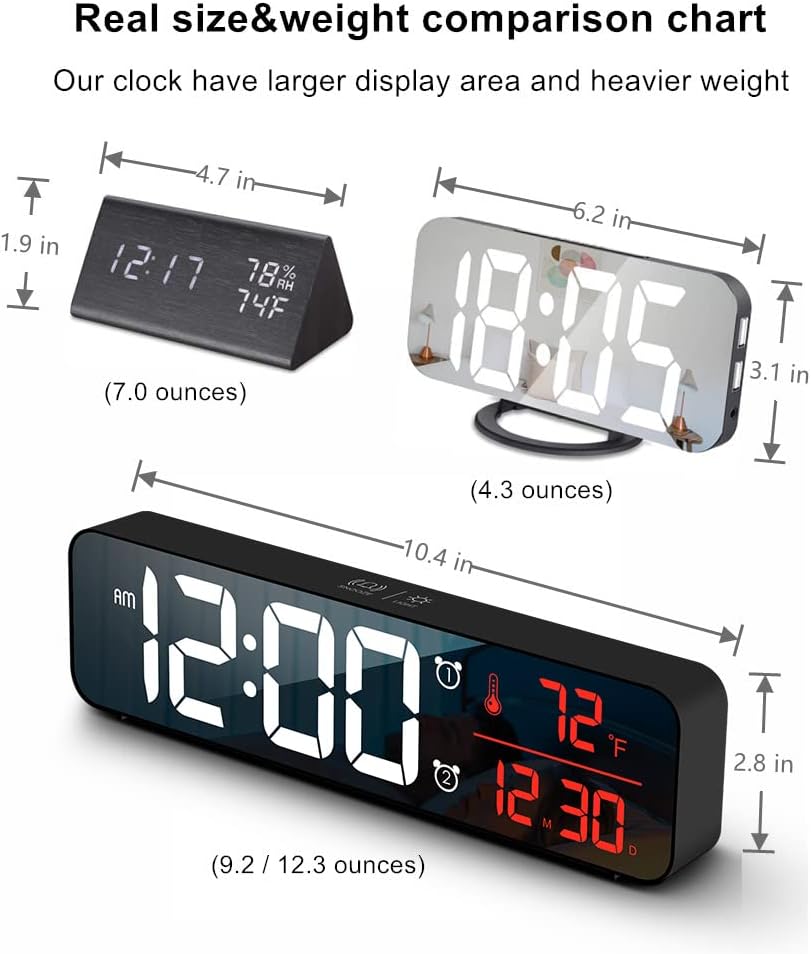
| პროდუქტის ზომები | 10.4" სიგანე x 2.8" სიმაღლე |
| დენის წყარო | Corded Electric (USB-5V) |
| განსაკუთრებული თვისებები | Large Display, Automatic Brightness Dimmer, Memory Function, Dual Alarms, Date, Temperature |
| სამონტაჟო ტიპი | Tabletop or Wall-mountable |
| მასალა | აკრილონიტრილი ბუტადიენ სტირენი (პლასტმასი) |
| ნივთის წონა | 1 ფუნტი (დაახლოებით 16 უნცია) |
გარანტია და მხარდაჭერა
Abovsare is committed to providing high-quality products. For specific warranty details and customer support, please refer to the information provided at the time of purchase or visit the official Abovsare brand store.
Abovsare Brand Store: https://www.amazon.com/stores/Abovsare/page/D02B5557-764F-4435-8DFB-4333D462DA1C