
1. შესავალი
The Godox TR-N1 is a wireless remote control system designed to provide advanced shutter release and timer functions for compatible Nikon and Fujifilm cameras. This system consists of a transmitter (TR-TX) and a receiver (TR-RX), enabling photographers to control their camera's shutter wirelessly from a distance, reduce camera shake, and execute complex time-lapse sequences.
ძირითადი მახასიათებლები:
- 2.4GHz Wireless Transmission for reliable control up to 100 meters.
- 32 selectable channels to avoid interference.
- Multiple timer functions: delay timer, exposure timer, interval timer, and shooting times.
- ბატარეის ხანგრძლივობა ხანგრძლივი გამოყენებისთვის.
Compatible Camera Models:
- ნიკონი: D850, D800E, D800, D700, D500, D300s, D300, D200, D5, D4, D3S, D3X, D3, D2Xs, D2X, D1X, D2HS, D2H, D1H, D1, F100, N90S, F90X, F5, F6, F90
- ფუჯიფილმი: S5 Pro, S3 Pro
2. დაყენება
2.1 ბატარეის დაყენება
Both the TR-TX transmitter and TR-RX receiver require two AA batteries (not included). Ensure correct polarity when inserting batteries.

Image: The Godox TR-N1 transmitter and receiver units, showing the battery compartments and the required AA batteries for operation.
2.2 Connecting the Receiver to Your Camera
Use the provided N1 shutter release cable to connect the TR-RX receiver to your camera's remote control port. The port location may vary by camera model; refer to your camera's manual for specific details.
2.3 ჩართვა
Turn on both the transmitter and receiver. The devices should automatically establish a connection. If connection issues occur, ensure both units are on the same channel (refer to Section 3.4).
3. საოპერაციო ინსტრუქციები
3.1 ჩამკეტის ძირითადი გამოშვება
Press the shutter button on the TR-TX transmitter halfway to autofocus, then press fully to trigger the shutter. For bulb mode, press and hold the shutter button fully until the desired exposure is achieved, then release.
3.2 ტაიმერის ფუნქციები
The TR-N1 offers various programmable timer functions for creative photography. Use the navigation buttons on the transmitter to access and adjust these settings.

Image: The Godox TR-N1 transmitter's LCD screen displaying six different timer settings: Delay, Long (exposure time), INTVL1 (interval time between shots), INTVL1 N (number of shots), INTVL2 (repeat timer schedule interval time), and INTVL2 N (repeat timer schedule times).
- Delay Timer (DELAY): Sets a delay before the first shot is taken (0s to 99h 59min 59s).
- Exposure Timer (LONG): Controls the duration of the shutter opening (0s to 99h 59min 59s).
- Interval Timer (INTVL1): Sets the time between consecutive shots (0s to 99h 59min 59s).
- Number of Shots (INTVL1 N): Specifies how many photos to take (1 to 999, or infinite).
- Repeat Timer Schedule Interval Time (INTVL2): Sets the interval for repeating a sequence of shots (0s to 99h 59min 59s).
- Repeat Timer Schedule Times (INTVL2 N): Defines how many times the entire sequence should repeat (1 to 999, or infinite).
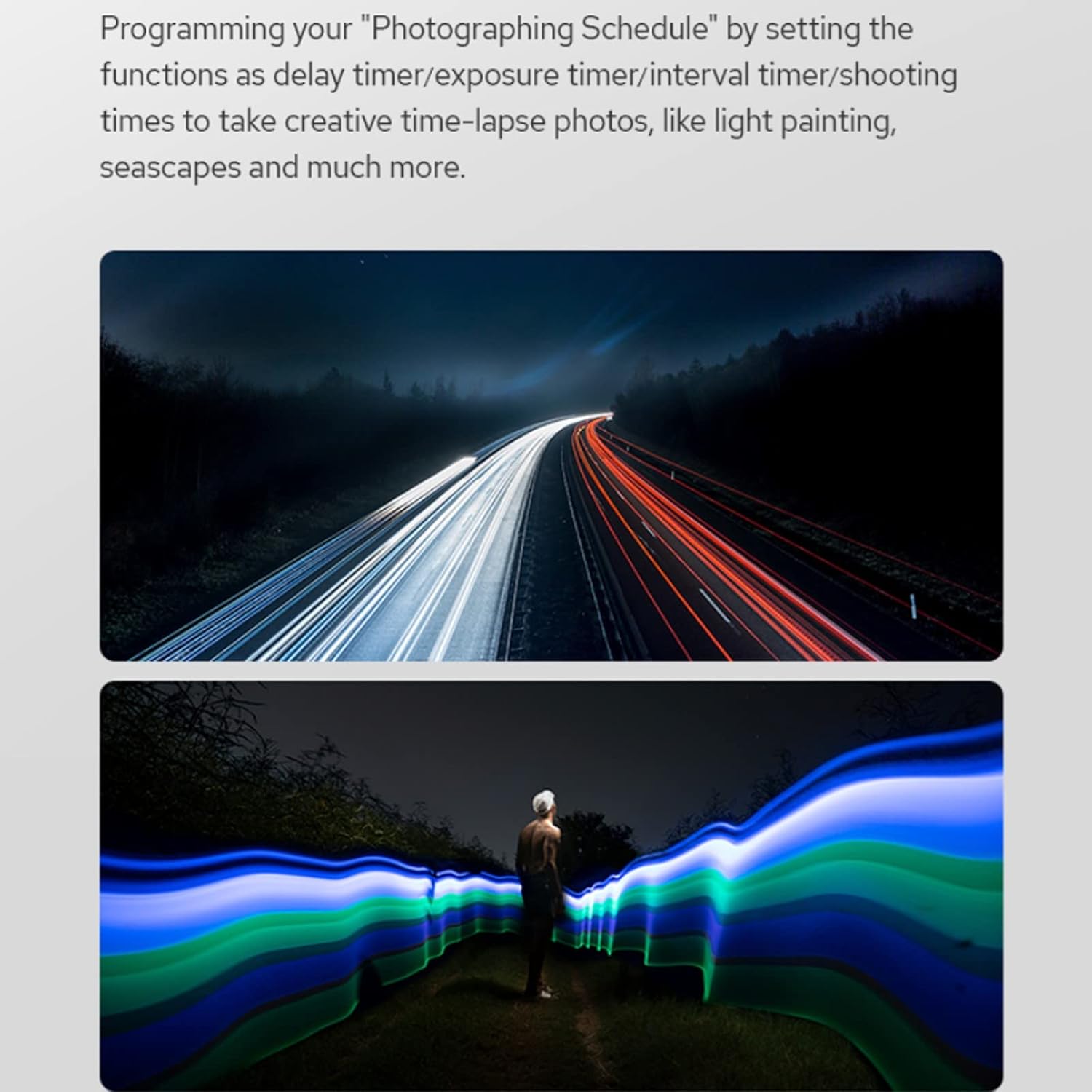
სურათი: ყოფილიample of creative time-lapse photography, showing light trails from vehicles on a road at night, illustrating the capabilities of programming a shooting schedule with the remote control.

სურათი: ორი ყოფილიamples of advanced photography: star trails in the night sky and a sequence of a flower blooming, both achievable by setting repeat interval times and shooting schedules with the remote control.
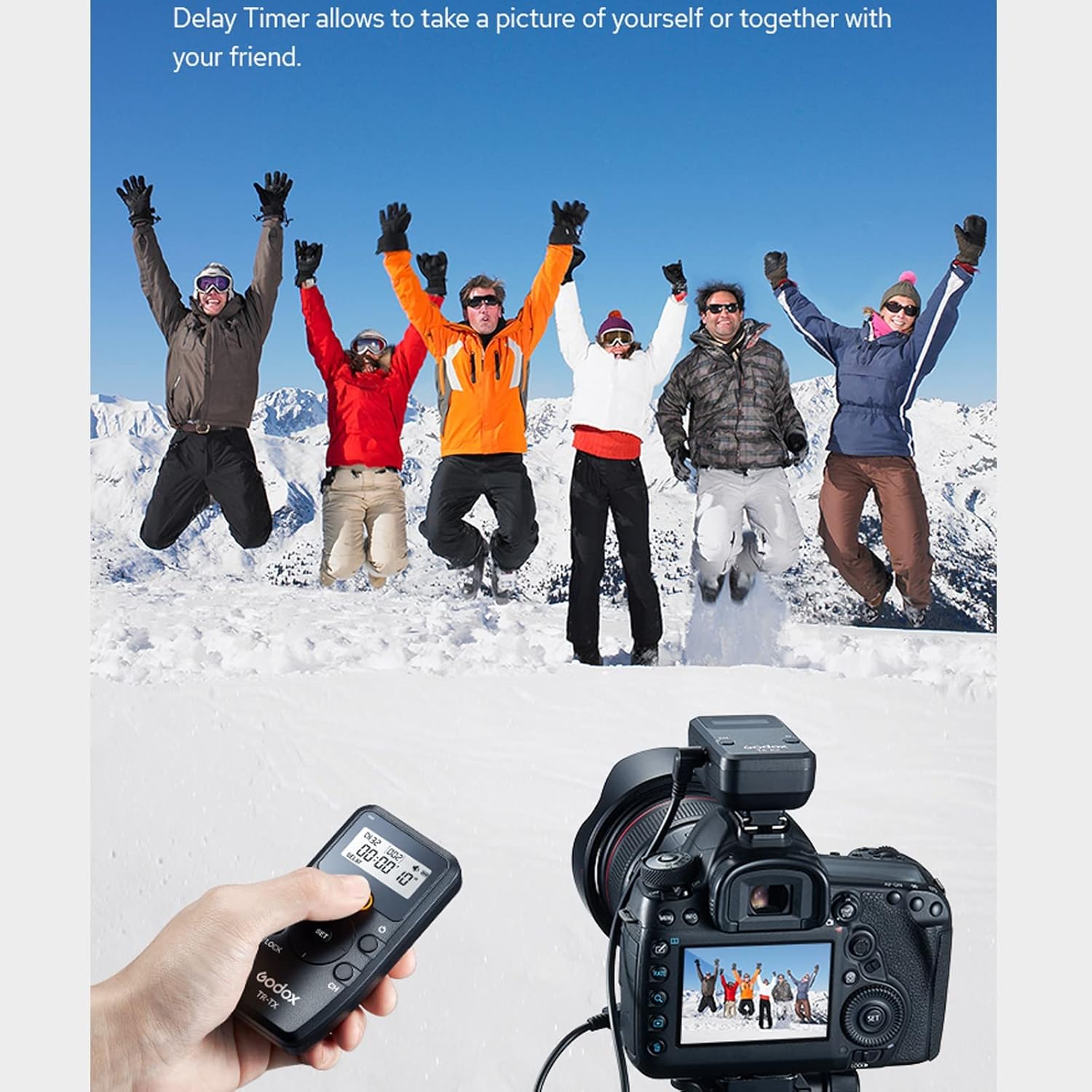
Image: A group of people jumping in a snowy landscape, with a camera set up on a tripod and a hand holding the Godox TR-N1 transmitter, demonstrating the use of the delay timer for self-portraits or group photos.
3.3 Stabilizing Images
Using the TR-N1 remote control helps to minimize camera shake, which is crucial for achieving sharp images, especially in situations requiring high magnification or slow shutter speeds.
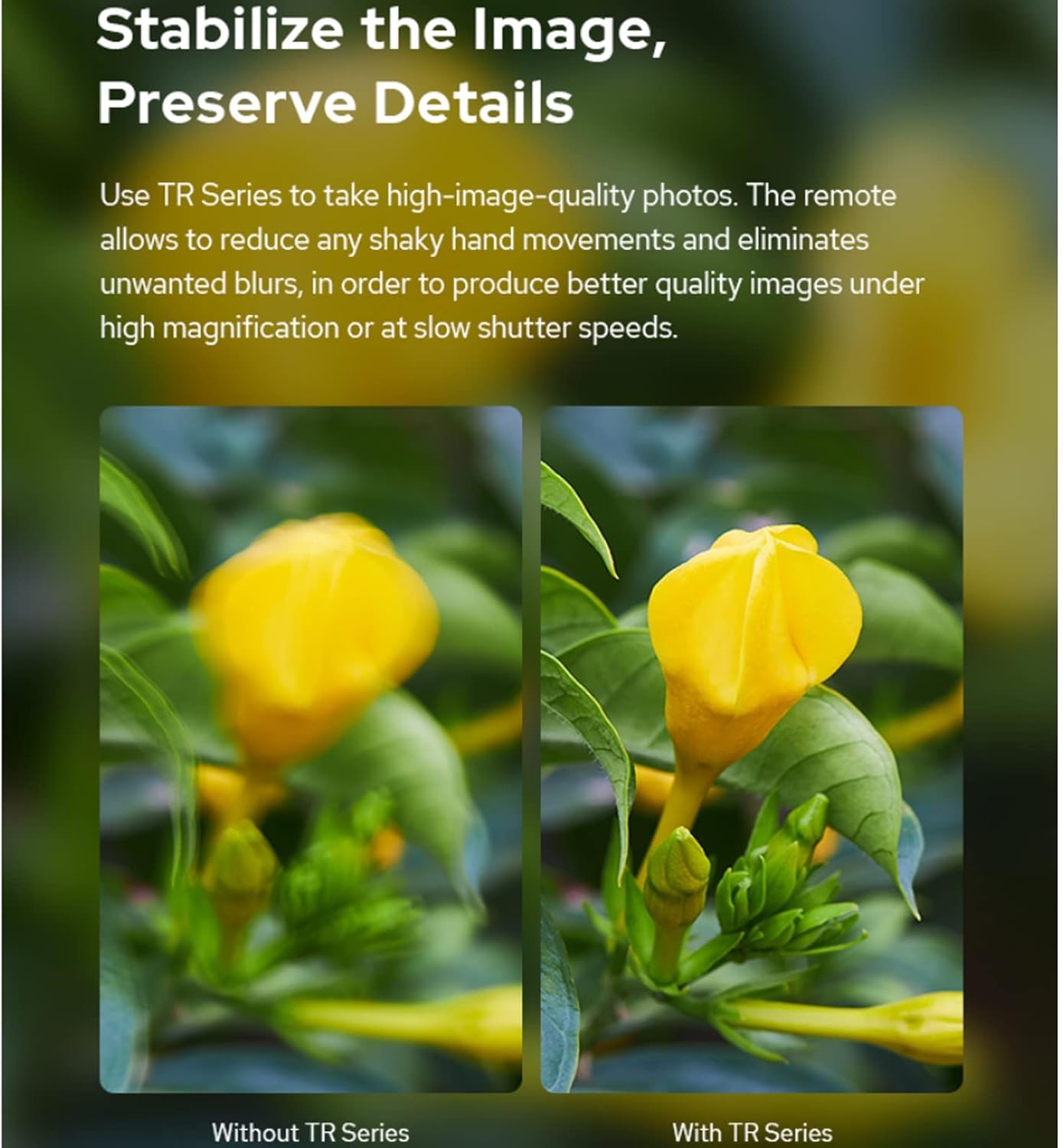
Image: A side-by-side comparison of two images of a yellow flower. The left image is blurry, labeled 'Without TR Series', while the right image is sharp and detailed, labeled 'With TR Series', illustrating how the remote control helps stabilize images.
3.4 არხის შერჩევა
The TR-N1 system features 32 channels. If you experience interference or connection issues, try changing the channel on both the transmitter and receiver to an unoccupied frequency. Refer to the device's display for current channel information.
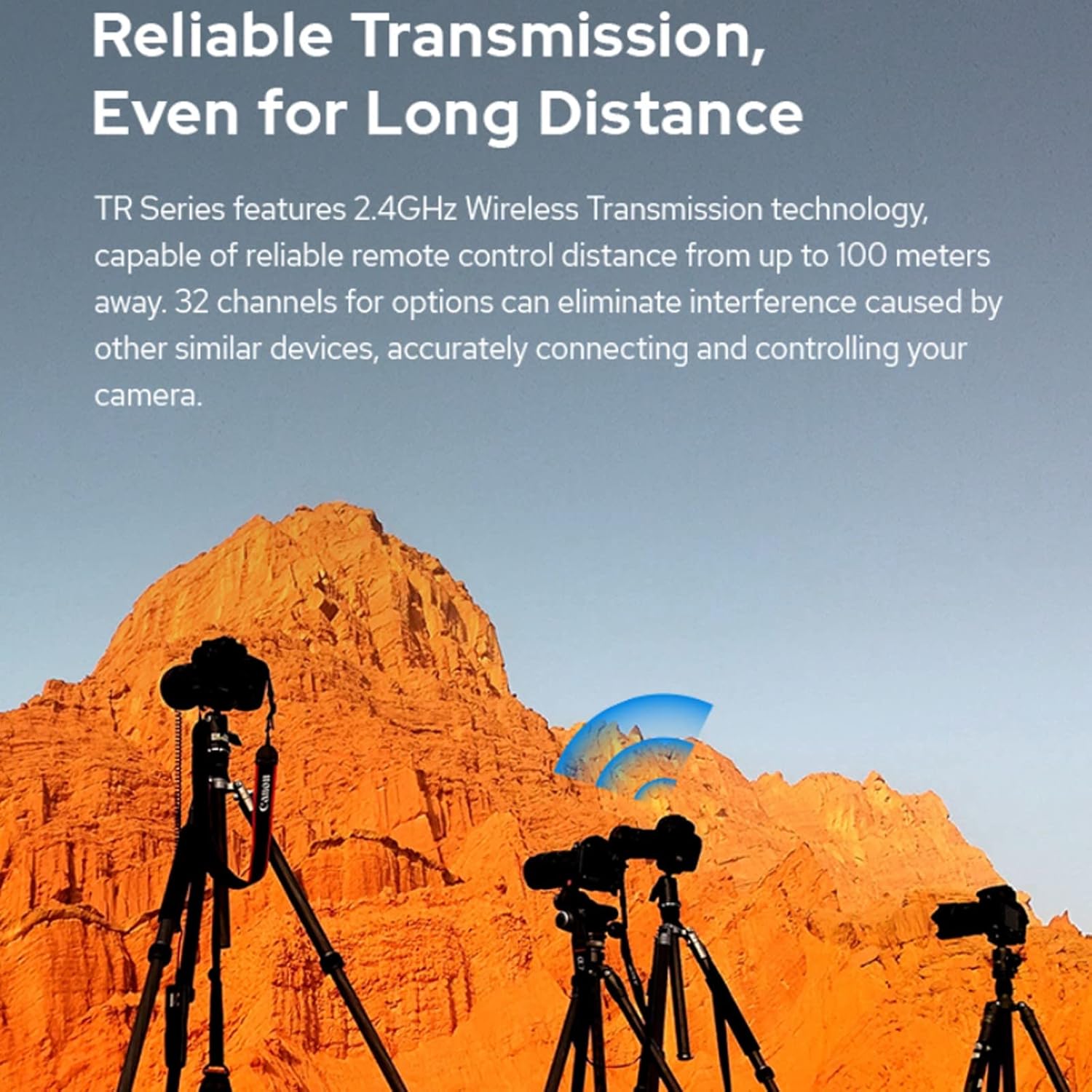
Image: Multiple cameras on tripods in a desert landscape, with a graphic overlay indicating wireless signal transmission, demonstrating the reliable long-distance control capability of the TR Series remote control system.
4. მოვლა
4.1 დასუფთავება
Use the included cleaning cloth to gently wipe the surfaces of the transmitter and receiver. Avoid using harsh chemicals or abrasive materials that could damage the devices. Ensure no moisture enters the battery compartments or ports.
4.2 ბატარეის გამოცვლა
Replace batteries when the low battery indicator appears on the display or when the devices fail to power on. Always use fresh AA batteries. Remove batteries if the device will not be used for an extended period to prevent leakage.
4.3 შენახვა
Store the TR-N1 remote control system in a cool, dry place away from direct sunlight and extreme temperatures. Keep it protected from dust and moisture. Its compact size allows for easy storage.

Image: A hand placing the compact Godox TR-N1 transmitter into a jacket pocket, highlighting its portability and ease of storage.
5. Დიაგნოსტიკა
- მოწყობილობა არ ჩართულია:
- შეამოწმეთ, სწორად არის თუ არა ჩასმული ბატარეები სწორი პოლარობით.
- შეცვალეთ ახალი AA ბატარეებით.
- Remote not triggering camera:
- დარწმუნდით, რომ როგორც გადამცემი, ასევე მიმღები ჩართულია.
- Verify the receiver is securely connected to the camera's remote port.
- Check that the transmitter and receiver are set to the same channel.
- Confirm camera is in a mode that allows remote shutter release (e.g., not in video mode if only photo shutter is desired).
- Ensure the camera's battery is sufficiently charged.
- შეზღუდული დიაპაზონი ან წყვეტილი კავშირი:
- Move closer to the camera.
- Change to a different channel to avoid interference from other 2.4GHz devices.
- Ensure there are no large metallic obstructions between the transmitter and receiver.
- შეცვალეთ ბატარეები ორივე მოწყობილობაში.
- ტაიმერის ფუნქციები არ მუშაობს მოსალოდნელი შედეგის შესაბამისად:
- Double-check all timer settings (delay, exposure, interval, number of shots) on the transmitter.
- Ensure the camera is set to Bulb mode if using long exposure times controlled by the remote.
6. სპეციფიკაციები
Transmitter (TR-TX)
| ფუნქცია | სპეციფიკაცია |
|---|---|
| დენის წყარო | 2 x AA ბატარეა (3V) |
| ლოდინის დრო | 7,000 საათი |
| შეყოვნების ტაიმერი | 0s to 99h 59min 59s (1s increment) |
| Დაინფიცირების წყაროსთან კონტაქტის დრო | 0s to 99h 59min 59s (1s increment) |
| ინტერვალის დრო | 0s to 99h 59min 59s (1s increment) |
| სროლების რაოდენობა | 1 to 999, or infinite |
| Repeat Timer Interval | 0s to 99h 59min 59s (1s increment) |
| Repeat Timer Times | 1 to 999, or infinite |
| არხები | 32 |
| საკონტროლო მანძილი | დაახლ. 100 წთ |
| ოპერაციული ტემპერატურა | -20℃-დან +50℃-მდე |
| ზომები | 99 მმ x 52 მმ x 27 მმ |
Receiver (TR-RX)
| ფუნქცია | სპეციფიკაცია |
|---|---|
| დენის წყარო | 2 x AA ბატარეა (3V) |
| ლოდინის დრო | 350 საათი |
| არხები | 32 |
| საკონტროლო მანძილი | დაახლ. 100 წთ |
| ოპერაციული ტემპერატურა | -20℃-დან +50℃-მდე |
| ზომები | 75 მმ x 44 მმ x 35 მმ |
ზოგადი ინფორმაცია პროდუქტის შესახებ
- პროდუქტის ზომები: 13 x 12 x 4.5 სმ; 200 გრამი
- კავშირის ტექნოლოგია: უსადენო
- განსაკუთრებული მახასიათებლები: უსადენო
7. გარანტია და მხარდაჭერა
For warranty information, please refer to the documentation provided with your purchase or contact the seller directly. Godox products typically come with a manufacturer's warranty against defects in materials and workmanship.
For technical support, product inquiries, or service, please visit the official Godox webსაიტზე ან დაუკავშირდით თქვენს საცალო მოვაჭრეს. ასევე შეგიძლიათ ეწვიოთ Godox Store on Amazon დამატებითი ინფორმაციისთვის.