
1. შესავალი
This user manual provides detailed instructions for the installation, operation, and maintenance of your Rettru 4K Wireless WiFi Camera, Model Q18. Please read this manual thoroughly before using the product to ensure proper functionality and safety. This camera is designed for indoor and outdoor surveillance, offering high-resolution video and advanced detection features.
2. პაკეტის შიგთავსი
დარწმუნდით, რომ ქვემოთ ჩამოთვლილი ყველა ნივთი შედის თქვენს პაკეტში. თუ რომელიმე ნივთი აკლია ან დაზიანებულია, გთხოვთ, დაუკავშირდეთ მომხმარებელთა მხარდაჭერის სამსახურს.
- 1 x Rettru Q18 Camera
- 1 x მაგნიტური ბაზა
- 1 x Micro SD ბარათის წამკითხველი
- 1 x USB კაბელი
- 1 x მომხმარებლის სახელმძღვანელო
3. პროდუქტი დასრულდაview
The Rettru Q18 camera is a compact and versatile surveillance device. It features a 4K (2560x1440) resolution lens, a 160-degree wide-angle view, and an 1800mAh built-in battery for extended operation. Its small size allows for discreet placement.
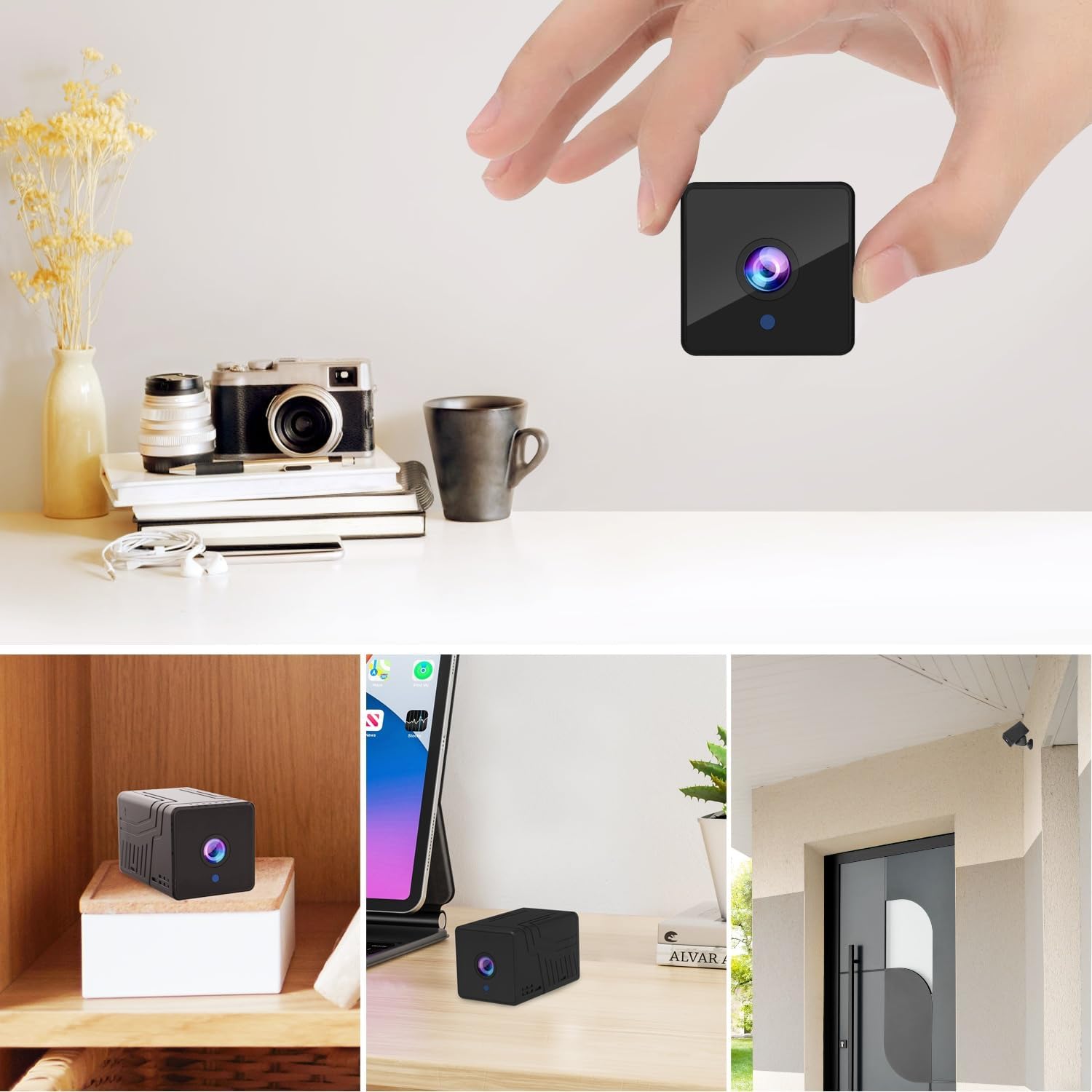
სურათი 3.1: წინა view of the Rettru Q18 camera with its magnetic base. This image highlights the compact design and the lens of the camera.

სურათი 3.2: The Rettru Q18 camera shown in different indoor and outdoor settings, demonstrating its small size and ease of concealment. The image illustrates its "Super Tiny, Easy to Hide" characteristic.
4. დაყენების ინსტრუქციები
4.1 საწყისი დატენვა
Before first use, fully charge the camera using the provided USB cable and a standard 5V USB power adapter (not included). The built-in 1800mAh battery provides approximately 6 hours of continuous recording or up to 100 days of standby time.

სურათი 4.1: Graphic illustrating the 1800mAh battery capacity of the Rettru Q18 camera, highlighting its 6-hour continuous recording and 100-day ultra-long standby capabilities.
4.2 აპლიკაციის ჩამოტვირთვა და დაკავშირება
To operate the camera and access its features, you need to download the "V380 Pro" application on your smartphone.
- ჩამოტვირთეთ აპლიკაცია: ძიება "V380 Pro" in your smartphone's app store (Google Play Store for Android or Apple App Store for iOS) and install it.
- კამერის ჩართვა: Turn on the Rettru Q18 camera. Refer to the camera's physical buttons for power control.
- დაუკავშირდით Wi-Fi-ს: კამერის სახლის Wi-Fi ქსელთან დასაკავშირებლად, მიჰყევით აპლიკაციაში მოცემულ ინსტრუქციებს. შენიშვნა: The camera only supports 2.4GHz Wi-Fi networks. Ensure your router is configured for 2.4GHz or has a mixed mode enabled.
- ცოცხალი View: Once connected, you can access the live video feed and control the camera through the V380 Pro app.
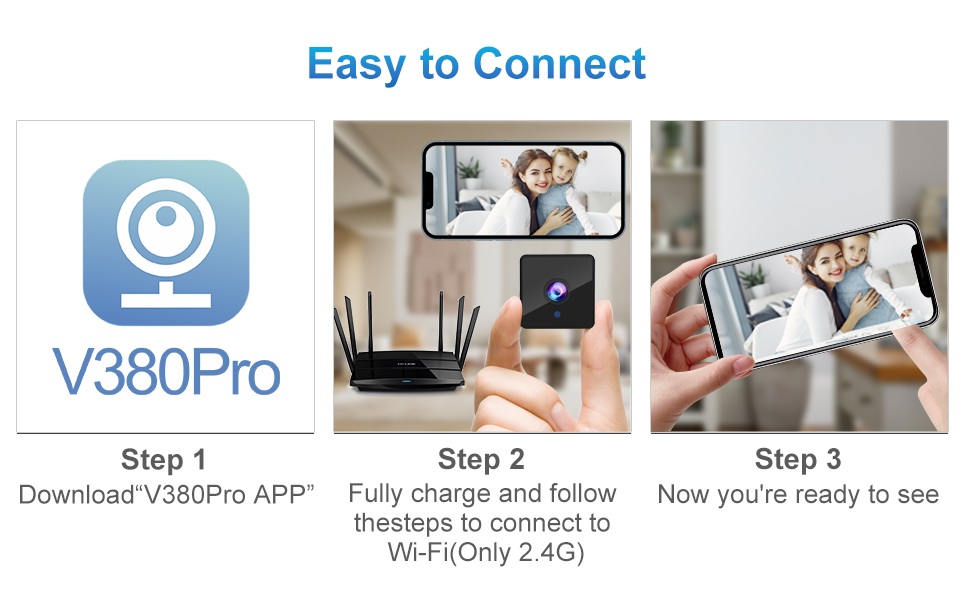
სურათი 4.2: Visual guide for connecting the Rettru Q18 camera using the V380 Pro app, showing steps for app download, charging, and Wi-Fi connection.
5. საოპერაციო ინსტრუქციები
5.1 Live Video Monitoring
Open the V380 Pro app on your smartphone. Select your camera from the device list to view the live 2K Ultra HD video feed. You can pan, tilt, and zoom digitally within the app if supported by the camera's software.
5.2 ჩაწერა და შენახვა
The camera supports local storage via a Micro SD card (up to 128GB). Insert the Micro SD card into the designated slot on the camera. The camera will automatically begin recording based on your settings (e.g., continuous recording, motion-activated recording). Recorded video files are in AVI format. შენიშვნა: Due to Amazon's policy, recorded videos do not include audio.
5.3 ღამის ხედვა
The Rettru Q18 camera is equipped with 8 straw hat 940nm infrared lights for automatic night vision. The IR-CUT feature ensures clear black and white video in low-light conditions, with a night vision range of up to 28 feet. The camera automatically switches between day and night modes.
სურათი 5.1: Comparison of day and night vision capabilities of the Rettru Q18 camera, showing automatic IR ON/OFF and enhanced night vision up to 26ft.
5.4 მოძრაობის აღმოჩენა და შეტყობინებები
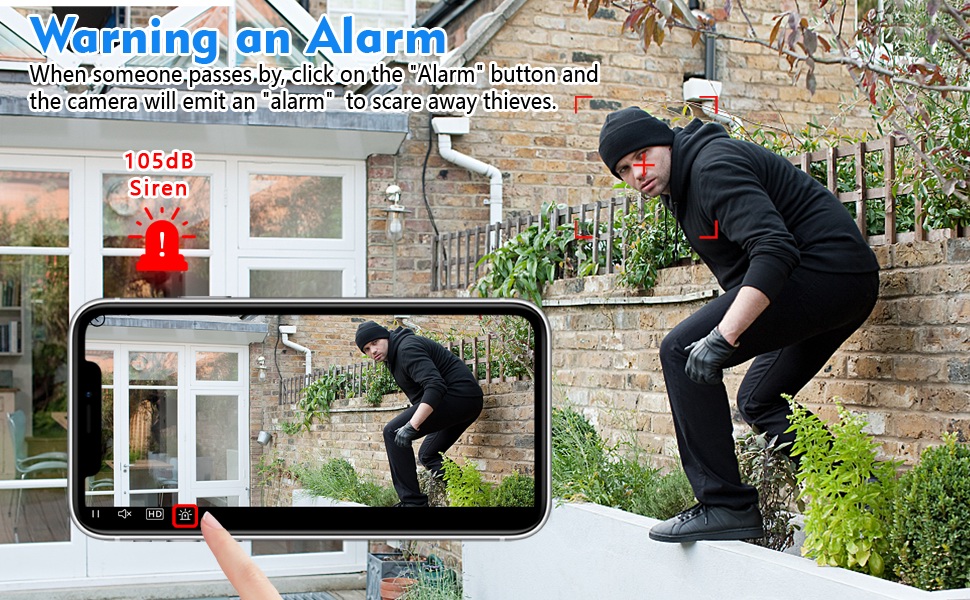
The camera features AI Human Detection, which can distinguish human movement from other motions, reducing false alarms. When motion is detected, the camera can send alert notifications to your smartphone via the V380 Pro app. You can also activate a built-in 105dB siren through the app to deter intruders.
სურათი 5.2: Illustration of the camera's alarm function, showing a user activating a 105dB siren via the app to deter a potential intruder.
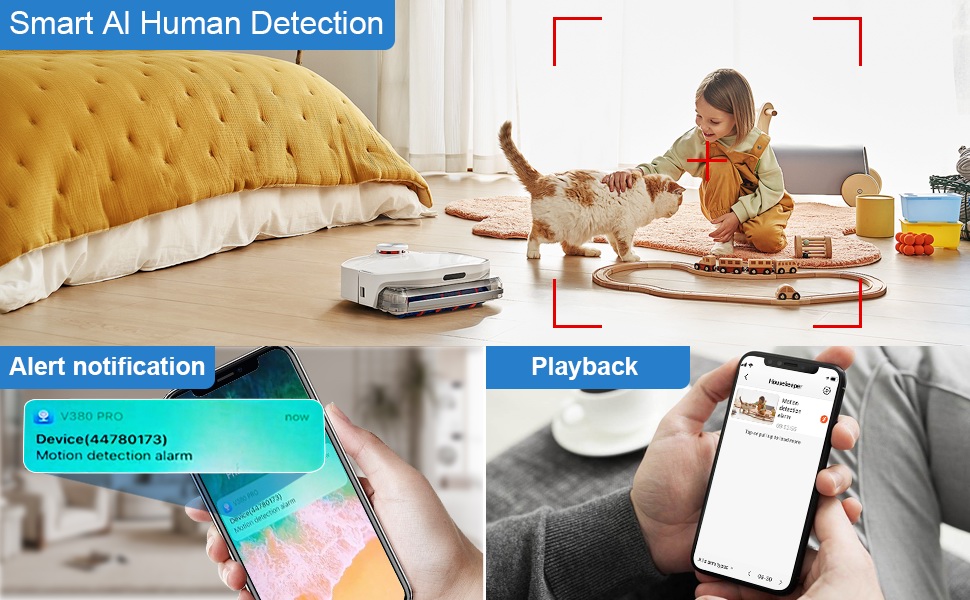
სურათი 5.3: Depiction of the Smart AI Human Detection feature, showing how the camera identifies human movement and sends alert notifications to the V380 Pro app.
5.5 ორმხრივი კომუნიკაცია
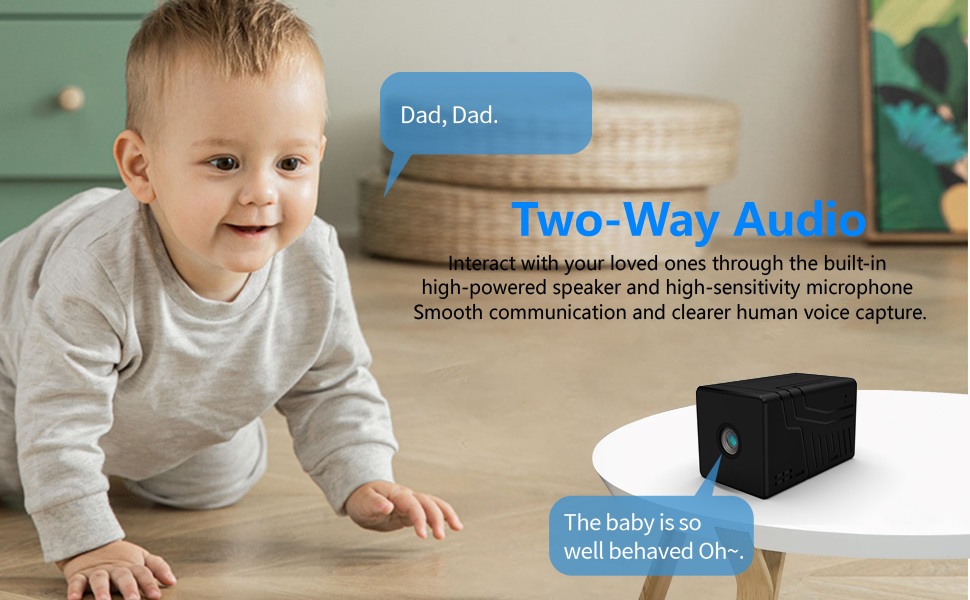
The camera supports two-way communication through its built-in high-powered speaker and high-sensitivity microphone. This allows you to interact with individuals near the camera via the V380 Pro app. Please note that while two-way communication is supported, recorded video files do not contain audio.

სურათი 5.4: An image illustrating the two-way audio capability of the Rettru Q18 camera, showing communication between a parent and a child.
6. ძირითადი მახასიათებლები
- Ultra HD 2K Resolution: Records video at 2560x1440 (5 Megapixels) for clear and detailed footage.
- ფართო Viewკუთხე: 160-degree lens captures a broad area.
- ბატარეის ხანგრძლივი ხანგრძლივობა: Equipped with an 1800mAh dual lithium battery, offering up to 6 hours of continuous recording or 100 days of standby.
- გაძლიერებული ღამის ხედვა: Automatic IR-CUT with 940nm infrared lights provides clear night vision up to 28 feet without a visible red glow.
- AI ადამიანის გამოვლენა: Intelligent motion detection reduces false alarms by focusing on human shapes.
- Instant Alerts & Siren: Receive smartphone notifications upon motion detection and activate a 105dB siren remotely.
- ორმხრივი კომუნიკაცია: Speak and listen through the camera via the V380 Pro app (recorded video is without audio).
- ადგილობრივი საცავი: Supports Micro SD cards up to 128GB for video storage.
- კომპაქტური დიზაინი: Small and lightweight, suitable for discreet placement indoors or outdoors (IP65 rated).
- Wi-Fi კავშირი: Connects to 2.4GHz Wi-Fi networks for remote access.
7. მოვლა
7.1 კამერის გაწმენდა
To maintain optimal performance, regularly clean the camera lens and body. Use a soft, dry cloth to wipe away dust and smudges. For stubborn dirt on the lens, use a lens cleaning solution specifically designed for optical surfaces. Avoid using harsh chemicals or abrasive materials.
7.2 ბატარეის მოვლა
To prolong battery life, avoid exposing the camera to extreme temperatures. If storing the camera for an extended period, ensure it is partially charged (around 50%) and recharge it every few months to prevent deep discharge.
7.3 პროგრამული უზრუნველყოფის განახლებები
Periodically check the V380 Pro app for available firmware updates. Keeping your camera's firmware up-to-date ensures you have the latest features, security enhancements, and bug fixes.
8. Დიაგნოსტიკა
| პრობლემა | შესაძლო გამოსავალი |
|---|---|
| კამერა არ ირთვება. | Ensure the camera is fully charged. Connect it to a power source using the USB cable and check if the charging indicator light is on. |
| Wi-Fi-თან დაკავშირება შეუძლებელია. |
|
| ვიდეოს დაბალი ხარისხი ან შეფერხება. |
|
| მოძრაობის ამოცნობის შეტყობინებები არ მიიღება. |
|
| SD ბარათი არ იწერს. |
|
9. სპეციფიკაციები
| ფუნქცია | დეტალი |
|---|---|
| მოდელის ნომერი | Q18 |
| ვიდეო გადაღების გარჩევადობა | 2 ათასი (2560x1440) |
| ეფექტური მაინც რეზოლუცია | 5 დეპუტატი |
| Viewing კუთხე | 160 გრადუსი |
| დაკავშირების პროტოკოლი | Wi-Fi (მხოლოდ 2.4 გჰც) |
| კონტროლერის ტიპი | V380 Pro აპლიკაცია |
| დენის წყარო | იკვებება ბატარეით (1800 mAh ლითიუმ-იონური) |
| ბატარეის ხანგრძლივობა | Approx. 6 hours continuous recording, 100 days standby |
| ღამის ხედვის დიაპაზონი | 28 ფუტამდე |
| შენახვა | მიკრო SD ბარათი (128 გბ-მდე, არ მოყვება) |
| ვიდეო გადაღების ფორმატი | AVI |
| გაფრთხილების ტიპი | Motion Only (AI Human Detection) |
| დაცვის საერთაშორისო რეიტინგი | IP65 |
| ნივთის წონა | 75 გრამი (2.65 უნცია) |
| პროდუქტის ზომები | 21.6 x 13.3 x 13.3 inches (packaging dimensions, actual camera is smaller) |
| მწარმოებელი | რეტრუ |
10. უსაფრთხოების ინფორმაცია
- Do not expose the camera to extreme temperatures, direct sunlight for prolonged periods, or excessive moisture.
- გამოიყენეთ მხოლოდ მოწოდებული USB კაბელი დასატენად.
- Keep the camera and its accessories out of reach of children and pets.
- არ სცადოთ კამერის დაშლა ან მოდიფიცირება. ეს გააუქმებს გარანტიას და შეიძლება გამოიწვიოს დაზიანება.
- დარწმუნდით, რომ კამერა საიმედოდ არის დამონტაჟებული, რათა თავიდან აიცილოთ მისი ჩამოვარდნა.
- Respect privacy laws and regulations when using surveillance equipment.
11. გარანტია და მხარდაჭერა
For warranty information or technical support, please refer to the contact details provided with your purchase or visit the official Rettru webსაიტი. შეინახეთ თქვენი შესყიდვის ქვითარი, როგორც შეძენის დამადასტურებელი საბუთი ნებისმიერი გარანტიის მოთხოვნის შემთხვევაში.