
1. შესავალი
Welcome to the VRPEFIT IDS01 Smart Watch user manual. This guide provides essential information for setting up, operating, and maintaining your new smart watch. Please read this manual thoroughly to ensure proper use and to fully utilize all features of your device.
2. პროდუქტი დასრულდაview
The VRPEFIT IDS01 Smart Watch is a versatile fitness tracker and communication device designed for both men and women. It features a 1.8-inch HD touch screen, built-in Alexa, Bluetooth calling capabilities, and comprehensive health monitoring functions.
2.1 ძირითადი მახასიათებლები
- Bluetooth 5.3 დაკავშირება: For calls and message notifications.
- ჩაშენებული Alexa: Voice control for smart home devices and information retrieval.
- 1.8-inch Full Touch HD Screen: Clear display with customizable watch faces.
- 100+ სპორტული რეჟიმი: Track various activities including running, swimming, and cycling.
- ჯანმრთელობის მონიტორინგი: Heart rate, blood oxygen, and sleep tracking.
- IP68 წყალგაუმტარი რეიტინგი: Suitable for most water-related activities (excluding hot water/saunas).
- ბატარეის ხანგრძლივი ხანგრძლივობა: Up to 7 days of typical use on a single charge.
2.2 პაკეტის შიგთავსი
- VRPEFIT IDS01 Smart Watch
- USB მაგნიტური დატენვის კაბელი
- მომხმარებლის სახელმძღვანელო

3. დაყენების გზამკვლევი
3.1 ჭკვიანი საათის დატენვა
Before first use, fully charge your smart watch. Connect the magnetic charging cable to the charging contacts on the back of the watch and plug the USB end into a power adapter (not included) or a computer's USB port. A full charge typically takes approximately 2.5 hours and provides up to 7 days of working time.

3.2 აპლიკაციის ინსტალაცია და დაწყვილება
To unlock the full potential of your VRPEFIT IDS01 Smart Watch, you need to install the companion app on your smartphone. The watch is compatible with Android 6.0+ and iOS 9.0+ devices.
- ჩამოტვირთეთ აპლიკაცია: ძიება the 'Veryfit' app in your smartphone's app store (Google Play Store for Android or Apple App Store for iOS) and install it.
- ანგარიშის შექმნა: Open the Veryfit app and follow the on-screen instructions to create an account or log in.
- საათის დაწყვილება:
- დარწმუნდით, რომ Bluetooth ჩართულია თქვენს სმარტფონზე.
- In the Veryfit app, navigate to the 'Device' or 'Add Device' section.
- Select your VRPEFIT IDS01 Smart Watch from the list of available devices.
- დაადასტურეთ დაწყვილების მოთხოვნა როგორც თქვენს ტელეფონზე, ასევე საათზე.

4. საოპერაციო ინსტრუქციები
4.1 Bluetooth ზარის ფუნქცია
The smart watch allows you to make and receive calls directly from your wrist after connecting via Bluetooth.
- ზარების განხორციელება: Access the phone dialer on your watch or select a contact from your synced address book.
- ზარების მიღება: When a call comes in, the watch will display the caller ID. You can answer or reject the call directly from the watch screen.

4.2 შეტყობინებების შეტყობინებები
Receive notifications for SMS, emails, and social media apps directly on your watch. Ensure notification permissions are granted in the Veryfit app and your phone settings.
4.3 Alexa-ს ჩაშენებული
Your smart watch integrates with Alexa, allowing you to use voice commands for various tasks.
- Alexa-ს გააქტიურება: Swipe right on the watch face or press the dedicated Alexa button (if available) to activate the voice assistant.
- ხმოვანი ბრძანებები: Ask Alexa about the weather, set alarms, control smart home devices, and more.

4.4 ჯანმრთელობის მონიტორინგი
The VRPEFIT IDS01 Smart Watch provides continuous monitoring of key health metrics.
- გულისცემა: გულისცემის რეალურ დროში თვალყურის დევნება მთელი დღის განმავლობაში.
- სისხლში ჟანგბადის შემცველობა (SpO2): აკონტროლეთ თქვენი სისხლში ჟანგბადის დონე.
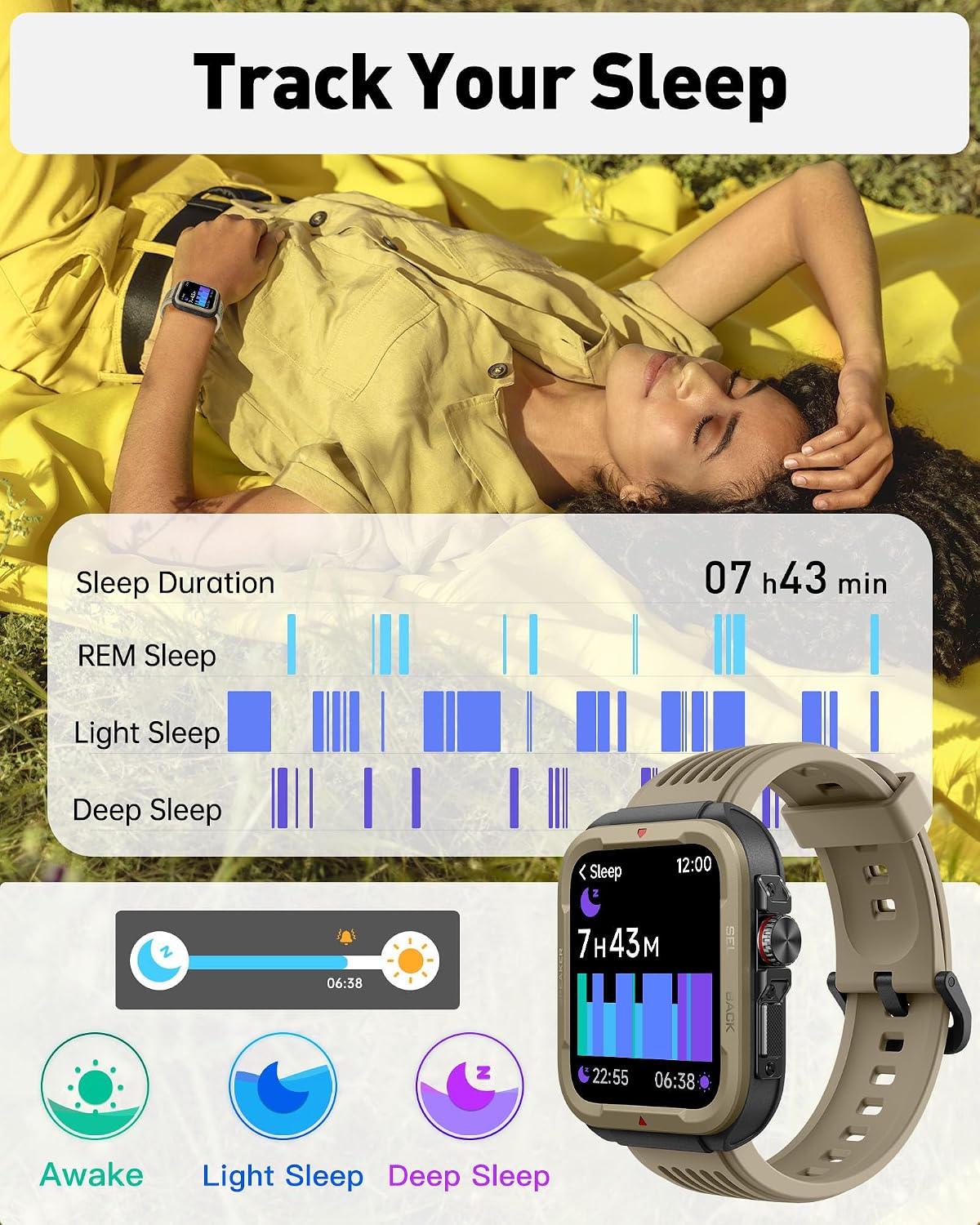
- ძილის მონიტორინგი: Tracks sleep duration, deep sleep, light sleep, and REM sleep patterns.

4.5 სპორტული რეჟიმი
With over 100 sports modes, the watch accurately records your activity data.
- აქტივობის თვალყურის დევნება: აღრიცხავს ნაბიჯებს, მანძილს, დამწვარ კალორიებს და აქტიურობის წუთებს.
- Exercise Analysis: Provides professional analysis to help assess training effectiveness.

4.6 რეგულირებადი საათის სახე
Personalize your watch with over 100 pre-installed dials or upload your favorite pictures to create custom watch faces.

5. მოვლა
5.1 ჰიდროიზოლაცია (IP68 რეიტინგი)
The VRPEFIT IDS01 Smart Watch has an IP68 waterproof rating, meaning it is resistant to dust and can withstand immersion in water up to 1.5 meters for 30 minutes. It is suitable for daily use, hand washing, and swimming.
Important Note: Soaking in hot water, saunas, or diving are prohibited as these conditions can compromise the watch's water resistance.
5.2 დასუფთავება
To maintain your watch, regularly clean the screen and strap with a soft, damp ქსოვილი. მოერიდეთ უხეში ქიმიკატების ან აბრაზიული მასალების გამოყენებას, რამაც შეიძლება დააზიანოს მოწყობილობა.
6. Დიაგნოსტიკა
- საათი არ ირთვება: დარწმუნდით, რომ საათი სრულად არის დატენილი. შეაერთეთ ის დამტენთან მინიმუმ 30 წუთის განმავლობაში.
- ტელეფონთან დაწყვილება შეუძლებელია:
- დარწმუნდით, რომ Bluetooth ჩართულია თქვენს ტელეფონსა და საათზე.
- დარწმუნდით, რომ საათი თქვენი ტელეფონის დიაპაზონშია.
- გადატვირთეთ როგორც ტელეფონი, ასევე საათი.
- Check if the Veryfit app has necessary permissions.
- შეტყობინებები არ ჩანს:
- Verify that notifications are enabled in both your phone's settings and the Veryfit app.
- დარწმუნდით, რომ საათი Bluetooth-ის საშუალებით არის დაკავშირებული.
- ჯანმრთელობის შესახებ არასწორი მონაცემები: დარწმუნდით, რომ საათი მჭიდროდ გიკეთიათ მაჯაზე, არც ძალიან მჭიდროდ და არც ძალიან თავისუფლად. გაწმინდეთ საათის უკანა მხარეს არსებული სენსორი.
7. სპეციფიკაციები
| ფუნქცია | დეტალი |
|---|---|
| მოდელის ნომერი | IDS01 |
| ბრენდი | VRPEFIT |
| ჩვენების ზომა | 1.8 ინჩი |
| ჩვენების ტიპი | LCD, Full Touch HD |
| რეზოლუცია | 240 x 284 |
| დაკავშირება | Bluetooth 5.3 |
| ოპერაციული სისტემა | Android, iOS (Android 6.0+, iOS 9.0+) |
| ბატარეის ტევადობა | 300 mAh ლითიუმის პოლიმერი |
| ბატარეის ხანგრძლივობა | Up to 7 working days |
| დატენვის დრო | დაახლ. 2.5 საათი |
| წყალგაუმტარი რეიტინგი | IP68 |
| განსაკუთრებული თვისებები | Bluetooth Call, Alexa Voice Control, Heart Rate, Blood Oxygen, Sleep Monitor, 100 Sports Modes, Camera Control, GPS Via Smartphone |
| პროდუქტის ზომები | 2 x 1.8 x 0.5 ინჩი |
| ნივთის წონა | 1.62 უნცია (46 გრამი) |
8. გარანტია და მხარდაჭერა
VRPEFIT is committed to providing high-quality products and excellent customer service. While specific warranty details may vary, please refer to your purchase documentation for information regarding the warranty period and terms.
8.1 მომხმარებელთა მხარდაჭერა
For any inquiries, technical assistance, or support needs, please contact VRPEFIT customer service. We offer one-on-one customer support to address your concerns.
- საკონტაქტო ინფორმაცია: Please refer to the contact details provided on the VRPEFIT official webსაიტზე ან თქვენი პროდუქტის შეფუთვაზე.