
შესავალი
This manual provides detailed instructions for setting up, operating, maintaining, and troubleshooting your Amazon Kindle Paperwhite Signature Edition 32GB. Please read this guide thoroughly to ensure optimal use of your device.
1. დაყენება
1.1 ყუთის გახსნა და საწყისი გადასახადი
Upon unboxing, locate the Kindle Paperwhite Signature Edition device and the included USB-C charging cable. It is recommended to fully charge your device before first use.
- ყუთში შედის: Kindle Paperwhite Signature Edition, USB-C charging cable, Quick Start Guide.
- დამუხტვა: Connect the USB-C cable to the Kindle and a compatible USB power adapter (9W adapter recommended, sold separately). A full charge takes less than 2.5 hours.
- უსადენო დატენვა: The Signature Edition supports wireless charging. Place the device on a compatible wireless charging dock (sold separately).

Image: Kindle Paperwhite Signature Edition charging wirelessly on a dock. The device can be charged via USB-C or wirelessly for extended battery life.
1.2 ჩართვა/გამორთვა
- ჩართვა: Press and hold the power button located on the bottom edge of the device until the screen lights up.
- გამორთვა: Press and hold the power button until a power dialog appears, then select 'Power Off'. A short press will put the device to sleep.
1.3 Wi-Fi კავშირი
To access the Kindle Store and download content, connect your device to a Wi-Fi network.
- საწყისი ეკრანიდან შეეხეთ პარამეტრები icon (gear icon) or swipe down from the top of the screen and tap ყველა პარამეტრი.
- აირჩიეთ Wi-Fi და Bluetooth, მაშინ Wi-Fi ქსელები.
- აირჩიეთ სასურველი ქსელი სიიდან და საჭიროების შემთხვევაში შეიყვანეთ პაროლი.
The device supports 2.4 GHz and 5.0 GHz networks with WEP, WPA, WPA2, WPA3, and OWE security.
1.4 ანგარიშის დაყენება
Register your Kindle to your Amazon account to access your content library and the Kindle Store.
- After connecting to Wi-Fi, follow the on-screen prompts to sign in with your Amazon account credentials.
- If you do not have an Amazon account, you can create one during this process.
2. Operating Your Kindle
2.1 Basic Navigation and Page Turns
The Kindle Paperwhite Signature Edition features a 7-inch glare-free display designed for comfortable reading.
- გვერდის გადახვევა: Tap the right side of the screen to turn to the next page, or the left side to go back. Swiping left or right also turns pages.
- საწყისი ეკრანი: Tap the top of the screen to reveal the navigation bar, then tap the მთავარი icon to return to your library.

Image: A hand holding the Kindle Paperwhite, displaying a book page. The 7-inch Paperwhite display offers fast page turns for an enhanced reading experience.
2.2 Reading Features
Customize your reading experience with various display and font settings.
- Adjusting Front Light: The Signature Edition features an auto-adjusting front light. You can also manually adjust the brightness by tapping the top of the screen while reading and using the brightness slider.
- თბილი შუქი: Adjust the warmth of the screen light for comfortable reading in different environments.
- მუქი რეჟიმი: Invert screen colors for white text on a black background, ideal for low-light conditions. Access this from the quick settings menu.
- შრიფტის პარამეტრები: While reading, tap the top of the screen, then select the Aa icon to adjust font size, font face, line spacing, and margins.
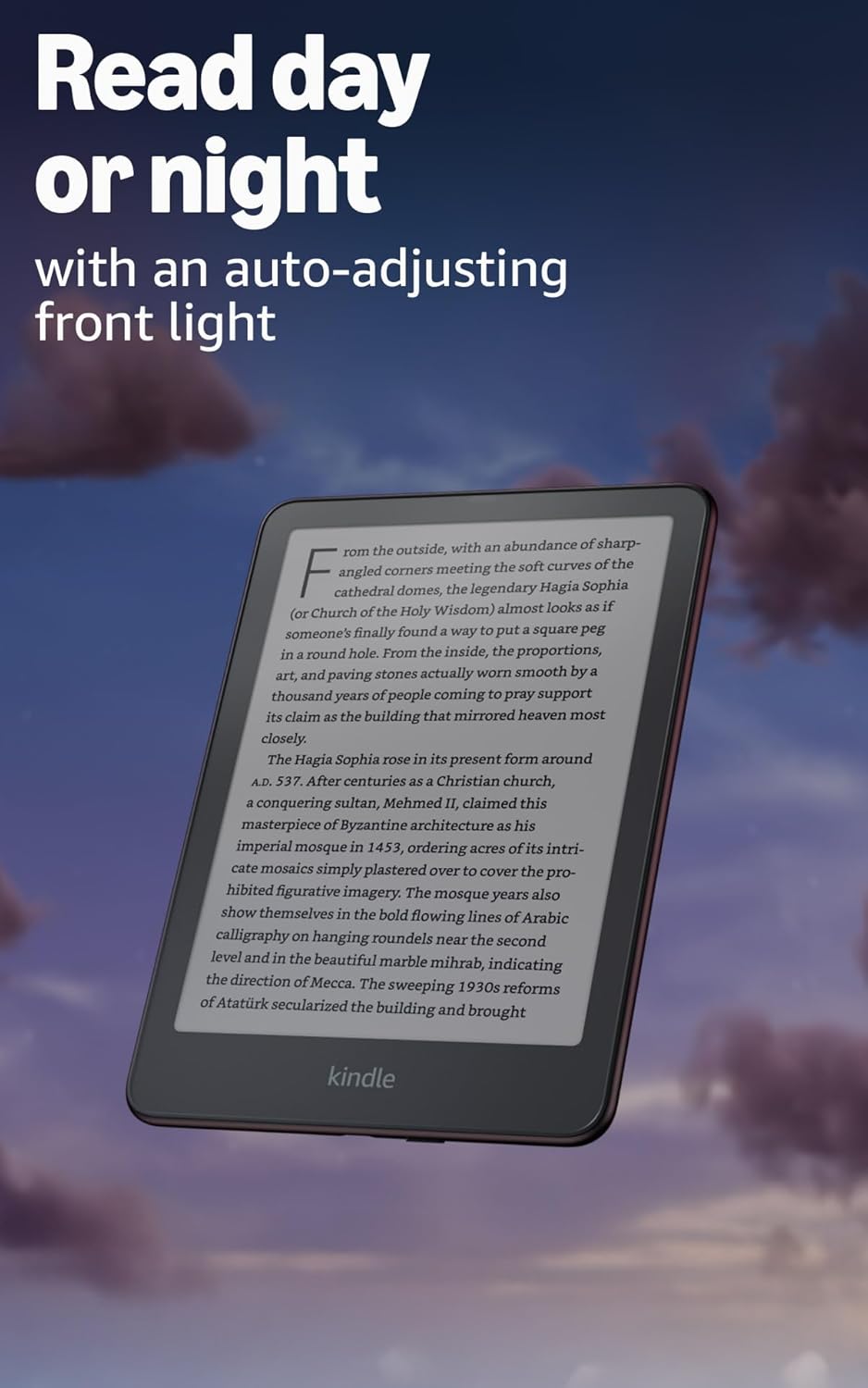
Image: Kindle Paperwhite screen illuminated in a dark room. The auto-adjusting front light allows for comfortable reading day or night.

Image: Close-up of the Kindle Paperwhite screen displaying text. Enjoy a glare-free display without distracting notifications.
2.3 კონტენტის მენეჯმენტი
Your Kindle provides access to a vast library of content.
- Kindle Store: საწყისი ეკრანიდან შეეხეთ მაღაზია icon to browse and purchase books.
- ბიბლიოთეკა: All purchased content is stored in your library and can be downloaded to your device.
- ღრუბლოვანი საცავი: All Amazon content is stored for free in the cloud, allowing you to access it from any compatible device.
- მხარდაჭერილი ფორმატები: Kindle ფორმატი 8 (AZW3), Kindle (AZW), TXT, PDF, დაუცველი MOBI, PRC მშობლიურად; PDF, DOCX, DOC, HTML, EPUB, TXT, RTF, JPEG, GIF, PNG, BMP კონვერტაციის გზით; აუდიო ფორმატი (AAX).

Image: A collage of various book covers. The Kindle Store offers access to over 15 million titles worldwide.
2.4 აუდიოწიგნები
Listen to Audible audiobooks on your Kindle Paperwhite Signature Edition.
- Bluetooth: Connect Bluetooth headphones or speakers to your Kindle via the Wi-Fi და Bluetooth პარამეტრები.
- Playing Audiobooks: Download Audible audiobooks from the Kindle Store and play them through your connected Bluetooth device.
2.5 ჰიდროიზოლაცია
Your Kindle Paperwhite Signature Edition is waterproof (IPX8 rated).
- It is tested to withstand immersion in 2 meters of fresh water for 60 minutes.
- This makes it suitable for reading by the pool, in the bath, or at the beach.
- After exposure to water, ensure the USB-C port is dry before charging.
3. მოვლა
3.1 თქვენი მოწყობილობის გაწმენდა
- Use a soft, lint-free cloth to clean the screen and body of your Kindle.
- Avoid abrasive cleaners, solvents, or aerosol sprays.
- If the device has been exposed to water, gently wipe it dry.
3.2 ბატარეის მოვლა
- To maximize battery life, avoid exposing your Kindle to extreme temperatures.
- A single charge can last up to twelve weeks, based on half an hour of reading per day with wireless off and the light setting at 13. Heavy use, especially with wireless features or audiobook streaming, will reduce battery life.
- მოწყობილობა რეგულარულად დატენეთ, მაგრამ დატენვამდე მისი სრულად დაცლა აუცილებელი არ არის.
3.3 პროგრამული უზრუნველყოფის განახლებები
Your Kindle will periodically receive software updates to improve performance and add new features.
- Ensure your Kindle is connected to Wi-Fi to receive automatic updates.
- You can manually check for updates by going to პარამეტრები > მოწყობილობის პარამეტრები > შეამოწმეთ განახლებები.
4. Დიაგნოსტიკა
4.1 მოწყობილობა არ რეაგირებს
- If your Kindle is frozen or unresponsive, press and hold the power button for 40 seconds until the device restarts.
4.2 Wi-Fi კავშირის პრობლემები
- დარწმუნდით, რომ თქვენი Wi-Fi როუტერი ჩართულია და მისი დიაპაზონშია.
- Try restarting your Kindle and your Wi-Fi router.
- დარწმუნდით, რომ Wi-Fi-ს პაროლს სწორად შეიყვანთ.
4.3 აკუმულატორი არ იტენება
- Check that the USB-C cable is securely connected to both the Kindle and the power adapter.
- სცადეთ გამოიყენოთ სხვა USB-C კაბელი ან კვების ადაპტერი.
- Ensure the USB-C port on the Kindle is clean and free of debris.
4.4 Content Not Downloading
- Verify your Wi-Fi connection is active and stable.
- Check your Amazon account for any payment issues or content restrictions.
- Ensure your device has sufficient storage space.
5. სპეციფიკაციები
| ფუნქცია | აღწერა |
|---|---|
| ჩვენება | 7” Paperwhite display technology with built-in front light, 300 ppi, optimized font technology, 16-level gray scale. |
| ზომა | 5 x 7” x 0.3” (127.6 x 176.7 x 7.8 მმ) |
| წონა | 7.5 oz (214) |
| მოწყობილობაზე არსებული მეხსიერება | 32 GB; იტევს ათასობით წიგნს. |
| ღრუბლოვანი საცავი | უფასო ღრუბლოვანი საცავი Amazon-ის ყველა კონტენტისთვის. |
| ბატარეის ხანგრძლივობა | Up to twelve (12) weeks (based on 30 mins reading/day, wireless off, light setting 13). |
| დატენვის დრო | Less than 2.5 hours with a 9W USB power adapter. |
| Wi-Fi კავშირი | Supports 2.4 GHz and 5.0 GHz networks with WEP, WPA, WPA2, WPA3, and OWE security. |
| ხელმისაწვდომობის მახასიათებლები | ხმაView screen reader (Bluetooth audio, English only), dark mode, adjustable font size, font face, line spacing, and margins. |
| მხარდაჭერილი კონტენტის ფორმატები | Kindle ფორმატი 8 (AZW3), Kindle (AZW), TXT, PDF, დაუცველი MOBI, PRC მშობლიურად; PDF, DOCX, DOC, HTML, EPUB, TXT, RTF, JPEG, GIF, PNG, BMP კონვერტაციის გზით; აუდიო ფორმატი (AAX). |
| ჰიდროიზოლაცია | IPX8 rated (withstands immersion in 2 meters of fresh water for 60 minutes). |
| თაობა | 12th Generation (2024 release). |
6. გარანტია და მხარდაჭერა
6.1 ინფორმაცია გარანტიის შესახებ
Your Kindle Paperwhite Signature Edition comes with a 1-year limited warranty and service. Extended warranty options may be available for purchase separately in some regions.
6.2 დამატებითი მხარდაჭერა
დამატებითი დახმარებისა და დეტალური ინფორმაციისთვის, გთხოვთ, იხილოთ შემდეგი რესურსები:
- Სწრაფი დაწყების მეგზური: Included in your product packaging.
- Kindle User Guide: Accessible on your device or via the Amazon webსაიტი.
- Accessibility for Kindle: Learn more about accessibility features on the Amazon webსაიტი.
- Manage Your Content and Devices: Visit your Amazon account online to manage your Kindle content and device settings.