
1. შესავალი
Thank you for choosing the Hayve DM7 Digital Microscope. This device is designed for detailed observation and analysis of various objects, offering up to 1000X magnification and a clear 4.3-inch IPS display. It is suitable for applications such as coin inspection, PCB board examination, insect and plant observation, and jewelry appraisal. This manual provides essential information for the safe and effective use of your microscope.

Figure 1: Hayve DM7 Digital Microscope with 32GB TF Card
2. უსაფრთხოების ინფორმაცია
Please read all safety instructions carefully before using the Hayve DM7 Digital Microscope to prevent injury or damage to the device.
- შეინახეთ მოწყობილობა წყლისა და ტენისგან.
- Do not attempt to disassemble or modify the microscope. Repairs should only be performed by authorized personnel.
- მოერიდეთ მოწყობილობის ექსტრემალურ ტემპერატურას ან მზის პირდაპირ სხივებს.
- გამოიყენეთ მხოლოდ მოწოდებული დამტენი კაბელი და ადაპტერი.
- Ensure the microscope is placed on a stable, level surface during operation.
- შეინახეთ პატარა ბავშვებისთვის მიუწვდომელ ადგილას, რათა თავიდან აიცილოთ მცირე ნაწილების შემთხვევითი გადაყლაპვა.
3. პაკეტის შიგთავსი
დარწმუნდით, რომ თქვენს პაკეტში ყველა ნივთია:
- Hayve DM7 Digital Microscope (with 4.3-inch IPS screen)
- რეგულირებადი სადგამი
- 32 GB TF ბარათი (წინასწარ დაინსტალირებული ან ცალკე მოყვება)
- Type-C USB კაბელი
- მომხმარებლის სახელმძღვანელო (ეს დოკუმენტი)
4. პროდუქტი დასრულდაview
Familiarize yourself with the main components of your Hayve DM7 Digital Microscope.

Figure 2: Flexible Stand and Screen Adjustments
- 4.3 დიუმიანი IPS ეკრანი: High-resolution screen for live viewდაკვრა და დაკვრა.
- ფოკუსირების ბორბალი: Adjusts magnification and focus.
- LED განათება: 8 adjustable LEDs for optimal lighting of the specimen.
- მიკროსკოპის ლინზა: Captures magnified images.
- რეგულირებადი სადგამი: Provides stability and allows for height and angle adjustments.
- Base with Scale: Features measurement markings for precise positioning.
- საკონტროლო ღილაკები: Power, Menu, Capture/Record, Up/Down navigation.
- TF ბარათის სლოტი: For storage of captured images and videos.
- Type-C USB პორტი: დატენვისა და კომპიუტერთან დასაკავშირებლად.
5. დაყენება
Follow these steps to assemble and prepare your microscope for first use:
- სტენდის შეკრება:
- Insert the vertical pole into the base.
- სამაგრი ბოძზე მიამაგრეთ.
- Secure the microscope unit onto the bracket.
- Tighten all knobs to ensure stability.
- TF ბარათის ჩასმა: If not pre-installed, gently insert the provided 32GB TF card into the TF card slot on the side of the display unit until it clicks into place.
- მოწყობილობის დამუხტვა: Connect the Type-C USB cable to the microscope and a suitable USB power adapter (not included) or computer USB port. The charging indicator will illuminate. A full charge provides approximately 5 hours of working time.
- ჩართვა: Press and hold the Power button (usually located on the display unit) for a few seconds until the screen illuminates.

სურათი 3: აწყობის ნაბიჯები

Figure 4: TF Card Insertion
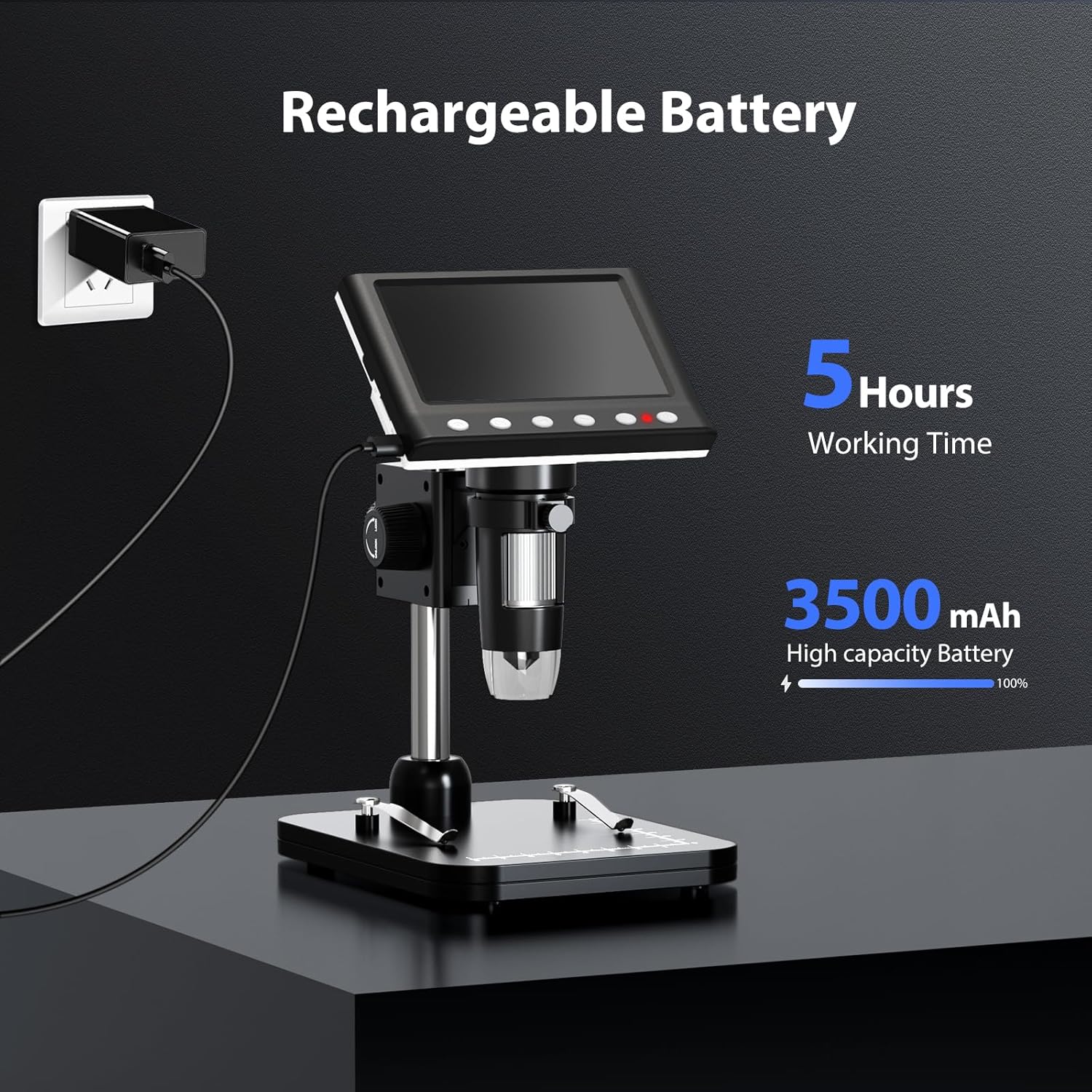
Figure 5: Charging the Microscope
6. საოპერაციო ინსტრუქციები
6.1 ძირითადი დაკვირვება
- Place the object you wish to observe on the microscope's base.
- Adjust the distance between the microscope lens and the object using the stand's adjustment knobs.
- Rotate the focus wheel to achieve a clear image on the IPS screen.
- Adjust the LED illumination as needed (see Section 6.4).

სურათი 6: ძირითადი ოპერაციის ეტაპები
6.2 გადიდებისა და ფოკუსის რეგულირება
The Hayve DM7 offers 50X to 1000X magnification. Magnification is adjusted by changing the distance between the lens and the object, and then fine-tuning with the focus wheel.
- To increase magnification, lower the microscope lens closer to the object.
- To decrease magnification, raise the microscope lens further from the object.
- After adjusting the height, rotate the ფოკუსური ბორბალი (typically on the side of the lens barrel) until the image on the screen is sharp and clear.
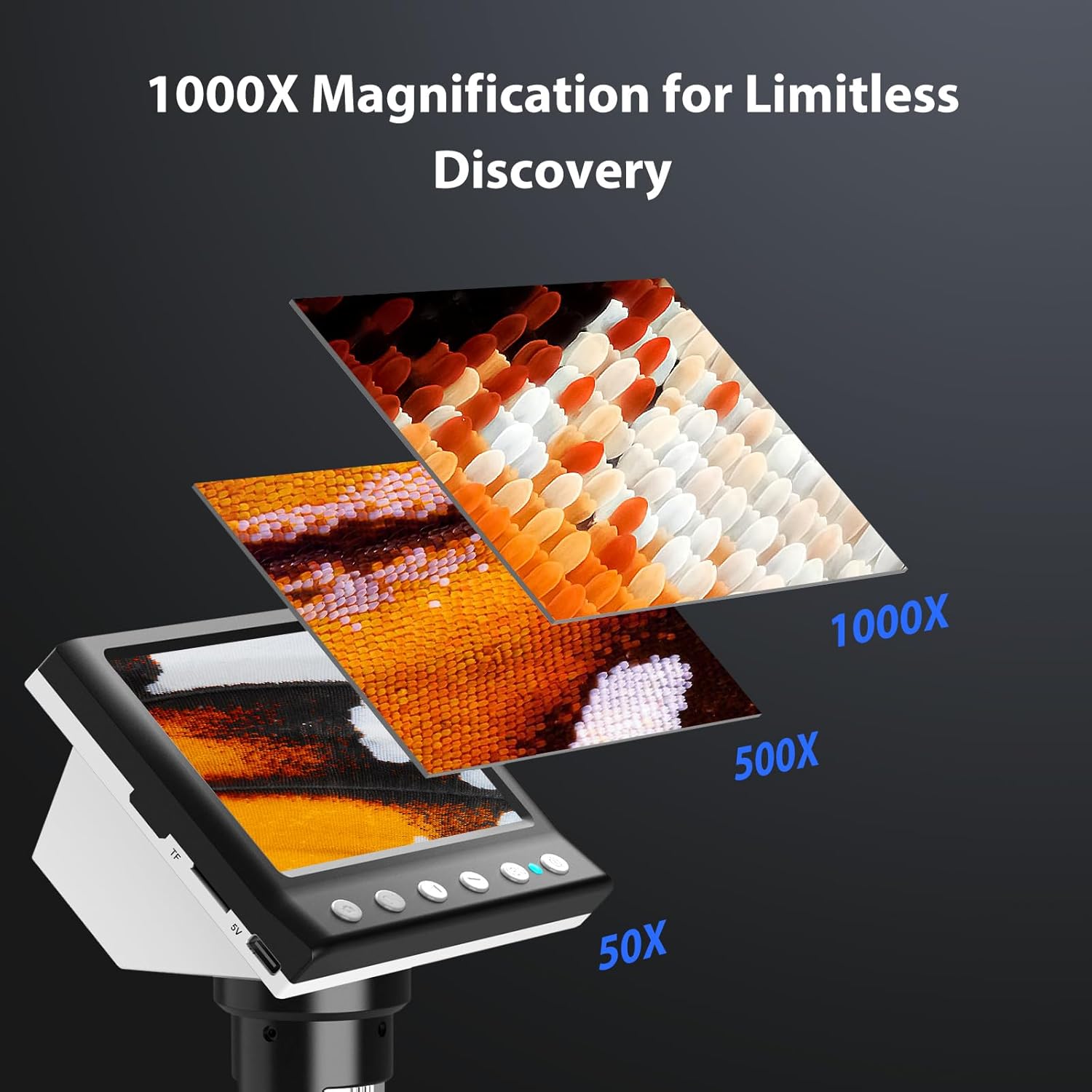
Figure 7: Magnification Levels
6.3 სურათებისა და ვიდეოების გადაღება
The microscope allows you to capture high-quality photos and record videos directly to the installed TF card.
- ფოტოს გადასაღებად: While observing, press the 'Capture' button (often marked with a camera icon). The image will be saved to the TF card.
- ვიდეოს ჩასაწერად: Press the 'Record' button (often marked with a video camera icon) once to start recording. Press it again to stop. The video will be saved to the TF card.
- Access saved files through the 'Playback' or 'Gallery' option in the microscope's menu.
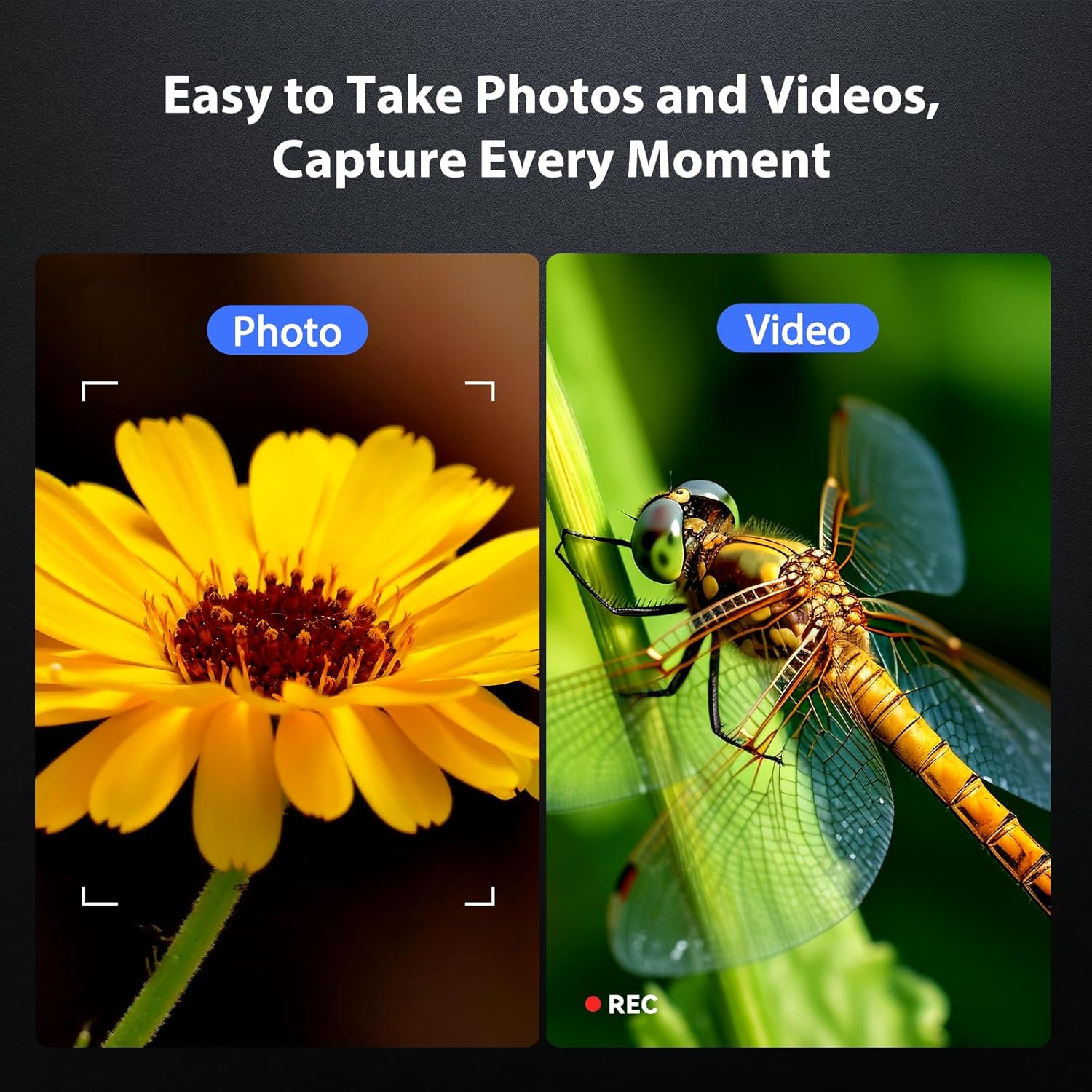
Figure 8: Photo and Video Capture
6.4 Adjusting LED Illumination
The 8 adjustable LED lights provide optimal illumination for various specimens. You can control their brightness from 0% to 100%.
- Locate the LED control button or dial on the microscope unit.
- Rotate the dial or press the button to increase or decrease the brightness.
- Adjust until the object is evenly lit without glare or shadows.

Figure 9: LED Brightness Adjustment
6.5 Connecting to a Computer (PC Mode)
უფრო დიდისთვის viewing, precise measurements, or sharing, you can connect the microscope to a Windows-compatible computer.
- Ensure the microscope is powered on.
- Connect the microscope to your computer using the provided Type-C USB cable.
- The microscope screen may display "PC Cam" or prompt you to select a mode. Choose "PC Camera" or "UVC" mode.
- On your computer, open a camera application (e.g., Windows Camera app) or a dedicated microscope software (if provided or downloaded) to view ცოცხალი არხი.
- Some software may allow for measurement functions.

Figure 10: PC Connection for Measurement
7. მოვლა
Proper maintenance ensures the longevity and optimal performance of your microscope.
- ლინზების გაწმენდა: Use a soft, lint-free cloth specifically designed for optical lenses. For stubborn smudges, a small amount of lens cleaning solution can be applied to the cloth (not directly to the lens).
- Cleaning the Screen and Body: Wipe the screen and body with a soft, dry cloth. Avoid abrasive cleaners or solvents.
- შენახვა: When not in use, store the microscope in a clean, dry, dust-free environment. Consider using a protective cover.
- ბატარეის მოვლა: ხანგრძლივი შენახვის შემთხვევაში, ბატარეის სიმძლავრის შესანარჩუნებლად, რამდენიმე თვეში ერთხელ დაახლოებით 50%-მდე დატენეთ ბატარეა.
8. Დიაგნოსტიკა
გავრცელებული პრობლემების გადაჭრის გზებისთვის იხილეთ ეს განყოფილება.
| პრობლემა | შესაძლო მიზეზი | გამოსავალი |
|---|---|---|
| მიკროსკოპი არ ირთვება. | დაბალი ბატარეა; ჩართვის ღილაკი სწორად არ არის დაჭერილი. | Charge the microscope fully. Press and hold the power button for 3-5 seconds. |
| სურათი ბუნდოვანია. | Incorrect focus; Object too far/close to lens. | Adjust the focus wheel. Adjust the height of the microscope unit on the stand. |
| ეკრანი ძალიან მუქი/ნათელია. | LED illumination not adjusted. | Adjust the LED brightness using the control dial/button. |
| ფოტოების/ვიდეოების შენახვა შეუძლებელია. | TF card full or not inserted correctly; TF card error. | Check TF card insertion. Delete old files or replace TF card. Format TF card (backup data first). |
| PC connection not working. | Incorrect mode selected; Driver issue; Cable fault. | Ensure "PC Camera" mode is selected on the microscope. Try a different USB port or cable. Check computer's device manager for driver issues. |
9. სპეციფიკაციები
Technical specifications for the Hayve DM7 Digital Microscope:
| ფუნქცია | დეტალი |
|---|---|
| მოდელი | DM7 |
| ჩვენების ეკრანი | 4.3 დიუმიანი IPS |
| გადიდება | 50X-დან 1000X-მდე |
| სინათლის წყარო | 8 რეგულირებადი LED |
| შენახვა | 32 GB TF ბარათი (მოყვება) |
| ბატარეა | 1 ლითიუმ იონური ბატარეა (შედის) |
| სამუშაო დრო | დაახლ. 5 საათი |
| დაკავშირება | Type-C USB (for charging and PC connection) |
| თავსებადი OS | Windows (PC connection) |
| მასალა | პლასტიკური |
| ფერი | შავი |
| ნივთის წონა | 1.3 ფუნტი (0.59 კგ) |
| პაკეტის ზომები | 7.91 x 7.44 x 3.78 ინჩი |
10. გარანტია და მხარდაჭერა
Hayve provides customer support for its products. If you encounter any issues or have questions regarding your DM7 Digital Microscope, please contact our customer service team.
- მომხმარებელთა მომსახურება: Hayve offers 24-hour professional and kind after-sales service.
- საკონტაქტო ინფორმაცია: Refer to the product packaging or the official Hayve webსაიტი უახლესი საკონტაქტო ინფორმაციისთვის.
- გარანტია: Specific warranty terms and conditions may apply. Please retain your proof of purchase for warranty claims.
11. პროდუქტის ვიდეოები
No official product videos were provided in the input data for embedding in this manual.