
1. პროდუქტი დასრულდაview
The DAYBETTER Smart WiFi LED Strip Lights (Model DC50722020W-WAUS0) provide versatile and customizable lighting for indoor spaces. These 100ft LED strips offer 16 million colors, multiple scene modes, and can be controlled via a dedicated smartphone app, voice commands through Alexa or Google Assistant, or an included remote control. Designed for easy installation, they enhance the ambiance of bedrooms, kitchens, stairs, dining rooms, ceilings, and large party areas.
ძირითადი მახასიათებლები:
- ჭკვიანი აპლიკაციის კონტროლი: Control via WiFi and Bluetooth with the Daybetter APP, offering 16 million colors and various scene modes.
- ხმის კონტროლი: Compatible with Alexa Echo and Google Assistant for hands-free operation.
- მუსიკის სინქრონიზაცია: ჩართეთ მუსიკის რეჟიმი განათების ცვლილებების აუდიოსთან სინქრონიზაციისთვის.
- ტაიმერი და გრაფიკი: Program automatic on/off times and countdown timers.
- მარტივი ინსტალაცია: Self-adhesive backing allows for simple mounting on clean, dry surfaces. Cuttable design for custom lengths.
2. დაყენება და ინსტალაცია
Follow these steps for proper installation of your DAYBETTER Smart WiFi LED Strip Lights:
- ამოალაგე კომპონენტები: Carefully remove all items from the packaging. Ensure you have the LED strip lights, power adapter, and remote control.
- ზედაპირის მომზადება: Choose a clean, dry, and smooth surface for installation. Wipe down the area to remove any dust or debris.
- გაზომვა და ჭრა (სურვილისამებრ): If a shorter length is desired, cut the LED strip along the designated cut marks (usually indicated by a copper line or scissor icon). Do not cut elsewhere, as this may damage the strip.
- შეაერთეთ დენის ადაპტერი: Connect the LED strip to the power adapter. Ensure the connection is secure.
- LED ზოლის გამოყენება: Peel off the adhesive backing from the LED strip. Carefully press the strip onto the prepared surface, ensuring firm contact along its entire length. For corners, gently bend the strip or use corner connectors (if included and desired for a cleaner look).
- შეერთება: შეაერთეთ კვების ადაპტერი სტანდარტულ ელექტრო განყოფილებაში.
- საწყისი ტესტი: Use the remote control or the Daybetter app to turn on the lights and test various colors and modes.
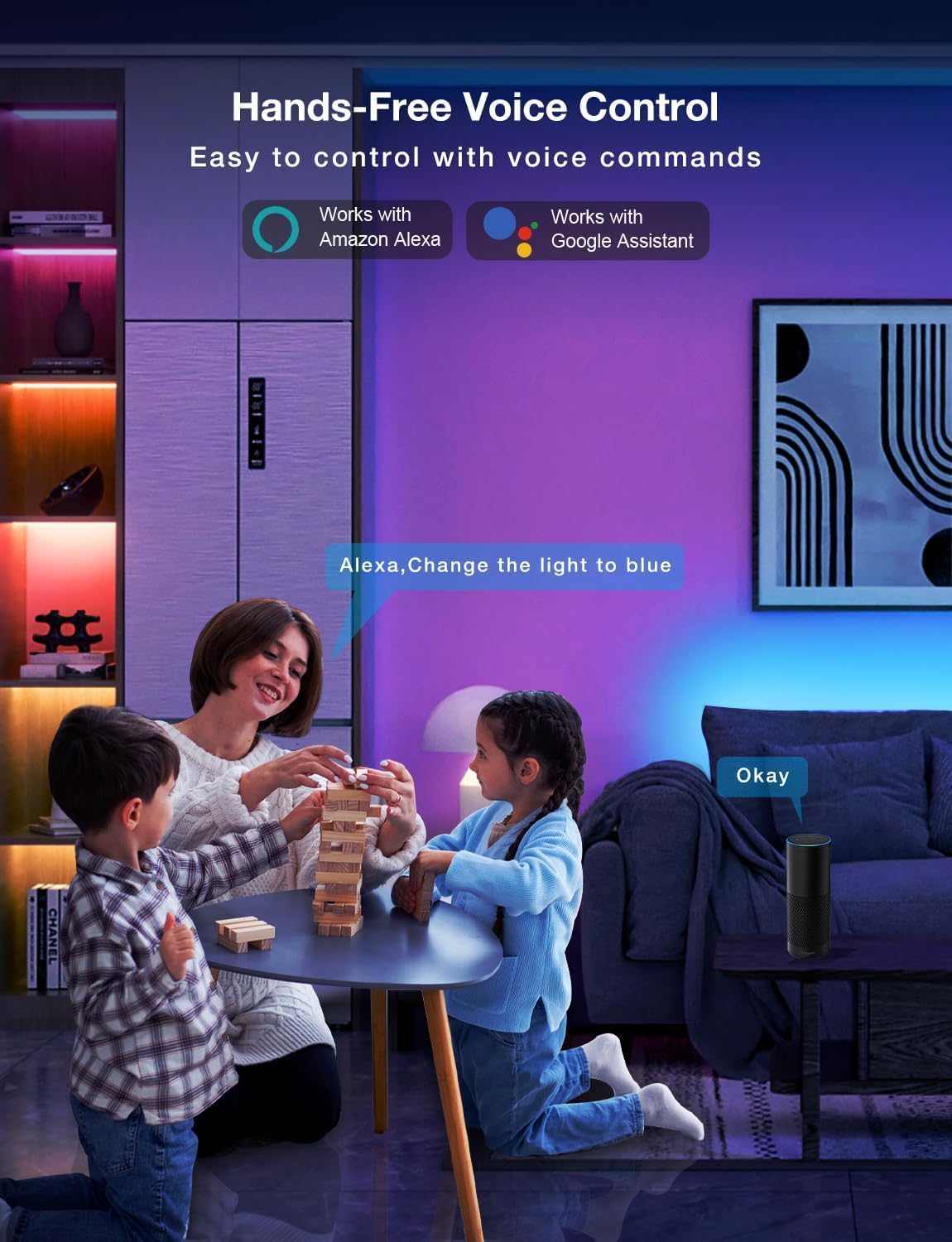
Image: Demonstrating the flexible LED strip and its adhesive backing for easy installation.

სურათი: მეტიview of the three easy setup methods: Voice Control, Daybetter App Control, and IR Remote Control.
Video: A user demonstrating the installation process and various color changes of the LED strip lights in a home setting.
3. საოპერაციო ინსტრუქციები
Your DAYBETTER LED Strip Lights offer multiple control options:
3.1. Daybetter App Control (WiFi & Bluetooth)
- ჩამოტვირთეთ აპლიკაცია: ძიება "Daybetter" in your smartphone's app store (iOS or Android) and install the application.
- რეგისტრაცია/შესვლა: შექმენით ანგარიში ან შედით სისტემაში, თუ უკვე გაქვთ.
- მოწყობილობის დამატება: Follow the in-app instructions to add your LED strip lights. This typically involves ensuring the lights are powered on and your phone's Bluetooth is enabled for initial pairing.
- კონტროლის მახასიათებლები:
- ფერის შერჩევა: Choose from 16 million colors using the color wheel.
- სიკაშკაშის რეგულირება: Adjust the light intensity from 0-100%.
- სცენის რეჟიმები: Select from pre-set dynamic lighting effects (e.g., Party, Valentine Day, Halloween, Christmas).
- მუსიკის სინქრონიზაცია: ჩართეთ მუსიკის რეჟიმი განათების ცვლილებების აუდიოსთან სინქრონიზაციისთვის.
- ტაიმერი და გრაფიკი: Set specific times for lights to turn on/off or create countdown timers.

Image: The Daybetter app interface showing color selection and brightness control.
3.2. ხმოვანი მართვა (Alexa და Google Assistant)
- Connect to Smart Assistant: Ensure your Daybetter app is linked to your Amazon Alexa or Google Assistant account. Follow the instructions provided by your smart assistant app to enable the Daybetter skill/service.
- ხმოვანი ბრძანებები: გამოიყენეთ ბრძანებები, როგორიცაა:
- „ალექსა/ჰეი Google, ჩართე [Light Name]“.
- „ალექსა/ჰეი Google, გამორთე [Light Name]“.
- "Alexa/Hey Google, set [Light Name] to blue."
- „Alexa/Hey Google, [სინათლის სახელი] 50%-მდე დააბნელე.“

Image: Voice control in action, showing a user interacting with a smart assistant to control the LED lights.
3.3. დისტანციური მართვა
The included IR remote control allows for basic functions:
- ჩართვა/გამორთვა: Dedicated buttons for turning the lights on and off.
- ფერის შერჩევა: Buttons for common colors (Red, Green, Blue, White, etc.).
- სიკაშკაშის რეგულირება: სიკაშკაშის გაზრდა ან შემცირება.
- დინამიური რეჟიმები: Select from various pre-programmed modes like Jump, Fade, etc.
- მუსიკის რეჟიმები: Activate music-reactive modes.

Image: The included IR remote control for direct light adjustments.
4. მოვლა
To ensure the longevity and optimal performance of your LED strip lights:
- დასუფთავება: Gently wipe the LED strips with a soft, dry cloth to remove dust. Avoid using harsh chemicals or abrasive cleaners.
- წებოვანი მოვლა: If the adhesive begins to lose its stickiness, ensure the surface is clean and dry. For re-application, consider using additional adhesive clips or double-sided tape designed for light strips.
- ელექტრომომარაგება: Ensure the power adapter is not covered or placed in an area with poor ventilation to prevent overheating.
- წყლის წინააღმდეგობა: These lights are rated IP20 and are არა წყალგაუმტარი. Avoid exposure to water or high humidity environments.
5. Დიაგნოსტიკა
If you encounter issues with your LED strip lights, refer to the following common solutions:
| პრობლემა | შესაძლო მიზეზი | გამოსავალი |
|---|---|---|
| შუქები არ ირთვება. | სუსტი კავშირი, დენის გამორთვაtage, faulty adapter. | Check all connections (strip to adapter, adapter to outlet). Ensure the power outlet is functional. Try a different outlet. |
| დისტანციური მართვა არ მუშაობს. | Battery depleted, remote not pointed at receiver, obstruction. | Replace remote battery. Ensure direct line of sight to the IR receiver on the controller. Remove any obstructions. |
| აპის კონტროლი არ მუშაობს. | WiFi/Bluetooth issue, incorrect pairing, app glitch. | Ensure your phone's WiFi/Bluetooth is on and connected. Restart the app. Re-pair the device in the Daybetter app. Check your home WiFi network. |
| განათება სუსტია ან ციმციმებს. | Insufficient power, damaged strip, incorrect brightness setting. | Check power connections. Adjust brightness via app or remote. If only a section is affected, that section may be damaged. |
| წებოვანი ნივთიერება არ ეკვრის. | Surface not clean/dry, surface texture, old adhesive. | Clean and dry the surface thoroughly. For textured surfaces, use mounting clips or stronger double-sided tape. |
6. პროდუქტის სპეციფიკაციები
| ფუნქცია | დეტალი |
|---|---|
| ბრენდი | დღე უკეთესი |
| მოდელის ნომერი | DC50722020W-WAUS0 |
| ნივთის სიგრძე | 100 Feet (2 Rolls of 50ft) |
| ღია ფერი | მრავალფეროვანი (RGB) |
| სინათლის წყაროს ტიპი | LED |
| შიდა/გარე გამოყენება | მხოლოდ შიდა |
| წყლის წინააღმდეგობის დონე | Not Water Resistant (IP20) |
| დენის წყარო | კაბელიანი ელექტრო |
| ტtage | 12 ვოლტი |
| ვატtage | 4.5 ვატი |
| კონტროლის მეთოდი | აპლიკაცია, ხმა, დისტანციური მართვა |
| დაკავშირების ტექნოლოგია | Bluetooth, WiFi |
| ჭკვიანი სახლის თავსებადობა | ალექსი, Google ასისტენტი |
| მასალის ტიპი | პლასტიკური |
| მოყვება კომპონენტები | LED Lights, Power Adapter, Remote Control |
7. გარანტია და დახმარება
მწარმოებლის გარანტია: ამ პროდუქტს მოყვება მწარმოებლის 2 წლიანი გარანტია.
დაბრუნების პოლიტიკა: Eligible for refund/replacement within 30 days of purchase.
For further assistance or technical support, please refer to the contact information provided in your product packaging or visit the official DAYBETTER webსაიტი.