
შესავალი
მადლობა შენაძენისთვისasing the Emerson EPD-1001 Portable 10-inch DVD Player. This manual provides essential information for setting up, operating, and maintaining your device. Please read these instructions carefully before use to ensure proper functionality and to maximize your viewგამოცდილება.
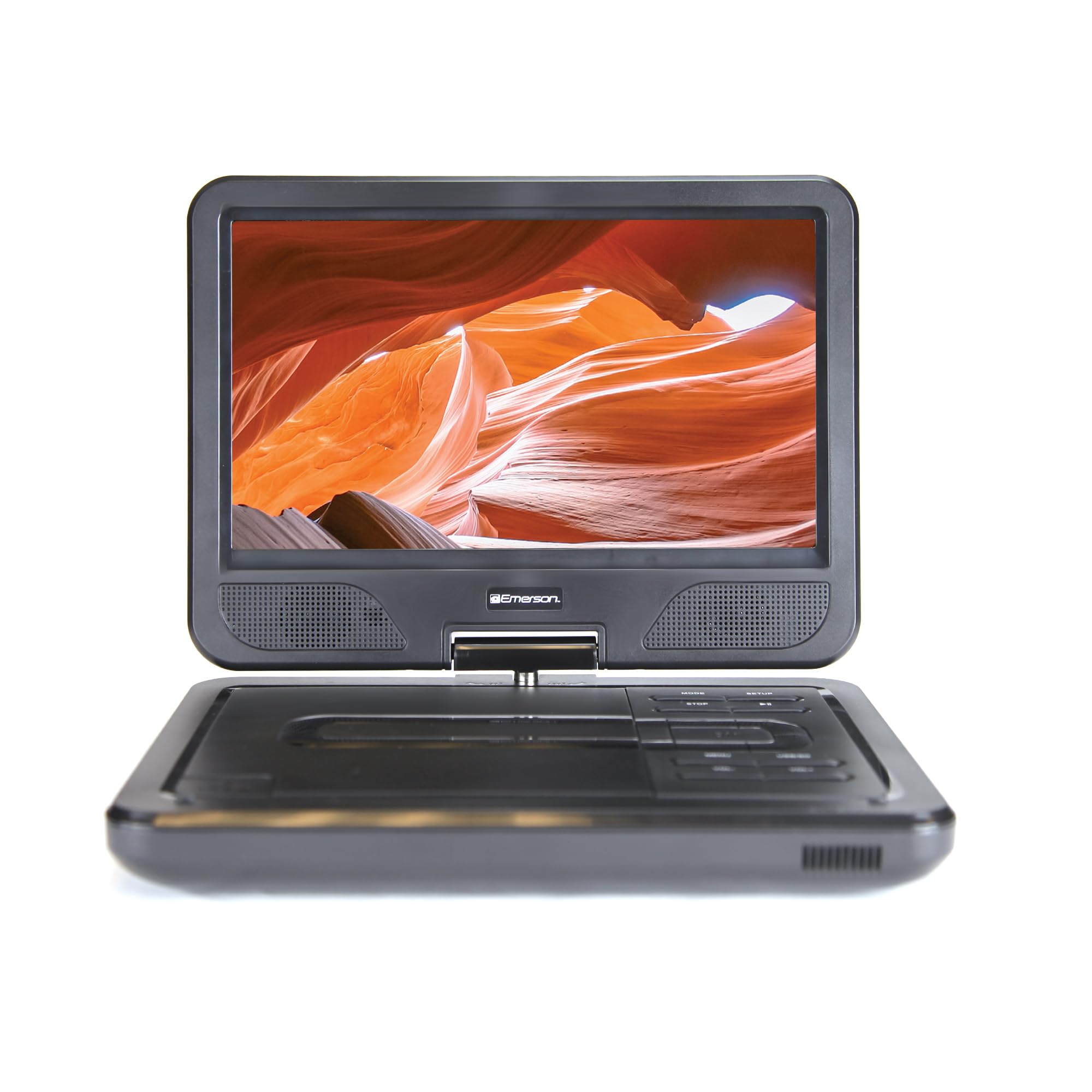
Image: The Emerson EPD-1001 Portable 10-inch DVD Player shown with its screen open, displaying a vibrant image.
რა არის ყუთში
დარწმუნდით, რომ შეფუთვაში ყველა ნივთია:
- Emerson EPD-1001 Portable 10-inch DVD Player
- დისტანციური მართვა
- AC დენის ადაპტერი
- DC მანქანის კაბელი
- AV კაბელი
- მომხმარებლის სახელმძღვანელო (ეს დოკუმენტი)
- საგარანტიო ბარათი

Image: The Emerson EPD-1001 Portable 10-inch DVD Player displayed alongside its remote control.
პროდუქტის მახასიათებლები
- 10 დიუმიანი მბრუნავი ეკრანი: The large 10-inch screen swivels 180 degrees, allowing for flexible viewing კუთხეები.
- ჩამონტაჟებული დინამიკი: Integrated speaker provides clear audio for an immersive experience.
- დატენვის ბატარეა: Enjoy portable viewing with the built-in rechargeable battery, offering hours of playback.
- დისტანციური მართვა: Navigate menus and control playback effortlessly with the included remote.
- კომპაქტური დიზაინი: Lightweight and compact for easy transport during travel.
- მრავალფორმატიანი თავსებადობა: Supports a wide range of DVD formats, as well as media from USB flash drives and SD cards.
Video: A 360-degree product overview of the Emerson EPD-1001 Portable DVD Player, showcasinმისი დიზაინი და მახასიათებლები სხვადასხვა კუთხიდან.
დაყენება
- შეფუთვა: ფრთხილად ამოიღეთ ყველა კომპონენტი შეფუთვიდან. შეინახეთ შეფუთვა მომავალი შენახვის ან ტრანსპორტირებისთვის.
- ბატარეის დატენვა: Before first use, fully charge the internal rechargeable battery. Connect the AC power adapter to the DC IN 9-12V port on the DVD player and plug it into a standard wall outlet. The charging indicator light will illuminate. A full charge typically takes several hours.
- Car Power (Optional): For in-car use, connect the DC car cord to the DC IN 9-12V port and plug the other end into your vehicle's 12V accessory socket.
- გარე ეკრანის შეერთება (არასავალდებულო): To connect to an external display (e.g., TV), use the provided AV cable. Connect the AV OUT port on the DVD player to the corresponding AV IN ports on your television.

Image: A hand plugging a 12V car adapter into a vehicle's power outlet, demonstrating how to power the DVD player on the go.
ოპერაციული ინსტრუქციები
ჩართვა/გამორთვა
- ჩართვისთვის, დააჭირეთ და გააჩერეთ სიმძლავრე ღილაკს ეკრანის განათებამდე.
- გამორთვა, დააჭირეთ ღილაკს სიმძლავრე კვლავ დააჭირეთ ღილაკს ეკრანის გათიშვის წინ.
Inserting and Playing a DVD
- Open the disc cover by gently lifting the გახსენით მჭიდი
- Place a DVD disc onto the spindle with the label side facing up. Gently press the center of the disc to secure it.
- დახურეთ დისკის საფარი.
- The player will automatically detect the disc and begin playback. If not, press the დაკვრა/პაუზა ღილაკი.
Using the Swivel Screen
The screen can be rotated up to 180 degrees. Gently swivel the screen to your desired viewing angle. You can also fold the screen flat against the base for a tablet-like viewგამოცდილება.

Image: A woman using the Emerson EPD-1001 Portable DVD Player, demonstrating the swivel screen feature for comfortable viewინგ.
Media Playback (USB/SD Card)
- ჩადეთ USB ფლეშ დრაივი მასში USB პორტი ან SD ბარათი SD ᲑᲐᲠᲐᲗᲘ სლოტი.
- გამოიყენეთ MODE button on the player or remote to select the appropriate input (USB or SD).
- ნავიგაცია თქვენს მედიაში files using the arrow buttons and press ENTER სათამაშოდ.

Image: A hand inserting a USB flash drive into the side port of the portable DVD player, illustrating media playback from external storage.
დისტანციური მართვის გამოყენებით
Point the remote control directly at the infrared sensor on the DVD player. The remote allows access to functions such as Play, Pause, Stop, Fast Forward, Rewind, Chapter Skip, Volume Control, Menu Navigation, and Input Selection.
აუდიო გამომავალი
- ჩამონტაჟებული დინამიკები: Audio will play automatically through the integrated speakers. Adjust volume using the VOL+ და VOL- ღილაკები.
- ყურსასმენი ჯეკი: For private listening, plug standard 3.5mm headphones into the ყურსასმენი jack. This will mute the built-in speakers.
მოვლა
- დასუფთავება: Use a soft, dry cloth to clean the exterior of the DVD player. For the screen, use a soft, lint-free cloth specifically designed for electronics screens. Do not use liquid cleaners or abrasive materials.
- დისკის მოვლა: Handle discs by their edges. Keep discs clean and free of scratches. Use a soft, lint-free cloth to wipe discs from the center outwards if cleaning is necessary.
- ბატარეის მოვლა: To prolong battery life, avoid fully discharging the battery frequently. If storing the device for an extended period, charge the battery to approximately 50% and store in a cool, dry place. Recharge every few months to prevent deep discharge.
- შენახვა: Store the DVD player in a cool, dry environment away from direct sunlight, extreme temperatures, and excessive dust.
პრობლემების მოგვარება
| პრობლემა | შესაძლო მიზეზი | გამოსავალი |
|---|---|---|
| პლეერი არ ირთვება. | ბატარეა დაცლილია ან კვების ადაპტერი არ არის მიერთებული. | Connect the AC power adapter and allow the battery to charge. Ensure the power button is pressed and held. |
| ეკრანზე სურათი არ არის. | Disc is dirty/scratched, incorrect input selected, or screen is folded incorrectly. | Clean the disc. Ensure the screen is properly opened and swiveled. If connected to an external display, verify AV cable connections and TV input selection. |
| ხმა არ არის. | Volume is too low, headphones are connected, or disc has no audio track. | Increase the volume. Disconnect headphones if using built-in speakers. Check disc for audio content. |
| დისკი არ უკრავს ან ხტუნავს. | დისკი ჭუჭყიანი, დაკაწრული ან შეუთავსებელი ფორმატისაა. | Clean the disc thoroughly. Try a different disc. Ensure the disc format is supported by the player. |
| დისტანციური მართვა არ მუშაობს. | Batteries are dead or remote is not pointed at sensor. | Replace remote control batteries. Ensure direct line of sight to the player's IR sensor. |
სპეციფიკაციები
| ფუნქცია | დეტალი |
|---|---|
| ბრენდი | ემერსონი |
| მოდელის ნომერი | EPD-1001 |
| ეკრანის ზომა | 10 ინჩი |
| ჩვენების ტიპი | LCD |
| მშობლიური რეზოლუცია | 1280x720 |
| დაკავშირების ტექნოლოგია | USB |
| თავსებადი მოწყობილობები | Mobile Phone, Television (via AV out) |
| მედიის ტიპი | DVD, CD, MP3, USB, SD Card |
| ელემენტის ზომები (L x W x H) | 10" სიგრძე x 1.8" სიგანე x 7.35" სიმაღლე |
| ნივთის წონა | 2.2 ფუნტი |
| ფერი | შავი |
| დენის პარამეტრები | Built-in rechargeable battery, AC adapter, 12V car adapter |

Image: A diagram illustrating the dimensions (length, width, height) and weight of the Emerson EPD-1001 Portable DVD Player.
გარანტია და მხარდაჭერა
The Emerson EPD-1001 Portable 10-inch DVD Player comes with a warranty covering 1 Year for Parts და 90 Days for Labor შეძენის დღიდან.
For technical support, warranty claims, or service inquiries, please contact the manufacturer, Naxa Electronics, Inc. Refer to the warranty card included in your product packaging for specific contact details and procedures.
გთხოვთ, შეინახოთ შეძენის დამადასტურებელი საბუთი გარანტიის დასადასტურებლად.