
1. შესავალი
Thank you for choosing the PPLEE CR1023i Vibrating Digital Alarm Clock. This device is designed to provide a reliable and versatile wake-up experience, especially for heavy sleepers and individuals with hearing impairments. It features a large, dimmable LED display, dual alarms, multiple wake-up modes including a powerful bed shaker, a night light, and a convenient USB charging port.

Image 1.1: The PPLEE CR1023i alarm clock, bed shaker, and a smartphone connected for charging.
2. პაკეტის შიგთავსი
გთხოვთ, შეამოწმოთ შეფუთვა შემდეგი ნივთებისთვის:
- 1 x PPLEE CR1023i Digital Alarm Clock
- 1 x Wired Bed Shaker
- 1 x დენის ადაპტერი
- 1 x დენის კაბელი
- 1 x მომხმარებლის სახელმძღვანელო

Image 2.1: All components included in the PPLEE CR1023i alarm clock package.
3. პროდუქტი დასრულდაview
The PPLEE CR1023i features a clear digital display and intuitive controls for easy operation.
3.1. კონტროლი და ეკრანი
Familiarize yourself with the buttons and display indicators on your alarm clock. The large LED digits show the current time, and indicators for AM/PM, Alarm 1, and Alarm 2 are present.

Image 3.1: Key features and components of the PPLEE CR1023i alarm clock.
4. საწყისი დაყენება
- დენის კავშირი: Connect the power cable to the alarm clock and plug the power adapter into a standard electrical outlet. The display will light up.
- Bed Shaker Connection: Plug the wired bed shaker into the designated port on the back of the alarm clock.
- სარეზერვო ბატარეა (არასავალდებულო): დენის დროს სარეზერვო ასლისთვისtages, insert 2 AAA batteries (not included) into the battery compartment. Note that the battery backup only maintains time settings and alarm functions; the display will not be active.
5. Time and Date Settings
5.1. დროის დადგენა
- დააჭირეთ და გააჩერეთ დროის დაყენება button (usually located on the back or top) until the hour digits begin to flash.
- გამოიყენეთ HOUR და წუთი buttons (or +/- buttons) to adjust the hour and minute. Pay attention to the AM/PM indicator.
- დააჭირეთ დროის დაყენება კიდევ ერთხელ დაადასტურეთ და დროის დაყენების რეჟიმიდან გამოდით.
5.2. 12H/24H Format and DST
The clock supports both 12-hour and 24-hour time formats, as well as Daylight Saving Time (DST) adjustments.
- To switch between 12H/24H: დროის ჩვენების ნორმალურ რეჟიმში დააჭირეთ ღილაკს 12/24სთ button (or a dedicated button, refer to the clock's labels) to toggle between the formats.
- To activate/deactivate DST: დროის ჩვენების ნორმალურ რეჟიმში, ხანგრძლივად დააჭირეთ ღილაკს DST button (or a dedicated button) to adjust the time by one hour forward or backward.

სურათი 5.1: ყოფილიamples of 12H, 24H, and DST time display options.
6. განგაშის პარამეტრები
The PPLEE CR1023i features dual alarms and multiple wake-up modes.
6.1. ორმაგი სიგნალიზაციის დაყენება
- დააჭირეთ და გააჩერეთ სიგნალიზაცია 1 button until the hour digits for Alarm 1 begin to flash.
- გამოიყენეთ HOUR და წუთი buttons (or +/- buttons) to set the desired alarm time.
- დააჭირეთ სიგნალიზაცია 1 ისევ დროის დასადასტურებლად.
- გაიმეორეთ 1-3 ნაბიჯები სიგნალიზაცია 2 if a second alarm is needed.
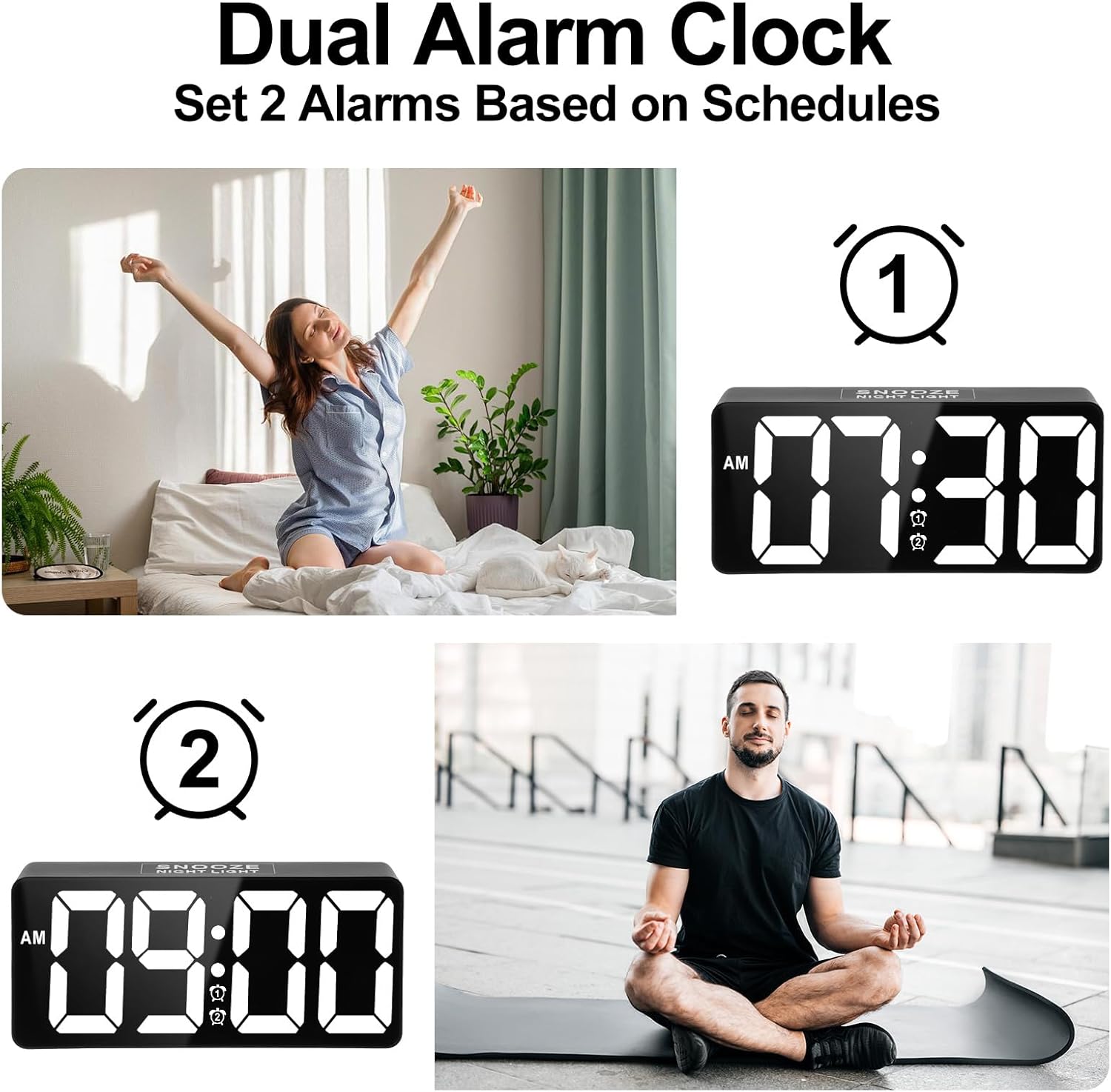
Image 6.1: Setting up two independent alarms for different schedules.
6.2. Wake-up Modes
Choose from three wake-up modes: Sound Only, Vibration Only, or Sound + Vibration.
- After setting an alarm time, press the სიგნალიზაცია 1/2 button repeatedly to cycle through the wake-up modes. The display will show corresponding icons (bell for sound, wavy lines for vibration, or both).
- აირჩიეთ თქვენთვის სასურველი რეჟიმი.

Image 6.2: The three available wake-up solutions: sound, vibration, or both.
6.3. სიგნალიზაციის ხმის რეგულირება
The alarm volume can be adjusted to 7 levels, from 50dB to 120dB.
- While the alarm is sounding, or during alarm setup, use the მოცულობა button (or +/- buttons) to adjust the sound level.
- The display will indicate the current volume level (e.g., U01 for lowest, U07 for highest).

Image 6.3: Visual representation of the 7-level volume adjustment for the alarm.
6.4. Disabling an Alarm
სიგნალიზაციის გამორთვისთვის დააჭირეთ ღილაკს სიგნალიზაცია გამორთულია button. To disable an alarm completely, press the corresponding სიგნალიზაცია 1/2 ღილაკს დააჭირეთ მანამ, სანამ სიგნალიზაციის ხატულა ეკრანიდან არ გაქრება.
7. ჩათრევის ფუნქცია
When an alarm sounds, gently tap the large გადადება button on the top of the clock to activate the snooze function. The alarm will pause for 9 minutes and then sound again. You can repeat this process.

Image 7.1: Activating the 9-minute snooze by touching the top button.
8. სიკაშკაშის რეგულირება
The large LED display features a 0-100% dimmable brightness control.
- იპოვნეთ rotary stepless switch (often on the side or back of the clock).
- Rotate the switch to adjust the display brightness to your desired level, from completely off to maximum brightness.
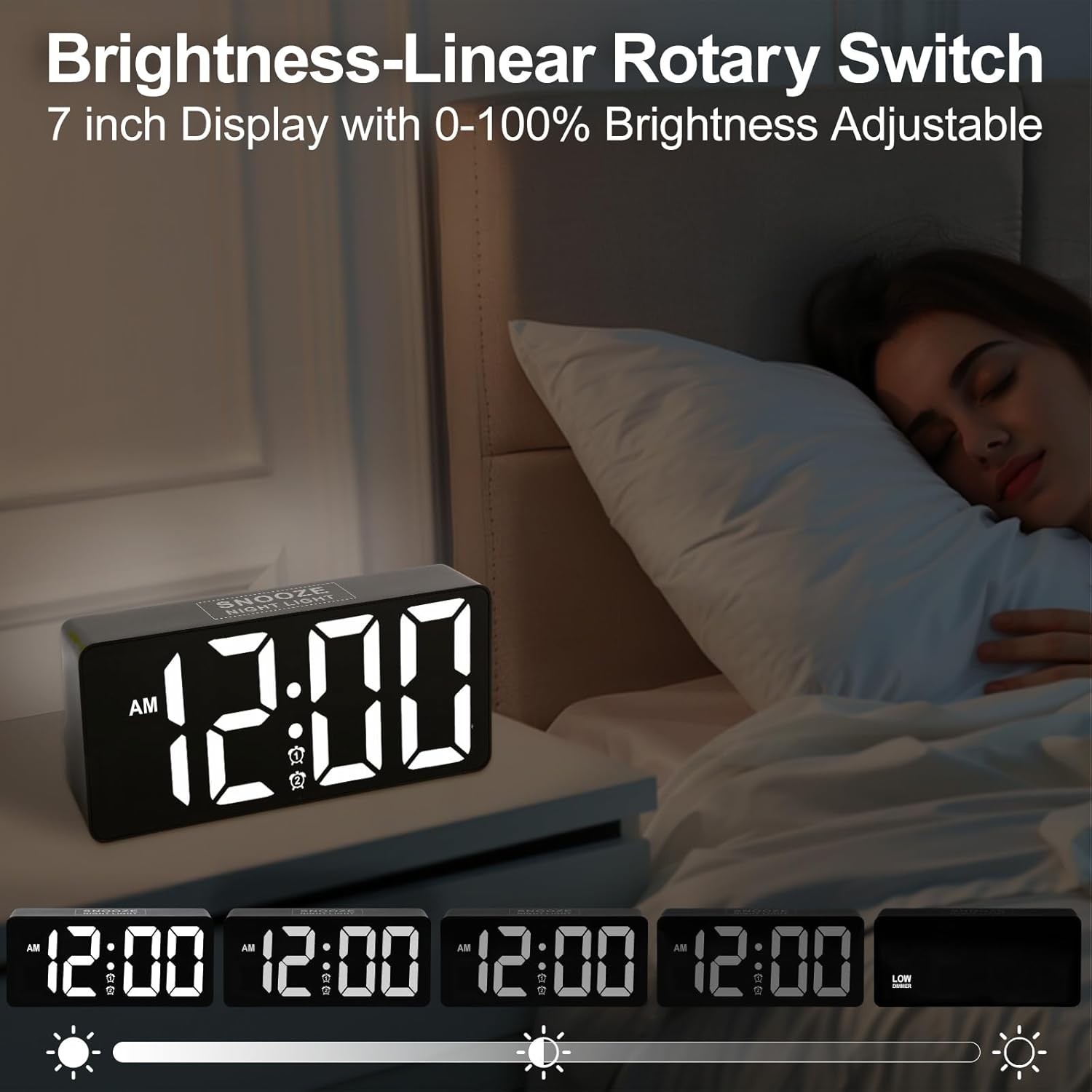
Image 8.1: Demonstrating the range of display brightness settings.
9. ღამის განათების ფუნქცია
The alarm clock includes a soft rear night light, providing a gentle illumination.
- To turn the night light on or off, tap the გადადება ღილაკი.
- The night light offers a warm and relaxed ambiance, ideal for pre-bedtime or as a subtle light source during the night.

Image 9.1: The night light feature providing soft illumination.
10. USB დატენვის პორტი
A built-in USB charging port allows you to charge your devices conveniently while you sleep.
- Locate the USB port on the side or back of the alarm clock.
- შეაერთეთ თქვენი მოწყობილობის USB დამტენი კაბელი ამ პორტთან.
- The charging function operates independently of the alarm clock's other settings.
11. Bed Shaker Placement
The wired bed shaker is designed to be placed in various locations to effectively wake heavy sleepers.
- Under Pillow: Place the shaker directly under your pillow for direct vibration.
- Under Fitted Sheet: Position the shaker under your fitted sheet, near your head or torso.
- Between Mattress and Box Spring: For a more subtle but still effective vibration, place it between the mattress and box spring.

Image 11.1: Recommended placements for the bed shaker.
12. მოვლა და მოვლა
- დასუფთავება: Wipe the clock and bed shaker with a soft, dry cloth. Do not use abrasive cleaners or solvents.
- განთავსება: საათი მოათავსეთ სტაბილურ, ბრტყელ ზედაპირზე. მოერიდეთ მზის პირდაპირ სხივებს, ექსტრემალურ ტემპერატურას და მაღალ ტენიანობას.
- სიმძლავრე: Ensure the power adapter and cable are not damaged. Disconnect from power during electrical storms or when not in use for extended periods.
13. Დიაგნოსტიკა
| პრობლემა | შესაძლო მიზეზი | გამოსავალი |
|---|---|---|
| საათის ჩვენება გამორთულია. | დენი არ არის, დენი გამორთულიაtage, or brightness set to minimum. | Check power connection. If using battery backup, display will not show. Adjust brightness. |
| სიგნალიზაცია არ ჟღერს/ვიბრაცია არ ხდება. | Alarm not activated, incorrect mode selected, or volume too low. | Ensure alarm is set and activated (icon visible). Verify wake-up mode (sound/vibration). Adjust volume. Check bed shaker connection. |
| დრო არასწორია. | Time not set correctly, or DST needs adjustment. | Re-set the time. Check 12H/24H format. Adjust DST if applicable. |
| USB დატენვა არ მუშაობს. | Cable issue, device not compatible, or power issue. | Try a different USB cable. Ensure the clock is powered. Check device compatibility. |
14. სპეციფიკაციები
| ფუნქცია | დეტალი |
|---|---|
| ბრენდი | PPLEE |
| მოდელის ნომერი | CR1023i |
| ჩვენების ტიპი | ციფრული LED |
| ჩვენების ზომა | 7 ინჩი |
| Wake-up Modes | Sound, Vibration, Sound + Vibration |
| განგაშის ხმა | 7 დონე (50dB-დან 120dB-მდე) |
| ჩაჩუმების ხანგრძლივობა | 9 წუთი |
| სიკაშკაშის კონტროლი | 0-100% Dimmable (Rotary Switch) |
| ღამის სინათლე | Yes (Soft rear light) |
| USB დატენვის პორტი | Yes (for external devices) |
| დენის წყარო | კაბელიანი ელექტრო |
| ბატარეის სარეზერვო საშუალება | Yes (2x AAA, not included; for time/alarm memory only) |
| პროდუქტის ზომები | 1.77" სიგანე x 3.03" სიმაღლე (საათის ერთეული) |
| ნივთის წონა | 13.7 უნცია |
| მასალა | პლასტიკური, აკრილონიტრილის ბუტადიენ სტირინი |
15. ინფორმაცია გარანტიის შესახებ
This product comes with an extended warranty. For specific details regarding warranty coverage and duration, please refer to the warranty card included in your package or contact customer support.
16. მომხმარებელთა მხარდაჭერა
If you encounter any issues or have questions regarding your PPLEE CR1023i alarm clock, please contact our customer support team. You can typically find contact information on the product packaging, the warranty card, or by visiting the official PPLEE store on Amazon: PPLEE Store.