
1. შესავალი
The LEAUDIO XDUOO XD05 Plus 2 is a high-performance portable Digital-to-Analog Converter (DAC) and headphone amplifier designed to deliver exceptional audio quality. It features advanced decoding capabilities, powerful output, and versatile connectivity options for various audio sources and headphones.
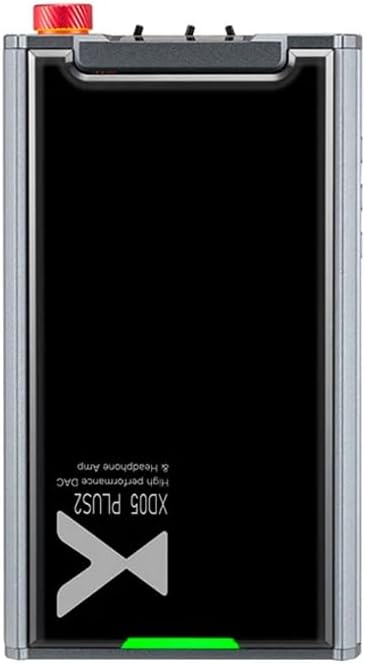
სურათი 1: ზედა view of the XDUOO XD05 Plus 2, highlighting its compact design and model branding.
2. პაკეტის შიგთავსი
გთხოვთ, შეამოწმოთ შეფუთვა შემდეგი ნივთებისთვის:
- XDUOO XD05 Plus 2 Portable DAC Headphone Ampუფრო ცოცხალი
- USB კაბელი
- მომხმარებლის სახელმძღვანელო (ეს დოკუმენტი)
3. მოწყობილობის განლაგება
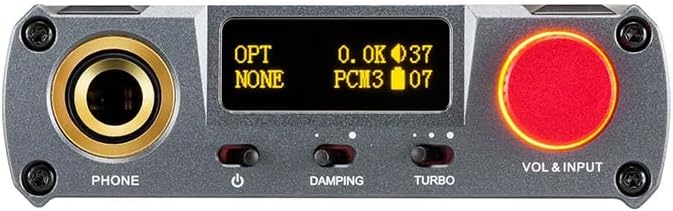
Figure 2: Front panel controls including the headphone output, OLED display, Damping switch, Turbo switch, and Volume/Input knob.

Figure 3: Rear panel connections featuring AUX In/Out, USB In, UAC 1.0/2.0 switch, Charge port, and Digital In (Optical/Coaxial).
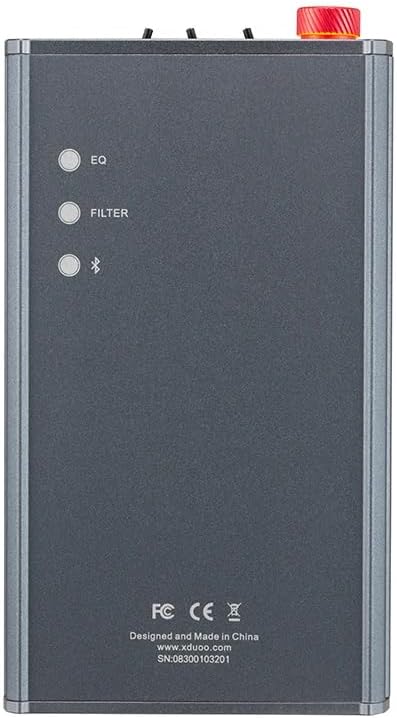
Figure 4: Side panel buttons for EQ, Filter, and Bluetooth functions.
4. დაყენება და კავშირები
4.1 მოწყობილობის დატენვა
Connect the provided USB cable to the 'CHARGE' port on the rear panel (Figure 3) and plug the other end into a USB power adapter (not included) or a computer's USB port. The charging time is approximately 3 hours for fast charging and 5 hours for slow charging.
4.2 აუდიო წყაროებთან დაკავშირება
The XD05 Plus 2 offers multiple input options:
- USB შეყვანა: Connect to computers (Windows/Linux/Mac OSX), smartphones (iOS/Android), or other USB audio sources using the 'USB IN' port (Figure 3). Ensure the UAC switch is set to the appropriate mode (UAC 1.0 or UAC 2.0) for your device.
- Digital Input (Optical/Coaxial): Connect to desktop CDs, Hi-Fi players, or digital turntables via the 'DIGITAL IN' port (Figure 3).
- Bluetooth შეყვანა: For wireless audio streaming, refer to Section 5.4 for Bluetooth pairing instructions.
- AUX In/Out: Use the 'AUX IN/OUT' port (Figure 3) for analog input or output connections.
4.3 ყურსასმენების დაკავშირება
Plug your headphones into the 'PHONE' output jack on the front panel (Figure 2).
5. საოპერაციო ინსტრუქციები
5.1 ჩართვა/გამორთვა და შეყვანის შერჩევა
Press and hold the power button (located near the 'PHONE' jack, Figure 2) to turn the device on or off. Rotate the 'VOL & INPUT' knob (Figure 2) to adjust the volume. Press the 'VOL & INPUT' knob to cycle through available input sources (USB, Optical, Coaxial, Bluetooth, AUX).
5.2 ხმის კონტროლი
The device features a 99-level digital volume adjustment, ensuring balanced left and right channels at any volume setting. Rotate the 'VOL & INPUT' knob to precisely set your desired listening level.
5.3 Sound Adjustments (EQ, Filter, Damping, Turbo)
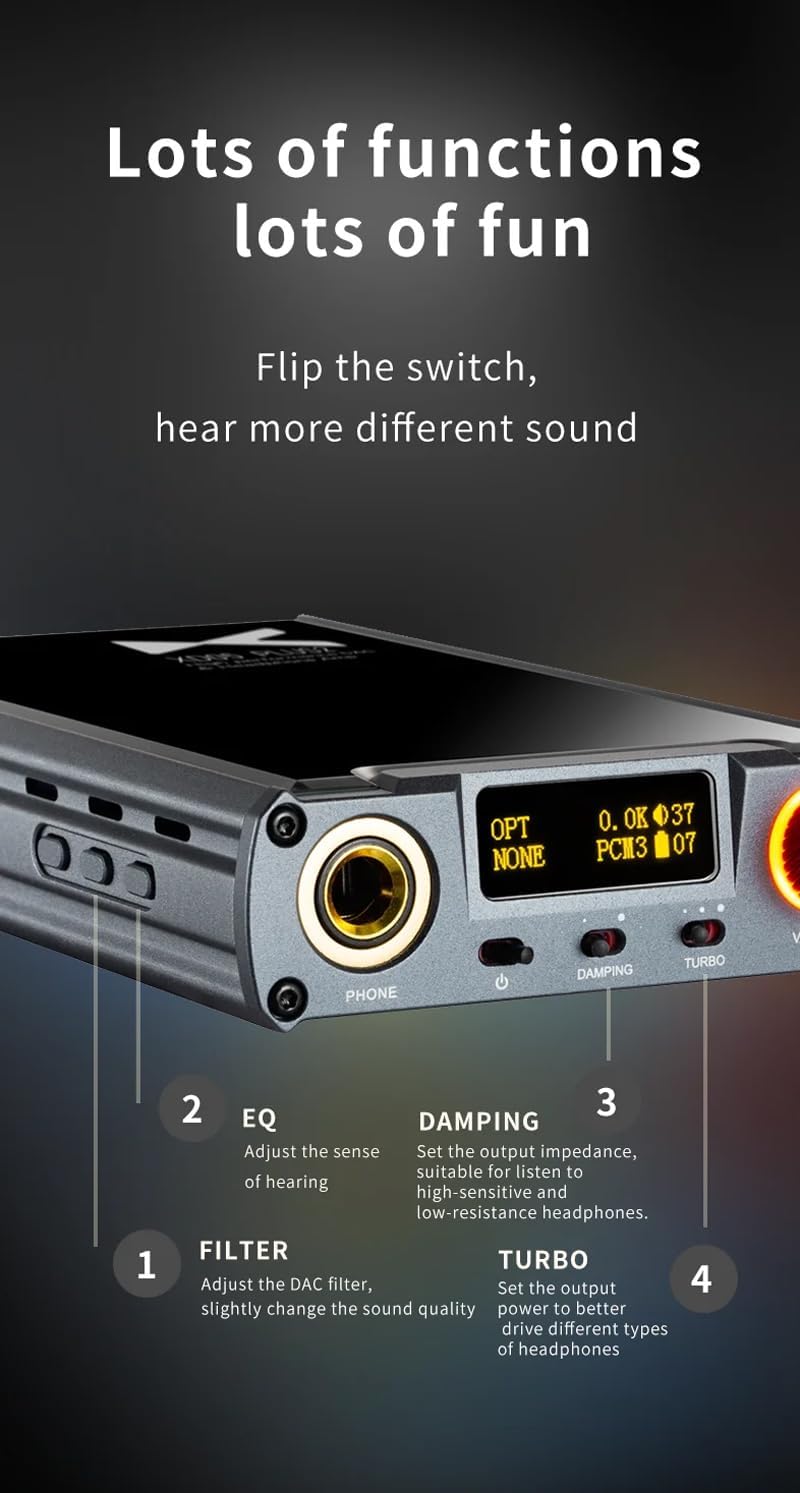
სურათი 5: დეტალური view of sound adjustment controls and their functions.
- EQ (ექვალაიზერი): Press the 'EQ' button (Figure 4) to adjust the sense of hearing and tailor the sound to your preference.
- ფილტრი: Press the 'FILTER' button (Figure 4) to slightly change the sound quality by adjusting the DAC filter settings.
- Damping: Use the 'DAMPING' switch (Figure 2) to set the output impedance, suitable for high-sensitivity and low-resistance headphones.
- ტურბო: Use the 'TURBO' switch (Figure 2) to set the output power, allowing the device to better drive different types of headphones.
5.4 Bluetooth დაწყვილება
To pair your device via Bluetooth 5.1:
- Ensure the XD05 Plus 2 is powered on and Bluetooth input is selected.
- Press the 'Bluetooth' button (Figure 4) to enter pairing mode. The Bluetooth indicator on the OLED screen will flash.
- On your source device (e.g., smartphone, tablet), search for available Bluetooth devices and select "XDUOO XD05 Plus 2".
- Once connected, the Bluetooth indicator will stop flashing.
Supported Bluetooth formats include AAC, SBC, aptX, aptX LL, aptX HD, and LDAC.
5.5 ჩანაცვლება Ampმაცხოვრის ჩიპი
The amplifier chip is user-replaceable, allowing for customization of your audio experience. Refer to the manufacturer's guidelines or a qualified technician for instructions on safely replacing the op-amp ჩიფსები.
6. სპეციფიკაციები
| ფუნქცია | სპეციფიკაცია |
|---|---|
| ბატარეა | 3.8V/5000mAh |
| ეკრანი | 0.91 დიუმიანი OLED |
| თავსებადი OS | Windows/Linux/Mac OSX/iOS/Android |
| Frequency Response (USB/SPDIF) | 20Hz~20kHz (±0.5dB) |
| სიხშირის რეაგირება (AMP) | 10Hz~80kHz (±0.5dB) |
| USB Sampling Rate (PCM) | 16-32BIT/44.1-384KHZ |
| USB Sampling Rate (DSD) | DOP/NATIVE DSD64-256 |
| USB Sampling Rate (MQA) | OFS rendering layer decoding |
| OPT/COA Sampling Rate (PCM) | 16-24BIT/44.1-192KHZ |
| OPT/COA Sampling Rate (DSD) | DSD64 (DOP) |
| Bluetooth ფორმატები | AAC/SBC/aptX/aptX LL/aptX HD/LDAC |
| მოგება | +0dB/3dB/6dB |
| ყურსასმენის გამომავალი სიმძლავრე | 1200 მვტ (32Ω დატვირთვა) |
| Headphone THD+N | 0.0015%@1kHz |
| Headphone S/N | 121 დბ |
| Headphone Crosstalk | > 76 დბ |
| AUX OUT Output Level | 2.0Vrms |
| AUX OUT THD+N | 0.0009%@1kHz |
| AUX OUT S/N | 122 დბ |
| AUX OUT Crosstalk | ≥109dB |
| Battery Life (USB IN) | ≥9 სთ |
| Battery Life (SPDIF IN) | ≥15 სთ |
| Battery Life (BT IN) | ≥18 სთ |
| Charging Time (Fast) | ≤3 საათი |
| Charging Time (Slow) | ≤5 საათი |
| ზომა | 13.0 x 7.5 x 2.2 სმ |
| წონა | 0.29 კგ |
7. მოვლა
To ensure the longevity and optimal performance of your XDUOO XD05 Plus 2, follow these maintenance guidelines:
- მოწყობილობის სისუფთავის შესანარჩუნებლად გაწმინდეთ იგი რბილი, მშრალი ქსოვილით. მოერიდეთ უხეში ქიმიკატების ან აბრაზიული მასალების გამოყენებას.
- დაიცავით მოწყობილობა ექსტრემალური ტემპერატურისგან, მზის პირდაპირი სხივებისგან და ტენიანობისგან.
- მოერიდეთ მოწყობილობის ჩამოვარდნას ან ძლიერ ზემოქმედებას.
- დიდი ხნის განმავლობაში არ გამოყენების შემთხვევაში, შეინახეთ მოწყობილობა გრილ, მშრალ ადგილას.
8. Დიაგნოსტიკა
If you encounter issues with your XDUOO XD05 Plus 2, please refer to the following common troubleshooting steps:
- ხმა არ არის:
- შეამოწმეთ მოწყობილობა ჩართულია თუ არა.
- დარწმუნდით, რომ ყურსასმენები სწორად არის დაკავშირებული.
- დარწმუნდით, რომ სწორი შეყვანის წყაროა შერჩეული.
- დაარეგულირეთ ხმის დონე.
- Check the audio source device for proper playback and volume settings.
- ხმის ცუდი ხარისხი:
- დარწმუნდით, რომ ყველა კაბელი უსაფრთხოდ არის დაკავშირებული.
- Try a different audio cable or source.
- Check EQ and Filter settings; reset them to default if necessary.
- Ensure the UAC switch is set correctly for your USB connection.
- Bluetooth კავშირის პრობლემები:
- Ensure the device is in Bluetooth pairing mode.
- წყაროს მოწყობილობა უფრო ახლოს მიიტანეთ ampმაცოცხლებელი.
- Clear previous Bluetooth pairings on both devices and try pairing again.
- მოწყობილობა არ იტენება:
- Verify the USB cable is connected to the 'CHARGE' port.
- სცადეთ სხვა USB კაბელი ან კვების ადაპტერი.
- დარწმუნდით, რომ კვების წყარო ფუნქციონირებს.
9. პროდუქტის ოფიციალური ვიდეო
ვიდეო 1: ოვერview of the LEAUDIO XDUOO XD05 Plus 2 DAC Amp, შოუasing its features and design. This video provides a visual guide to the product's capabilities and physical aspects.
10. გარანტია და მხარდაჭერა
For warranty information and technical support, please refer to the documentation included with your product or contact LEAUDIO customer service directly. You may also visit the official LEAUDIO webსაიტი უახლესი დამხმარე რესურსებისთვის.