
Creative EF1160
Creative Aurvana Ace 2 True Wireless In-Ear Headphones Instruction Manual
მოდელი: EF1160
1. შესავალი
This manual provides detailed instructions for the proper use, setup, and maintenance of your Creative Aurvana Ace 2 True Wireless In-Ear Headphones. Please read this manual thoroughly before using the product to ensure optimal performance and longevity.

Image: Creative Aurvana Ace 2 earbuds shown in their open charging case, highlighting the black earbuds with copper accents and the translucent charging case.
2. პაკეტის შიგთავსი
დარწმუნდით, რომ შეფუთვაში ყველა ნივთია:
- Creative Aurvana Ace 2 True Wireless In-Ear Headphones (Left and Right earbuds)
- დამუხტვის ქეისი
- USB-C დამტენი კაბელი
- Silicone Ear Tips (Various Sizes: Small, Medium, Large)
- Quick Start Guide (This manual serves as a comprehensive guide)
3. დაყენება
3.1 საწყისი დატენვა
Before first use, fully charge the earbuds and the charging case. Place the earbuds into the charging case. Connect the USB-C charging cable to the case and a power source. The charging indicator on the case will show charging status. A full charge provides up to 6 hours of playback for the earbuds and a total of 24 hours with the charging case (with ANC off).

Image: The Creative Aurvana Ace 2 charging case resting on a wireless charging pad, indicating its wireless charging capability.
3.2 ყურის წვერის შერჩევა და მორგება
Selecting the correct ear tip size is crucial for sound quality and noise isolation. Experiment with the provided silicone ear tips (Small, Medium, Large) to find the best fit for your ears. A good seal ensures optimal audio performance and comfort.

Image: Graphic illustrating different sizes of ear tips for a customized fit.
მნიშვნელოვანია: Before first use, ensure you remove any protective clear films covering the charging contacts on the earbuds. Failure to do so will prevent proper charging and pairing.
3.3 Bluetooth დაწყვილება
- დარწმუნდით, რომ ყურსასმენები დატენილია და დამტენ ქეისში მოთავსებულია.
- გახსენით დამტენი ქეისის თავსახური. ყურსასმენები ავტომატურად გადავა დაწყვილების რეჟიმში.
- თქვენს მოწყობილობაზე (სმარტფონი, პლანშეტი, კომპიუტერი) გადადით Bluetooth პარამეტრებზე.
- Select "Creative Aurvana Ace 2" from the list of available devices.
- დაკავშირების შემდეგ, დადასტურების ხმა გაისმის და ყურსასმენები გამოსაყენებლად მზად იქნება.
3.4 Creative App Download
For full functionality, including firmware updates, equalizer settings, and customizable controls, download the Creative app. The app is available for both iOS and Android devices.
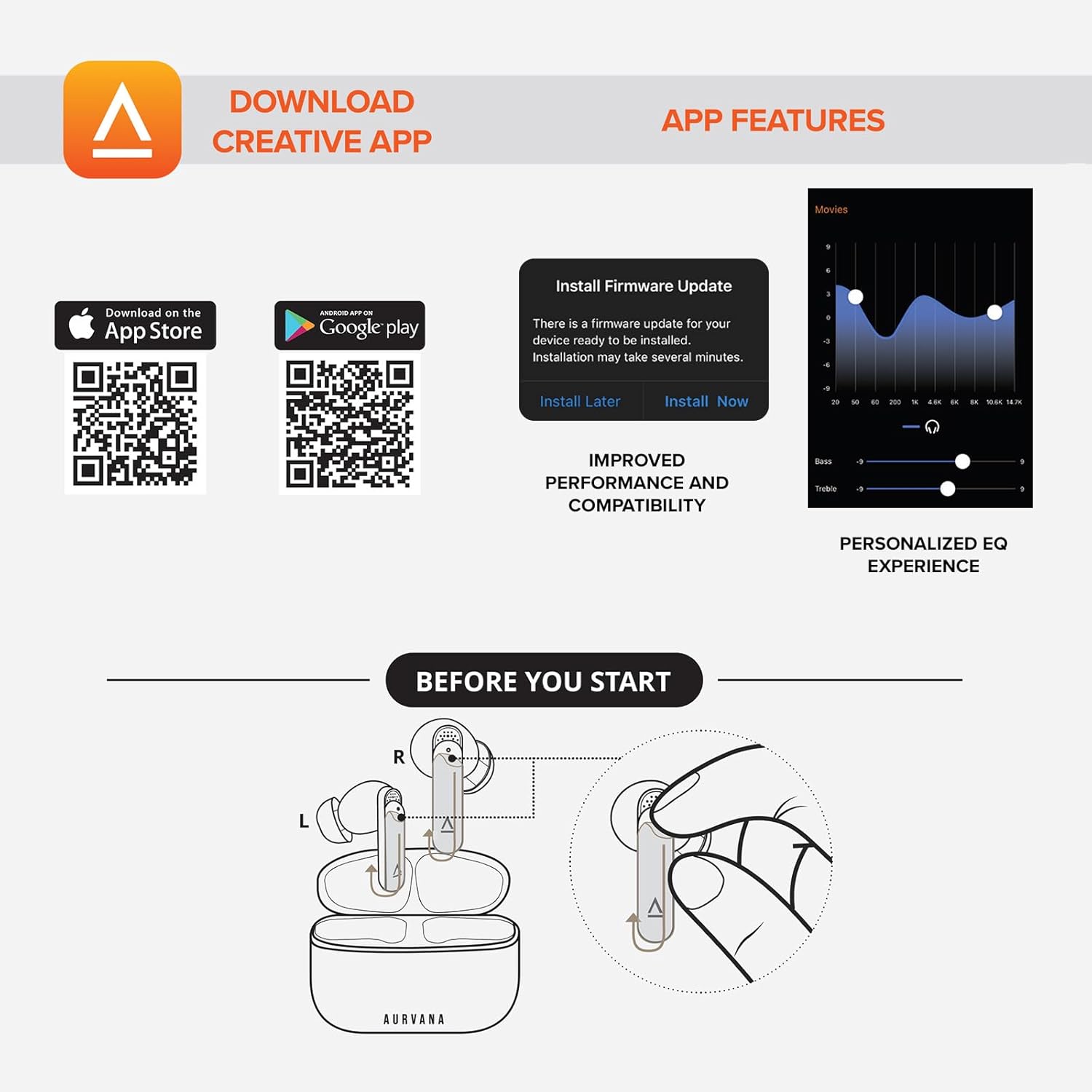
Image: Screenshot showing QR codes for downloading the Creative app from the Apple App Store and Google Play Store, alongside examples of app features such as firmware updates and personalized EQ settings.
ჩამოტვირთეთ Android-ისთვის: Google Play Store
ჩამოტვირთეთ iOS-ისთვის: Apple App Store
4. საოპერაციო ინსტრუქციები
4.1 შეეხეთ კონტროლი
The Creative Aurvana Ace 2 earbuds feature touch-sensitive controls on each earbud. Functions can be customized via the Creative app. Common controls include:
- ერთი შეხება: აუდიოს დაკვრა/პაუზა, ზარის მიღება/დასრულება.
- ორმაგი შეხება: Next track, Activate voice assistant.
- სამჯერ შეხება: Previous track, Toggle ANC/Ambient Mode.
- გრძელი პრესა: Volume control (customizable).

Image: Graphic depicting a finger tapping an earbud, symbolizing touch controls.
4.2 Noise Control (Adaptive ANC & Ambient Mode)
The earbuds feature Adaptive Active Noise Cancellation (ANC) and Ambient Mode. These modes can be toggled via the touch controls or the Creative app.
- ადაპტური ANC: ამცირებს გარე ხმაურს, რაც უზრუნველყოფს ჩამთრევ მოსმენის გამოცდილებას.
- ატმოსფერული რეჟიმი: Allows environmental sounds to pass through, enhancing situational awareness.
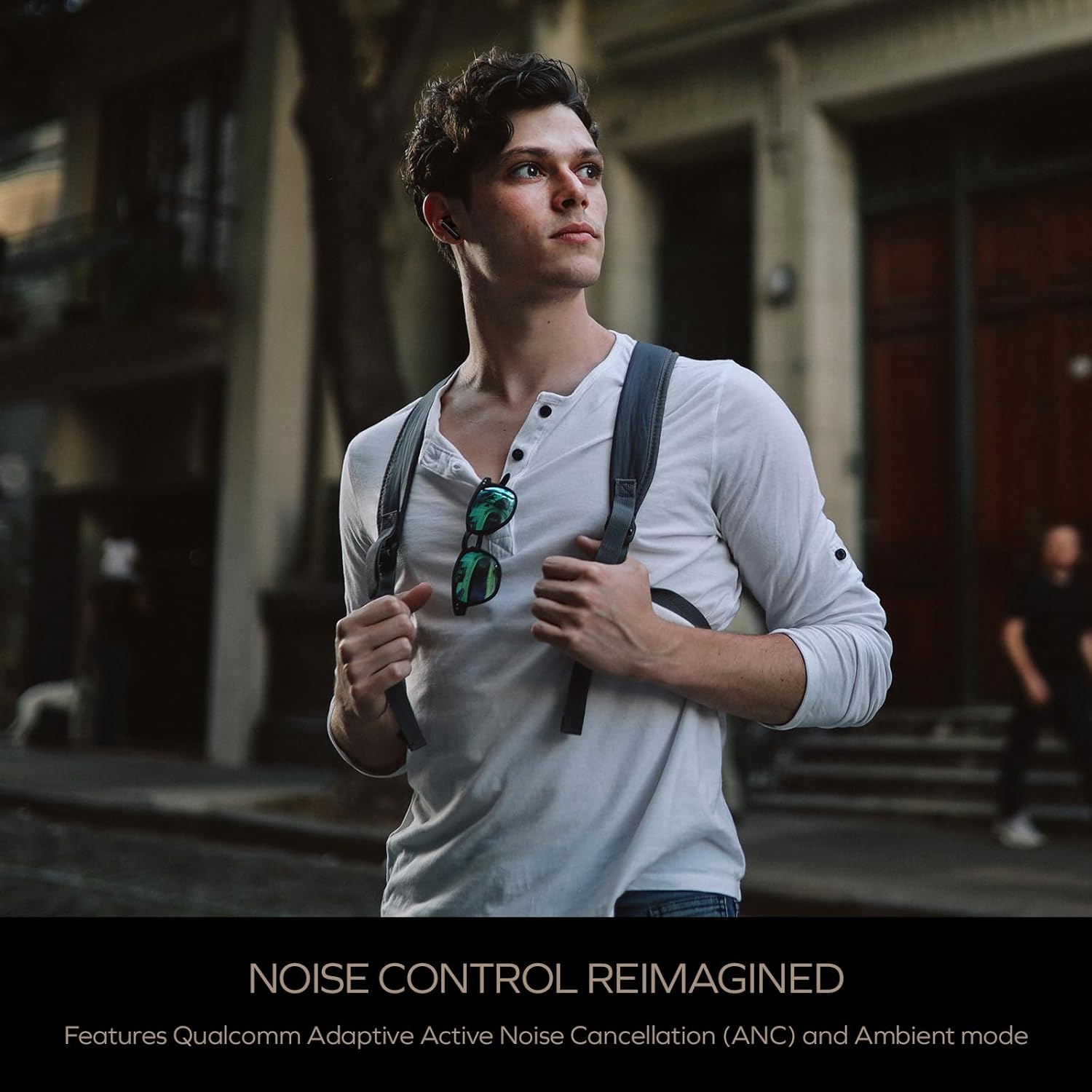
Image: A person wearing the Creative Aurvana Ace 2 earbuds while walking outdoors, illustrating the use of noise control features in various environments.
4.3 Audio Technologies (xMEMS, aptX Lossless, Bluetooth LE Audio)
The Aurvana Ace 2 incorporates advanced audio technologies for high-fidelity sound:
- xMEMS Technology: Provides precise and detailed audio reproduction.
- Qualcomm aptX Lossless: Delivers CD-quality audio over Bluetooth for compatible devices.
- Bluetooth LE Audio: Offers improved wireless audio quality with lower power consumption and Unicast mode for a more stable connection.

სურათი: დეტალური view of the earbud's internal components, highlighting the xMEMS drivers and 10mm dynamic drivers responsible for audio output.

Image: The Qualcomm aptX Lossless logo, indicating support for high-fidelity audio streaming.

Image: A microchip labeled 'LE Audio', representing the Bluetooth LE Audio technology integrated into the earbuds.
4.4 Voice Assistant and Call Quality
The earbuds support voice assistant activation (e.g., Siri, Google Assistant) via touch controls. Equipped with Qualcomm cVc (clear voice capture) noise cancellation technology and six built-in microphones, the Aurvana Ace 2 ensures clear voice calls.

Image: Graphic showing an earbud with Google Assistant and Siri icons, accompanied by sound wave visualizations, indicating voice assistant support and clear audio transmission.
5. მოვლა
5.1 დასუფთავება
Regular cleaning helps maintain optimal performance and hygiene. Use a soft, dry, lint-free cloth to wipe the earbuds and charging case. For ear tips, remove them from the earbuds and clean with mild soap and water, then dry thoroughly before reattaching. If charging issues occur, gently clean the charging contacts on both the earbuds and inside the case with a cotton swab lightly dampგაჟღენთილი ალკოჰოლით.
5.2 შენახვა
როდესაც ყურსასმენები არ იყენებთ, შეინახეთ დამტენ ქეისში, რათა დაიცვათ ისინი და დატენილი იყოს. შეინახეთ ქეისი გრილ, მშრალ ადგილას, მზის პირდაპირი სხივებისა და ექსტრემალური ტემპერატურისგან მოშორებით.
6. Დიაგნოსტიკა
If you encounter issues with your Creative Aurvana Ace 2 earbuds, refer to the following common solutions:
| პრობლემა | შესაძლო მიზეზი | გამოსავალი |
|---|---|---|
| ყურსასმენები არ წყვილდება ან არ უკავშირდება | Protective film on contacts, low battery, out of range, incorrect pairing mode. |
|
| ყურსასმენები არ იტენება | Dirty charging contacts, improper placement, faulty cable/power source. |
|
| Frequent disconnections or audio dropouts | Interference, distance from device, low earbud battery. |
|
| Screeching sound in Ambient Mode | Pressure on earbuds, improper fit. |
|
| Audio glitching or shrill noises | Software issue, interference. |
|
| შეხების კონტროლი არ რეაგირებს | Incorrect gesture, dirty sensor, temporary software glitch. |
|
7. სპეციფიკაციები
| ფუნქცია | დეტალი |
|---|---|
| მოდელის სახელი | EF1160 |
| დაკავშირების ტექნოლოგია | Wireless (Bluetooth 5.2, LE Audio) |
| აუდიო დრაივერის ტიპი | xMEMS Driver, 10 mm Dynamic Driver |
| აუდიო კოდეკები | aptX Lossless, aptX Adaptive, AAC, SBC |
| ხმაურის კონტროლი | Adaptive Active Noise Cancellation (ANC), Ambient Mode |
| მიკროფონები | 6 built-in mics with Qualcomm cVc Noise Cancellation |
| ელემენტის ხანგრძლივობა (ყურსასმენები) | 6 საათამდე (ANC გამორთულია) |
| ქეისით თამაშის საერთო დრო | 24 საათამდე (ANC გამორთულია) |
| დატენვის დრო | Approximately 2 hours for earbuds and case |
| დატენვის ინტერფეისი | USB-C, უსადენო დატენვა |
| Bluetooth დიაპაზონი | 10 მეტრამდე (33 ფუტი) |
| სიხშირის პასუხი | 20 ჰც - 20,000 ჰც |
| კონტროლის მეთოდი | შეხება, ხმა |
| მასალა | პლასტიკური |
| პროდუქტის ზომები | 3.58 x 4.33 x 1.53 ინჩი |
| ნივთის წონა | 5.3 უნცია |
| UPC | 054651196032 |
8. გარანტია და მხარდაჭერა
Creative products are covered by a limited warranty. For specific warranty terms and conditions applicable to your region, please refer to the warranty card included with your product or visit the official Creative webსაიტი.
For technical support, frequently asked questions, and driver/firmware downloads, please visit the Creative support page:
You can also contact Creative customer service directly for assistance.
Ask a question about this manual
Ask about setup, troubleshooting, compatibility, parts, safety, or missing instructions. Manuals+ will review the question and use this page’s manual context to help answer it.