
1. შესავალი
Thank you for choosing the Zeblaze Crystal 3 Smartwatch. This manual provides essential information for setting up, operating, maintaining, and troubleshooting your device. Please read it carefully to ensure proper use and optimal performance.
2. პროდუქტი დასრულდაview
The Zeblaze Crystal 3 is a versatile smartwatch designed for fitness tracking and daily use. It features a vibrant HD color display and high-precision sensors to monitor various health metrics.
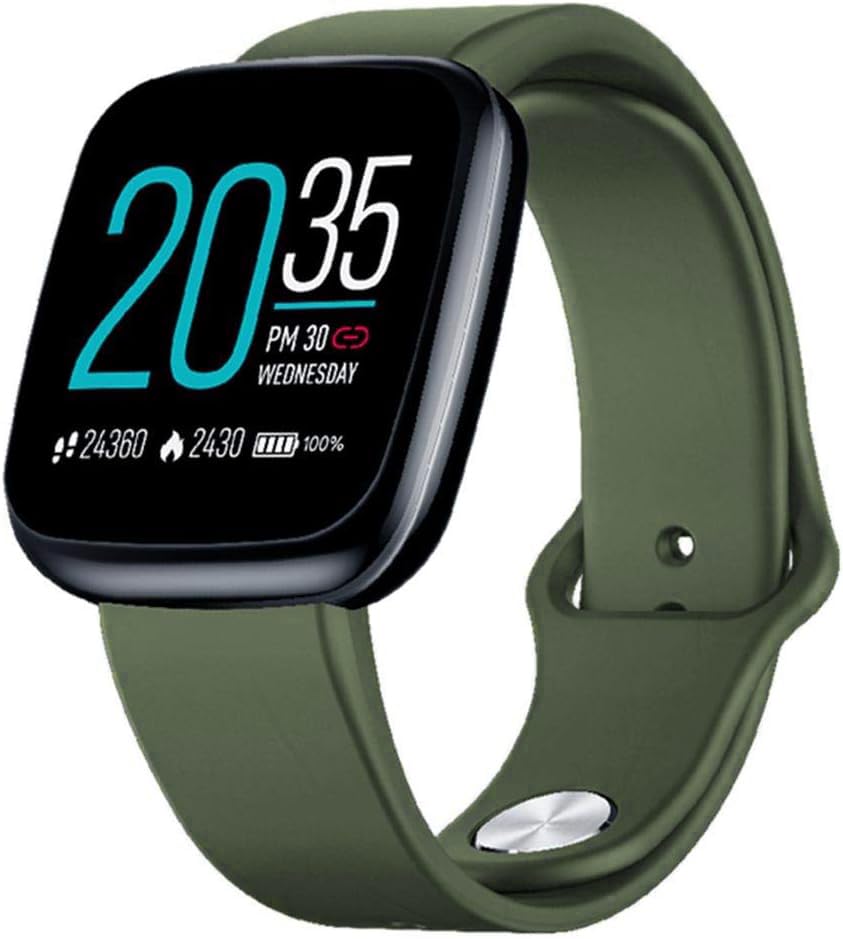
Image: Zeblaze Crystal 3 Smartwatch, showing the main display and green strap.
ძირითადი მახასიათებლები:
- 1.3 დიუმიანი HD ფერადი ეკრანი: A vibrant IPS display with 240x240 pixel resolution for clear visuals.
- მაღალი სიზუსტის სენსორები: Equipped with a heart rate sensor, proximity sensor, and accelerometer for accurate data collection.
- IP67 წყალგამძლეობა: Designed to withstand daily water exposure, such as splashes and rain.
- ბატარეის ხანგრძლივი ხანგრძლივობა: Up to 7 days of use on a single 2-hour charge, thanks to its 200 mAh battery.
- აქტივობის თვალყურის დევნება: Monitors steps, distance, calories burned, and supports various sports modes.
- ჯანმრთელობის მონიტორინგი: Includes heart rate and sleep tracking.
- სმარტფონის თავსებადობა: Works with Android 4.4 or newer and iOS 8.0 or newer devices.
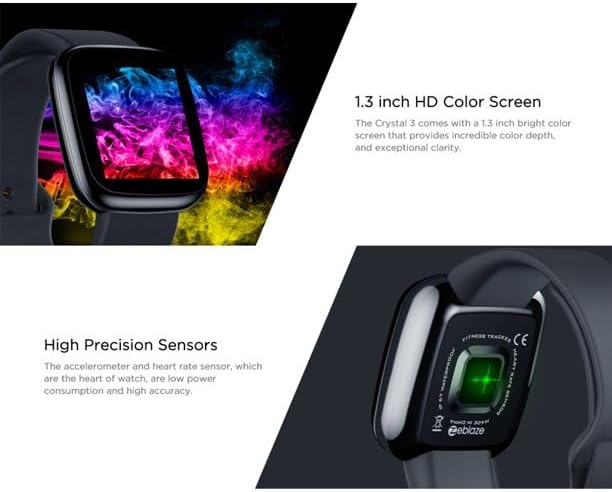
Image: Close-up of the 1.3-inch HD color screen and the high-precision heart rate sensor on the back of the watch.
3. დაყენება
3.1 ჭკვიანი საათის დატენვა
Before first use, fully charge your Zeblaze Crystal 3. Connect the charging cable to the watch's charging port and a USB power source (e.g., computer USB port or a 5V/1A USB adapter). A full charge typically takes about 2 hours.
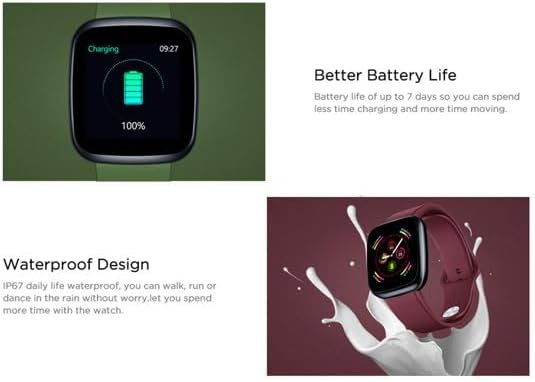
Image: Illustration showing how to connect the smartwatch to a USB port for charging.
3.2 აპლიკაციის ინსტალაცია და დაწყვილება
- ჩამოტვირთეთ აპლიკაცია: ძიება the official Zeblaze companion app on your smartphone's app store (Google Play Store for Android or Apple App Store for iOS).
- ანგარიშის შექმნა: გახსენით აპლიკაცია და მიჰყევით ეკრანზე არსებულ ინსტრუქციას ანგარიშის შესაქმნელად ან შესვლისთვის.
- მოწყობილობის დაწყვილება: Ensure Bluetooth is enabled on your smartphone. In the app, navigate to the device pairing section and select "Zeblaze Crystal 3" from the list of available devices. Confirm the pairing request on both your phone and the smartwatch.
- პროfile დაყენება: დაასრულეთ თქვენი პირადი პროფესიონალიზმიfile within the app to ensure accurate tracking of health and fitness data.
4. საოპერაციო ინსტრუქციები
4.1 ძირითადი ნავიგაცია
- გამოღვიძების ეკრანი: Raise your wrist or press the side button to wake the screen.
- გადაფურცლეთ ზემოთ/ქვემოთ: შეტყობინებებზე ან სწრაფ პარამეტრებზე წვდომა.
- გადაფურცლეთ მარცხნივ/მარჯვნივ: Navigate through different functions and widgets (e.g., heart rate, activity data, weather).
- შეეხეთ: აირჩიეთ ნივთი ან დაადასტურეთ მოქმედება.
- გრძელი პრესა: On the main watch face, long press to change watch faces.
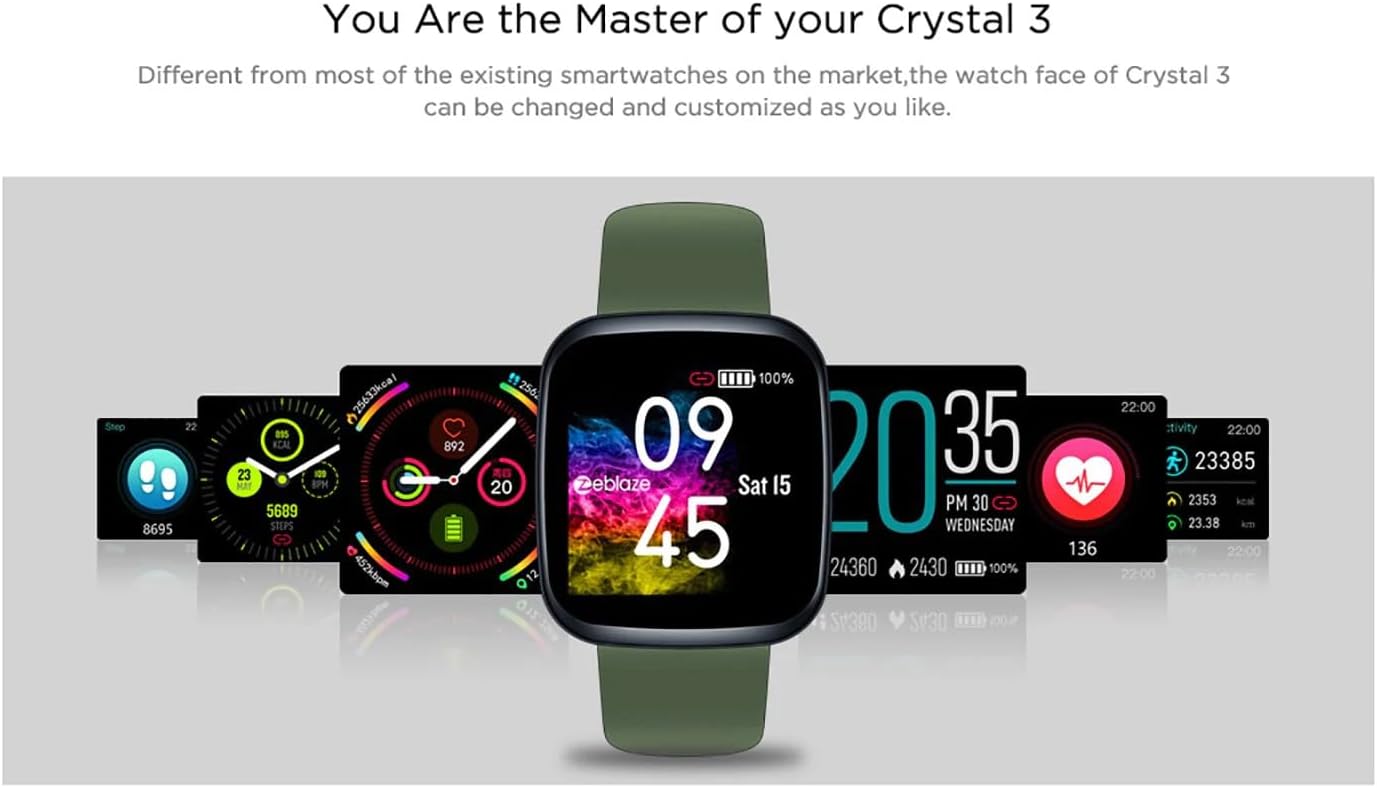
Image: The Zeblaze Crystal 3 displaying different customizable watch faces and data screens.
4.2 აქტივობის თვალყურის დევნება
The smartwatch automatically tracks your daily steps, distance, and calories burned. You can view this data directly on the watch or in more detail within the companion app.
4.3 გულისცემის მონიტორინგი
The built-in heart rate sensor continuously monitors your heart rate. Ensure the watch is worn snugly on your wrist for accurate readings. View your current and historical heart rate data in the app.
4.4 ძილის მონიტორინგი
Wear the smartwatch to bed to track your sleep patterns. The device records sleep duration and quality, which can be reviewed in the app to help you understand and improve your sleep habits.
5. მოვლა
5.1 მოწყობილობის გაწმენდა
კანის გაღიზიანების თავიდან ასაცილებლად და ფუნქციონირების შესანარჩუნებლად რეგულარულად გაწმინდეთ თქვენი ჭკვიანი საათი და სამაჯური. გამოიყენეთ რბილი, დamp ეკრანისა და თასმის გასაწმენდად გამოიყენეთ ქსოვილი. მოერიდეთ უხეში ქიმიკატების ან აბრაზიული მასალების გამოყენებას.
5.2 წყალგამძლეობა (IP67)
The Zeblaze Crystal 3 is IP67 water-resistant, meaning it is protected against dust and can withstand immersion in water up to 1 meter for up to 30 minutes. It is suitable for daily use, such as washing hands, rain, or light splashes. არ არის რეკომენდებული ცურვა, ცხელი წყლით შხაპის მიღება ან ყვინთვა.

Image: Illustration highlighting the waterproof design of the Zeblaze Crystal 3 Smartwatch.
5.3 ბატარეის მოვლა
- მოერიდეთ ექსტრემალურ ტემპერატურას, რამაც შეიძლება ბატარეის ხანგრძლივობა შეამციროს.
- არ დატოვოთ მოწყობილობა სრულად გამორთული დიდი ხნის განმავლობაში.
- გამოიყენეთ მხოლოდ მოწოდებული დამტენი კაბელი ან მისი სერტიფიცირებული ეკვივალენტი.
6. Დიაგნოსტიკა
6.1 მოწყობილობა არ ირთვება
- დარწმუნდით, რომ მოწყობილობა სრულად დატენილია. შეაერთეთ ის დამტენთან მინიმუმ 30 წუთის განმავლობაში.
- გადატვირთვა იძულებით განახორციელეთ, რათა გვერდითი ღილაკი 10-15 წამის განმავლობაში დააჭიროთ და გააჩეროთ.
6.2 სმარტფონთან დაწყვილება შეუძლებელია
- Make sure Bluetooth is enabled on your phone and the smartwatch is within range.
- გადატვირთეთ როგორც სმარტფონი, ასევე ჭკვიანი საათი.
- შეამოწმეთ განახლებულია თუ არა აპლიკაცია უახლეს ვერსიაზე.
- Forget the device from your phone's Bluetooth settings and try pairing again through the app.
6.3 Inaccurate Heart Rate/Activity Data
- დარწმუნდით, რომ საათი მჭიდროდ გიკეთიათ მაჯაზე, არც ძალიან მჭიდროდ და არც ძალიან თავისუფლად.
- გაწმინდეთ საათის უკანა მხარეს არსებული სენსორი.
- Update the smartwatch firmware via the companion app if an update is available.
7. სპეციფიკაციები
| ფუნქცია | დეტალი |
|---|---|
| ბრენდი | ზებლაზი |
| მოდელის სახელი | კრისტალი 3 |
| ჩვენება | 1.3 დიუმიანი IPS ფერადი ეკრანი |
| რეზოლუცია | 240*240 პიქსელი |
| სენსორები | Heart Rate Sensor, Proximity Sensor, Accelerometer |
| წყლის წინააღმდეგობა | IP67 |
| ბატარეის ტევადობა | 200 mAh |
| დატენვის დრო | დაახლ. 2 საათი |
| ბატარეის ხანგრძლივობა | 7 დღემდე |
| თავსებადობა | Android 4.4+ / iOS 8.0+ |
| ზომები | 4.05 x 3.55 x 1.2 სმ (1.59 x 1.39 x 0.47 ინჩი) |
| წონა | 27 გრამი (0.95 უნცია) |
| დაკავშირება | Bluetooth (for app pairing), USB (for charging) |
| განსაკუთრებული თვისებები | Activity Tracker, Heart Rate Monitor, Sleep Monitor |
8. გარანტია და მხარდაჭერა
For warranty information and customer support, please refer to the documentation included with your purchase or visit the official Zeblaze website. If you encounter any issues not covered in this manual, please contact Zeblaze customer service for assistance.