
1. პროდუქტი დასრულდაview
The Docooler IPX7 Waterproof Bluetooth Portable Shower Speaker is designed for audio playback in various environments, including wet conditions. It features Bluetooth 5.0 connectivity, an LED display, FM radio, and a light show function. The speaker is equipped with a removable suction cup for versatile placement.

Image: Docooler IPX7 Waterproof Bluetooth Portable Shower Speaker, showcasinგ მისი დიზაინი და მახასიათებლები.
2. პაკეტის შიგთავსი
დარწმუნდით, რომ შეფუთვაში ყველა ნივთია:
- Docooler IPX7 Waterproof Bluetooth Portable Shower Speaker
- USB-C დამტენი კაბელი
- მოსახსნელი შემწოვი ჭიქა
- მომხმარებლის სახელმძღვანელო
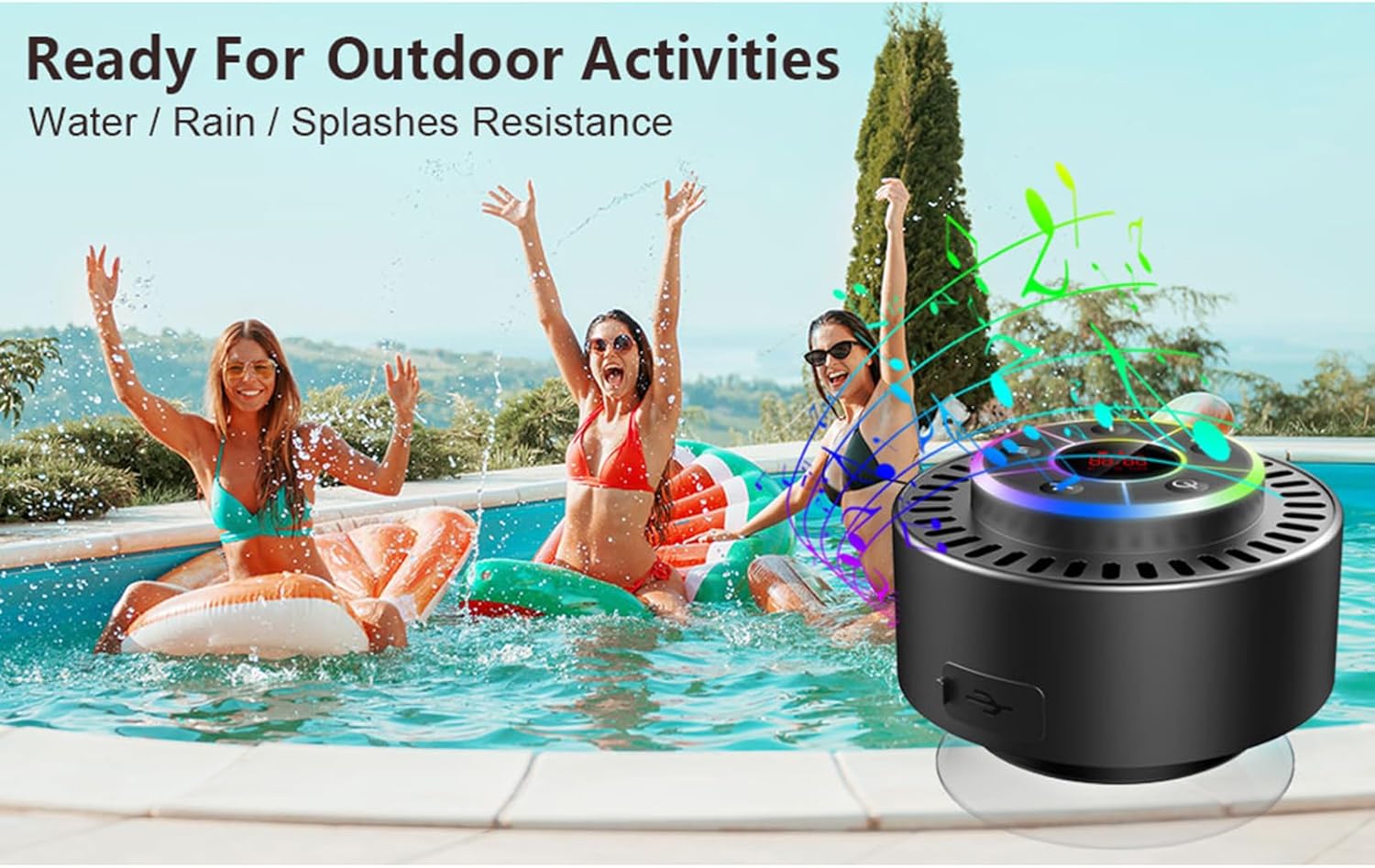
Image: The speaker, USB-C charging cable, and user manual as included in the package.
3. დაყენება
3.1 დინამიკის დატენვა
Before initial use, fully charge the speaker. Connect the provided USB-C charging cable to the speaker's charging port and the other end to a USB power adapter (not included) or a computer's USB port. The LED display will indicate charging status.
3.2 შემწოვი ჭიქის მიმაგრება
To attach the suction cup, ensure both the speaker's back surface and the desired mounting surface are clean and dry. Press the suction cup firmly against the surface until it adheres securely. For best results, slightly moisten the suction cup before application.
3.3 ჩართვა/გამორთვა
- ჩართვა: დააჭირეთ და გააჩერეთ დენის ღილაკი (
 ) for approximately 3 seconds until the LED display illuminates.
 - გამორთვა: დააჭირეთ და გააჩერეთ დენის ღილაკი for approximately 3 seconds until the LED display turns off.
4. საოპერაციო ინსტრუქციები
4.1 ღილაკის ფუნქციები
სურათი: დეტალური view of the speaker's control panel, indicating the function of each button.
| ღილაკი | ფუნქცია (მოკლე დაჭერა) | ფუნქცია (ხანგრძლივი დაჭერა) |
|---|---|---|
| დენის ღილაკი () | Toggle LED light show modes | ჩართვა/გამორთვა |
| M ღილაკი | Switch between Bluetooth and FM Radio modes | N/A |
| დაკვრის/პაუზის ღილაკი () | Play/Pause music; Answer/End calls; Auto-scan in FM mode | უარყოთ შემომავალი ზარი |
| Previous Song / Volume Down (-) | Previous song (Bluetooth); Previous station (FM) | მოცულობის შემცირება |
| Next Song / Volume Up (+) | Next song (Bluetooth); Next station (FM) | მოცულობის გაზრდა |
4.2 Bluetooth დაწყვილება
When powered on, the speaker automatically enters Bluetooth pairing mode. The LED display will show 'BT'.
- Ensure Bluetooth is enabled on your device (smartphone, tablet, laptop).
- ძიება available Bluetooth devices and select "Docooler Speaker" from the list.
- Once connected, the speaker will emit an audible confirmation, and the 'BT' indicator on the LED display will stabilize.

Image: The speaker demonstrating connectivity with a phone, tablet, and computer via Bluetooth.
4.3 True Wireless Stereo (TWS) დაწყვილება
To achieve 3D stereo sound, two Docooler speakers can be paired together.
- დარწმუნდით, რომ ორივე დინამიკი ჩართულია და არ არის დაკავშირებული სხვა Bluetooth მოწყობილობასთან.
- ერთ დინამიკზე (ეს იქნება მთავარი დინამიკი), დააჭირეთ და გააჩერეთ Play/Pause ღილაკი for 2-3 seconds until you hear a pairing tone.
- ორი დინამიკი ავტომატურად დაუკავშირდება ერთმანეთს.
- Once paired, connect your device to the primary speaker via Bluetooth as described in section 4.2. Audio will now play through both speakers in stereo.

Image: Two Docooler speakers wirelessly connected to a computer, illustrating the True Wireless Stereo (TWS) feature.
4.4 FM რადიოს რეჟიმი
To switch to FM Radio mode:
- დააჭირეთ M ღილაკი to cycle through modes until 'FM' appears on the LED display.
- ავტომატური სკანირება: FM რეჟიმში, მოკლედ დააჭირეთ ღილაკს Play/Pause ღილაკი to automatically scan and save available radio stations.
- სადგურის შეცვლა: გამოიყენეთ Previous Song / Volume Down (-) და Next Song / Volume Up (+) ღილაკები შენახულ სადგურებში გადასასვლელად.
- ხმის დარეგულირება: დიდხანს დააჭირეთ Previous Song / Volume Down (-) or Next Song / Volume Up (+) ღილაკები ხმის დასარეგულირებლად.
4.5 LED განათების შოუ
The speaker features a beat-driven LED light show with seven colors.
- სინათლის რეჟიმის შეცვლა: მოკლედ დააჭირეთ დენის ღილაკი to cycle through different light show patterns or to lock a single color.
- შუქების გამორთვა: გააგრძელეთ ღილაკის დაჭერით დენის ღილაკი until the lights turn off.
4.6 უკონტაქტო ზარი
Bluetooth-ის საშუალებით დაკავშირებისას, ჩაშენებული მიკროფონი ხელების გარეშე ზარების განხორციელების საშუალებას იძლევა.
- უპასუხე ზარს: მოკლედ დააჭირეთ Play/Pause ღილაკი.
- ზარის დასრულება: მოკლედ დააჭირეთ Play/Pause ღილაკი ზარის დროს.
- ზარის უარყოფა: დიდხანს დააჭირეთ Play/Pause ღილაკი.
4.7 LED დისპლეის ინფორმაცია
The LED display shows the current time and battery level in Bluetooth mode. In FM radio mode, it displays the frequency.
5. მოვლა
5.1 წყლის წინააღმდეგობა (IPX7)
The speaker is IPX7 waterproof, meaning it can be submerged in up to 1 meter (3 feet) of water for up to 30 minutes. Ensure the charging port cover is securely closed before exposing the speaker to water. After exposure to water, wipe the speaker dry with a soft cloth.
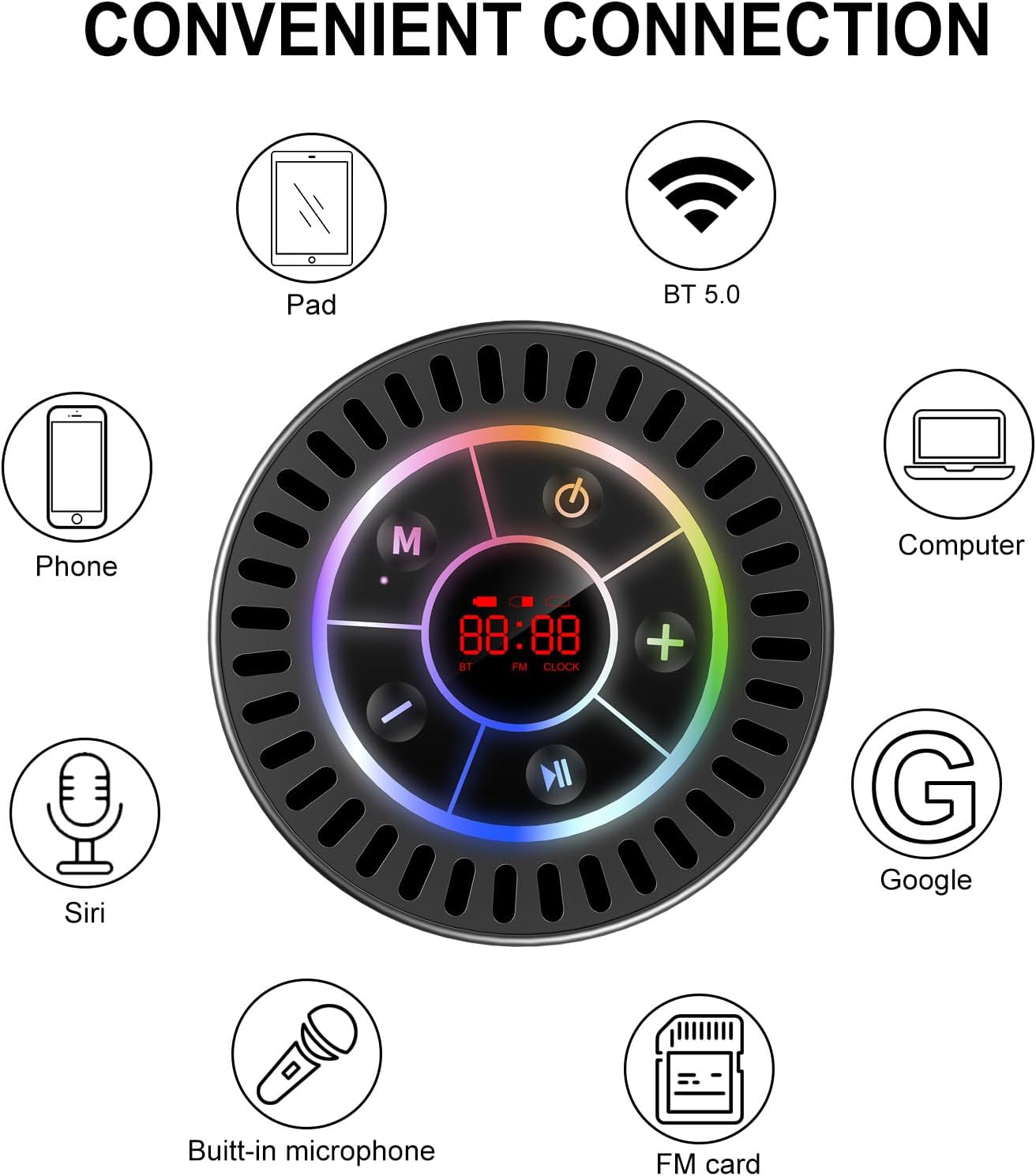
Image: The Docooler speaker attached to a shower wall, demonstrating its waterproof capability.
5.2 დასუფთავება
გაწმინდეთ დინამიკი რბილი, დamp ქსოვილი. არ გამოიყენოთ აბრაზიული საწმენდები, სპირტი ან ქიმიური გამხსნელები, რადგან მათ შეიძლება დააზიანონ ზედაპირი ან შიდა კომპონენტები.
5.3 შენახვა
შეინახეთ დინამიკი გრილ, მშრალ ადგილას, მზის პირდაპირი სხივებისა და ექსტრემალური ტემპერატურისგან მოშორებით. თუ დიდხანს ინახავთ, პერიოდულად დატენეთ ბატარეა მისი სიცოცხლის ხანგრძლივობის შესანარჩუნებლად.
6. Დიაგნოსტიკა
- დინამიკი არ ირთვება: Ensure the battery is charged. Connect the speaker to a power source using the USB-C cable and try again.
- Bluetooth-ის საშუალებით დაწყვილება შეუძლებელია:
- Ensure the speaker is in Bluetooth pairing mode ('BT' flashing on display).
- Make sure Bluetooth is enabled on your device and it is within 15 meters of the speaker.
- თუ ადრე დაწყვილებული იყო, სცადეთ მოწყობილობის ტელეფონში არდამატება და ხელახლა დაწყვილება.
- გადატვირთეთ როგორც დინამიკი, ასევე თქვენი Bluetooth მოწყობილობა.
- FM რადიოს ცუდი მიღება: FM radio reception can be affected by location and environmental factors. Try repositioning the speaker or using it in an open area. The charging cable can sometimes act as an antenna to enhance signal.
- ხმა არ აქვს ან ხმა დაბალია:
- შეამოწმეთ ხმის დონე როგორც დინამიკზე, ასევე თქვენს დაკავშირებულ მოწყობილობაზე.
- Ensure the speaker is properly paired and not connected to another device.
- თუ TWS-ს იყენებთ, დარწმუნდით, რომ ორივე დინამიკი სწორად არის დაწყვილებული ერთმანეთთან და შემდეგ თქვენს მოწყობილობასთან.
- Speaker starts at full volume: Some units may default to a high volume upon power-on. Immediately adjust the volume using the '-' button to a comfortable level after turning the speaker on.
- Suction cup does not hold: Ensure the mounting surface is clean, smooth, and dry. Slightly moisten the suction cup before pressing it firmly onto the surface. Avoid porous or textured surfaces.
7. სპეციფიკაციები

სურათი: აფეთქებული view showing the internal components of the Docooler speaker, highlighting its sound technology.
| ფუნქცია | დეტალი |
|---|---|
| ბრენდი | დოქულერი |
| მოდელის ნომერი | SMT4782513347516YX |
| დაკავშირების ტექნოლოგია | Bluetooth 5.0 |
| Bluetooth დიაპაზონი | 15 მეტრამდე |
| წყლის წინააღმდეგობის დონე | IPX7 (წყალგამძლე) |
| დინამიკის მაქსიმალური გამომავალი სიმძლავრე | 5 ვატი |
| სიხშირის პასუხი | 100 ჰც |
| აუდიო გამოყვანის რეჟიმი | სტერეო, Surround (TWS-ით) |
| სიგნალი ხმაურის თანაფარდობა | 95 დბ |
| მიკროფონების რაოდენობა | 1 (ჩაშენებული) |
| დენის წყარო | იკვებება ბატარეით |
| კონტროლის მეთოდი | ღილაკი |
| ნივთის წონა | 300 გრამი |
| თავსებადი მოწყობილობები | ლეპტოპი, MP3 ფლეიერი, სმარტფონი, პლანშეტი, ტელევიზორი |
8. გარანტია და მხარდაჭერა
8.1 ინფორმაცია გარანტიის შესახებ
This Docooler speaker comes with a limited warranty. For specific terms and conditions, please refer to the warranty card included in your package or contact Docooler customer support.
8.2 მომხმარებელთა მხარდაჭერა
For further assistance, technical support, or warranty claims, please visit the official Docooler website or contact their customer service department. Contact information can typically be found on the product packaging or the brand's online store.