
1. უსაფრთხოების მნიშვნელოვანი ინსტრუქციები
Please read all instructions carefully before using this appliance and retain them for future reference. Failure to follow these instructions may result in electric shock, fire, or serious personal injury.
- Always ensure the fan is unplugged from the power outlet before cleaning, servicing, or moving.
- არ ამუშაოთ ვენტილატორი დაზიანებული კაბელით ან შტეფსელით. თუ კვების კაბელი დაზიანებულია, საფრთხის თავიდან ასაცილებლად ის უნდა შეცვალოს მწარმოებელმა, მისმა სერვის აგენტმა ან ანალოგიურად კვალიფიციურმა პირმა.
- მუშაობის დროს ვენტილატორის გისოსთან თითები, ფანქრები ან სხვა ნებისმიერი ობიექტი მოარიდეთ.
- არ გამოიყენოთ ვენტილატორი ფანჯრებთან ახლოს, სველ ადგილებში ან ისეთ ადგილებში, სადაც შესაძლოა წყალთან შეხება ჰქონდეს.
- ვენტილატორი სტაბილურ, ბრტყელ ზედაპირზე მოათავსეთ, რათა არ გადაბრუნდეს.
- ეს მოწყობილობა განკუთვნილია მხოლოდ საყოფაცხოვრებო მოხმარებისთვის. არ გამოიყენოთ გარეთ.
- უზრუნველყოს ტtagეტიკეტზე მითითებული e შეესაბამება თქვენი ქსელის მოცულობასtage.
2. პროდუქტი დასრულდაview
The Sona SSO 6062N is a 12-inch power stand fan designed to provide efficient air circulation. It features a robust aluminium alloy fan blade for strong and powerful wind delivery, along with a durable anti-rust coating for longevity. The fan offers 3-speed control and wide-angle oscillation for comprehensive cooling coverage, complemented by a free neck for tilt adjustment.
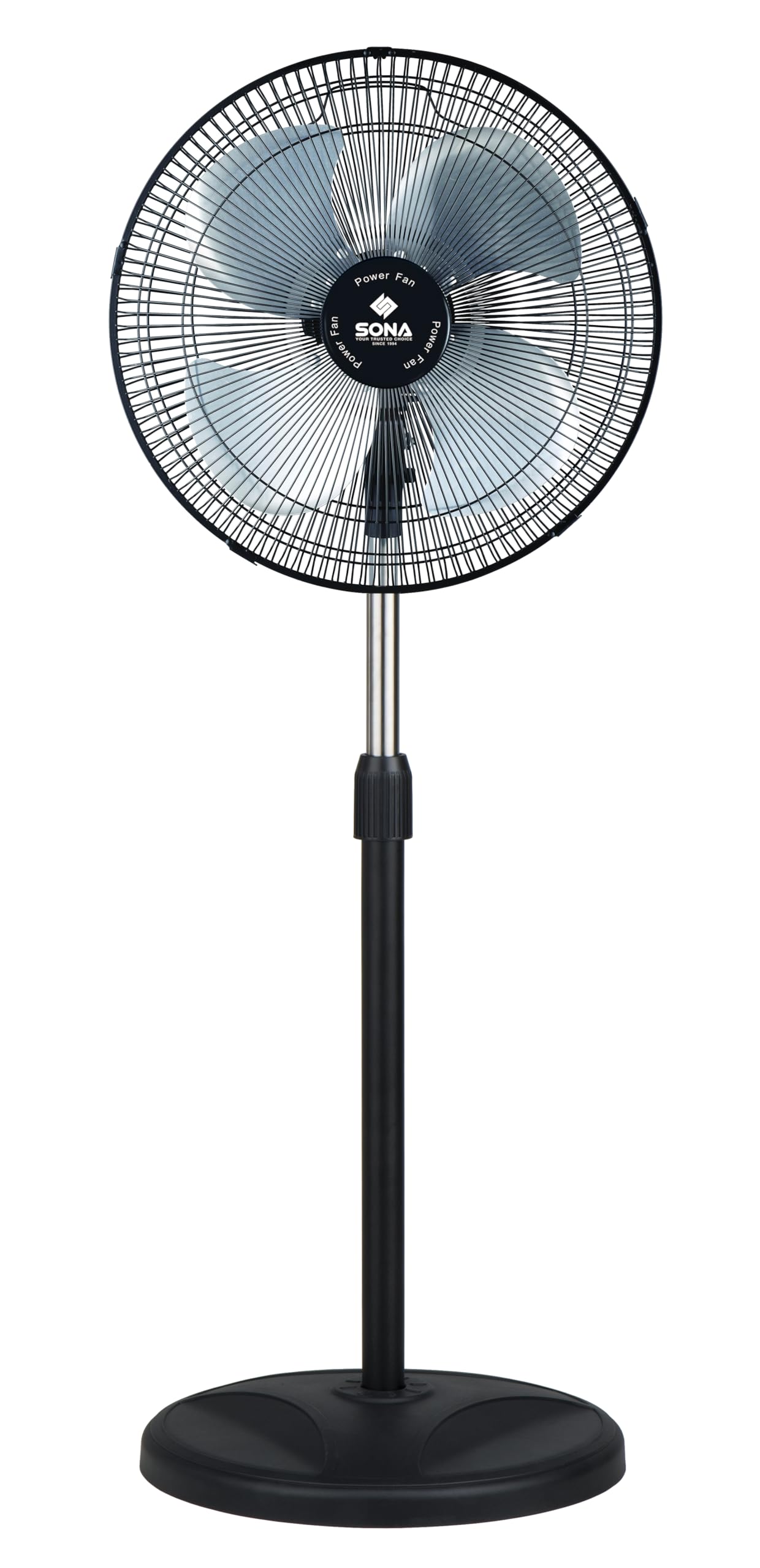
Image 2.1: Sona SSO 6062N 12-inch Power Stand Fan. This image displays the fully assembled stand fan, showcasing its pedestal design, fan head with grille, and control panel on the motor unit.
3. პაკეტის შიგთავსი
Before assembly, ensure all components are present and undamaged. If any parts are missing or damaged, do not attempt to assemble or operate the fan. Contact customer support.
- Fan Motor Unit (with rear grille and power cord)
- Fan Blades (Aluminium Alloy)
- წინა ცხაური
- Grille Retaining Nut
- დანის დამჭერი კაკალი
- რეგულირებადი სადგამი
- მრგვალი ბაზა
- ბაზის ფიქსაციის ხრახნი
- მომხმარებლის სახელმძღვანელო
4. შეკრება და დაყენება
Follow these steps to assemble your Sona SSO 6062N stand fan:
- Attach the Stand Pole to the Base: Insert the adjustable stand pole into the round base. Secure it from underneath the base using the provided base fixing screw. Tighten firmly.
- ძრავის ბლოკის დამონტაჟება: Place the fan motor unit onto the top of the stand pole. Ensure it is seated securely.
- Install the Rear Grille: The rear grille is typically pre-attached to the motor unit. If not, align it with the motor unit and secure it with the grille retaining nut.
- ვენტილატორის პირების დამაგრება: Slide the aluminium alloy fan blades onto the motor shaft. Ensure the blades are correctly oriented and seated firmly. Secure them with the blade retaining nut, turning it clockwise until tight.
- Install the Front Grille: Place the front grille over the fan blades, aligning it with the rear grille. Secure the front grille by clipping it into place or using any provided fasteners. Ensure it is fully closed and locked for safety.
- განათავსეთ გულშემატკივარი: Place the assembled fan on a stable, flat surface, away from curtains or other objects that could obstruct airflow or get caught in the blades.
5. ოპერაცია
Once assembled, plug the fan into a suitable power outlet. The controls are located on the motor unit.
- Power On/Off and Speed Control: Use the rotary switch or push buttons on the control panel to turn the fan on and select your desired speed. The fan offers 3 speed settings: 1 (Low), 2 (Medium), and 3 (High). Select '0' or 'OFF' to turn the fan off.
- რხევების ფუნქცია: To activate the wide-angle oscillation, press down the oscillation knob located on top of the motor unit. To stop oscillation and fix the fan in one direction, pull the knob up.
- დახრის რეგულირება: The fan head features a free neck for tilt adjustment. Gently push or pull the fan head up or down to direct the airflow to your preferred angle. Do not force the head beyond its natural range of motion.
- სიმაღლის რეგულირება: To adjust the fan's height, loosen the height adjustment knob on the stand pole, raise or lower the pole to the desired height, and then firmly tighten the knob.
6. მოვლა და დასუფთავება
რეგულარული გაწმენდა და მოვლა უზრუნველყოფს თქვენი ვენტილატორის ოპტიმალურ მუშაობას და გაახანგრძლივებს მისი სიცოცხლის ხანგრძლივობას.
- ყოველთვის გამორთეთ ვენტილატორი გაწმენდამდე დენის წყაროდან.
- გარე გაწმენდა: ვენტილატორის გარე ზედაპირები გაწმინდეთ რბილი, დ...amp cloth. Do not use abrasive cleaners, waxes, or polishes as these may damage the finish.
- გისოსის და პირების გაწმენდა: To clean the fan blades and inside of the grilles, you may need to carefully remove the front grille. Refer to the assembly instructions in reverse for safe removal. Use a soft cloth or a vacuum cleaner with a brush attachment to remove dust and debris. Ensure all parts are completely dry before reassembling and operating the fan.
- შენახვა: If storing the fan for an extended period, clean it thoroughly, disassemble if desired, and store it in its original packaging or a suitable container in a cool, dry place.
7. Დიაგნოსტიკა
თუ თქვენს ვენტილატორთან დაკავშირებით რაიმე პრობლემა შეგექმნათ, იხილეთ შემდეგი გავრცელებული პრობლემები და მათი გადაჭრის გზები:
| პრობლემა | შესაძლო მიზეზი | გამოსავალი |
|---|---|---|
| ვენტილატორი არ ირთვება. | არ არის კვების წყარო. ვენტილატორი არ არის შეერთებული. დენის გადამრთველი გამორთულია. | შეამოწმეთ კვების ბლოკი. დარწმუნდით, რომ შტეფსელი სრულად არის ჩასმული. Turn the speed control knob to a numbered setting (1, 2, or 3). |
| ვენტილატორი არ ირხევა. | Oscillation knob is pulled up. | Press down the oscillation knob on top of the motor unit. |
| არაჩვეულებრივი ხმაური მუშაობის დროს. | ფხვიერი ნაწილები. Obstruction in blades/grille. | Unplug the fan and check for any loose screws or components. Unplug the fan and carefully check for any foreign objects or debris caught in the blades or grilles. Clean as per maintenance instructions. |
თუ პრობლემა ამ გადაწყვეტილებების მცდელობის შემდეგაც არ მოგვარდება, გთხოვთ, დაუკავშირდეთ მომხმარებელთა მხარდაჭერის სამსახურს.
8. სპეციფიკაციები
Technical details for the Sona SSO 6062N Power Stand Fan:
- ბრენდი: სონა
- მოდელის სახელი: SSO 6062N
- ვენტილატორის ტიპი: Pedestal Fan / Stand Fan
- ზომა: 12 ინჩი
- ზომები (D x W x H): 33D x 35W x 109H სანტიმეტრი
- მასალა: Aluminium (Blades), Coated Finish
- სიჩქარის რაოდენობა: 3
- განსაკუთრებული მახასიათებლები: Oscillating, Tilt Adjustment
- სამონტაჟო ტიპი: იატაკის მთა
- მწარმოებელი: Cahaya Electronics PTE LTD
9. გარანტია და მხარდაჭერა
This Sona SSO 6062N Power Stand Fan comes with a 6 Years Warranty on Motor შეძენის დღიდან. გთხოვთ, შეინახოთ შეძენის დამადასტურებელი საბუთი გარანტიის მოთხოვნებისთვის.
The warranty covers manufacturing defects in the motor under normal household use. It does not cover damage caused by misuse, accident, unauthorized modification, or normal wear and tear.
For warranty service, technical support, or inquiries, please contact your retailer or the manufacturer's authorized service center. Contact information can typically be found on the product packaging or the manufacturer's official webსაიტი.
