
შესავალი
The OptiMate 4 Quad Program Premium Edition is an advanced battery charger and maintainer designed for 12V lead-acid and 12.8V LiFePO4 (Lithium) batteries. It features four distinct charging programs, including options for direct battery connection and charging via CAN-bus compatible BMW or Triumph 12V sockets. This manual provides essential information for safe and effective operation, setup, maintenance, and troubleshooting of your OptiMate 4 Quad Program charger.
უსაფრთხოების ინფორმაცია
Always read and understand all safety warnings and instructions before using the OptiMate 4 Quad Program. Failure to do so may result in electric shock, fire, or serious injury.
- დამტენი გამოიყენეთ მხოლოდ კარგად ვენტილირებად ადგილებში.
- არ გამოამჟღავნოთ დამტენი წვიმის ან სველ პირობებში.
- აკუმულატორთან შეერთების დამყარებამდე ან გაწყვეტამდე დარწმუნდით, რომ დამტენი გათიშულია ცვლადი დენის წყაროდან.
- მოერიდეთ გაყინული ბატარეების დატენვას.
- შეინახეთ ბავშვებისთვის მიუწვდომელ ადგილას.
- Do not use the charger if it or the cables are damaged.
- Refer to the battery manufacturer's instructions for specific charging requirements.
პაკეტის შიგთავსი
დარწმუნდით, რომ შეფუთვაში ყველა ნივთია:
- OptiMate 4 Quad Program Charger Unit
- Ring Terminal Harness
- ბატარეის სამაგრების ნაკრები
- ჩამოკიდებული ჰუკი
- O-19 Cable Accessory
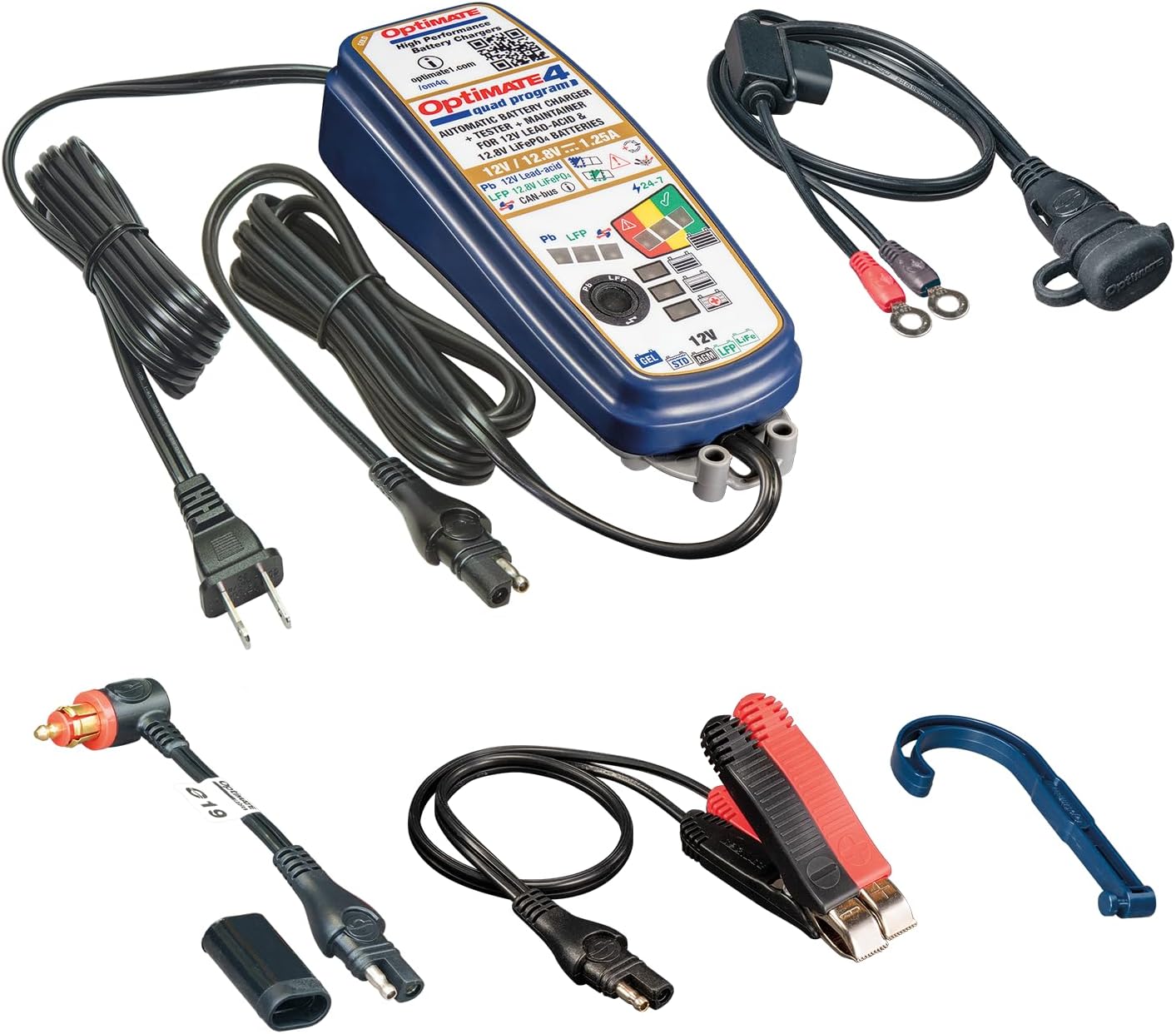
Image: OptiMate 4 Quad Program charger and its complete set of accessories.
დაყენება
Before connecting the charger, ensure the battery type matches the charger's capabilities (12V Lead-Acid or 12.8V LiFePO4). Select the appropriate connection method:
- ბატარეის პირდაპირი შეერთება:
- შეაერთეთ წითელი (+) clamp/ring ტერმინალი აკუმულატორის დადებით (+) ტერმინალთან.
- შეაერთეთ შავი (-) clamp/ring ტერმინალი აკუმულატორის უარყოფით (-) ტერმინალთან.
- დარწმუნდით, რომ კავშირები უსაფრთხოა.
- CAN-bus or Triumph 12V Socket Connection:
- Use the appropriate accessory cable (e.g., O-19 cable) to connect the charger to the vehicle's 12V socket.
- Ensure the vehicle's ignition is off before connecting.
Once connected to the battery/vehicle, plug the charger's AC power cord into a suitable wall outlet.
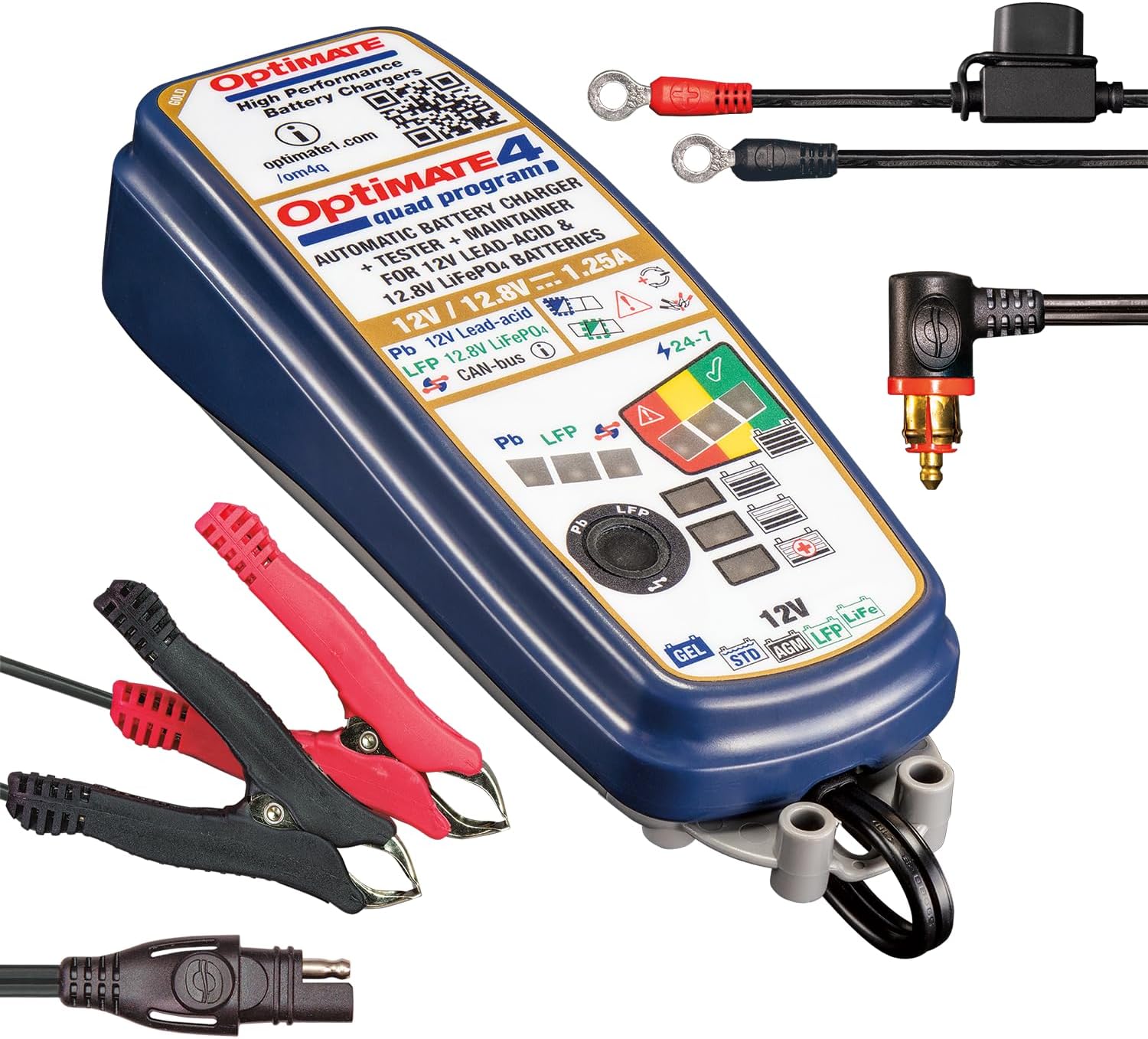
Image: OptiMate 4 Quad Program charger showing connection options.
ოპერაციული ინსტრუქციები
The OptiMate 4 Quad Program offers four distinct charging programs. The charger automatically detects the battery voltage and type (Lead-Acid or LiFePO4) and initiates the appropriate program. You can manually select programs for CAN-bus or direct charging.
პროგრამის შერჩევა:
- Program 1 (Default): For 12V Lead-Acid batteries connected directly to the battery terminals.
- პროგრამა 2: For 12V Lead-Acid batteries connected via a compatible BMW CAN-bus controlled 12V socket.
- პროგრამა 3: For 12.8V LiFePO4 batteries connected directly to the battery terminals.
- პროგრამა 4: For 12.8V LiFePO4 batteries connected via a compatible BMW CAN-bus controlled 12V socket or Triumph 12V live (hot) socket.
To switch programs, refer to the charger's interface or specific instructions on the device itself (often involves pressing a button or sequence). The charger will indicate the active program via LEDs.
9-Step Charging Process (General Overview):
The OptiMate 4 employs a sophisticated 9-step charging and maintenance process to optimize battery health and longevity:
- ინიციალიზაცია: ამოწმებს ბატარეის მოცულობასtage და პოლარობა.
- Desulfation/Recovery: Recovers deeply discharged batteries (as low as 0.5V for lead-acid and lithium).
- ნაყარი გადასახადი: Delivers maximum current to bring the battery to approximately 80% charge.
- შთანთქმის მუხტი: Gradually reduces current to bring the battery to 100% charge.
- ტtage Retention Test: აკონტროლებს ბატარეის მოცულობასtage to assess its health.
- Charge Retention Test: Further tests the battery's ability to hold a charge.
- Maintenance Charge (Float): Maintains the battery at optimal voltage.
- Pulse Maintenance: Delivers small pulses to prevent self-discharge and sulfation during long-term storage.
- ბატარეის დაზოგვის რეჟიმი: Enters a low-power mode when the battery is fully charged and healthy.
LED indicators on the charger will display the current charging stage და ბატარეის სტატუსი.
მოვლა
Proper maintenance ensures the longevity of your OptiMate 4 charger and the batteries it charges.
- დამტენი სუფთა და მშრალი შეინახეთ. გაწმინდეთ რბილი ქსოვილით.amp ქსოვილი.
- Inspect cables and connectors regularly for damage. Do not use if damaged.
- შეინახეთ დამტენი გრილ, მშრალ ადგილას, როდესაც არ იყენებთ.
- Ensure battery terminals are clean and free of corrosion before connecting.
პრობლემების მოგვარება
| პრობლემა | შესაძლო მიზეზი | გამოსავალი |
|---|---|---|
| დამტენი არ ირთვება. | ცვლადი დენის წყარო არ არის; კავშირი გაუმართავია. | Check wall outlet and charger connections. |
| Charging not starting. | Incorrect battery connection; battery too deeply discharged; wrong program selected. | Verify polarity and secure connections. Allow time for recovery mode. Ensure correct program for battery type and connection method. |
| Error LED illuminated. | Short circuit; reverse polarity; battery fault. | Disconnect and re-connect. Check for short circuits. If error persists, battery may be faulty. |
For further assistance, please visit the official Tecmate webსაიტი ან დაუკავშირდით მომხმარებელთა მხარდაჭერას.
სპეციფიკაციები
| ფუნქცია | დეტალი |
|---|---|
| მოდელის ნომერი | TM631-PR |
| გამოყვანის ტომიtage | 12V (Lead-Acid), 12.8V / 13.2V (LiFePO4) |
| გამომავალი დენი | 1.25A |
| Battery Capacity (Lead-Acid) | 4 - 60Ah |
| Battery Capacity (LiFePO4) | 2 - 15Ah |
| ზომები | 1.97"D x 2.36"W x 7.87"H |
| წონა | 2.09 ფუნტი |
| მწარმოებელი | Tecmate Powersport Products, North America Inc |
გარანტია და მხარდაჭერა
For warranty information and technical support, please refer to the official Tecmate webადგილზე ან დაუკავშირდით მათ მომხმარებელთა მომსახურების განყოფილებას. შეინახეთ შეძენის დამადასტურებელი საბუთი გარანტიის მოთხოვნებისთვის.
პროდუქტის ოფიციალური გვერდი: http://www.optimate1.com/om4q
Tecmate Store on Amazon: Visit the Tecmate Store