
შესავალი
This manual provides comprehensive instructions for the ASWEE P4 Smart Watch, a versatile fitness tracker with call capabilities, a 1.85" TFT display, and various health monitoring features. Please read this manual thoroughly before using your device.
რა არის ყუთში
- ASWEE P4 Smart Watch
- დამტენი კაბელი
- მომხმარებლის სახელმძღვანელო
პროდუქტი დასრულდაview
The ASWEE P4 Smart Watch features a rectangular 1.85-inch TFT-LCD display with a 240x280 resolution. It includes a physical button on the side for navigation and interaction. The watch is designed for comfortable wear and easy access to its functions.
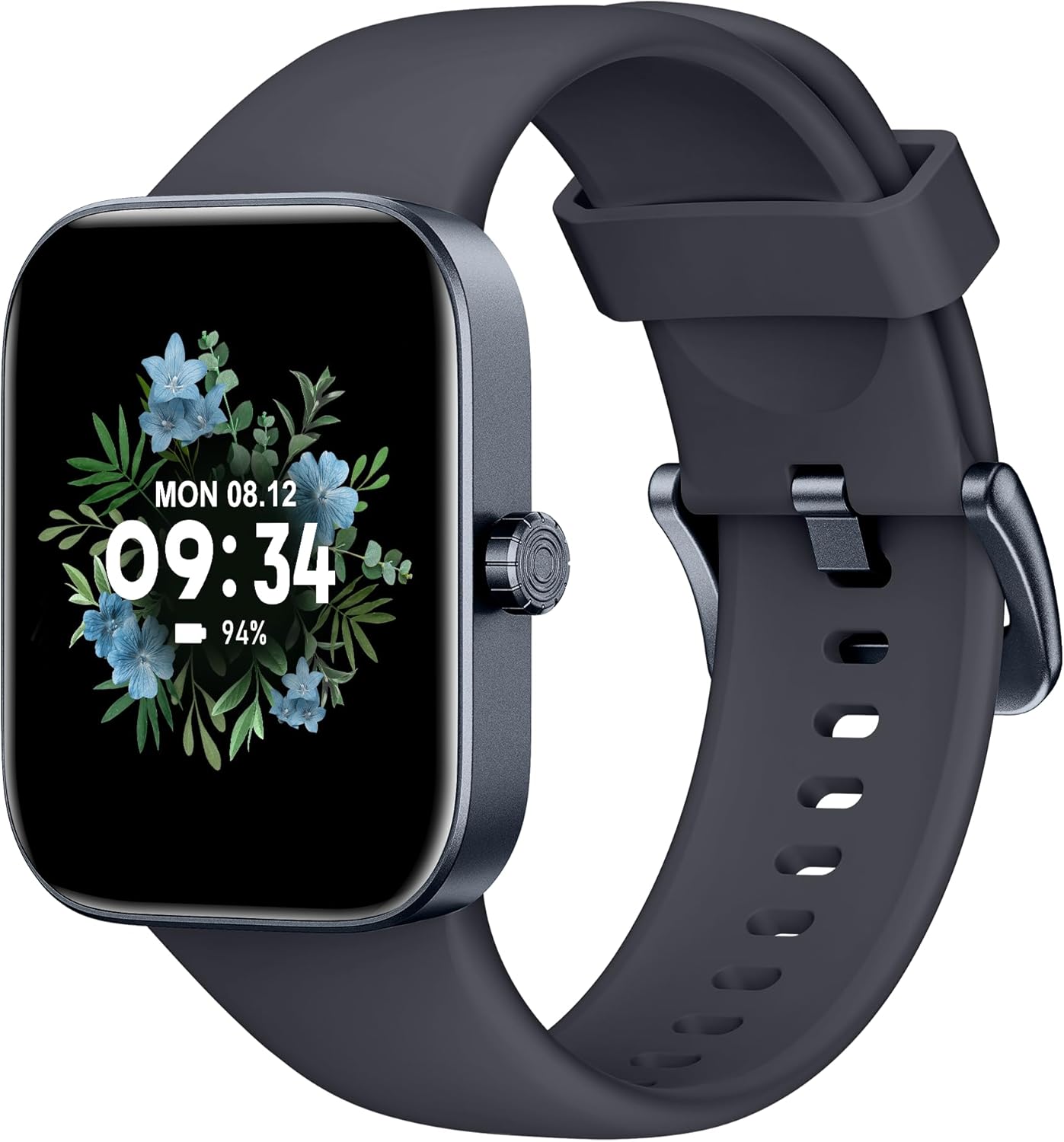
წინა view of the ASWEE P4 Smart Watch, displaying time and date with a floral background.
დაყენება
მოწყობილობის დატენვა
The ASWEE P4 Smart Watch comes with a magnetic charging cable. Align the magnetic end of the cable with the charging contacts on the back of the watch. The watch will indicate when it is charging. A full charge typically takes approximately 2 hours and provides up to 7 days of active use or 15 days on standby.

Illustration showing the magnetic charging cable connected to the back of the ASWEE P4 Smart Watch, highlighting battery life indicators.
აპლიკაციის ინსტალაცია და დაწყვილება
To utilize all features of your ASWEE P4 Smart Watch, you need to download and install the "FitPro" application on your smartphone. Scan the QR code provided in the watch's packaging or search for "FitPro" in your device's app store.
დაწყვილება iPhone-თან
Follow these steps to pair your watch with an iPhone:
- დარწმუნდით, რომ Bluetooth ჩართულია თქვენს iPhone-ზე.
- Open the "FitPro" app.
- Navigate to "Setting" and then "Bind device".
- Select your watch (e.g., KM13Pro) from the scan results.
- Confirm the pairing request by clicking "Pair" and then "Allow" for notifications.
- Go to your iPhone's Bluetooth settings and connect to "KM13Pro Audio" for call functionality.
Video tutorial demonstrating how to bind the ASWEE P4 Smart Watch to an iPhone and how to unbind it.
Pairing with Android Phone
Follow these steps to pair your watch with an Android phone:
- დარწმუნდით, რომ Bluetooth ჩართულია თქვენს Android ტელეფონზე.
- Open the "FitPro" app.
- Navigate to "Set" and then "Bind device".
- Select your watch (e.g., KM13Pro) from the scan results.
- Confirm the pairing request by clicking "Pair".
Video tutorial demonstrating how to bind the ASWEE P4 Smart Watch to an Android phone and how to unbind it.
ოპერაციული ინსტრუქციები
ძირითადი ნავიგაცია
The watch features a touch-sensitive screen for navigation. Swipe left/right or up/down to access different functions and menus. The side button typically serves as a home or back button.
Call and Text Functionality
With its built-in speaker and microphone, the ASWEE P4 allows you to answer/dial calls directly from your wrist when connected via Bluetooth. You can also receive SMS text and SNS messages (Facebook, Twitter, WhatsApp, etc.) with vibration alerts.

Image showing the ASWEE P4 Smart Watch on a wrist, with notification icons for various messaging apps, indicating Bluetooth 5.0 connectivity for calls and texts.
ჯანმრთელობის თვალყურის დევნება
The watch provides comprehensive health monitoring:
- გულისცემა: 24-hour tracking with a high-precision PPG sensor. Stores 7 days of resting heart rate data.
- სისხლის ჟანგბადი: Measures SpO2 levels using a reflective-light based sensor.
- ძილის მონიტორინგი: Tracks sleep quality through Awake, Light, and Deep sleep stages, helping to improve sleep duration and quality.
- სტრესის მონიტორინგი: იძლევა ინფორმაციას სტრესის დონის შესახებ.

Image illustrating the ASWEE P4 Smart Watch's 24-hour data tracking capabilities, including heart rate, stress level, and blood oxygen monitoring.

Image depicting the ASWEE P4 Smart Watch's sleep health assistant feature, showing sleep duration and patterns.
ფიტნეს რეჟიმები
The ASWEE P4 supports multiple workout modes, including running, bike riding, basketball, and tennis. It accurately monitors data points like heart rate, time, and calories burned to enhance workout efficiency.

სურათის ჩვენებაasing the ASWEE P4 Smart Watch's various sports modes, including running, bike riding, basketball, and jumping jack, with activity data like steps, distance, and calories.
მორგება
Choose from over 100 stylish watch faces or create your own using photos from your phone gallery.
მოვლა
დასუფთავება
რეგულარულად გაწმინდეთ თქვენი საათი და სამაჯური რბილი ქსოვილით.amp ქსოვილი. მოერიდეთ უხეში ქიმიკატების ან აბრაზიული მასალების გამოყენებას.
შენახვა
როდესაც საათი არ გამოიყენება, შეინახეთ გრილ, მშრალ ადგილას.
პრობლემების მოგვარება
საათი არ ირთვება
- დარწმუნდით, რომ საათი სრულად არის დატენილი. შეაერთეთ ის დამტენ კაბელთან და კვების წყაროსთან მინიმუმ 30 წუთის განმავლობაში.
დაწყვილების საკითხები
- დარწმუნდით, რომ თქვენს ტელეფონზე Bluetooth ჩართულია და საათი დიაპაზონშია.
- გადატვირთეთ როგორც ტელეფონი, ასევე საათი.
- If previously paired, try "forgetting" the device in your phone's Bluetooth settings and re-pairing through the FitPro app.
- Ensure the FitPro app has necessary permissions (Bluetooth, location).
ჯანმრთელობის შესახებ არაზუსტი მონაცემები
- დარწმუნდით, რომ საათი მჭიდროდ გიკეთიათ მაჯაზე, არც ძალიან მჭიდროდ და არც ძალიან თავისუფლად.
- გაწმინდეთ საათის უკანა მხარეს არსებული სენსორი.
- გარემო ფაქტორებმა და ინდივიდუალურმა ფიზიოლოგიამ შეიძლება გავლენა მოახდინოს მაჩვენებლებზე.
შეტყობინებები არ ჩანს
- Check app permissions for FitPro to ensure it can access notifications.
- Verify that notification push settings are enabled within the FitPro app for desired applications.
- დარწმუნდით, რომ საათი თქვენს ტელეფონთან Bluetooth-ის საშუალებით არის დაკავშირებული.
სპეციფიკაციები
| ფუნქცია | დეტალი |
|---|---|
| მოდელის სახელი | P4 |
| ბრენდი | ASWEE |
| ეკრანის ზომა | 1.85 ინჩი |
| ჩვენების ტექნოლოგია | TFT-LCD |
| რეზოლუცია | 240 x 280 PPI |
| ოპერაციული სისტემა | ატარეთ OS |
| დაკავშირება | Bluetooth 5.3 |
| წყლის წინააღმდეგობა | IP68, 5 ATM |
| ბატარეის ხანგრძლივობა (ჩვეულებრივი გამოყენება) | 7 დღემდე |
| ლოდინის დრო | 15 დღემდე |
| დატენვის დრო | დაახლ. 2 საათი |
| განსაკუთრებული თვისებები | Fitness Tracker, Sleep Monitor, Reminders, Multimedia control, Answer/Dial Call, Heart Rate Monitor, Blood Oxygen Monitor, Stress Monitor |
| ნივთის წონა | 2.89 უნცია |
შენიშვნა: სპეციფიკაციები შეიძლება შეიცვალოს წინასწარი შეტყობინების გარეშე.
გარანტია და მხარდაჭერა
For warranty information and technical support, please refer to the official ASWEE webსაიტზე ან დაუკავშირდით მათ მომხმარებელთა მომსახურების სამსახურს. შეინახეთ თქვენი შესყიდვის ქვითარი შეძენის დასადასტურებლად.