
1. შესავალი
The Macally Bluetooth Keyboard for Tablet (Model BTTABKEYBATBR) is a versatile wireless keyboard designed for seamless use across multiple devices. Featuring a built-in stand, portable design, and rechargeable battery, it enhances productivity for tablets, smartphones, PCs, and smart TVs. This manual provides essential information for setup, operation, maintenance, and troubleshooting.
2. პროდუქტი დასრულდაview
This compact keyboard offers a comfortable and efficient typing experience with its 78-key layout and responsive scissor-switch keys. It includes 13 dedicated shortcut/media keys for quick access to common functions. The integrated 10.5-inch slot serves as a convenient stand for your smartphone or tablet, allowing for an ergonomic viewing კუთხე
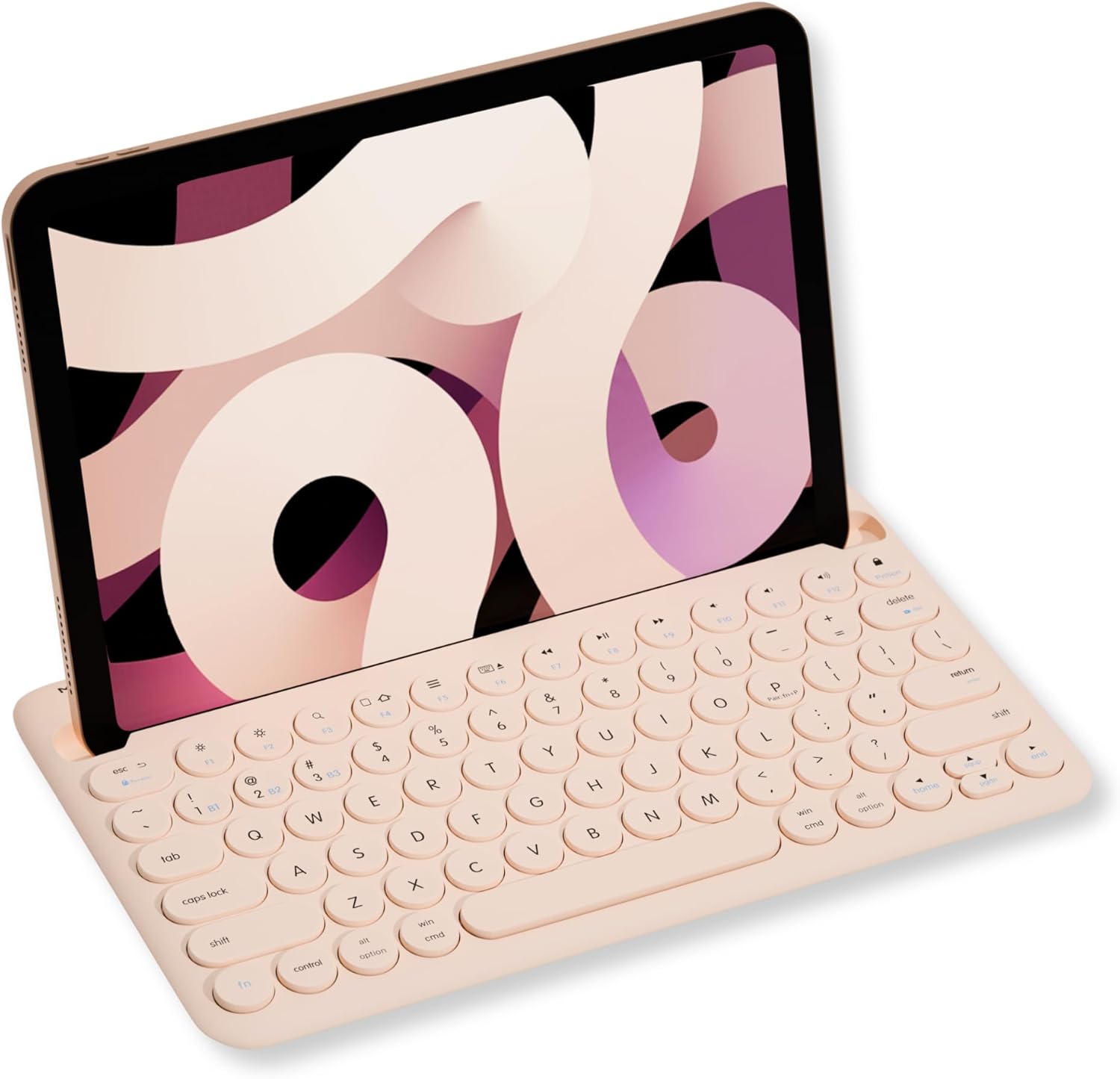
Image: Macally Bluetooth Keyboard with an iPad positioned in its integrated stand.
ძირითადი მახასიათებლები:
- მრავალ მოწყობილობასთან დაკავშირება: Pair and switch between up to three Bluetooth-enabled devices (e.g., iPad, iPhone, PC, Smart TV).
- ინტეგრირებული სადგამი: Built-in 10.5-inch slot securely holds your smartphone or tablet for optimal viewინგ.
- პორტატული და დატენვადი: Compact design with a 280mAh rechargeable battery for on-the-go use.
- Efficient Layout: 78-key layout with 13 shortcut/media keys for enhanced productivity.
- Responsive Typing: Scissor-switch keys provide a comfortable and semi-silent typing experience.
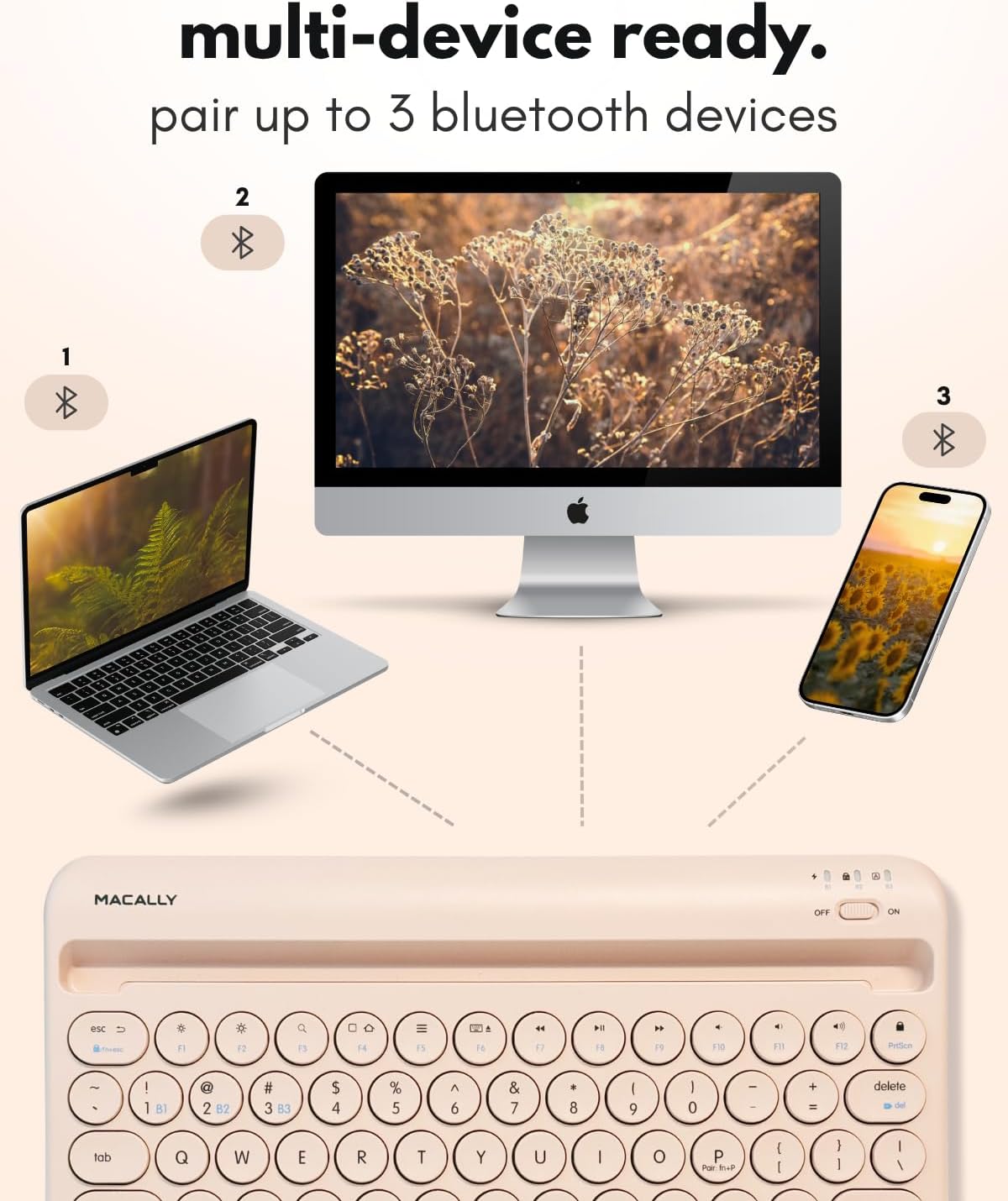
Image: The Macally keyboard demonstrating multi-device connectivity to a laptop, desktop computer, and smartphone.
3. დაყენების ინსტრუქციები
3.1. კლავიატურის დატენვა
The keyboard features a 280mAh rechargeable battery. Use the included charging cable to power the device. The LED indicator will show the charging status:
- წითელი LED დატენვა მიმდინარეობს.
- Red LED Off: სრულად დატენილი.

სურათი: ახლო ხედი view of the Macally keyboard highlighting the charging port and a battery icon, indicating its rechargeable nature.
3.2. ჩართვა/გამორთვა
Locate the power switch on the top right side of the keyboard. Slide it to the 'ON' position to power on the keyboard and to 'OFF' to power it down.
3.3. Bluetooth დაწყვილება
The keyboard can pair with up to three devices. Follow these steps to pair your device:
- დარწმუნდით, რომ კლავიატურა ჩართულია.
- Select a Bluetooth channel (B1, B2, or B3) by pressing the Fn key simultaneously with the desired channel key (e.g., Fn + B1). The corresponding LED (B1, B2, or B3) will flash.
- To initiate pairing mode, press and hold Fn + P simultaneously. The selected channel's LED will flash rapidly, indicating it is ready to pair.
- On your device (tablet, smartphone, PC), go to its Bluetooth settings and search for 'BTTABKEYBAT' (or similar).
- Select the keyboard from the list of available devices to complete the pairing process. The LED will stop flashing once successfully paired.
Video: A demonstration of connecting the Macally Bluetooth keyboard to a device, highlighting the ease of pairing and use.
4. საოპერაციო ინსტრუქციები
4.1. მოწყობილობებს შორის გადართვა
After pairing multiple devices, you can easily switch between them by pressing the Fn key along with the corresponding channel key (B1, B2, ან B3) for the desired device.
4.2. მალსახმობების გამოყენება
The keyboard includes 13 shortcut/media keys (F1-F12, and a lock key) that provide quick access to various functions depending on your operating system. Refer to your device's operating system documentation for specific functions of these keys.
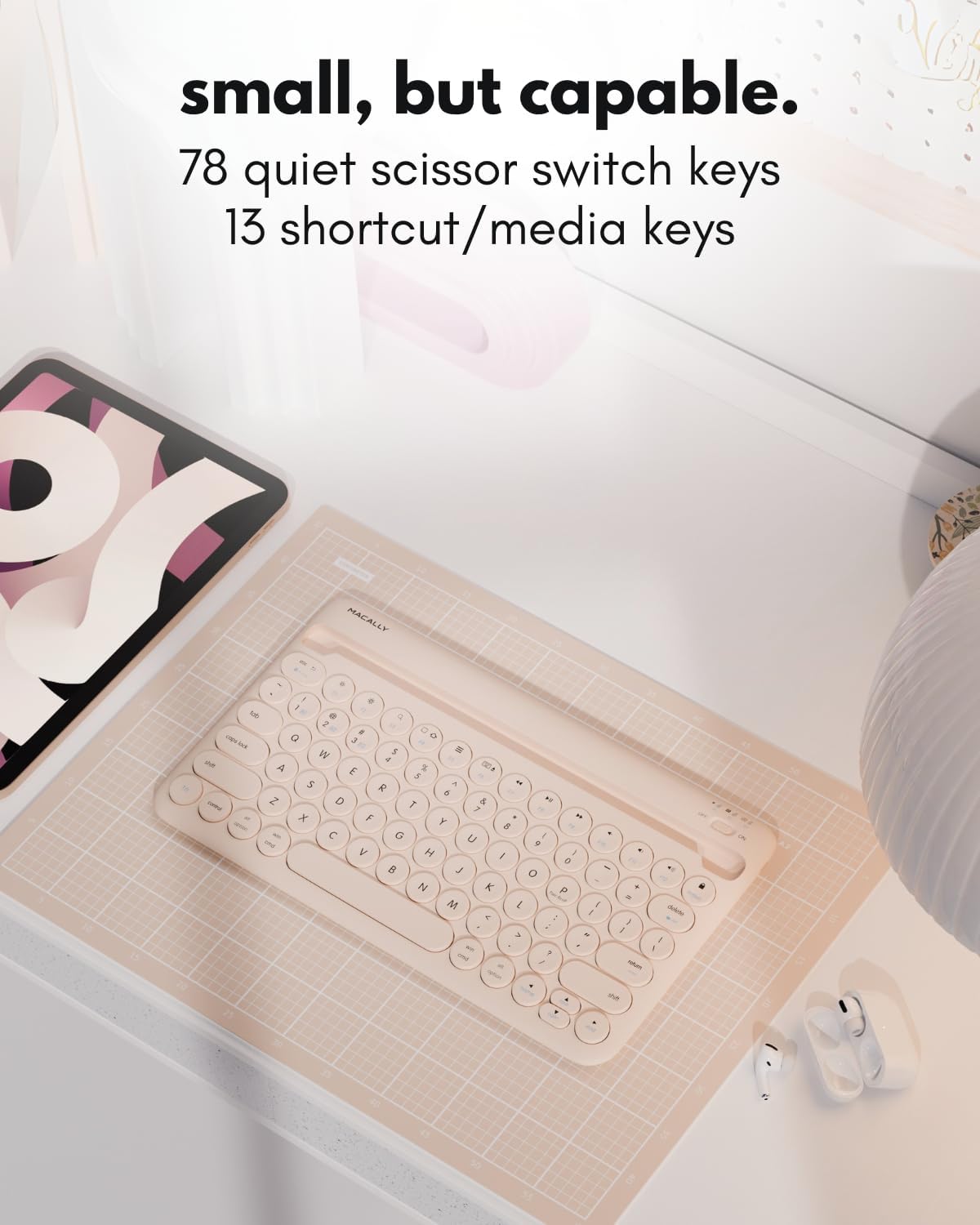
სურათი: დეტალური view of the Macally keyboard, emphasizing its 78-key layout and the inclusion of 13 shortcut/media keys.
5. მოვლა
To ensure the longevity and optimal performance of your Macally Bluetooth Keyboard, follow these maintenance guidelines:
- დასუფთავება: გამოიყენეთ რბილი, დamp კლავიატურის ზედაპირის გასაწმენდად გამოიყენეთ ქსოვილი. მოერიდეთ უხეში ქიმიკატების ან აბრაზიული მასალების გამოყენებას.
- შენახვა: შეინახეთ კლავიატურა გრილ, მშრალ ადგილას, მოარიდეთ მზის პირდაპირ სხივებს და ექსტრემალურ ტემპერატურას.
- ბატარეის მოვლა: For best battery life, avoid fully discharging the battery frequently. Charge it regularly, even if not in constant use.
- დაცვა: When traveling, consider using a protective sleeve or case to prevent scratches or damage.
6. Დიაგნოსტიკა
6.1. Keyboard Not Pairing
- დარწმუნდით, რომ კლავიატურა ჩართულია და სრულად დატენილია.
- დარწმუნდით, რომ Bluetooth ჩართულია თქვენს მოწყობილობაზე.
- Make sure the keyboard is in pairing mode (LED flashing rapidly after pressing Fn + P).
- If previously paired, try unpairing the keyboard from your device's Bluetooth settings and then re-pairing.
- Move the keyboard closer to your device to ensure it's within the 30ft wireless range.
6.2. კლავიშები არ რეაგირებს
- Check if the keyboard is connected to the correct device channel (B1, B2, or B3).
- Ensure the keyboard battery is not critically low.
- გადატვირთეთ როგორც კლავიატურა, ასევე დაკავშირებული მოწყობილობა.
6.3. დატენვის პრობლემები
- Confirm the charging cable is securely connected to both the keyboard and a power source.
- სცადეთ გამოიყენოთ სხვა დატენვის კაბელი ან USB პორტი.
- დარწმუნდით, რომ კვების წყარო აქტიურია.
7. სპეციფიკაციები
| ფუნქცია | დეტალი |
|---|---|
| მოდელის ნომერი | BTTABKEYBATBR |
| დაკავშირების ტექნოლოგია | Bluetooth |
| თავსებადი მოწყობილობები | ლეპტოპი, კომპიუტერი, ჭკვიანი ტელევიზორი, სმარტფონი, პლანშეტი |
| კლავიატურის აღწერა | ხელმისაწვდომი |
| განსაკუთრებული თვისებები | Ergonomic, Hotkeys and Media Keys, Lightweight, Low-Profile Key, Round Key |
| ფერი | Boba Brown |
| მასალა | პლასტიკური |
| დენის წყარო | იკვებება ბატარეით (280 mAh დატენვადი) |
| გადამრთველის ტიპი | Linear (Scissor Switch) |
| ნივთის წონა | 0.071 უნცია |
| პაკეტის ზომები | 14.65 x 7.91 x 1.38 ინჩი |

Image: A diagram illustrating the physical dimensions of the Macally Bluetooth Keyboard.
8. გარანტია და მხარდაჭერა
Macally offers dedicated U.S. based support and service for its products. For warranty registration and additional support, please visit:
- გარანტიის რეგისტრაცია: vip.macally.com
- ტექნიკური მხარდაჭერა: techsupport@macally.com