
1. შესავალი
Welcome to the user manual for your Thomson RT850BT Bluetooth Speaker, FM Radio, and Alarm Clock. This guide provides detailed instructions on how to set up, operate, and maintain your device. Please read this manual thoroughly before use to ensure proper functionality and to maximize your experience with the RT850BT.
2. უსაფრთხოების ინფორმაცია
უსაფრთხო მუშაობისა და დაზიანების თავიდან ასაცილებლად, გთხოვთ, დაიცვათ შემდეგი უსაფრთხოების ზომები:
- არ დაუშვათ მოწყობილობის წვიმის, ტენიანობის ან ექსტრემალური ტემპერატურის ზემოქმედების ქვეშ მოქცევა.
- მოერიდეთ მოწყობილობის განთავსებას სითბოს წყაროებთან ახლოს ან მზის პირდაპირ სხივებში.
- უზრუნველყავით სათანადო ვენტილაცია; არ დაბლოკოთ ვენტილაციის ღიობები.
- გამოიყენეთ მხოლოდ მოწოდებული კვების ადაპტერი.
- არ სცადოთ მოწყობილობის დაშლა ან მოდიფიცირება. ყველა სახის მომსახურებისთვის მიმართეთ კვალიფიციურ პერსონალს.
- შეინახეთ მოწყობილობა ძლიერი მაგნიტური ველებისგან.
3. პაკეტის შიგთავსი
დარწმუნდით, რომ შეფუთვაში ყველა ნივთია:
- Thomson RT850BT Unit
- დენის ადაპტერი
- მომხმარებლის სახელმძღვანელო

Image: Thomson RT850BT packaging, illustrating the product and its key features.
4. პროდუქტი დასრულდაview
4.1 წინა პანელი
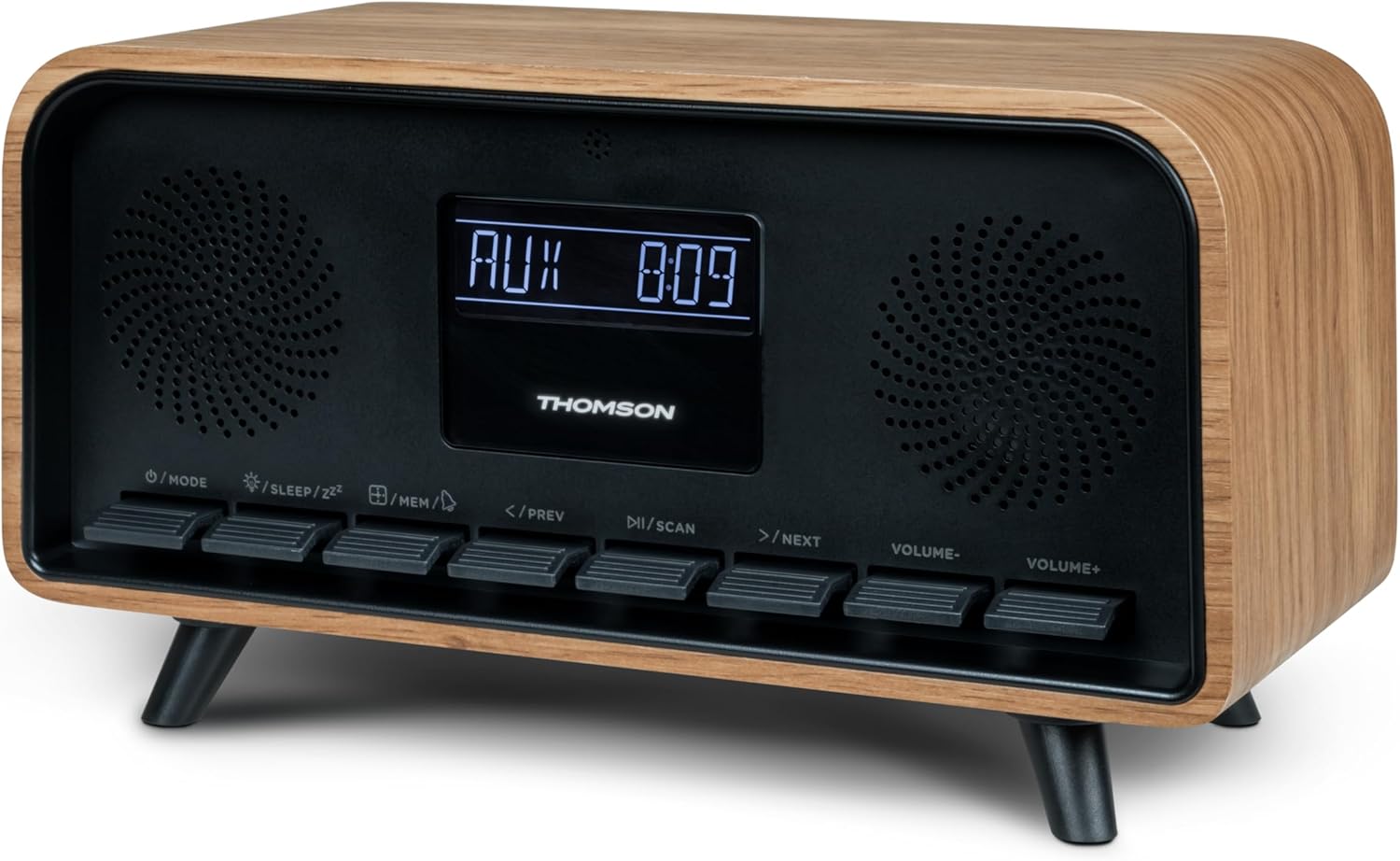
სურათი: წინა მხარე view of the Thomson RT850BT unit, showing the LCD display, speakers, and control buttons.
- LCD ეკრანი: Shows time, mode, and other information.
- /MODE Button: Power On/Off, switch between modes (Bluetooth, FM, AUX).
- /SLEEP/ZZ ღილაკი: Set sleep timer, activate snooze.
- /MEM Button: Set alarm, save/recall radio stations.
- </PREV Button: Previous track (Bluetooth), tune down (FM).
- /SCAN Button: Play/Pause (Bluetooth), auto scan (FM).
- >/NEXT Button: Next track (Bluetooth), tune up (FM).
- VOLUME- Button: მოცულობის შემცირება.
- VOLUME+ Button: მოცულობის გაზრდა.
4.2 უკანა პანელი

სურათი: უკანა view of the Thomson RT850BT, highlighting the power supply, Line In (AUX-IN), and USB-C charge output ports.
- Power Supply (DC IN 5V): შეაერთეთ მოწოდებული კვების ადაპტერი.
- Line In (AUX-IN): 3.5 მმ აუდიო შეყვანა გარე მოწყობილობებისთვის.
- Charge Output (USB-C): USB Type-C port for charging external devices.
5. დაყენება
5.1 დენის კავშირი
- Connect the power adapter to the DC IN 5V port on the rear of the RT850BT.
- შეაერთეთ დენის ადაპტერი სტანდარტული კედლის განყოფილებაში.
- მოწყობილობა ავტომატურად ჩაირთვება ან ლოდინის რეჟიმში გადავა.
5.2 Initial Power On and Clock Setting
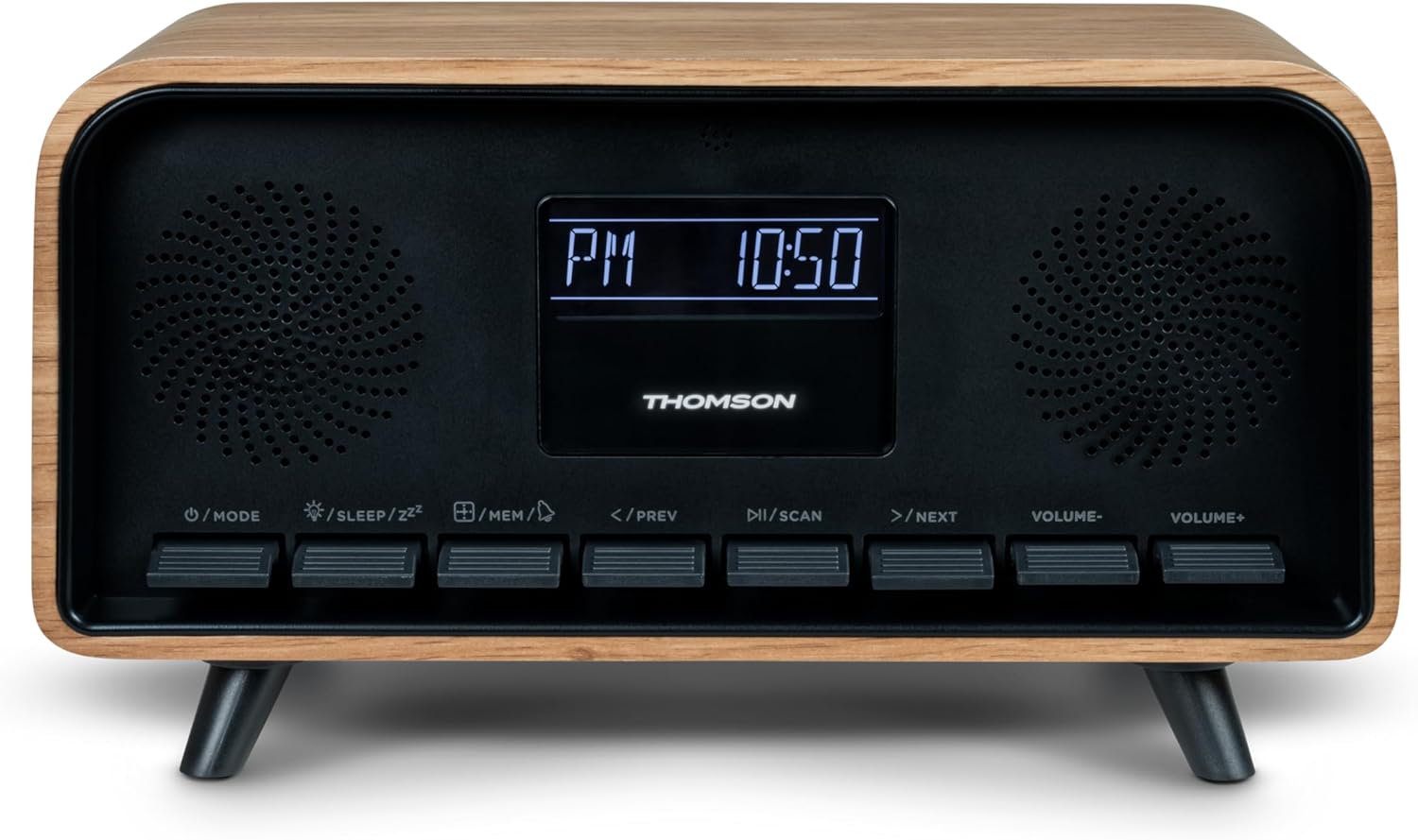
Image: Close-up of the RT850BT's LCD display showing the time, 10:50 PM, and the 'PM' indicator.
- If the unit is in standby, press the /რეჟიმი ღილაკი ჩართვისთვის.
- საათის დასაყენებლად, ხანგრძლივად დააჭირეთ ღილაკს /MEM ღილაკს, სანამ დროის მაჩვენებელი არ აციმციმებს.
- გამოიყენეთ </PREV და >/NEXT ღილაკები საათის დასარეგულირებლად. დააჭირეთ /MEM დასადასტურებლად.
- გამოიყენეთ </PREV და >/NEXT ღილაკები წუთების დასარეგულირებლად. დააჭირეთ /MEM დასადასტურებლად.
- საათი დაყენებულია.
6. საოპერაციო ინსტრუქციები
6.1 Bluetooth რეჟიმი

Image: Close-up of the RT850BT's LCD display indicating 'bt' for Bluetooth mode, along with the current time.
- დააჭირეთ /რეჟიმი button repeatedly until 'bt' appears on the display. The unit is now in Bluetooth pairing mode.
- თქვენს მობილურ მოწყობილობაზე ჩართეთ Bluetooth და მოძებნეთ ხელმისაწვდომი მოწყობილობები.
- Select 'RT850BT' from the list to pair. A confirmation tone will sound upon successful connection.
- You can now play audio from your device through the RT850BT.
- გამოიყენეთ /სკანირება button to Play/Pause, and </PREV / >/NEXT ღილაკები ტრეკების გამოტოვებისთვის.
- შეცვალეთ მოცულობა ტომი- და VOLUME+ ღილაკები.
6.2 FM რადიოს რეჟიმი
- დააჭირეთ /რეჟიმი button repeatedly until the FM frequency appears on the display.
- ავტომატური სკანირება: დააჭირეთ და გააჩერეთ /სკანირება button to automatically scan and save available FM stations (up to 50 stations).
- სახელმძღვანელო რეგულირება: მოკლედ დააჭირეთ </PREV or >/NEXT to fine-tune the frequency. Press and hold to scan for the next available station.
- Recall Saved Stations: მოკლედ დააჭირეთ /MEM ღილაკი შენახული სადგურების გადასართავად.
6.3 მაღვიძარას ფუნქცია
The RT850BT supports setting multiple alarms.
- ლოდინის რეჟიმში, ხანგრძლივად დააჭირეთ ღილაკს /MEM button until 'AL1' or 'AL2' flashes.
- გამოყენება </PREV და >/NEXT მაღვიძარას საათის დასაყენებლად, შემდეგ დააჭირეთ /MEM დასადასტურებლად.
- გაიმეორეთ წუთების განმავლობაში.
- აირჩიეთ მაღვიძარას წყარო (ზუმერი ან FM რადიო) </PREV და >/NEXT, შემდეგ დააჭირეთ /MEM.
- To activate/deactivate an alarm, briefly press the /MEM button in standby mode to cycle through alarm settings (AL1 ON/OFF, AL2 ON/OFF).
- როდესაც მაღვიძარა გაისმის, დააჭირეთ /SLEEP/ZZ for snooze (alarm will sound again after 9 minutes) or press /რეჟიმი დღისთვის მაღვიძარას გამოსართავად.
6.4 AUX-IN რეჟიმი
- Connect an external audio device (e.g., MP3 player, smartphone) to the 'Line In' (AUX-IN) port on the rear panel using a 3.5mm audio cable (not included).
- დააჭირეთ /რეჟიმი ღილაკს განმეორებით დააჭირეთ, სანამ ეკრანზე „AUX“ არ გამოჩნდება.
- Audio from the connected device will now play through the RT850BT. Control playback from your external device.
6.5 დიმერის ფუნქცია
The display brightness can be adjusted to three intensity levels.
- In any mode, briefly press the /SLEEP/ZZ ღილაკი სიკაშკაშის დონეებს შორის გადასართავად.
6.6 ძილის ფუნქცია
Set a timer for the unit to automatically turn off.
- მოწყობილობის ჩართვისას დააჭირეთ ღილაკს /SLEEP/ZZ button repeatedly to select the desired sleep timer duration (e.g., 15, 30, 60, 90 minutes, OFF).
- The unit will automatically power off after the selected time.
6.7 USB-C დატენვის პორტი
The USB-C port on the rear panel is for charging external devices.
- Connect your compatible device's USB-C charging cable to the 'Charge output' port.
- Ensure the RT850BT is powered on or in standby mode for charging functionality.
7. მოვლა
To maintain the performance and appearance of your RT850BT:
- დასუფთავება: Use a soft, dry cloth to clean the exterior. Do not use abrasive cleaners, waxes, or solvents.
- შენახვა: თუ მოწყობილობას დიდი ხნის განმავლობაში ინახავთ, გამორთეთ ის დენის წყაროდან და შეინახეთ გრილ, მშრალ ადგილას.
- ვენტილაცია: Ensure the ventilation grilles are free from dust and obstructions.
8. Დიაგნოსტიკა
If you encounter issues with your RT850BT, refer to the following table for common problems and solutions:
| პრობლემა | შესაძლო მიზეზი | გამოსავალი |
|---|---|---|
| არავითარი ძალა | დენის ადაპტერი არ არის შეერთებული ან სოკეტი გაუმართავია. | დარწმუნდით, რომ კვების ადაპტერი საიმედოდ არის დაკავშირებული და როზეტი ფუნქციონირებს. |
| ხმა არ არის | Volume too low, incorrect mode, or device not paired (Bluetooth). | Increase volume. Check if the correct mode (BT, FM, AUX) is selected. Re-pair Bluetooth device. |
| Bluetooth დაწყვილება ვერ ხერხდება | Device too far, Bluetooth not enabled on source, or RT850BT not in pairing mode. | Ensure devices are within range. Enable Bluetooth on your device. Set RT850BT to 'bt' mode. |
| ცუდი FM მიღება | სუსტი სიგნალი. | Adjust the unit's position to improve reception. |
| სიგნალიზაცია არ ისმის | სიგნალიზაცია არ არის ჩართული ან არასწორად არის დაყენებული. | Verify alarm settings and ensure it is set to ON. |
9. სპეციფიკაციები
- მოდელი: RT850BT
- Bluetooth ვერსია: 5.3
- რადიო ტიუნერი: FM (87.5-108 MHz)
- Station Memory: 50 FM სადგურები
- აუდიო შეყვანა: AUX-IN (3.5 მმ)
- ჩვენება: LCD with 3-intensity dimmer
- გამომავალი სიმძლავრე: 30W Total Music Power
- დატენვის პორტი: USB-C (for external devices)
- დენის წყარო: სადენიანი ელექტროენერგია (DC 5V)
- წონა: 600 გრამი
10. გარანტია და მხარდაჭერა
For warranty information and technical support, please refer to the documentation provided at the time of purchase or contact your local Thomson customer service. Keep your proof of purchase for warranty claims.