
1. შესავალი
This manual provides essential information for the safe and efficient operation of your YELLOW JACKET ASRCS-110L Refrigerant Scale. Please read these instructions thoroughly before use to ensure proper function and to prevent damage to the unit or injury to yourself.
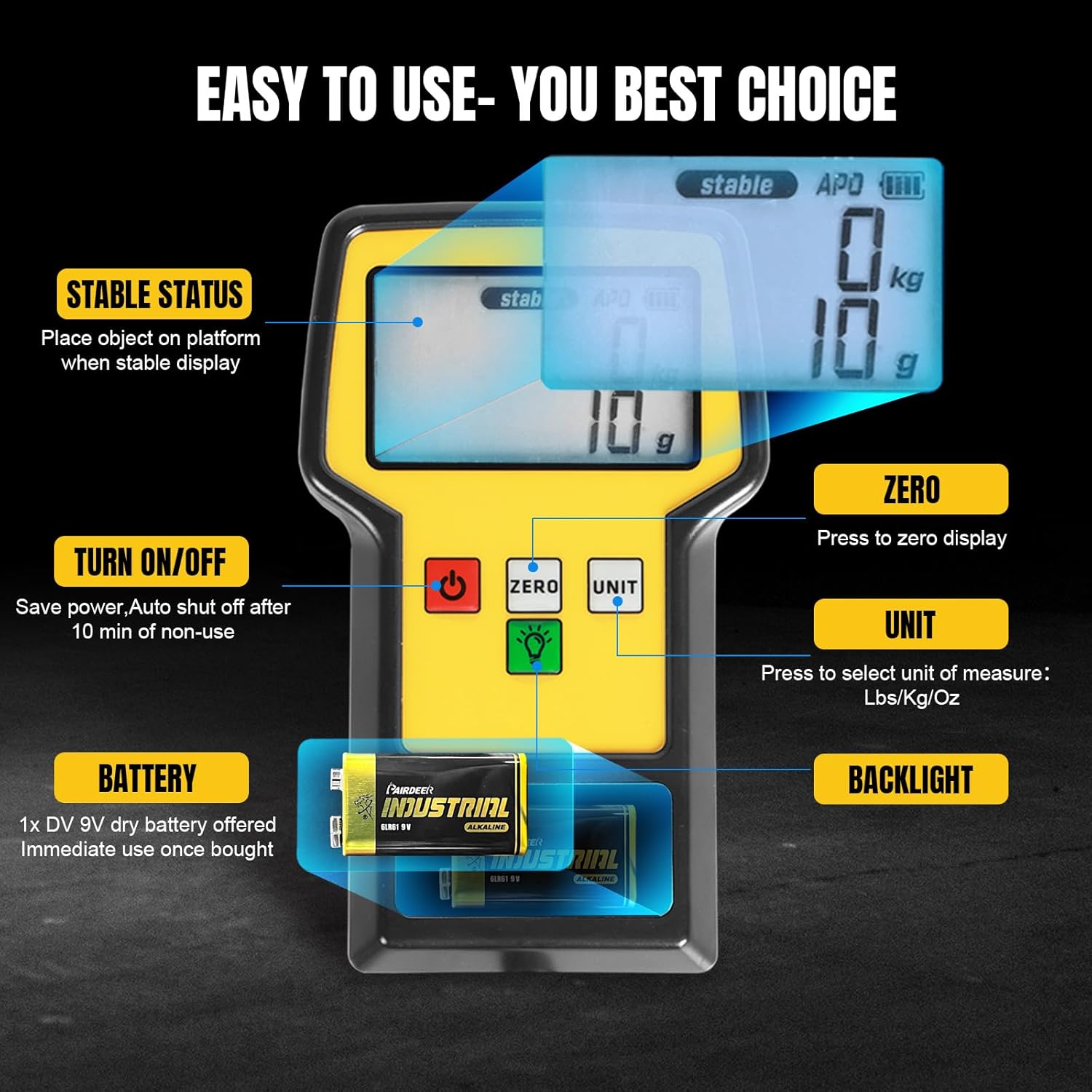
Image 1.1: The YELLOW JACKET Refrigerant Scale in operation, demonstrating its use with a refrigerant tank.
2. უსაფრთხოების ინფორმაცია
- ზუსტი მაჩვენებლების უზრუნველსაყოფად, სასწორი ყოველთვის სტაბილურ, ბრტყელ ზედაპირზე მოათავსეთ.
- Do not exceed the maximum weight capacity of 110 lbs (50 kg). Overloading can damage the scale's sensor.
- Keep the scale away from extreme temperatures, moisture, and direct sunlight.
- Do not immerse the scale or remote display in water.
- Use only the specified DV 9V dry battery. Remove the battery if the scale will not be used for an extended period to prevent leakage.
- Handle refrigerant tanks with care and follow all safety guidelines for refrigerant handling.
3. პაკეტის შიგთავსი
გახსნისას დარწმუნდით, რომ ყველა ნივთი ადგილზეა და კარგ მდგომარეობაშია:
- Refrigerant Scale Platform
- Remote Display Unit with coiled cable
- Portable Hard Carrying Case
- DV 9V Dry Battery
- ინსტრუქციის სახელმძღვანელო (ეს დოკუმენტი)
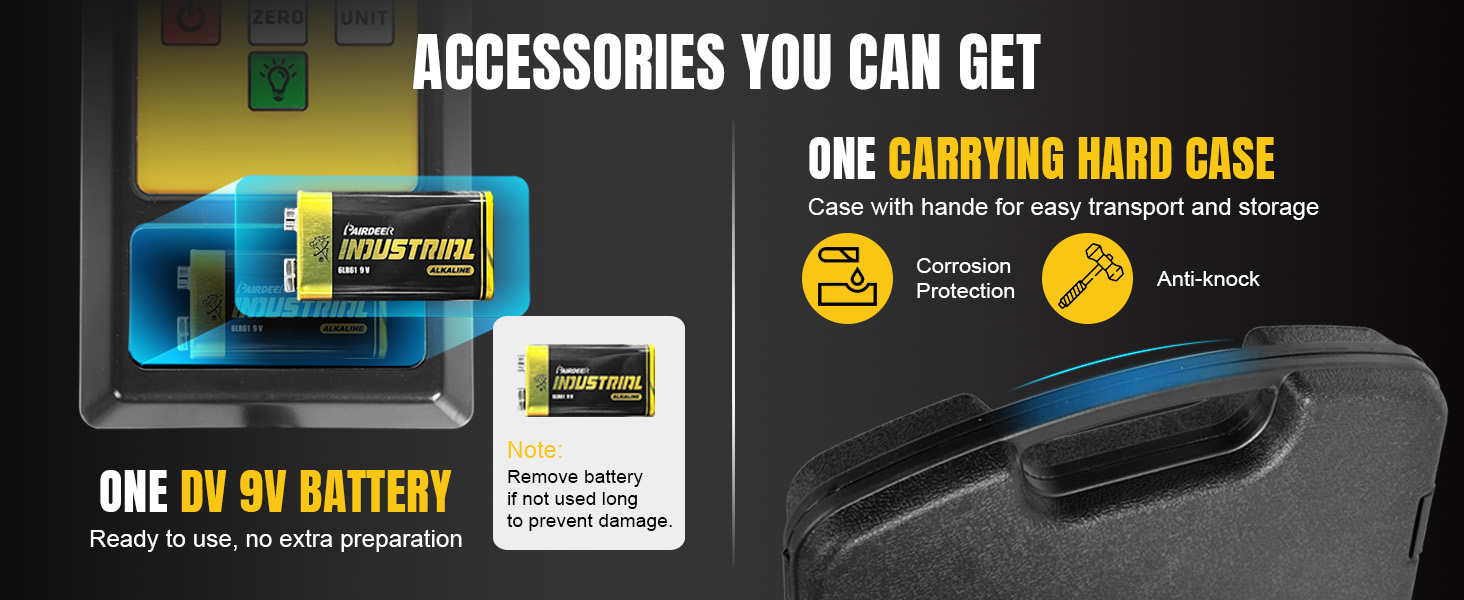
Image 3.1: Included accessories: the scale, remote, 9V battery, and hard carrying case.
4. პროდუქტის მახასიათებლები
- High Accuracy Measurement: Maximum capacity of 110 lbs (50 kg) with an accuracy of ±0.05% readings +5g and a resolution of 2g/0.1oz. Supports g/Kg/Oz/Lb units.
- Ultra-large LCD Screen: Provides clear readings even in low-light conditions. The remote display features a 110° extensible bracket for hands-free viewინგ.
- გამძლე კონსტრუქცია: Equipped with a high-quality aluminum alloy frame and a 9" x 9" weighing platform with non-slip rubber pads to prevent tank movement.
- Portable Hard Case: Waterproof, dustproof, and anti-collision case ensures safe transport and storage.
- მრავალი დამცავი ფუნქცია: Displays "FULL" if weight exceeds capacity, preventing damage. Features automatic shut-off after 10 minutes of non-use to conserve battery. Backlight automatically turns off after 10 seconds, with an option for continuous illumination.
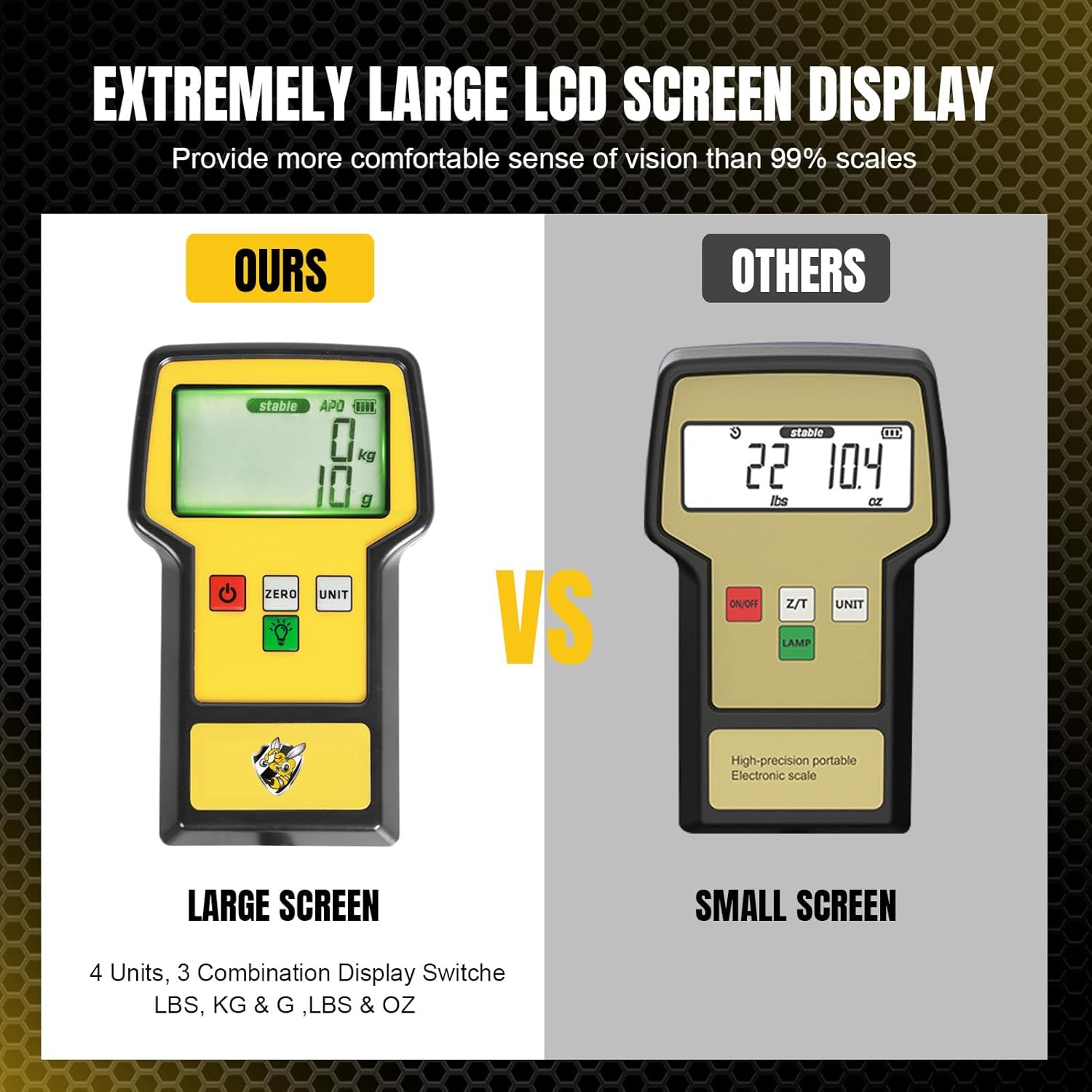
Image 4.1: The large LCD screen offers improved readability compared to smaller displays.

Image 4.2: Details of the sturdy aluminum frame and non-slip rubber platform for enhanced stability.

Image 4.3: The portable hard case provides secure storage and protection for the scale.
5. დაყენება
- შეფუთვა: ფრთხილად ამოიღეთ ყველა კომპონენტი ჩანთიდან.
- დააინსტალირეთ ბატარეა: Open the battery compartment on the remote display unit and insert the provided DV 9V dry battery, ensuring correct polarity.
- Position Scale: Place the scale platform on a firm, level, and stable surface. Ensure there are no obstructions that could interfere with the weighing process.
- დისტანციური მართვის პულტის დაკავშირება: The remote display unit is connected to the scale platform via a coiled cable. Ensure the connection is secure.
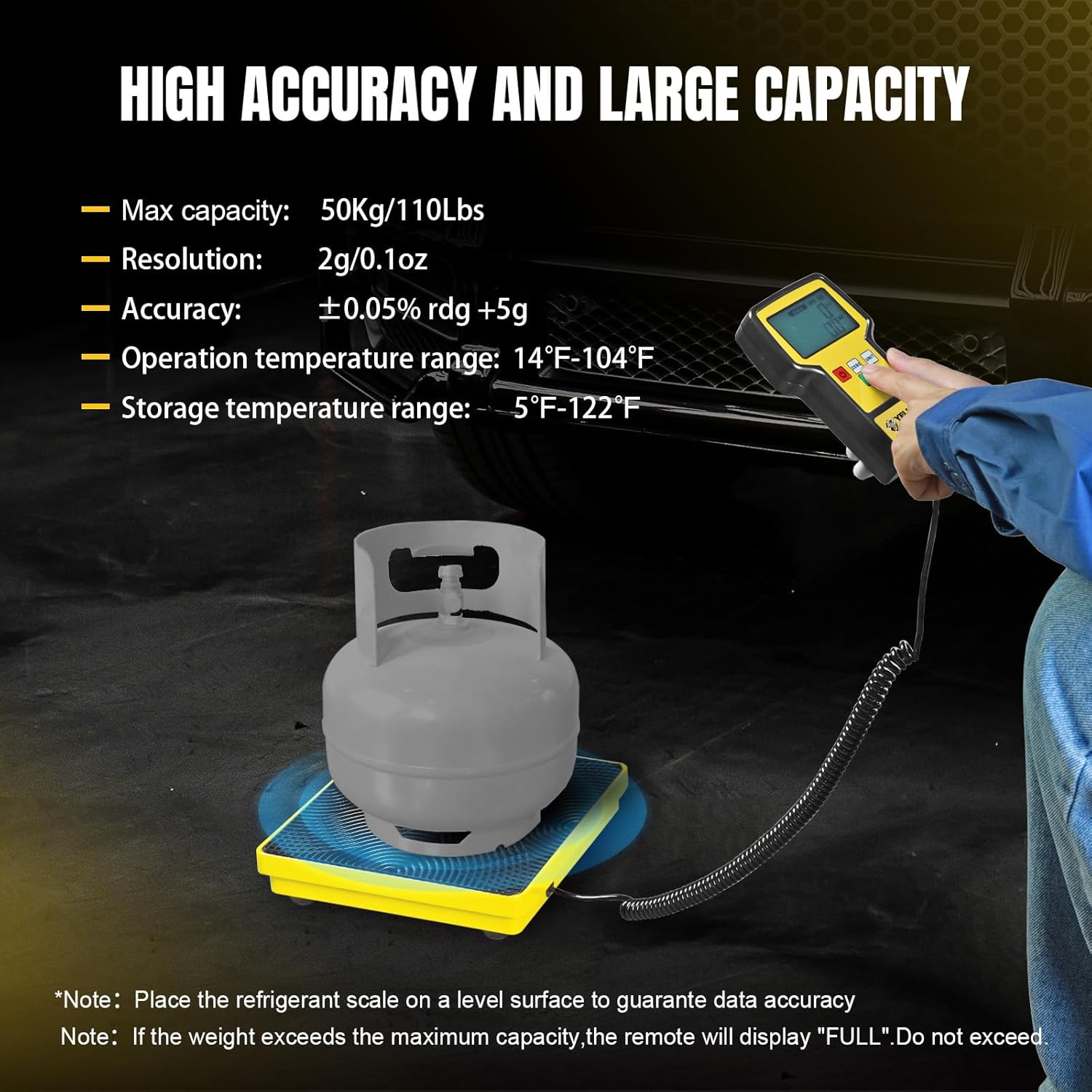
Image 5.1: Remote display controls and battery installation.
6. საოპერაციო ინსტრუქციები
- ჩართვა/გამორთვა: დააჭირეთ ჩართვა/გამორთვა button to turn the scale on. The display will show a self-test sequence and then settle at zero. Press and hold the ჩართვა/გამორთვა button to turn the scale off. The scale will automatically shut off after 10 minutes of inactivity.
- მასშტაბის ნულიზაცია: Before placing any item on the platform, ensure the display reads "0". If not, press the ნულოვანი button to reset the reading to zero. This is crucial for accurate measurements, especially when using a container or hose.
- ერთეულის გადაკეთება: დააჭირეთ ერთეული button to cycle through the available measurement units: g (grams), Kg (kilograms), Oz (ounces), and Lb (pounds). The display will indicate the currently selected unit.
- განათების კონტროლი: დააჭირეთ უკანა განათება button (light bulb icon) to turn the backlight on. The backlight will automatically turn off after 10 seconds to save power. To keep the backlight continuously on, press and hold the უკანა განათება button for 3 seconds until a beep is heard.
- Using the Extensible Bracket: The remote display unit features a 110° extensible bracket on the back. Pull out the bracket to prop up the display for a comfortable, hands-free viewing კუთხე
- აწონვა: Place the item (e.g., refrigerant tank) gently on the center of the scale platform. The weight will be displayed on the remote unit.
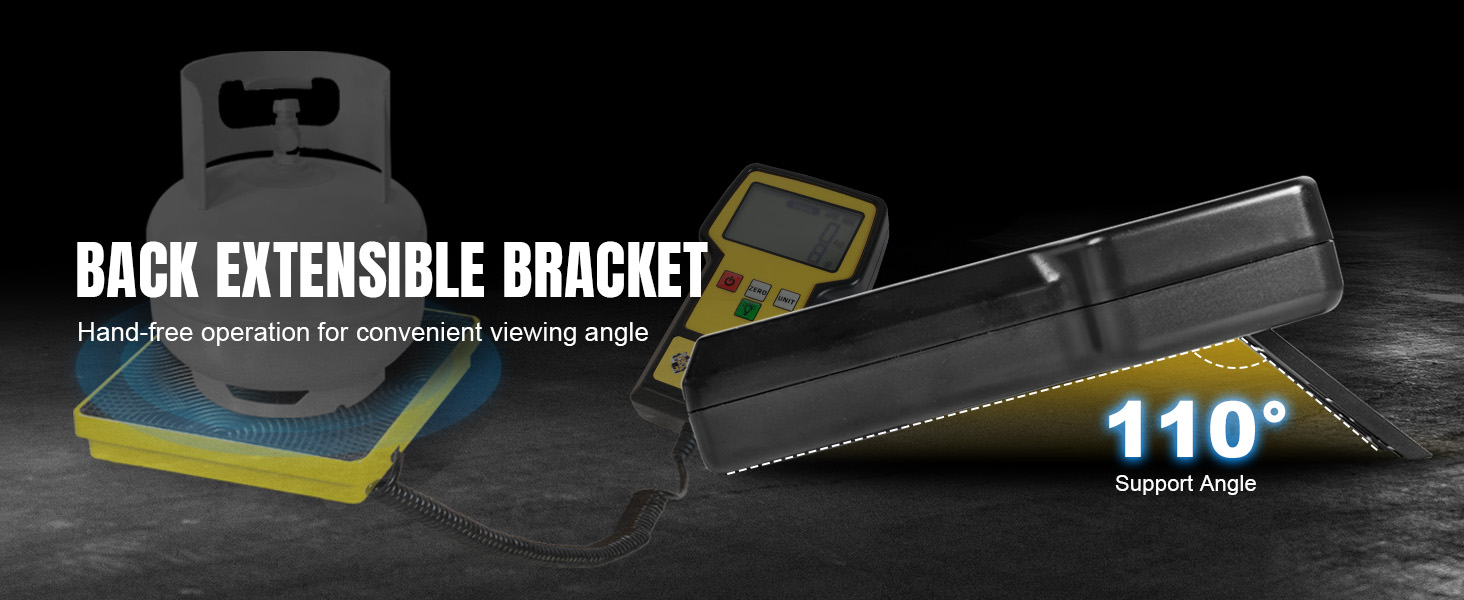
Image 6.1: The extensible bracket allows for hands-free operation and optimal viewინგ.
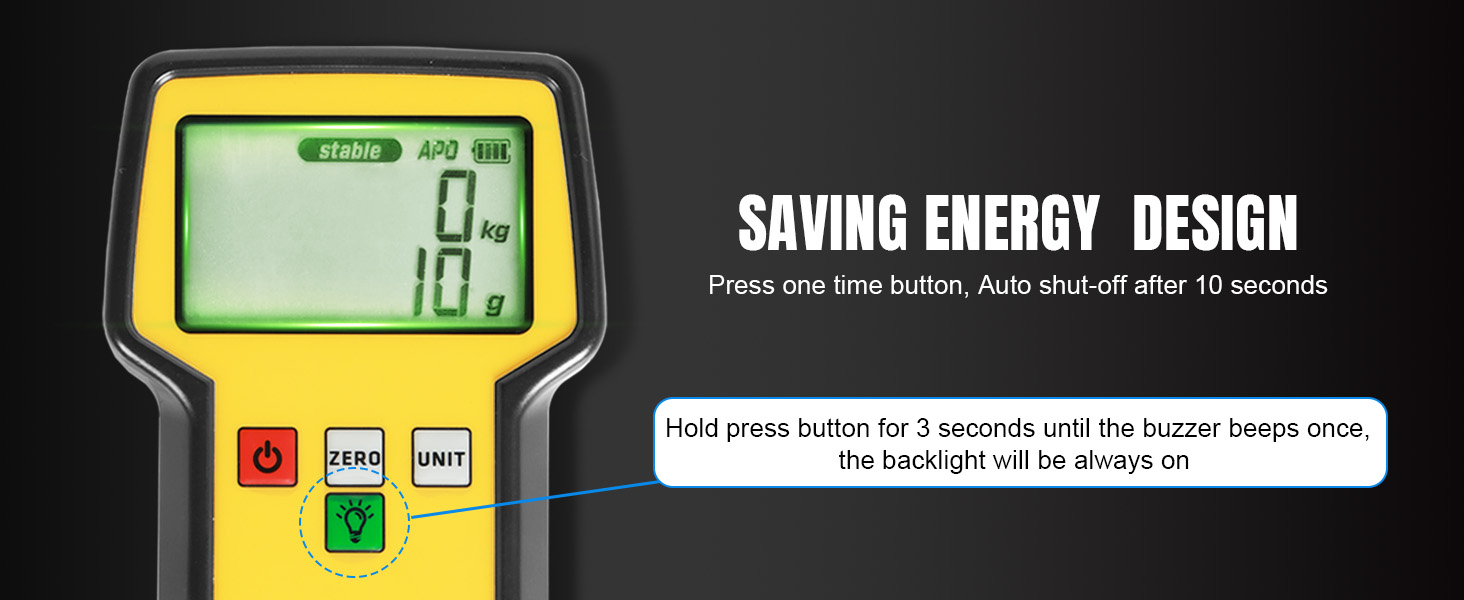
Image 6.2: Energy-saving features for backlight and auto shut-off.
7. მოვლა
- დასუფთავება: Wipe the scale platform and remote display with a soft, damp ქსოვილი. არ გამოიყენოთ აბრაზიული გამწმენდები ან გამხსნელები.
- ბატარეის მოვლა: Replace the 9V battery when the low battery indicator appears on the display. If the scale will not be used for an extended period (e.g., several months), remove the battery to prevent potential leakage and damage to the unit.
- შენახვა: Store the scale and its components in the provided hard carrying case in a dry, cool place, away from direct sunlight and extreme temperatures.
8. Დიაგნოსტიკა
| პრობლემა | შესაძლო მიზეზი | გამოსავალი |
|---|---|---|
| არაზუსტი წაკითხვები | Scale not on a level surface; unstable environment (vibrations); scale not zeroed; exceeding capacity. | Ensure scale is on a stable, level surface. Avoid vibrations. Press ნულოვანი before weighing. Do not exceed 110 lbs. |
| Display shows "FULL" | პლატფორმაზე წონა აღემატება მაქსიმალურ დატვირთვას. | Remove excess weight immediately to prevent damage. The maximum capacity is 110 lbs (50 kg). |
| სასწორი არ ირთვება | Dead or incorrectly installed battery; loose cable connection. | Check battery installation and replace if necessary. Ensure the coiled cable is securely connected to both the platform and remote. |
| უკანა განათება არ მუშაობს | Backlight auto-off feature; low battery. | დააჭირეთ უკანა განათება button. Hold for 3 seconds for continuous light. Check battery level. |

Image 8.1: Overload detection warning on the display.
9. სპეციფიკაციები
| ფუნქცია | სპეციფიკაცია |
|---|---|
| მოდელის ნომერი | ASRCS-110L |
| მაქსიმალური ტევადობა | 110 ფუნტი (50 კგ) |
| სიზუსტე | ±0.05% readings +5g |
| რეზოლუცია | 2 გ / 0.1 უნცია |
| საზომი ერთეულები | g, Kg, Oz, Lb |
| ჩვენების ტიპი | Ultra-large LCD with Backlight |
| დენის წყარო | DV 9V Dry Battery |
| ბატარეის ხანგრძლივობა | დაახლოებით 40 საათამდე (დაახლოებით) |
| პლატფორმის ზომები | 9" x 9" (approx.) |
| მასალა | Aluminum Alloy Frame, Rubber Platform |
| ნივთის წონა | 7.88 ფუნტი (3.58 კგ) |
| პაკეტის ზომები | 17.91 x 12.52 x 2.99 ინჩი |
| ოპერაციული ტემპერატურა | 14°F - 104°F (-10°C - 40°C) |
| შენახვის ტემპერატურა | -5°F - 122°F (-20°C - 50°C) |

Image 9.1: Detailed dimensions of the refrigerant scale.
10. გარანტია და მხარდაჭერა
For warranty information or technical support, please refer to the documentation included with your purchase or contact YELLOW JACKET customer service. You can also visit the official YELLOW JACKET store for more information: