
შესავალი
Welcome to the Nouhaus Orbit Heated Massage Chair. This manual provides essential information for the safe and effective use of your new massage chair. The Orbit is designed to offer a comprehensive full-body massage experience with zero-gravity reclining, advanced 3D massage technology, and an integrated dual sound system. Please read this manual thoroughly before operation and retain it for future reference.
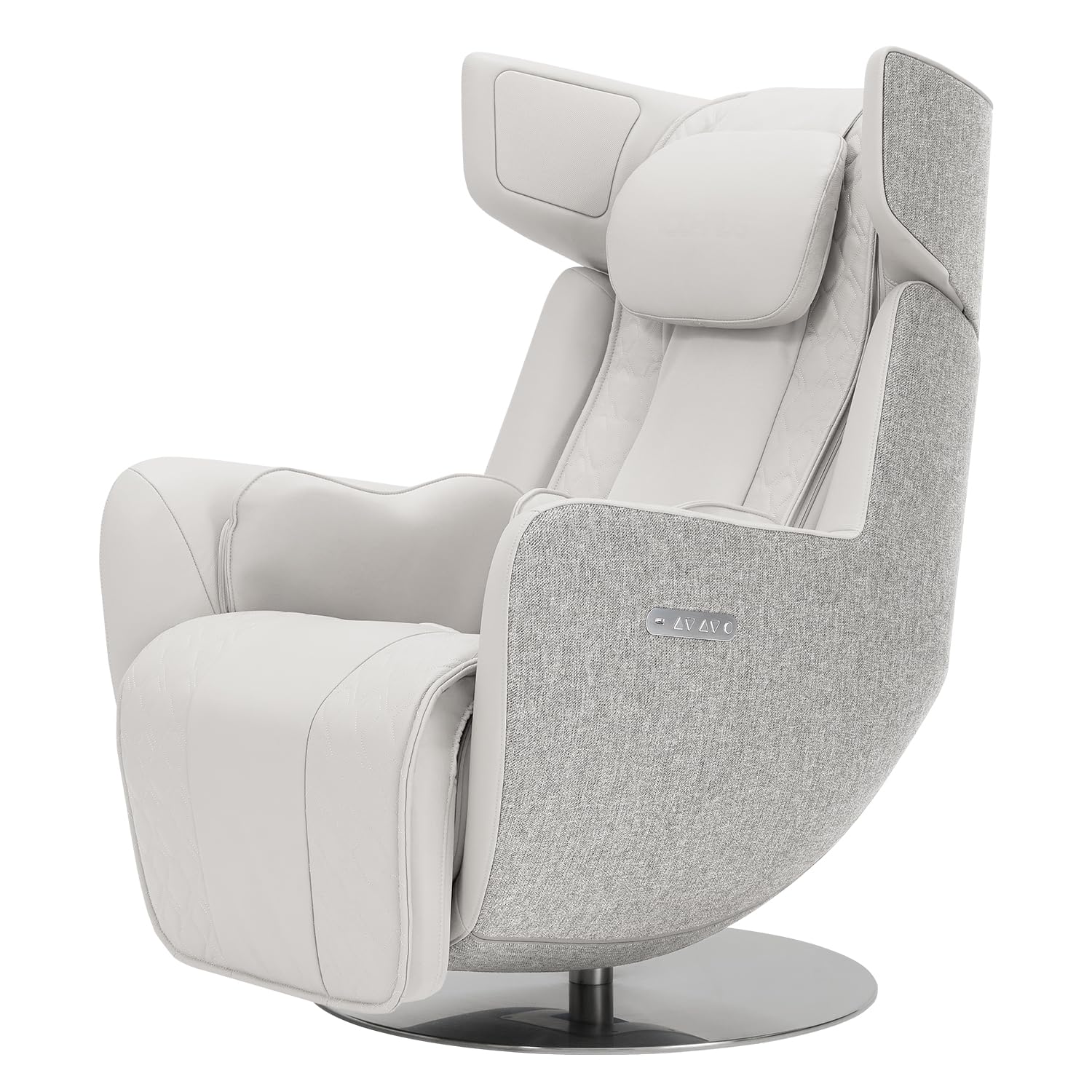
Figure 1: Nouhaus Orbit Heated Massage Chair (Elder White)
უსაფრთხოების ინფორმაცია
უსაფრთხო მუშაობისა და დაზიანების ან დაზიანების თავიდან ასაცილებლად, გთხოვთ, დაიცვათ შემდეგი ინსტრუქციები:
- არ გადააჭარბოთ რეკომენდებულ მაქსიმალურ წონას, რომელიც 400 ფუნტია (181 კგ).
- Use the chair only for its intended purpose of relaxation.
- მუშაობის დროს ბავშვები და შინაური ცხოველები სკამთან ახლოს არ მოხვდნენ.
- დარწმუნდით, რომ კვების კაბელი არ არის დაზიანებული ან მოჭერილი.
- Do not attempt to disassemble or repair the chair yourself. Contact customer support for assistance.
- Avoid using the chair in excessively humid environments.
დაყენება
The Nouhaus Orbit massage chair requires minimal assembly. Follow these steps to set up your chair:
- შეფუთვა: Carefully remove all components from the packaging. Retain packaging materials for potential future transport or returns.
- განთავსება: Position the chair on a hard, level floor, ensuring adequate space around it for reclining and operation.
- ასამბლეა: Follow the detailed assembly instructions provided in the separate assembly guide. This typically involves attaching the backrest and connecting any necessary cables.
- დენის კავშირი: Plug the power cord into a grounded electrical outlet. Ensure the power switch on the chair is in the 'Off' position before plugging in.
- საწყისი შემოწმება: Before first use, inspect all connections and ensure the chair is stable.

Figure 2: Chair Dimensions (45.6" H x 41.7" D x 28.7" W)
ოპერაციული ინსტრუქციები
The Nouhaus Orbit offers a variety of features for a personalized massage experience.
ჩართვა/გამორთვა
- Locate the power button on the side control panel or remote. Press once to power on, and again to power off.
მასაჟის რეჟიმები
The chair features an advanced 3D stereoscopic massage module with 14 automatic, user-specific massage modes. You can switch between 2D and 3D modes.
- ავტომატური რეჟიმები: Select from 14 pre-programmed massage routines via the remote control or the Nouhaus IoT App.
- 2D/3D Modes: Adjust the massage intensity and depth by switching between 2D and 3D massage settings.
- One-Touch Automatic Mode: Initiate a quick, pre-set massage with a single button press.

Figure 3: Key Features and Massage Modes
Zero-Gravity Function
The zero-gravity function smoothly adjusts the chair's recline angle between 120° and 145°, optimizing body posture for a deeper massage experience.
- Use the dedicated zero-gravity button on the remote or app to activate and adjust the recline.

Figure 4: Zero-Gravitational Reclining
3-Level Heat Mode
Enjoy targeted heat therapy with three adjustable temperature levels (35°C, 40°C, 45°C) across six spots: the back, hips, and legs.
- Activate and adjust the heat settings using the remote control or the Nouhaus IoT App.

Figure 5: 3-Level Heat Mode and Pelvic Air Cells
Bluetooth დინამიკის სისტემა
The Orbit features a 2+1-way Bluetooth speaker system, expertly tuned for a superior audio experience. Connect your devices to enjoy your favorite content.
- დაწყვილება: Enable Bluetooth on your device and select "Nouhaus Orbit" from the available devices to pair.
- აუდიო კონტროლი: Adjust volume and playback directly from your connected device or the chair's controls.

Figure 6: 2+1 Way Premium Sound System
Nouhaus IoT App Control
Control your massage chair conveniently using the Nouhaus IoT App, available for download on the App Store and Google Play.
- ჩამოტვირთვა: ძიება "Nouhaus IoT" in your device's app store.
- კავშირი: Follow in-app instructions to connect your chair.
- მახასიათებლები: Select from 4 automatic modes (Basic, Recovery, Vitality, Sleep) and 6 body part-specific modes. Adjust 3-level intensity and speed.

Figure 7: Nouhaus IoT App Interface
ოფიციალური პროდუქტის ვიდეოები
ვიდეო 1: დასრულდაview of the Nouhaus Orbit Heated Massage Chair features and design. This video demonstrates the chair's general functionality and aesthetic.
Video 2: Demonstration of the Orbit's sound system and its integration with the massage experience. This video highlights the audio quality and how it enhances relaxation.
Video 3: Answering common questions about the Orbit, potentially covering app usage, specific features, or operational tips. This video provides practical insights for users.
მოვლა
Proper maintenance ensures the longevity and optimal performance of your Nouhaus Orbit massage chair.
- დასუფთავება: გაწმინდეთ რბილი, დamp cloth. Avoid harsh chemicals or abrasive cleaners that may damage the leather or fabric.
- შენახვა: When not in use for extended periods, store the chair in a cool, dry place away from direct sunlight.
- ინსპექტირება: პერიოდულად შეამოწმეთ კვების კაბელი და ყველა შეერთება ცვეთის ან დაზიანების ნიშნების არსებობაზე.
პრობლემების მოგვარება
If you encounter any issues with your Nouhaus Orbit massage chair, refer to the following common troubleshooting steps:
| პრობლემა | შესაძლო მიზეზი | გამოსავალი |
|---|---|---|
| სკამი არ ირთვება | Power cord not properly connected; Power switch off; No power from outlet | Ensure power cord is securely plugged in; Turn power switch to 'On'; Check outlet with another device or test circuit breaker |
| მასაჟის ფუნქცია არ მუშაობს | Incorrect mode selected; Safety feature activated | Select a massage mode via remote or app; Ensure no obstructions are present; Restart the chair |
| Bluetooth სპიკერი არ უკავშირდება | Bluetooth not enabled on device; Chair not in pairing mode; Interference | Enable Bluetooth on your device; Ensure chair is discoverable; Move closer to the chair or restart both devices |
| გათბობის ფუნქცია არ მუშაობს | Heat mode not activated; Low temperature setting | Activate heat mode via remote or app; Increase temperature setting |
If the problem persists after attempting these solutions, please contact Nouhaus customer support.
სპეციფიკაციები
Detailed specifications for the Nouhaus Orbit Heated Massage Chair:
| ფუნქცია | დეტალი |
|---|---|
| ბრენდი | ნუჰაუსი |
| მოდელის სახელი | Nouhaus Orbit |
| ფერი | Elder White |
| მასალა | ტყავი, ზამში |
| პროდუქტის ზომები (D x W x H) | 45" სიღრმე x 25" სიგანე x 35" სიმაღლე (114.3 სმ სიღრმე x 63.5 სმ სიგანე x 88.9 სმ სიმაღლე) |
| წმინდა წონა | 176 ფუნტი (80 კგ) |
| მთლიანი წონა | 209 ფუნტი (95 კგ) |
| სამუშაო ტომიtage | 100-240V, 50-60 ჰერცი |
| ენერგიის მოხმარება | 200 W |
| მაქსიმალური წონის რეკომენდაცია | 400 ფუნტი (181 კგ) |
| Massage Module | 3D Stereoscopic |
| მასაჟის რეჟიმები | 14 Automatic, 2D/3D options |
| სითბოს ფუნქცია | 3-Level (35°C, 40°C, 45°C) on back, hips, legs |
| მწოლიარე პოზიციები | Zero-Gravity (120° to 145°) |
| ხმის სისტემა | 2+1-way Bluetooth Speaker |
| კონტროლი | Remote Control, Nouhaus IoT App |
| საჭირო შეკრება | დიახ |
| UPC | 850064178425 |

სურათი 8: პროდუქტის დეტალები და სპეციფიკაციები
გარანტია და მხარდაჭერა
Nouhaus is committed to providing high-quality products and customer satisfaction.
- გარანტია: The Nouhaus Orbit Heated Massage Chair typically comes with a 3-Year Protection Plan. Please refer to your purchase documentation for specific warranty terms and conditions.
- მომხმარებელთა მხარდაჭერა: For any questions, technical assistance, or warranty claims, please contact Nouhaus Inc. directly. You can find their contact information on their official webსაიტის ან თქვენი შესყიდვების პლატფორმის მეშვეობით.