
1. შესავალი
Thank you for choosing the Edifier X1 Lite True Wireless Earbuds. This manual provides detailed instructions for setting up, operating, and maintaining your new earbuds to ensure optimal performance and longevity. Please read this manual thoroughly before use.

Image: Edifier X1 Lite True Wireless Earbuds in their open charging case.
2. რა არის ყუთში
The Edifier X1 Lite package includes the following components:
- Edifier X1 Lite True Wireless Earbuds (Left and Right)
- დამუხტვის ქეისი
- USB დამტენი კაბელი
- მომხმარებლის სახელმძღვანელო (ეს დოკუმენტი)
3. დაყენება
3.1 საწყისი დატენვა
პირველი გამოყენების წინ, სრულად დატენეთ ყურსასმენები და დამტენი ქეისი.
- მოათავსეთ ორივე ყურსასმენი დატენვის შემთხვევაში.
- შეაერთეთ USB დამტენი კაბელი კორპუსზე არსებულ დამტენ პორტთან და კვების წყაროსთან (მაგ., USB კედლის ადაპტერი, კომპიუტერის USB პორტი).
- The indicator light on the charging case will show charging status. Refer to the LED indicator section for details.
- ქეისისა და ყურსასმენების სრულად დატენვას, როგორც წესი, დაახლოებით 1.5 საათი სჭირდება.
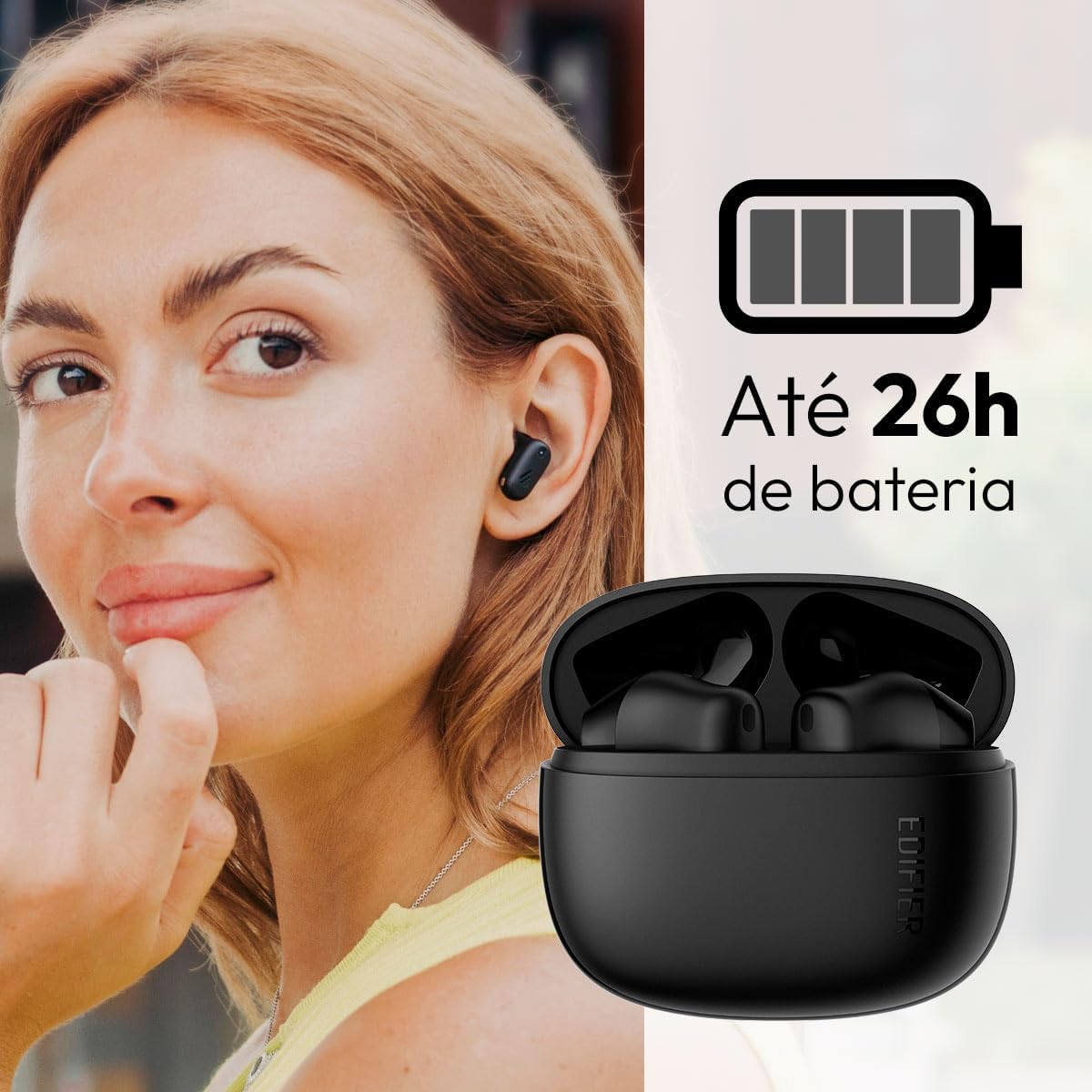
Image: Woman wearing an earbud, with the charging case and a battery icon indicating charging.
სწრაფი დატენვის ფუნქცია:
A 15-minute quick charge can provide approximately 1.5 hours of playtime for the earbuds.

Image: Visual representation of battery life and fast charging capabilities.
3.2 Bluetooth დაწყვილება
Follow these steps to pair your Edifier X1 Lite earbuds with your device:
- პირველად დაწყვილება: Open the charging case. The earbuds will automatically power on and enter pairing mode. The indicator light on the earbuds will flash rapidly.
- თქვენს მოწყობილობაზე (სმარტფონი, პლანშეტი, ლეპტოპი) ჩართეთ Bluetooth.
- ძიება "EDIFIER X1 Lite" in the list of available Bluetooth devices.
- Select "EDIFIER X1 Lite" to connect. Once connected, the indicator lights on the earbuds will turn off, and you will hear a confirmation tone.
- Re-pairing/Connecting to a New Device: If the earbuds are already connected to another device, disconnect them first. Alternatively, with the earbuds in the case and the lid open, press and hold the button on the charging case for 3 seconds to enter pairing mode.

Image: Man using earbuds, highlighting Bluetooth 5.4 connectivity.
3.3 Edifier ConneX App Installation
For enhanced features and customization, download the EDIFIER ConneX app:
- Scan the QR code provided in the image below or visit the official Edifier app download page.
- დააინსტალირეთ აპლიკაცია თქვენს სმარტფონზე ან ტაბლეტზე.
- Open the app and follow the on-screen instructions to connect your X1 Lite earbuds.
- The app allows for sound effect customization, game mode activation, and touch control settings.

Image: EDIFIER ConneX app interface with QR code. Download the Edifier ConneX App
4. საოპერაციო ინსტრუქციები
4.1 ყურსასმენების ტარება
Proper fit ensures optimal sound quality and comfort:
- იდენტიფიცირება მარცხენა (L) და მარჯვენა (R) ყურსასმენები.
- ფრთხილად ჩადეთ თითოეული ყურსასმენი შესაბამის ყურის არხში.
- ყურსასმენი ოდნავ შეატრიალეთ მანამ, სანამ ის უსაფრთხოდ და კომფორტულად არ დამაგრდება.

Image: Man demonstrating proper earbud placement.
4.2 ჩართვა/გამორთვა
- ჩართვა: ყურსასმენები დამტენი ქეისიდან ამოღებისას ავტომატურად ირთვება.
- Გამორთვა: ყურსასმენები ავტომატურად ითიშება და დაიწყებს დატენვას, როდესაც მათ ისევ დამტენ ქეისში მოათავსებთ და თავსახური დახურავთ.
4.3 შეეხეთ კონტროლი
The Edifier X1 Lite earbuds feature touch-sensitive controls on each earbud. These controls can be customized via the EDIFIER ConneX app.
| მოქმედება | მარცხენა ყურსასმენი (L) | მარჯვენა ყურსასმენი (R) |
|---|---|---|
| ზარის პასუხი/დასრულება | ორმაგად შეეხეთ | ორმაგად შეეხეთ |
| ზარის უარყოფა | სამმაგი შეხება | სამმაგი შეხება |
| მუსიკის დაკვრა/პაუზა | ორმაგად შეეხეთ | ორმაგად შეეხეთ |
| შემდეგი სიმღერა | N/A (Customize via App) | სამმაგი შეხება |
| წინა სიმღერა | სამმაგი შეხება | N/A (Customize via App) |
| თამაშის რეჟიმი ჩართვა/გამორთვა | ოთხმაგი შეხება | ოთხმაგი შეხება |
Note: These are default settings. Functions can be reconfigured using the EDIFIER ConneX app.

Image: Visual guide to earbud touch controls.
5. მოვლა
5.1 დასუფთავება
- რეგულარულად გაწმინდეთ ყურსასმენები და დამტენი ქეისი რბილი, მშრალი, ბუსუსების გარეშე ქსოვილით.
- არ გამოიყენოთ აბრაზიული საწმენდები, სპირტი ან ქიმიური გამხსნელები.
- სათანადო დატენვის უზრუნველსაყოფად, დარწმუნდით, რომ ყურსასმენებსა და ქეისზე დამტენი კონტაქტები სუფთა და ნარჩენებისგან თავისუფალია.
5.2 წყალგამძლეობა (IP54)
The Edifier X1 Lite earbuds are IP54 rated, meaning they are protected against dust ingress and splashing water from any direction. This makes them suitable for workouts and light rain.
- ყურსასმენები წყალში არ ჩაძიროთ.
- დამტენი ქეისი წყალგამძლე არ არის. შეინახეთ მშრალ ადგილას.
- If earbuds get wet, wipe them dry completely before placing them back in the charging case to prevent damage.

Image: Demonstrating IP54 sweat resistance during exercise.
5.3 ბატარეის მოვლა
- Avoid exposing the earbuds and case to extreme temperatures (hot or cold).
- შეინახეთ მოწყობილობა გრილ, მშრალ ადგილას, როდესაც არ იყენებთ.
- ბატარეის გამართულად მუშაობის შესანარჩუნებლად, მოწყობილობა რეგულარულად დატენეთ, მაშინაც კი, თუ ხშირად არ იყენებთ.
6. Დიაგნოსტიკა
If you encounter issues with your Edifier X1 Lite earbuds, refer to the following common problems and solutions:
6.1 ხმა არ არის ან კავშირი წყვეტილია
- შეამოწმეთ ბატარეა: დარწმუნდით, რომ როგორც ყურსასმენები, ასევე დამტენი ქეისი საკმარისად არის დატენილი.
- ხელახლა დაწყვილება: Disconnect the earbuds from your device's Bluetooth settings and then re-pair them.
- მანძილი: Ensure the earbuds are within the Bluetooth range (typically 10 meters) of your device.
- ჩარევა: Move away from strong Wi-Fi signals or other Bluetooth devices that might cause interference.
- გადატვირთვა: Place both earbuds in the charging case, close the lid, wait a few seconds, then open the lid and try pairing again.
6.2 ყურსასმენები არ იტენება
- შეამოწმეთ კაბელი: Ensure the USB charging cable is securely connected to both the case and the power source.
- დენის წყარო: სცადეთ სხვა USB პორტი ან კედლის ადაპტერი.
- სუფთა კონტაქტები: Clean the charging contacts on the earbuds and inside the charging case with a dry cotton swab.
- სათანადო განთავსება: დარწმუნდით, რომ ყურსასმენები სწორად არის მოთავსებული დამტენ ქეისში.
6.3 ზარის დაბალი ხარისხი
- მიკროფონის დაბრკოლება: Ensure the microphone on the earbuds is not covered.
- გარემო: Move to a quieter environment if possible. The AI algorithm helps, but extreme noise can still affect clarity.
- კავშირის სტაბილურობა: უზრუნველყოს სტაბილური Bluetooth კავშირი.

Image: Man using earbuds for a clear call, highlighting AI voice pick-up technology.
6.4 აპლიკაციის დაკავშირების პრობლემები
- Bluetooth ჩართულია: Ensure Bluetooth is enabled on your device and the earbuds are connected.
- აპის ნებართვები: Check if the EDIFIER ConneX app has necessary Bluetooth and location permissions.
- Restart App/Device: დახურეთ და ხელახლა გახსენით აპლიკაცია, ან გადატვირთეთ სმარტფონი.
- აპლიკაციის განახლება: დარწმუნდით, რომ აპლიკაცია განახლებულია უახლეს ვერსიაზე.
7. სპეციფიკაციები
| ფუნქცია | დეტალი |
|---|---|
| მოდელის სახელი | X1 Lite |
| დაკავშირების ტექნოლოგია | უსადენო (Bluetooth) |
| Bluetooth ვერსია | 5.4 |
| აუდიო დრაივერის ტიპი | Dynamic Driver (Φ13mm) |
| სიხშირის დიაპაზონი | 20Hz-20kHz |
| ბატარეის ხანგრძლივობა | 7 საათამდე (ყურსასმენები), 26 საათამდე (დამუხტვის ყუთით) |
| სწრაფი დატენვა | 15 წუთიანი დატენვა 1.5 საათიანი სათამაშო დროისთვის |
| დაბალი შეყოვნება | 60 ms |
| წყლის წინააღმდეგობა | IP54 (მხოლოდ ყურსასმენები) |
| მიკროფონი | Single Mic AI algorithm voice pick-up |
| კონტროლის მეთოდი | Touch Control, App (EDIFIER ConneX) |
| მასალა | პლასტიკური |
| ყურის წონა | დაახლოებით 4 გ თითო ყურსასმენზე |
| ფერი | შავი |
8. გარანტია და მხარდაჭერა
Edifier products are designed with quality and reliability in mind. For warranty information and customer support, please refer to the official Edifier webსაიტზე ან პირდაპირ დაუკავშირდით მათ მომხმარებელთა მომსახურებას.
- ოფიციალური Webსაიტი: ეწვიეთ www.edifier.com პროდუქტის რეგისტრაციის, ხშირად დასმული კითხვებისა და დახმარების რესურსებისთვის.
- მომხმარებელთა მომსახურება: Contact Edifier customer support for technical assistance or warranty claims. Contact details can typically be found on the official webადგილზე ან პროდუქტის შეფუთვაში.
გთხოვთ, შეინახოთ შეძენის დამადასტურებელი საბუთი გარანტიის მიზნებისთვის.