
შესავალი
The Xiaomi Smart Camera C500 is an advanced indoor surveillance camera designed to provide comprehensive monitoring for your home. Featuring a dual-lens system, 4-megapixel resolution, and dual-band Wi-Fi 6 connectivity, it offers enhanced security features such as human tracking, crying detection, and pet tracking. This manual provides detailed instructions for setting up, operating, and maintaining your camera to ensure optimal performance.
უსაფრთხოების ინფორმაცია
- Ensure the camera is installed in a stable location to prevent it from falling.
- გამოიყენეთ მხოლოდ მოწყობილობასთან ერთად მოწოდებული ორიგინალი კვების ადაპტერი.
- არ დატოვოთ კამერა ექსტრემალურ ტემპერატურაზე, ტენიანობაზე ან მზის პირდაპირ სხივებზე.
- Keep the camera away from water or other liquids. This product is not water-resistant.
- არ სცადოთ კამერის დამოუკიდებლად დაშლა ან შეკეთება. დახმარებისთვის დაუკავშირდით ავტორიზებულ სერვის პერსონალს.
- შეინახეთ ბავშვებისთვის მიუწვდომელ ადგილას.
პაკეტის შიგთავსი
დარწმუნდით, რომ თქვენს პაკეტში ყველა ნივთია:
- 1 × Xiaomi Smart Camera C500 4MP Dual Lens with Wi-Fi 6 Dual-Band
- დენის ადაპტერი
- Mounting Accessories (if applicable for ceiling/wall mount)
- მომხმარებლის სახელმძღვანელო
პროდუქტი დასრულდაview
The Xiaomi Smart Camera C500 features a compact dome design with dual lenses for extended coverage. It includes a power port, status indicator light, and a microSD card slot for local storage.
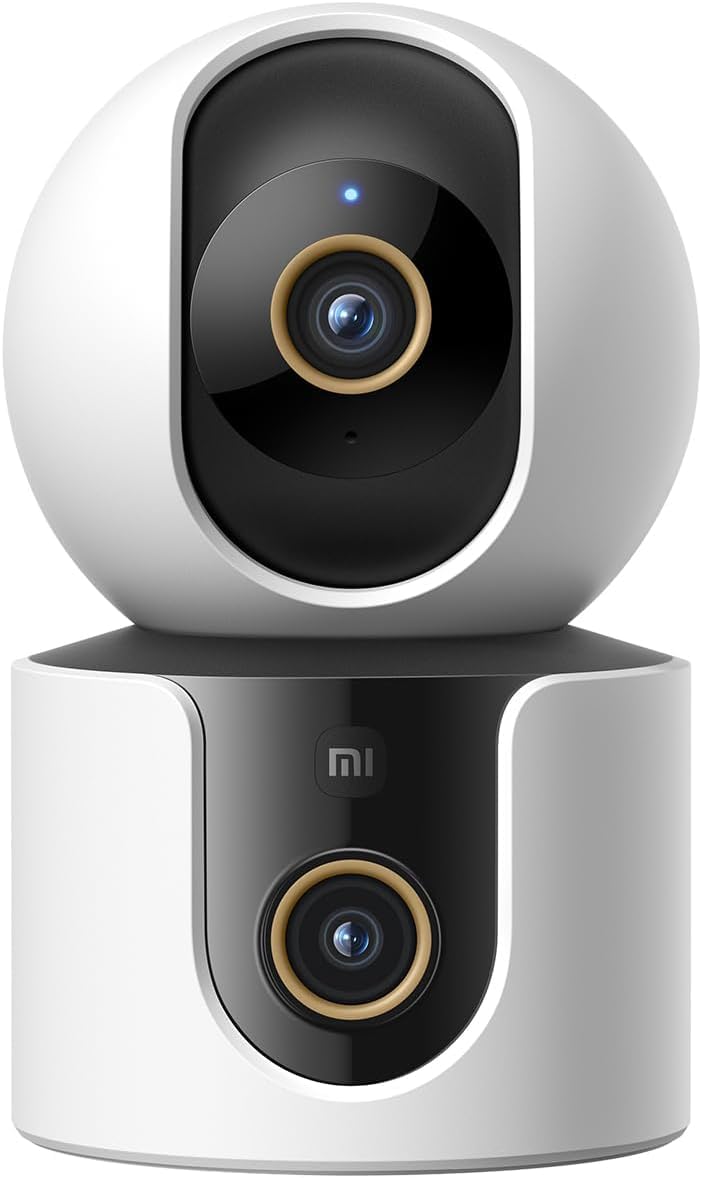
სურათი 1: წინა view of the Xiaomi Smart Camera C500, showing its dual-lens design and white and black casing.

სურათი 2: ზემოდან ქვემოთ view of the Xiaomi Smart Camera C500, highlighting its spherical upper section and ventilation holes.

სურათი 3: მხარე view of the Xiaomi Smart Camera C500, showing the power input and other ports on the base.
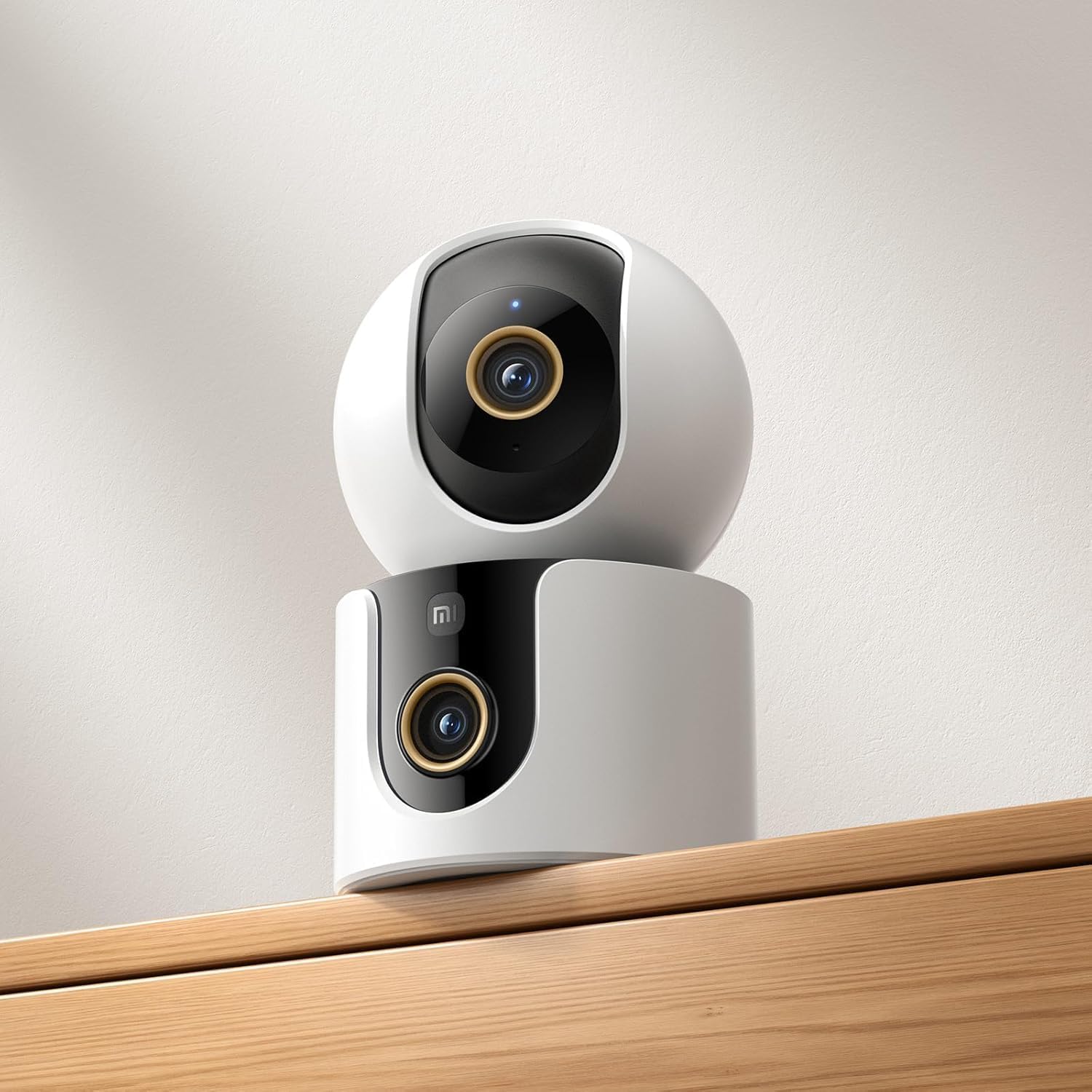
Figure 4: The Xiaomi Smart Camera C500 positioned on a wooden shelf, demonstrating its compact size and discreet placement.
დაყენება
1. ჩართვა
- Connect the power adapter to the camera's power input port.
- შეაერთეთ დენის ადაპტერი კედლის განყოფილებაში.
- The camera will automatically power on, and the indicator light will begin to flash, indicating it is ready for connection.
2. აპლიკაციის ინსტალაცია
- ჩამოტვირთეთ Xiaomi მთავარი აპლიკაცია თქვენი სმარტფონის აპლიკაციების მაღაზიიდან (Google Play Store Android-ისთვის ან Apple App Store iOS-ისთვის).
- გახსენით აპლიკაცია და შექმენით Xiaomi ანგარიში ან შედით სისტემაში, თუ უკვე გაქვთ.
3. აპთან დაწყვილება
- In the Xiaomi Home app, tap the "+" icon in the top right corner to add a new device.
- Select the Xiaomi Smart Camera C500 from the list of available devices.
- Follow the on-screen instructions to connect the camera to your Wi-Fi network. Ensure your phone is connected to a 2.4GHz or 5GHz Wi-Fi network (the camera supports dual-band Wi-Fi 6).
- Scan the QR code displayed on your phone screen using the camera lens. You will hear a voice prompt confirming successful scanning.
- Once connected, you can name your camera and assign it to a specific room.
4. კამერის დამონტაჟება
The camera supports tabletop placement or ceiling/wall mounting.
- მაგიდის სამაგრი: მოათავსეთ კამერა ბრტყელ, სტაბილურ ზედაპირზე.
- Ceiling/Wall Mount: Use the provided mounting base and screws to secure the camera to a desired location. Ensure the camera is securely attached and has a clear field of view.
ოპერაციული ინსტრუქციები
1. იცხოვრე View
Open the Xiaomi Home app and select your camera to view the live feed. You can pan and tilt the camera remotely using the controls in the app to achieve 360-degree coverage.
2. ჩაწერა და დაკვრა
- ადგილობრივი საცავი: Insert a microSD card (up to 256GB) into the camera's slot for continuous or event-triggered recording.
- ღრუბლოვანი საცავი: Optional cloud storage services may be available through the Xiaomi Home app for secure backup of recordings.
- დაკვრა: ჩანაწერებზე წვდომაtage through the app's playback feature, navigating by date and time.
3. ორმხრივი აუდიო
Use the microphone and speaker icon in the live view interface to enable two-way communication. This allows you to speak through the camera and hear audio from its location.
4. Motion Detection and Human Tracking
The camera can detect motion and intelligently track human figures. Enable these features in the app settings to receive alerts and automatically record when activity is detected.
5. Crying Detection
For parents, the crying detection feature can be enabled to send instant notifications to your phone when a baby's cry is detected, allowing for quick response.
6. Pet Tracking
The camera can also track pets, providing alerts and recording their movements. This feature is useful for monitoring your furry companions throughout the day.
7. ღამის ხედვა
The camera automatically switches to ultra-low light color mode or infrared night vision in dim conditions, ensuring clear visibility up to 15 meters even in complete darkness.
მოვლა
- დასუფთავება: ფრთხილად გაწმინდეთ კამერის ლინზა და კორპუსი რბილი, მშრალი ქსოვილით. არ გამოიყენოთ უხეში ქიმიკატები ან აბრაზიული საწმენდები.
- Firmware განახლებები: Regularly check for and install firmware updates through the Xiaomi Home app to ensure optimal performance and access to new features.
- MicroSD ბარათი: If using a microSD card, periodically check its status and format it if necessary to maintain recording quality and prevent data corruption.
პრობლემების მოგვარება
| საკითხი | შესაძლო გამოსავალი |
|---|---|
| კამერა ვერ უკავშირდება Wi-Fi-ს | Ensure your Wi-Fi network is 2.4GHz or 5GHz. Check Wi-Fi password. Move camera closer to router. Reset camera and try pairing again. |
| არა ცოცხალი view ან ჩაწერა | Check power connection. Ensure Wi-Fi is stable. Verify microSD card is inserted correctly and not full. Check app permissions. |
| ვიდეოს ცუდი ხარისხი | Clean the camera lens. Ensure adequate lighting. Check Wi-Fi signal strength. Adjust video resolution settings in the app. |
| შეტყობინებები არ მიიღეს | Check app notification settings on your phone. Ensure motion/crying detection is enabled in the camera settings. Verify app has necessary permissions. |
| ორმხრივი აუდიო არ მუშაობს | Check microphone and speaker settings in the app. Ensure phone volume is up. Avoid placing camera in noisy environments. |
სპეციფიკაციები
| ფუნქცია | დეტალი |
|---|---|
| ბრენდის სახელი | Xiaomi |
| მოდელის სახელი | სათვალთვალო კამერა |
| მოდელის ნომერი | C500 ორმაგი |
| პროდუქტის რეკომენდებული გამოყენება | შიდა დაცვა |
| დაკავშირების ტექნოლოგია | უსადენო |
| განსაკუთრებული თვისებები | მაღალი გარჩევადობა |
| შიდა/გარე გამოყენება | შიდა |
| თავსებადი მოწყობილობები | სმარტფონი |
| დენის წყარო | კაბელიანი ელექტრო |
| კომუნიკაციის პროტოკოლი | Wi-Fi ქსელი |
| კონტროლერის ტიპი | Amazon Alexa |
| სამონტაჟო ტიპი | Tabletop Mount, Freestanding |
| ფერი | თეთრი |
| ფორმის ფაქტორი | გუმბათი |
| მასალა | აკრილონიტრილის ბუტადიენ სტირინი (ABS) |
| წყლის წინააღმდეგობის დონე | არ არის წყალგამძლე |
| ელემენტის ფორმა | გუმბათი |
| გაფრთხილების ტიპი | აუდიო და მოძრაობა |
| ოთახის ტიპი | ოფისი |
| სინათლის წყარო | ინფრაწითელი |
| გამოსახულების სენსორის გარჩევადობა | 4 მეგაპიქსელი |
| კონტროლის მეთოდი | აპლიკაციის საშუალებით |
| ტtage | 5.0 |
| ვატtage | 10.0 |
| საჭიროა ბატარეები? | არა |
| არხების რაოდენობა | 2 |
| ვიდეოს კოდირება | H.265 |
| ვიდეო გადაღების ფორმატი | MPEG-4 |
| ღამის ხედვის დიაპაზონი | 15 მეტრი |
| ღამის ხედვა | ღამის ფერი |
| Number of Infrared LED Lights | 10 |
| Flash მეხსიერების ტიპი | მიკრო SD |
| Maximum Supported Flash Memory Size | 256 GB |
| პუნქტების რაოდენობა | 1 |
| პროდუქტის სპეციფიკური გამოყენება | 360 გრადუსიანი დაფარვა, მეთვალყურეობა |
| მწარმოებელი | Xiaomi |
| უსადენო საკომუნიკაციო ტექნოლოგია | Wi-Fi |
| ვიდეო გადაღების გარჩევადობა | 1080p |
| კადრების სიხშირე | 25 კადრი წამში |
| Viewing კუთხე | 360 გრადუსი |
| ფოკუსის ტიპი | ავტო ფოკუსი |
| გამოსახულების სენსორის ტექნოლოგია | CMOS |
| ნივთის ზომები | 7.8 x 7.8 x 11.5 სმ |
| ნივთის წონა | 327 გრამი |
| ერთეულის რაოდენობა | 1.0 დათვალეთ |
გარანტია და მხარდაჭერა
გარანტიის შესახებ ინფორმაციისთვის, გთხოვთ, იხილოთ თქვენი პროდუქტის შეფუთვაში მოთავსებული გარანტიის ბარათი ან ეწვიოთ Xiaomi-ს ოფიციალურ ვებგვერდს. website. For technical support, troubleshooting assistance, or to report issues, please contact Xiaomi customer service through their official channels or the Xiaomi Home app.
You can find additional resources and FAQs on the Xiaomi official support page.