
შესავალი
Thank you for choosing the Phomemo M836 A4 Portable Thermal Printer. This device offers convenient, inkless printing for various document types, making it ideal for business, travel, and personal use. This manual will guide you through the setup, operation, and maintenance of your printer to ensure optimal performance.
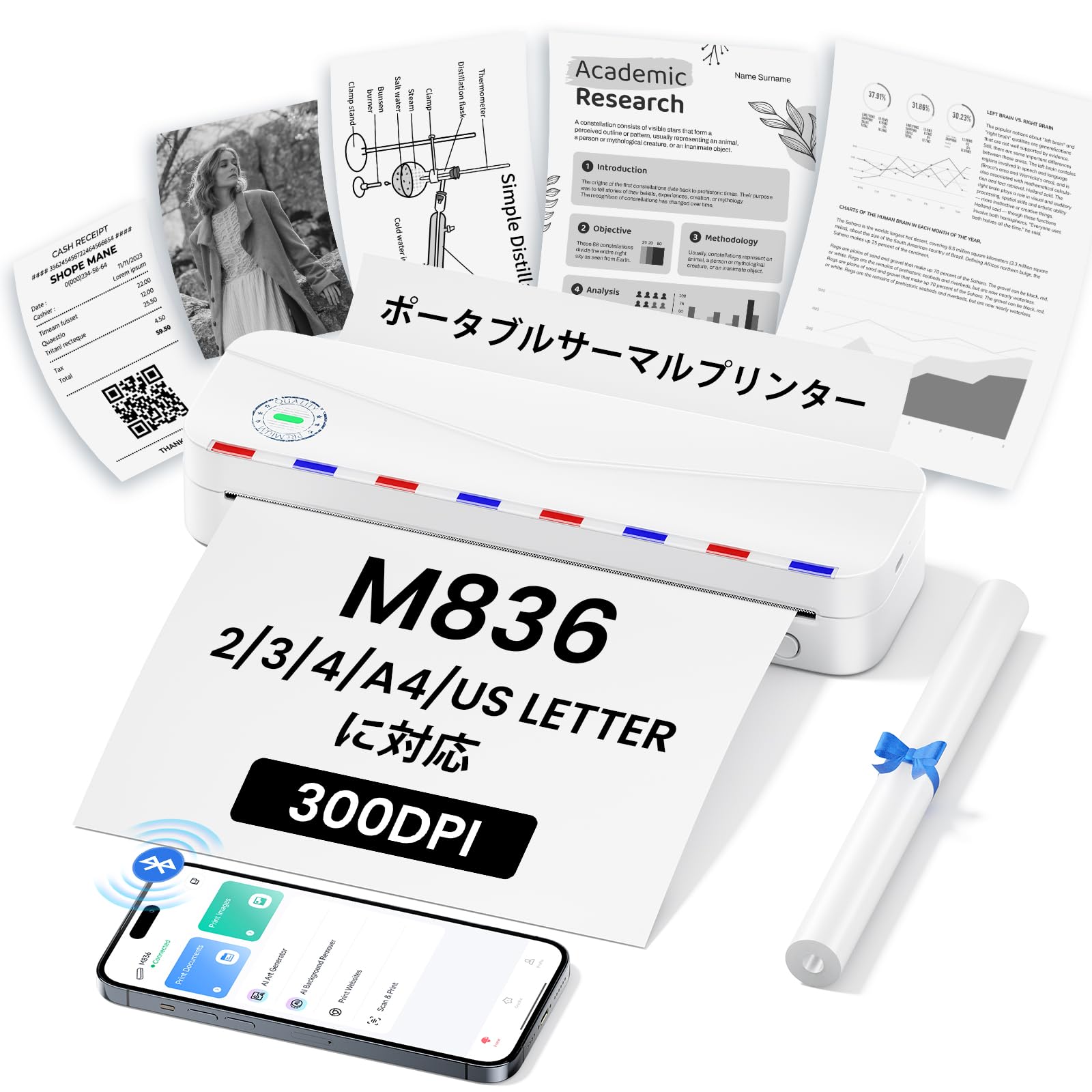
Image: The Phomemo M836 A4 Portable Thermal Printer, showcasing its compact design and portability.
პროდუქტი დასრულდაview
ძირითადი მახასიათებლები
- უმელანო თერმული ბეჭდვა: Utilizes advanced thermal printing technology, eliminating the need for ink cartridges or toner.
- კომპაქტური და პორტატული: Weighing approximately 750g, it is designed for easy transport in a bag, perfect for on-the-go printing.
- სხვადასხვა ზომის ქაღალდის მხარდაჭერა: Compatible with A4 (8.27 x 11.69 inches) and other thermal paper sizes including 53mm, 80mm, and 110mm. Supports standard thermal sheets, roll paper, and fanfold thermal paper.
- მაღალი გარჩევადობა: Delivers clear and vivid prints at 304dpi resolution.
- ფართო თავსებადობა: Connects via Bluetooth to iPhones, Android phones, and iPads, and via USB cable to laptops and computers (Windows, macOS).
- გრძელვადიანი ბატარეა: Equipped with an upgraded 2600mAh battery, ensuring extended use throughout the day.
- მრავალმხრივი ბეჭდვა: Capable of printing PDF, Word, image (JPG), web pages, TXT, office documents, receipts, contracts, resumes, invoices, drawings, and school notes.

Image: The Phomemo M836 printer highlighting its compact dimensions (264mm length, 78mm width, 45mm height) and light weight (715g).

Image: The printer demonstrating compatibility with single sheets, fanfold paper, and roll paper. Note: Only thermal paper is supported, not ordinary copy paper.
დაყენების ინსტრუქციები
1. თერმული ქაღალდის ჩატვირთვა
- Open the paper cover of the printer.
- Insert the thermal paper with the printable side facing up. Ensure the paper is aligned correctly.
- Close the paper cover. The printer will automatically adjust the paper.

Image: Illustration of how to load thermal paper into the printer, showing the adjustable snaps for different paper widths.
2. მობილური მოწყობილობის კავშირი (Bluetooth)
- Download the "Phomemo" app from the Apple App Store or Google Play Store.
- Turn on your mobile phone's Bluetooth.
- Press and hold the power button on the M836 printer to turn it on.
- Open the "Phomemo" app and connect to the printer via Bluetooth within the app.

Image: Step-by-step guide for connecting the Phomemo M836 to a smartphone via the Phomemo app and Bluetooth.
3. PC Connection (USB)
- Turn on the printer by pressing and holding the power button. Ensure thermal paper is loaded.
- Connect the printer to your computer using the provided Type-C USB cable.
- Download and install the printer driver from M836.phomemo.com.
- After driver installation, select "[M836] Printer" from your computer's print options to begin printing.

Image: Instructions for connecting the Phomemo M836 to a PC via USB, including driver download and print selection.
ოპერაციული ინსტრუქციები
General Printing Steps
- Ensure the printer is powered on and connected to your device (mobile or PC) as described in the Setup section.
- გახსენით თქვენს მოწყობილობაზე დოკუმენტი ან სურათი, რომლის დაბეჭდვაც გსურთ.
- Initiate the print function from your application (e.g., "Print" in the Phomemo app, or "File" > "Print" on PC).
- Select the "M836 Printer" from the list of available printers.
- საჭიროებისამებრ შეცვალეთ ბეჭდვის პარამეტრები, როგორიცაა ქაღალდის ზომა, ორიენტაცია და ასლების რაოდენობა.
- დაადასტურეთ და გაგზავნეთ ბეჭდვის დავალება პრინტერზე.

Image: The Phomemo app interface, showing options to print various file types like Word, TXT, PDF, Excel, Web pages, and images, along with scanning functionality.
მოვლა
პრინტერის თავის გაწმენდა
- გამორთეთ პრინტერი და გამორთეთ იგი ნებისმიერი კვების წყაროდან.
- გახსენით ქაღალდის საფარი.
- ნაზად გაწმინდეთ თერმული ბეჭდვის თავი ბამბის ტამპონით.ampგაჯერებულია იზოპროპილის სპირტით.
- საფარის დახურვამდე და გამოყენების განახლებამდე, მიეცით ბეჭდვის თავს სრულად გაშრობის საშუალება.
- Do not touch the print head with bare hands to avoid damage or residue transfer.
ბატარეის მოვლა
- Charge the printer regularly, especially if it will not be used for an extended period, to maintain battery health.
- Use the provided Type-C USB cable for charging.
- Avoid exposing the printer to extreme temperatures, which can affect battery life.
პრობლემების მოგვარება
| პრობლემა | შესაძლო მიზეზი | გამოსავალი |
|---|---|---|
| პრინტერი არ ირთვება. | დაბალი ბატარეის ან ენერგიის პრობლემა. | Charge the printer using the Type-C USB cable. Ensure the power adapter is working. |
| Bluetooth-ის საშუალებით დაკავშირება შეუძლებელია. | Bluetooth is off, incorrect pairing, or app issue. | Ensure Bluetooth is enabled on your device. Restart the printer and your device. Try pairing again through the Phomemo app. |
| Poor print quality (faint or blank). | Incorrect paper loading, non-thermal paper, or dirty print head. | Ensure thermal paper is loaded correctly with the printable side up. Verify you are using thermal paper. Clean the print head as described in the Maintenance section. |
| პრინტერი არ არის აღიარებული კომპიუტერის მიერ. | დრაივერი არ არის დაინსტალირებული ან პრობლემა USB კაბელშია. | დააინსტალირეთ სწორი დრაივერი M836.phomemo.comსცადეთ სხვა USB პორტი ან კაბელი. |
| ქაღალდის ჯემი. | Improper paper loading or foreign object. | Turn off the printer. Carefully open the paper cover and remove any jammed paper or obstructions. Reload paper correctly. |
სპეციფიკაციები
| ფუნქცია | დეტალი |
|---|---|
| ბრენდი | ფომემო |
| მოდელის სახელი | M836 |
| დაკავშირების ტექნოლოგია | Bluetooth, USB |
| ბეჭდვის ტექნოლოგია | თერმული |
| სპეციალური ფუნქცია | პორტატული |
| ფერი | თეთრი |
| პრინტერის გამომავალი | მონოქრომული |
| მაქსიმალური ბეჭდვის სიჩქარე (მონოქრომული) | 20 გვერდი/წუთში |
| პროდუქტის ზომები (D x W x H) | 210 მმ x 47 მმ x 65 მმ |
| Max Media (Paper) Size | 8.5 x 11 ინჩი (A4) |
| ბეჭდური მედიის ტიპი | თერმული ქაღალდი |
| პრინტერის დამატებითი ფუნქციები | მხოლოდ ბეჭდვა |
| რეზოლუცია | 304 dpi |
| შეყვანის ფურცლის მაქსიმალური მოცულობა | 10 ფურცელი |
| აპარატურა ინტერფეისი | USB-C |
| დუპლექსის ბეჭდვა | არა (სიმპლექსი) |
| ბატარეის ტევადობა | 2600 mAh |
გარანტია და მხარდაჭერა
The Phomemo M836 A4 Portable Thermal Printer comes with a 1 წლიანი მწარმოებლის გარანტია შეძენის დღიდან. ეს გარანტია მოიცავს დეფექტებს მასალასა და სამუშაოზე ნორმალური გამოყენებისას.
For technical support, warranty claims, or any questions regarding your product, please contact Phomemo customer service through their official website or the retailer where you purchased the product. Please have your model number (M836) and proof of purchase ready when contacting support.