
შესავალი
The GameSir G8 Plus Thanos Edition is a versatile mobile game controller designed to provide a console-like gaming experience across multiple platforms. This manual provides essential information for setting up, operating, maintaining, and troubleshooting your controller.
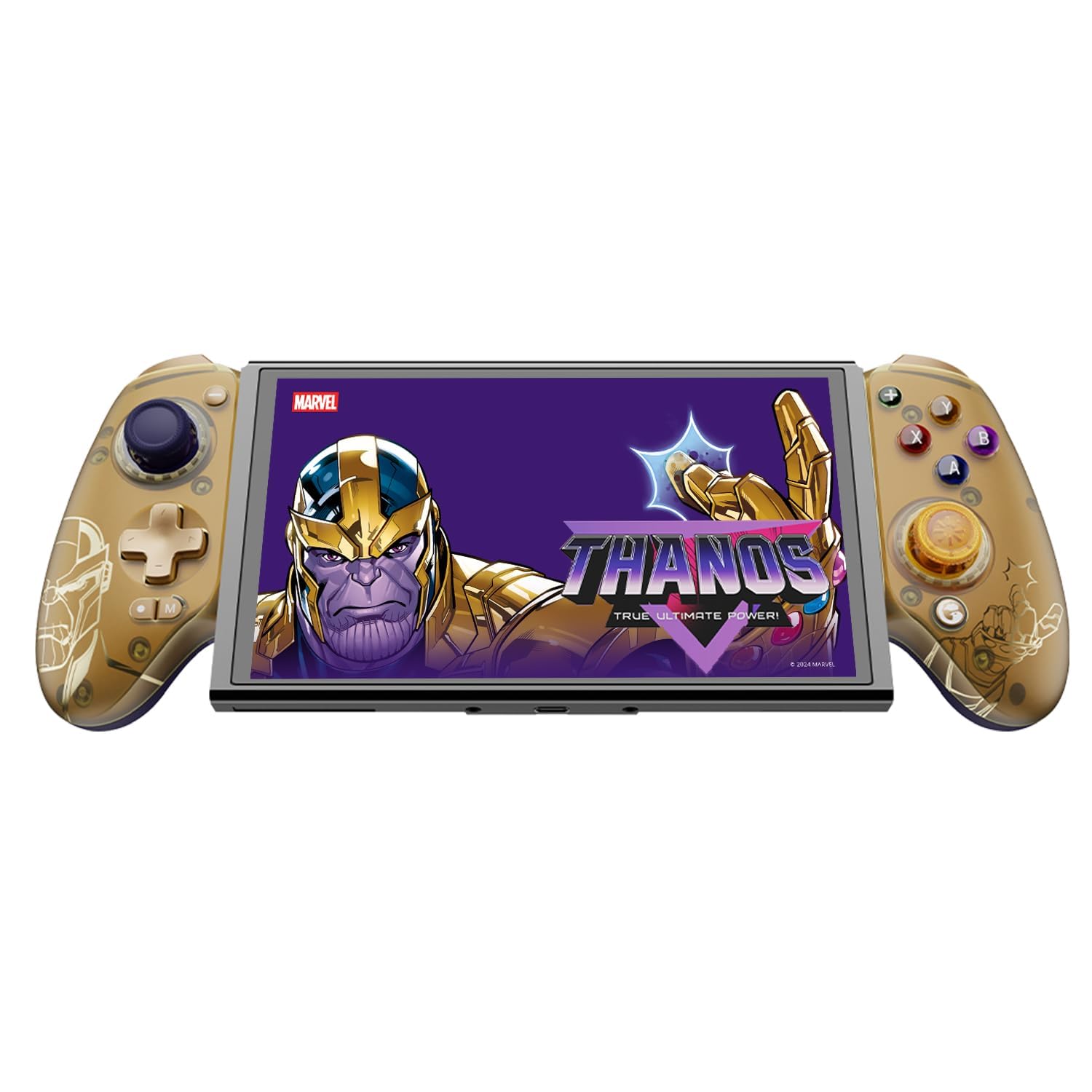
Figure 1: GameSir G8 Plus Thanos Edition Mobile Game Controller.
დაყენება
პაკეტის შიგთავსი
დარწმუნდით, რომ შეფუთვაში ყველა ნივთია:
- GameSir G8 Plus Thanos Edition Mobile Game Controller
- Interchangeable Thumbstick Caps (3 pairs)
- USB-C კაბელი
- მომხმარებლის სახელმძღვანელო (ეს დოკუმენტი)

Figure 2: Contents of the GameSir G8 Plus Thanos Edition package.
მოწყობილობის თავსებადობა
The GameSir G8 Plus is compatible with a wide range of devices:
- Android devices (Android 8.0 or later)
- iOS მოწყობილობები
- Nintendo Switch
- Tablets (4.7 to 8.4 inches)
- PC (via 2.4G receiver, sold separately, or wired)

Figure 3: Universal compatibility of the GameSir G8 Plus.
საწყისი კავშირი
To connect your GameSir G8 Plus controller to a device:
- მობილური მოწყობილობებისთვის (Bluetooth): Extend the controller to fit your smartphone or tablet. Ensure Bluetooth is enabled on your device. Press and hold the pairing button on the controller until the indicator light flashes, then select "GameSir G8 Plus" from your device's Bluetooth settings.
- Nintendo Switch-ისთვის: Insert the Switch console into the controller. The controller should automatically connect.
- For PC (Wired): Connect the controller to your PC using the provided USB-C cable.
- For PC (2.4G Wireless): Insert the 2.4G receiver (sold separately) into your PC's USB port. The controller should connect automatically.
ვიდეო 1: დასრულდაview of the Gamesir G8 Plus Bluetooth Marvel Licensed controller, demonstrating its design and features.
ოპერაციული
ძირითადი ფუნქციები და კონტროლი
- ჰოლის ეფექტის ჯოისტიკები: Experience precise 360° control with anti-drift technology, ensuring longevity and accuracy.
- ჰოლის ეფექტის ტრიგერები: Optimized triggers provide smooth and quick response, ideal for various game genres.
- Mappable Back Buttons: Two additional back buttons (L4/R4) allow for instant button mapping, enhancing gameplay customization.
- მოძრაობის სენსორი: A built-in 6-axis gyroscope enhances motion control, particularly useful for compatible Switch games and motion-sensitive gameplay.
- ჰაპტიკური გამოხმაურება: Console-level haptic feedback provides realistic and immersive sensations during gameplay.

Figure 4: Explanation of GameSir Hall Effect Sticks.

Figure 5: Toggle Trigger Modes for different game types.

Figure 6: Motion Control capabilities with built-in 6-axis gyro.

Figure 7: Realistic and immersive haptic sensation.
მორგება
- Magnetic Faceplates: The controller features magnetic faceplates that can be easily removed and swapped for personalized aesthetics or maintenance.
- Interchangeable Thumbstick Caps: Three pairs of thumbstick caps with varying heights are included, allowing users to customize control feel.
- GameSir App: The GameSir app (Android exclusive) allows for real-time customization, including button mapping and sensitivity adjustments, for personalized gameplay.

Figure 8: Free customization options for the controller.

Figure 9: Advanced features of the GameSir G8 Plus.
Video 2: Introduction to the GameHub App, showcasing its features for game management and controller customization.
რეჟიმის შეცვლა
The controller supports various modes for different platforms. To switch between modes, press the corresponding key combination:
| რეჟიმი | სახლის ინდიკატორი | კავშირის მეთოდი | თავსებადი პლატფორმა |
|---|---|---|---|
| Android | მწვანე | Controller + A | Android 8.0 ან უფრო ახალი ვერსიები |
| DS4 | ლურჯი | Controller + B | iOS |
| გადართვა | წითელი | Controller + X | გადართვა |
| G-Touch | ციანი | Controller + Y | GameSir აპლიკაცია |
*სამუშაო სტატუსში დააჭირეთ შესაბამის კლავიშთა კომბინაციას სასურველ რეჟიმზე გადასასვლელად.
მოვლა
To ensure the longevity and optimal performance of your GameSir G8 Plus controller, follow these maintenance guidelines:
- დასუფთავება: Use a soft, dry cloth to wipe the surface of the controller. For stubborn dirt, slightly dampქსოვილი წყლით ან რბილი საწმენდი ხსნარით გაწმინდეთ. მოერიდეთ უხეში ქიმიკატების ან აბრაზიული მასალების გამოყენებას.
- შენახვა: Store the controller in a cool, dry place away from direct sunlight and extreme temperatures. When not in use for extended periods, ensure it is fully charged before storage.
- დამუშავება: Avoid dropping the controller or subjecting it to strong impacts. Do not attempt to disassemble the controller beyond removing the magnetic faceplates and thumbstick caps.
პრობლემების მოგვარება
If you encounter issues with your GameSir G8 Plus controller, refer to the following common troubleshooting steps:
- კონტროლერი არ უკავშირდება: Ensure Bluetooth is enabled on your device and the controller is in the correct mode (Android, DS4, Switch). Try restarting both the controller and your device. For wired connections, ensure the USB-C cable is securely connected.
- Buttons or Joysticks Unresponsive: Check if the controller's battery is charged. If using the GameSir App, verify that button mappings are correctly configured. For Hall Effect Joysticks, recalibration might be necessary if drift occurs (refer to GameSir App for calibration options).
- Device Not Fitting: Ensure your device's dimensions are within the supported range of 4.7 to 8.4 inches. The controller's design accommodates devices with larger cameras.
- GameSir App Issues: Ensure your GameSir App is updated to the latest version. The app is currently exclusive to Android devices.
For further assistance, please contact GameSir customer support.
სპეციფიკაციები
Detailed specifications for the GameSir G8 Plus Thanos Edition Mobile Game Controller:
| ფუნქცია | დეტალი |
|---|---|
| თავსებადი მოწყობილობები | Android, iOS, Nintendo Switch, PC |
| კონტროლერის ტიპი | გეიმპედი |
| დაკავშირების ტექნოლოგია | Bluetooth 5.3, USB, 2.4G (receiver sold separately) |
| დამატებითი ფუნქციები | Multiuse, Wireless, Hall Effect Joysticks & Triggers, 6-axis Gyroscope, Mappable Back Buttons, Magnetic Faceplates, Interchangeable Thumbstick Caps, Pass-through Charging |
| ღილაკების რაოდენობა | 6 (standard face buttons) + D-pad, shoulder buttons, triggers, menu buttons, 2 back buttons |
| აპარატურის პლატფორმა | Smartphone, Tablet, Nintendo Switch, PC |
| დენის წყარო | Battery Powered (500mAh per side) |
| ნივთის წონა | 620 გრამი |
| მოდელის სახელი | G8 Plus |
| მწარმოებელი | თამაში ბატონო |
| ფერი | Gamesir G8 Plus Thanos Edition (Gold/Purple) |
გარანტია და მხარდაჭერა
საგარანტიო ინფორმაცია
The GameSir G8 Plus Thanos Edition Mobile Game Controller comes with a 1 წლიანი გარანტია. GameSir provides 12 months replacement service for product issues.
მომხმარებელთა მხარდაჭერა
If you experience any problems with your product or require further assistance, please feel free to send a message through Amazon. GameSir aims to reply within 24 hours.