
შესავალი
This manual provides detailed instructions for the setup, operation, and maintenance of your Transformers TF-T31 Bluetooth TWS Wireless Earbuds. Please read this manual thoroughly before using the product to ensure proper function and longevity.
პროდუქტი დასრულდაview
პაკეტის შიგთავსი
- Transformers TF-T31 Wireless Earbuds (Left and Right)
- დამუხტვის ქეისი
- USB Type-C დამტენი კაბელი
- მომხმარებლის სახელმძღვანელო (ეს დოკუმენტი)
ძირითადი მახასიათებლები
- Bluetooth 5.4: Provides a stable, fast, and low-power connection.
- ორმაგი რეჟიმის ფუნქციონალობა: Switch between Gaming Mode for low latency audio and Music Mode for HiFi sound.
- მაღალი სიზუსტის აუდიო: Features 13mm magnetically levitated drivers for rich, detailed sound with deep bass.
- გარემოს ხმაურის გაუქმება (ENC): აუმჯობესებს ზარის სიცხადეს გარემოს ხმაურის შემცირებით.
- ინტუიციური სენსორული კონტროლი: Manage music playback, calls, and mode switching directly from the earbuds.
- გახანგრძლივებული ბატარეის ხანგრძლივობა: Up to 5 hours of playback per charge, with the charging case providing up to 50 hours total.
- ერგონომიული დიზაინი: Lightweight and comfortable for prolonged wear.
- Mechanical Shell Design: Unique aesthetic inspired by Transformers.

Image: The Transformers TF-T31 wireless earbuds and their distinctive mechanical shell charging case, shown in yellow.

Image: Close-up of the Transformers TF-T31 charging case, highlighting its unique mechanical shell design and the Transformers logo.
დაყენება
1. ყურსასმენებისა და ქეისის დატენვა
პირველი გამოყენების წინ, სრულად დატენეთ ყურსასმენები და დამტენი ქეისი.
- ორივე ყურსასმენი დამტენ ქეისში მოათავსეთ. დარწმუნდით, რომ ისინი სწორად არის დამაგრებული.
- მოწოდებული USB Type-C კაბელი შეაერთეთ კორპუსზე არსებულ დამტენ პორტთან და მეორე ბოლო შეაერთეთ USB კვების წყაროსთან (მაგ., კედლის ადაპტერი, კომპიუტერი).
- The LED digital display on the charging case will indicate the battery status during charging.
- სრული დატენვისთვის, როგორც წესი, დაახლოებით 1.5 საათი სჭირდება.
შენიშვნა: The charging case has a 3.7V/300mAh battery, and each earbud has a 3.7V/30mAh built-in battery.
2. Bluetooth დაწყვილება
Follow these steps to pair your earbuds with a Bluetooth-enabled device:
- ჩართვა: გახსენით დამტენი ქეისი. ყურსასმენები ავტომატურად ჩაირთვება და დაწყვილების რეჟიმში შევა. შესაძლოა, ხმოვანი შეტყობინება გაიგონ.
- Bluetooth-ის გააქტიურება: On your device (smartphone, tablet, computer), go to the Bluetooth settings and ensure Bluetooth is enabled.
- აირჩიეთ მოწყობილობა: Look for "TF-T31" in the list of available Bluetooth devices and select it to connect.
- დადასტურება: Once connected, you will hear a confirmation sound from the earbuds, and your device will show "TF-T31" as connected.
შენიშვნა: ყურსასმენები ქეისიდან ამოღების შემდეგ ავტომატურად დაუკავშირდება ბოლოს დაწყვილებულ მოწყობილობას, თუ მოწყობილობაზე Bluetooth ჩართულია.

Image: Diagram illustrating the advanced Bluetooth 5.4 technology, emphasizing stable and fast connection.
ოპერაციული ინსტრუქციები
ჩართვა/გამორთვა
- ჩართვა: გახსენით დამტენი ქეისი ან 3 წამის განმავლობაში ხანგრძლივად დააჭირეთ ორივე ყურსასმენის შეხების არეალს.
- Გამორთვა: ყურსასმენები დააბრუნეთ დამტენ ქეისში და დახურეთ სახურავი, ან ხანგრძლივად დააჭირეთ ორივე ყურსასმენის შეხების არეალს 5 წამის განმავლობაში.
შეეხეთ კონტროლს
The TF-T31 earbuds feature intuitive touch controls on the outer surface of each earbud. The functions are as follows:
| მოქმედება | ფუნქცია |
|---|---|
| ერთჯერადი შეხება (მარცხნივ/მარჯვნივ) | დაკვრა/პაუზა მუსიკა, პასუხის გაცემა/ზარის დასრულება |
| ორმაგი შეხება (მარჯვენა ყურსასმენი) | შემდეგი სიმღერა |
| ორმაგი შეხება (მარცხენა ყურსასმენი) | წინა სიმღერა |
| სამმაგი შეხება (მარცხნივ/მარჯვნივ) | Switch between Gaming Mode and Music Mode |
| Long Press (Left/Right, 2 seconds) | Reject incoming call, Activate Voice Assistant |
Switching Modes (Gaming/Music)
The TF-T31 earbuds offer two distinct audio modes:
- თამაშის რეჟიმი: Provides ultra-low latency audio synchronization, ideal for gaming and video playback to minimize delay between audio and visuals.
- მუსიკის რეჟიმი: Delivers rich HiFi sound with enhanced bass and clear highs, optimized for an immersive music listening experience.
რეჟიმებს შორის გადართვისთვის, სამმაგი ონკანი the touch area on either earbud. You will hear an audible prompt indicating the current mode.
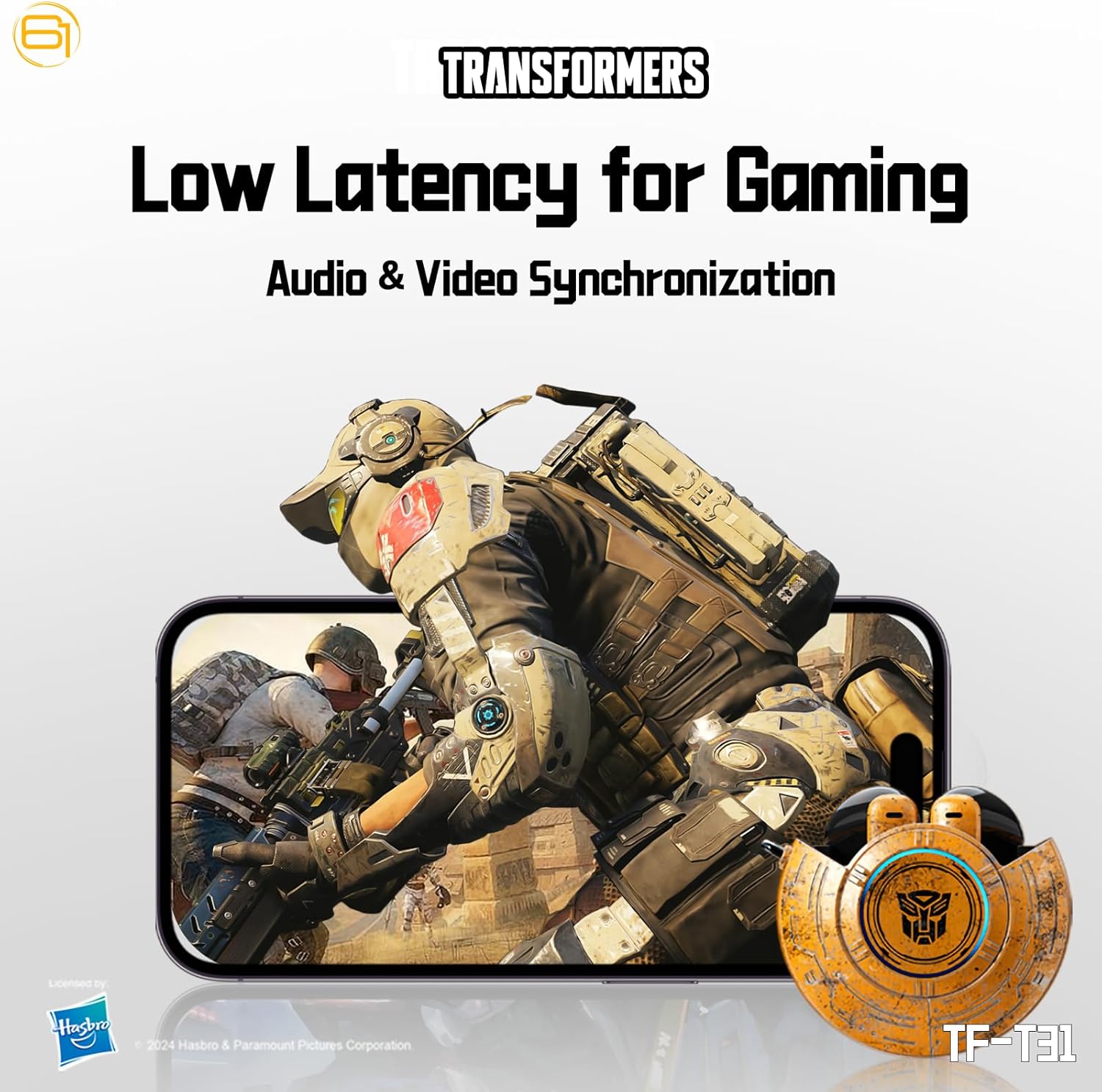
Image: Illustration of the earbuds providing low latency audio for gaming, showing a mobile gaming scenario.
მოვლა
დასუფთავება
- რეგულარულად გაწმინდეთ ყურსასმენები და დამტენი ქეისი რბილი, მშრალი, ბუსუსების გარეშე ქსოვილით.
- არ გამოიყენოთ აბრაზიული საწმენდები, სპირტი ან ქიმიური გამხსნელები.
- Gently remove any earwax or debris from the earbud mesh using a small, soft brush or cotton swab.
- Ensure the charging contacts on both the earbuds and the case are clean and dry to maintain proper charging.
შენახვა
- როდესაც ყურსასმენები არ იყენებთ, შეინახეთ დამტენ ქეისში, რათა დაიცვათ ისინი და დატენილი იყოს.
- შეინახეთ პროდუქტი გრილ, მშრალ ადგილას, მოარიდეთ ექსტრემალურ ტემპერატურას და მზის პირდაპირ სხივებს.
- Avoid exposing the earbuds or case to water or excessive moisture. While the product is water-resistant, it is not waterproof.
პრობლემების მოგვარება
If you encounter issues with your TF-T31 earbuds, please refer to the following common problems and solutions:
ყურსასმენები არ წყვილდება ან არ უკავშირდება
- დარწმუნდით, რომ ორივე ყურსასმენი დატენულია.
- დარწმუნდით, რომ Bluetooth ჩართულია თქვენს მოწყობილობაზე.
- ყურსასმენები დააბრუნეთ დამტენ ქეისში, დახურეთ სახურავი, დაელოდეთ რამდენიმე წამი და შემდეგ ხელახლა გახსენით დაწყვილების რეჟიმში ხელახლა გადასასვლელად.
- On your device, forget or delete "TF-T31" from your Bluetooth device list, then attempt to pair again.
- მოწყობილობასთან დაკავშირებული პრობლემების გამოსარიცხად, სცადეთ სხვა მოწყობილობასთან დაწყვილება.
არ არის ხმა ან დაბალი ხმა
- შეამოწმეთ ხმის დონე როგორც თქვენს დაკავშირებულ მოწყობილობაზე, ასევე ყურსასმენებზე.
- დარწმუნდით, რომ ყურსასმენები სწორად არის ჩასმული თქვენს ყურებში.
- Clean any debris from the earbud mesh that might be obstructing sound.
- ხელახლა შეაერთეთ ყურსასმენები თქვენს მოწყობილობას.
დატენვის საკითხები
- დარწმუნდით, რომ დამტენის კაბელი საიმედოდ არის დაკავშირებული როგორც კორპუსთან, ასევე კვების წყაროსთან.
- Ensure the charging contacts on the earbuds and inside the case are clean and free of obstructions.
- სცადეთ სხვა USB Type-C კაბელის ან კვების ადაპტერის გამოყენება.
- დარწმუნდით, რომ კვების წყარო აქტიურია.
Earbuds Disconnect Frequently
- Ensure your device is within the Bluetooth transmission distance (26-32 feet or 8-10 meters) without significant obstacles.
- მოერიდეთ ძლიერი ელექტრომაგნიტური ჩარევის მქონე გარემოს.
- Fully charge both the earbuds and the charging case.
სპეციფიკაციები
| ფუნქცია | დეტალი |
|---|---|
| მოდელის სახელი | TF-T31 |
| Bluetooth ვერსია | Bluetooth 5.4 |
| Bluetooth გადაცემის მანძილი | 26-32 ფუტი (8-10 მეტრი) |
| ყურსასმენის ბატარეის ტევადობა | 3.7V/30mAh (each earbud) |
| დამუხტვის კეის ბატარეის ტევადობა | 3.7V/300mAh |
| დატენვის პორტი | ტიპი-C |
| დატენვის დრო | დაახლოებით 1.5 საათი |
| Battery Talk/Music Time | 5 საათამდე (ყურსასმენები), 50 საათამდე (დამუხტვის ყუთით) |
| სიხშირის რეაგირების დიაპაზონი | 20Hz-20KHz |
| სპიკერის წინაღობა | 32Ω |
| მგრძნობელობა | 109dB±3dB |
| კონტროლის ტიპი | შეეხეთ Control |
| წყლის წინააღმდეგობის დონე | წყალგამძლე |
| პროდუქტის ზომები | 3.15 x 3.15 x 4.72 ინჩი |
| ნივთის წონა | 5.3 უნცია (0.15 კილოგრამი) |
უსაფრთხოების ინფორმაცია
- სმენის დაცვა: მოერიდეთ დიდი ხნით მოსმენას, რათა თავიდან აიცილოთ სმენის დაზიანება.
- მართვის უსაფრთხოება: Do not use earbuds while driving or operating machinery where the inability to hear ambient sounds could pose a danger.
- წყლის ექსპოზიცია: The earbuds are water-resistant, not waterproof. Do not submerge them in water or expose them to heavy rain. Dry them thoroughly if they get wet.
- ბავშვები: Keep earbuds and small parts away from children to prevent choking hazards.
- ბატარეის უსაფრთხოება: Do not attempt to replace the built-in batteries. Do not expose batteries to excessive heat or direct sunlight. Dispose of batteries according to local regulations.
- დასუფთავება: Use only recommended cleaning methods. Avoid harsh chemicals.
გარანტია და მხარდაჭერა
For warranty information or technical support, please refer to the documentation provided at the time of purchase or contact the retailer/manufacturer directly. Keep your proof of purchase for warranty claims.
You can visit the official Transformers store on Amazon for more product information: ტრანსფორმერების მაღაზია