
1. შესავალი
მადლობა შენაძენისთვისasing the ELECOM LBT-ECOWS01MBK Open-Ear Bluetooth 5.4 Wireless Headphones. These headphones are designed to allow you to enjoy audio content while remaining aware of your surroundings. This manual provides essential information for the safe and effective use of your new device.

Image: The ELECOM LBT-ECOWS01MBK open-ear wireless headphones and their transparent charging case.
2. პაკეტის შიგთავსი
- ELECOM LBT-ECOWS01MBK Open-Ear Wireless Headphones (Left and Right)
- დამუხტვის ქეისი
- USB Charging Cable (USB-A to USB Type-C™)
- სწრაფი დაწყების სახელმძღვანელო
3. პროდუქტის მახასიათებლები
- ღია ყურის დიზაინი: Listen to music or videos while simultaneously hearing ambient sounds, ensuring awareness of your surroundings.
- მსუბუქი კომფორტი: Each earbud weighs approximately 9.8g, providing a comfortable fit for extended wear without pressure or stuffiness.
- მაღალი ხარისხის აუდიო: Equipped with a large 16mm diameter driver for clear sound and supports AAC codec for high-quality audio on compatible devices like iPhones.
- ხმის რეჟიმი: Optimizes audio frequencies to make human voices clearer, ideal for radio, audiobooks, and conversations.
- დაბალი შეყოვნების რეჟიმი: Reduces audio-visual delay, enhancing the experience for videos and games.
- გაფართოებული დაკვრა: ერთი დატენვით 10 საათამდე უწყვეტი დაკვრა და დამტენი ქეისით 25 საათამდე.
- შეხების სენსორის კონტროლი: Conveniently manage music playback, volume, and calls directly from the earbuds.
- ხმოვანი ასისტენტის მხარდაჭერა: Compatible with Siri and Google Assistant for hands-free control.
- ერთი ყურსასმენის გამოყენება: ნებისმიერი ყურსასმენის გამოყენება შესაძლებელია დამოუკიდებლად.
- USB Type-C™ Charging: The charging case features a USB Type-C™ port for convenient charging.

Image: A man wearing the open-ear headphones, demonstrating the ability to hear ambient sounds while enjoying media.
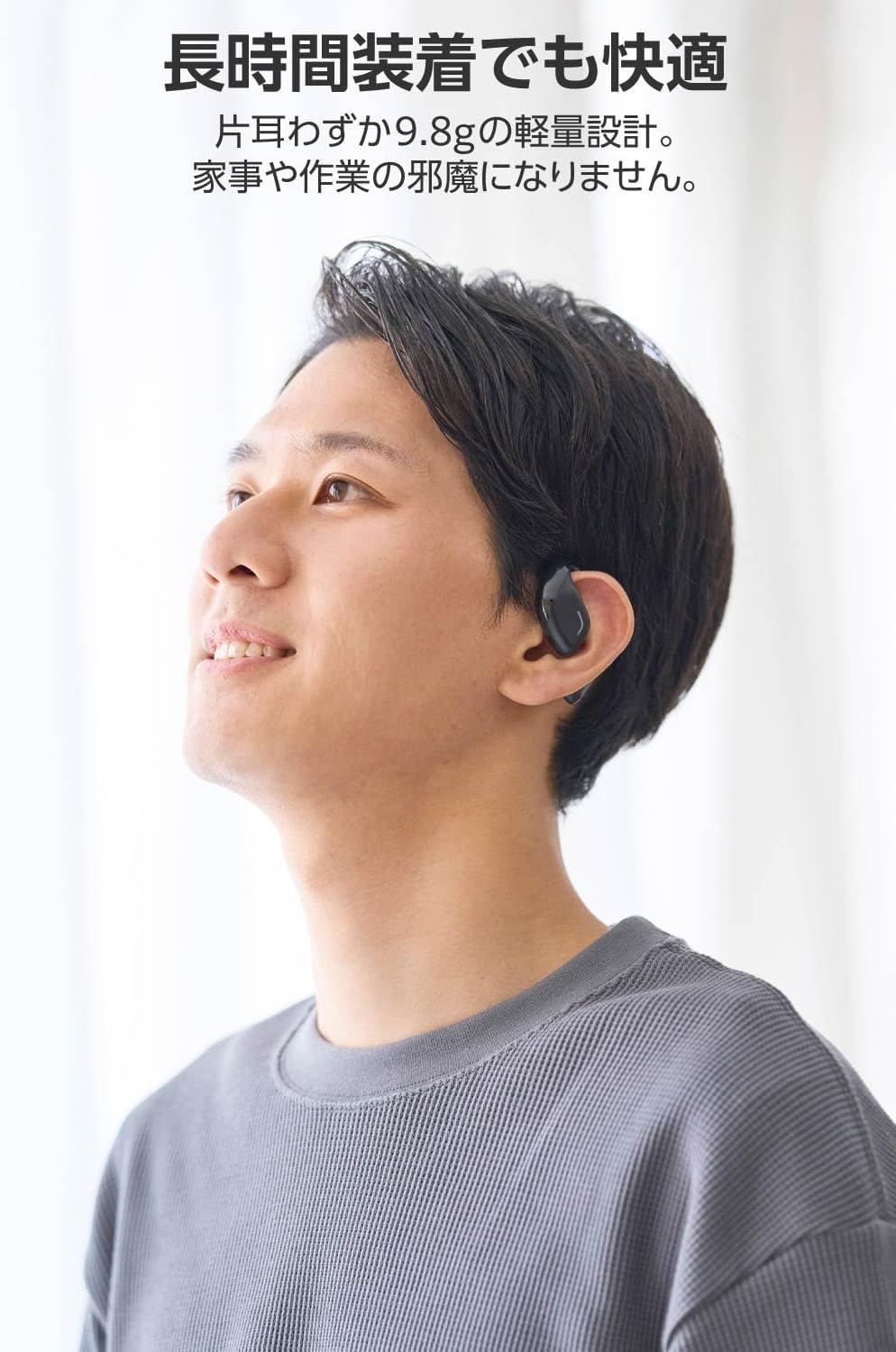
Image: A man wearing the lightweight open-ear headphones, highlighting their comfortable design for long-term use.
4. დაყენება
4.1. ყურსასმენებისა და ქეისის დატენვა
პირველი გამოყენების წინ, სრულად დატენეთ ყურსასმენები და დამტენი ქეისი.
- მოათავსეთ ორივე ყურსასმენი დატენვის შემთხვევაში.
- Connect the supplied USB Type-C™ cable to the charging port on the case and a USB power adapter (not included).
- დამტენის ქეისზე LED ინდიკატორი აჩვენებს დატენვის სტატუსს.
დატენვის დრო:
- Headphones: Approximately 1.5 hours
- Charging Case: Approximately 1.5 hours

Image: Illustration of the charging process for the headphones and case, showing the USB-C port and LED indicators.
4.2. დაწყვილება Bluetooth მოწყობილობასთან
- დარწმუნდით, რომ ყურსასმენები დატენულია.
- Open the charging case. The headphones will automatically enter pairing mode. The LED indicator on the earbuds will flash.
- On your device (smartphone, PC, tablet), enable Bluetooth and search for available devices.
- Select "LBT-ECOWS01MBK" from the list of found devices.
- დაკავშირების შემდეგ, ყურსასმენებზე LED ინდიკატორი შეწყვეტს ციმციმს.
- After initial pairing, the headphones will automatically connect to the last paired device when removed from the case.
4.3. ყურსასმენების ტარება
The headphones are designed to hook over your ears.
- დაადგინეთ მარცხენა (L) და მარჯვენა (R) ყურსასმენები.
- With the LED facing outwards, hook the earbud over the top of your ear.
- Adjust the earbud for a comfortable and secure fit.

Image: Step-by-step guide on correctly wearing the open-ear headphones.
5. საოპერაციო ინსტრუქციები
5.1. Touch Sensor Controls
The headphones feature touch sensors on each earbud for various functions.
| ფუნქცია | მოქმედება | ყურსასმენი |
|---|---|---|
| დაკვრა/პაუზა | ერთი ონკანი | ლ ან რ |
| შემდეგი სიმღერა | შეეხეთ ორმაგად | R |
| წინა სიმღერა | შეეხეთ ორმაგად | L |
| ხმის ამაღლება | ხანგრძლივი დაჭერა (დაახლოებით 2 წამი) | R |
| ხმის დაკლება | ხანგრძლივი დაჭერა (დაახლოებით 2 წამი) | L |
| ზარის პასუხი/დასრულება | ერთი ონკანი | ლ ან რ |
| ზარის უარყოფა | ხანგრძლივი დაჭერა | ლ ან რ |
| გააქტიურეთ ხმოვანი ასისტენტი | სამმაგი ონკანი | ლ ან რ |

Image: Visual representation of the touch sensor areas and corresponding music and volume controls.
5.2. Switching Audio Modes
The headphones offer three distinct audio modes:
- ნორმალური რეჟიმი: Standard audio playback.
- დაბალი შეყოვნების რეჟიმი: Reduces audio-visual delay, suitable for watching videos or playing games.
- ხმის რეჟიმი: Enhances human voice frequencies for clearer dialogue, ideal for audiobooks, podcasts, or calls.
To switch between modes, refer to the quick start guide or the official product page for specific touch gestures, as these can sometimes be customized.

სურათი: ოვერview of the three available audio modes and their recommended uses.
5.3. Single Earbud Use
You can use either the left or right earbud independently. When using only one earbud, ensure the other earbud is powered off or stored in the charging case.
6. მოვლა
ყურსასმენების ხანგრძლივი მუშაობისა და ოპტიმალური მუშაობის უზრუნველსაყოფად:
- ყურსასმენები და დამტენი ქეისი რეგულარულად გაწმინდეთ რბილი, მშრალი ქსოვილით.
- არ გამოიყენოთ აბრაზიული გამწმენდები ან გამხსნელები.
- მოერიდეთ ყურსასმენების ექსტრემალურ ტემპერატურაზე, ტენიანობაზე ან მზის პირდაპირ სხივებზე ზემოქმედებას.
- Keep the charging contacts on the earbuds and inside the case clean and free of debris.
- ყურსასმენები, როდესაც არ იყენებთ, დამტენ ქეისში შეინახეთ, რათა დაიცვათ ისინი და დატენილი იყოს.
7. Დიაგნოსტიკა
თუ ყურსასმენებთან დაკავშირებით პრობლემები შეგექმნათ, იხილეთ შემდეგი გავრცელებული გადაწყვეტილებები:
- ხმა არ არის:
- დარწმუნდით, რომ ყურსასმენები დატენულია.
- შეამოწმეთ, რომ ყურსასმენები სწორად არის დაწყვილებული და დაკავშირებული თქვენს მოწყობილობასთან.
- დაარეგულირეთ ხმა როგორც ყურსასმენებზე, ასევე თქვენს დაკავშირებულ მოწყობილობაზე.
- დაწყვილება შეუძლებელია:
- დარწმუნდით, რომ ყურსასმენები დაწყვილების რეჟიმშია (LED ციმციმი).
- Turn off Bluetooth on other nearby devices that may have previously connected.
- გადატვირთეთ მოწყობილობა და ხელახლა სცადეთ დაწყვილება.
- წყვეტილი კავშირი:
- დარწმუნდით, რომ ყურსასმენებსა და თქვენს მოწყობილობას შორის არ არის დაბრკოლებები.
- Move closer to your device (maximum communication distance is approximately 10m).
- მოერიდეთ ძლიერი ელექტრომაგნიტური ჩარევის მქონე გარემოს.
- შეხების კონტროლი არ პასუხობს:
- დარწმუნდით, რომ თქვენი თითები სუფთა და მშრალია.
- Try restarting the headphones by placing them in the case and then taking them out again.
- Low Battery Voice Prompt: If you hear a repeated "Low Battery, please charge" prompt, place the earbuds in the charging case immediately.
If the issue persists, please refer to the official ELECOM support webსაიტი შემდგომი დახმარებისთვის.
8. სპეციფიკაციები
| ფუნქცია | სპეციფიკაცია |
|---|---|
| მოდელის სახელი | LBT-ECOWS01MBK |
| დაკავშირების ტექნოლოგია | Wireless (Bluetooth® Version 5.4) |
| Bluetooth Profiles | A2DP, AVRCP, HFP |
| მხარდაჭერილი კოდეკები | AAC, SBC |
| Max Communication Distance | Approx. 10m (without obstacles) |
| Frequency Response (A2DP) | 20-20,000 ჰც |
| უწყვეტი დაკვრის დრო | Approx. 10 hours (Approx. 25 hours with charging case) |
| დატენვის დრო (ყურსასმენები) | დაახლ. 1.5 საათი |
| დატენვის დრო (ქეისი) | დაახლ. 1.5 საათი |
| მიკროფონის ტიპი | MEMS ტიპი |
| მძღოლის განყოფილება | φ16mm Full Range |
| წონა (თითო ყურსასმენზე) | დაახლ. 9.8 გ |
| წონა (დამუხტვის საქმე) | დაახლ. 59.0 გ |
| ფერი | მქრქალი შავი |
| წყლის წინააღმდეგობა | წყალგაუმტარი |
| ოპერაციული ტემპერატურა | 5℃-დან 35℃-მდე |
| ოპერაციული ტენიანობა | 20%-დან 80%-მდე (არაკონდენსირებადი) |
9. გარანტია და მხარდაჭერა
9.1. ინფორმაცია გარანტიის შესახებ
ამ პროდუქტს მოყვება ა 1 წლიანი გარანტია შეძენის დღიდან. გთხოვთ, შეინახოთ შეძენის დამადასტურებელი საბუთი გარანტიის მოთხოვნებისთვის. გარანტია ფარავს წარმოების დეფექტებს, მაგრამ არ ფარავს არასწორი გამოყენებით, უბედური შემთხვევებით, არაავტორიზებული მოდიფიკაციით ან ნორმალური ცვეთის შედეგად გამოწვეულ ზიანს.
9.2. მომხმარებელთა მხარდაჭერა
For further assistance, technical support, or detailed product information, please visit the official ELECOM webსაიტი:
You may also find additional FAQs and troubleshooting tips on the product support pages.