
1. შესავალი
Thank you for choosing the KRPTQJoo Replacement Remote Control. This remote is designed to provide seamless control for various Blaupunkt and Alba television models. This manual will guide you through the setup, operation, and maintenance of your new remote control.
This remote control is a direct replacement and does not require any programming or pairing. Simply insert the batteries, and it is ready for use with compatible models.
Compatible Models include, but are not limited to:
- Blaupunkt: 32/194I-GB-FHBKU-DE, B32FX122BK, B32A2124TC, B32A22TC, B32SHE126, B32A112TC-3B2, B32A133TCHD, B32A191TCFHD-3D, BA32M191BF3BKUER01
- ალბა: 22/207, 22-207-B, 22-207-S, UNFRMC0002, 50/211F, 22/207DVD, 22/207FDVD, 22/207F
2. პროდუქტი დასრულდაview
The KRPTQJoo replacement remote control features a standard layout for easy navigation and control of your television. Below are images illustrating the front and back of the remote.
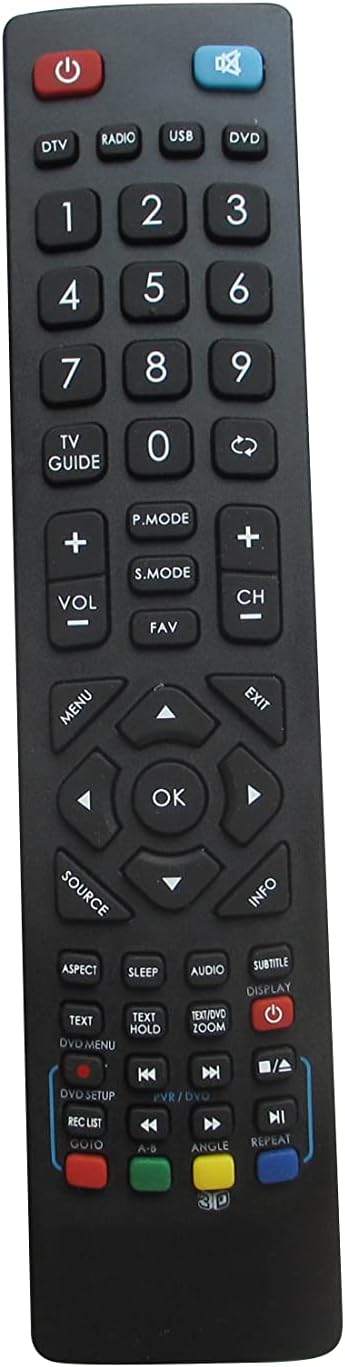
სურათი 2.1: წინა view of the remote control. This image displays the full button layout, including power, number keys, channel and volume controls, navigation pad, and various function buttons for TV, DVD, and media playback.
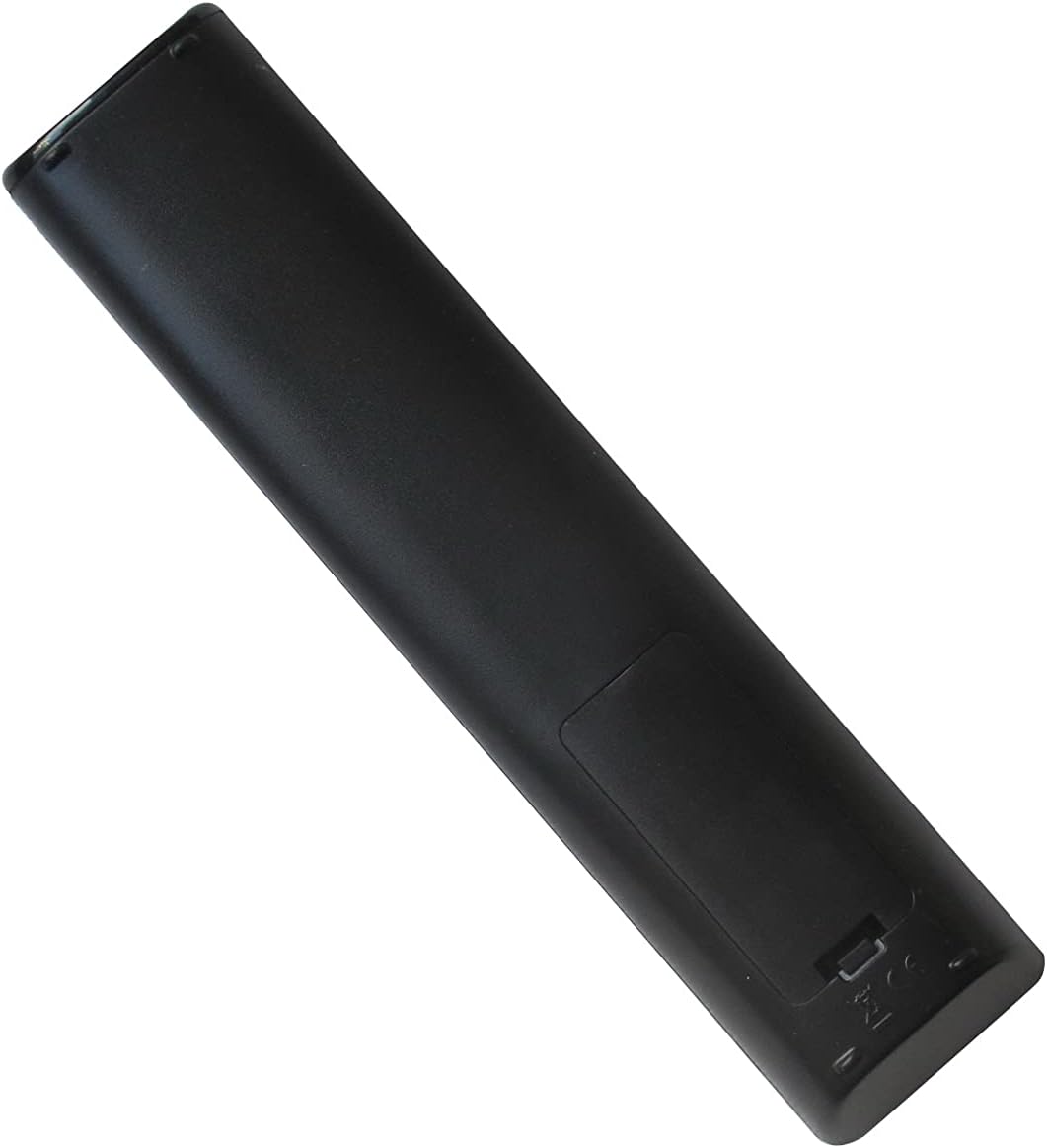
სურათი 2.2: უკან view of the remote control. This image shows the smooth, ergonomic design and the location of the battery compartment cover.
3. დაყენება
3.1 ბატარეის დაყენება
- იპოვეთ ბატარეის განყოფილება დისტანციური მართვის უკანა მხარეს.
- ბატარეის განყოფილების საფარი ქვემოთ ჩამოსწიეთ ან გასახსნელად დააჭირეთ საკეტს და ასწიეთ.
- ჩადეთ ორი (2) AAA ტიპის ელემენტი, დარწმუნდით, რომ დადებითი (+) და უარყოფითი (-) ტერმინალები ემთხვევა განყოფილებაში არსებულ დიაგრამებს.
- დაახურეთ ბატარეის განყოფილების საფარი და დარწმუნდით, რომ ის მყარად დამაგრდება თავის ადგილზე.
შენიშვნა: This remote control operates using infrared (IR) technology and does not require any programming or pairing with your television. It is ready for use immediately after battery installation.
4. საოპერაციო ინსტრუქციები
Point the remote control directly at your television's IR receiver. Ensure there are no obstructions between the remote and the TV.
4.1 ღილაკის ფუნქციები
| ღილაკი | ფუნქცია |
|---|---|
| სიმძლავრე (⏻) | ტელევიზორის ჩართვა ან გამორთვა. |
| DTV / Radio / USB / DVD | Selects the corresponding input source or mode. |
| 0-9 (ნომრის ღილაკები) | არხის პირდაპირი შერჩევა ან რიცხვითი შეყვანა. |
| სატელევიზიო გზამკვლევი | წვდომა აქვს ელექტრონულ პროგრამის სახელმძღვანელოზე (EPG). |
| VOL +/- | არეგულირებს ხმის დონეს. |
| CH +/- | ცვლის სატელევიზიო არხს. |
| დადუმება (🔇) | დადუმდა ან მოხსნის ტელევიზორის აუდიოს. |
| P.MODE | გადართვა სურათის რეჟიმებს შორის (მაგ., სტანდარტული, დინამიური, ვიდეო). |
| S.MODE | Cycles through sound modes (e.g., Standard, Music, Movie). |
| ფავორიტი | წვდომა საყვარელი არხების სიაზე. |
| მენიუ | ხსნის ტელევიზორის მთავარ მენიუს. |
| Navigation Arrows (▲ ▼ ◄ ►) | მენიუს პარამეტრებში ნავიგაციას ახდენს. |
| OK | ადასტურებს არჩევანს მენიუში. |
| გასვლა | გამოდის მიმდინარე მენიუდან ან ფუნქციიდან. |
| წყარო | Selects input sources (e.g., HDMI, AV, Component). |
| ინფორმაცია | აჩვენებს ინფორმაციას მიმდინარე პროგრამის ან შეყვანის შესახებ. |
| ასპექტი | ცვლის ეკრანის ასპექტის თანაფარდობას. |
| ძილი | ადგენს ძილის ტაიმერს. |
| აუდიო | ირჩევს აუდიო ჩანაწერებს ან რეჟიმებს. |
| SUBTITLE | სუბტიტრების ჩართვა ან გამორთვა. |
| ჩვენება | ეკრანზე ინფორმაციას აჩვენებს. |
| TEXT / TEXT HOLD | Accesses teletext functions. |
| ZOOM | Adjusts screen zoom level. |
| DVD SETUP / REC LIST / GOTO | Functions related to DVD player setup, recording lists, or specific time jumps. |
| Playback Controls (◀◀ / ▶▶ / ■ / ▶ / ██ / ▣) | Standard media playback controls: Rewind, Fast Forward, Stop, Play, Pause, Record. |
| ფერადი ღილაკები (წითელი, მწვანე, ყვითელი, ლურჯი) | Context-sensitive functions, often used in menus or teletext. |
| ANGLE / REPEAT / 3D | Functions for DVD angle selection, repeating playback, or 3D mode activation (if supported by TV). |
შენიშვნა: The functionality of some buttons may vary depending on your specific TV model and its features. Refer to your television's original manual for detailed information on specific functions.
5. მოვლა
5.1 დისტანციური მართვის პულტის გაწმენდა
დისტანციური მართვის პულტის გასაწმენდად, ფრთხილად გაწმინდეთ რბილი, მშრალი ქსოვილით. ჯიუტი ჭუჭყის შემთხვევაში, ოდნავ გაწმინდეთampქსოვილი წყლით ან რბილი, არააბრაზიული საწმენდი საშუალებით დაასველეთ. მოერიდეთ უხეში ქიმიკატების ან ზედმეტი ტენიანობის გამოყენებას, რადგან ამან შეიძლება პულტი დააზიანოს.
5.2 ბატარეის გამოცვლა
Replace batteries when the remote's response becomes sluggish or stops working. Always replace both batteries at the same time with new AAA batteries. Do not mix old and new batteries, or different types of batteries, as this can lead to leakage or malfunction.
Remove batteries if the remote will not be used for an extended period to prevent potential leakage and damage.
6. Დიაგნოსტიკა
- Remote is not working:
- დარწმუნდით, რომ ბატარეები სწორად არის ჩასმული სწორი პოლარობით (+/-).
- ძველი ელემენტები შეცვალეთ ახალი AAA ელემენტებით.
- შეამოწმეთ, ხომ არ არის რაიმე დაბრკოლება დისტანციურ მართვასა და ტელევიზორის ინფრაწითელ მიმღებს შორის.
- Ensure you are within the effective operating range (up to 8 meters).
- Some buttons do not function:
- Verify that your TV model supports the specific function of that button. Not all TVs have the same features (e.g., 3D, specific DVD functions).
- This remote is a replacement for specific models; some advanced or unique functions of your original TV remote might not be replicated.
- შეზღუდული დიაპაზონი ან წყვეტილი რეაქცია:
- შეცვალეთ ბატარეები.
- დარწმუნდით, რომ პულტის ინფრაწითელი გამოსხივება და ტელევიზორის ინფრაწითელი მიმღები სუფთა და დაუბრკოლებელია.
- Avoid strong light sources (like direct sunlight or bright fluorescent lights) that might interfere with the IR signal.
7. სპეციფიკაციები
- ბრენდი: KRPTQJoo
- მოდელი: Joo5661
- კავშირის ტექნოლოგია: ინფრაწითელი (IR)
- მაქსიმალური დიაპაზონი: 8 მეტრი (დაახლოებით 26 ფუტი)
- დენის წყარო: 2 x AAA ბატარეები (არ შედის)
- თავსებადი მოწყობილობები: Television (specific Blaupunkt and Alba models)
- ფერი: შავი
8. მხარდაჭერა
If you encounter any issues that cannot be resolved using the troubleshooting guide, or if you have questions regarding your KRPTQJoo replacement remote control, please contact customer service for assistance.
For the quickest resolution, please provide your product model number (Joo5661) and a detailed description of the issue when contacting support.