
1. პროდუქტი დასრულდაview
The WVX Gaming Laptop R9-6900HX (Model A02) is a high-performance portable computer designed for demanding tasks such as gaming, content creation, and multitasking. It features an AMD Ryzen 9 6900HX processor, AMD Radeon 680M integrated graphics, and fast DDR5 memory.
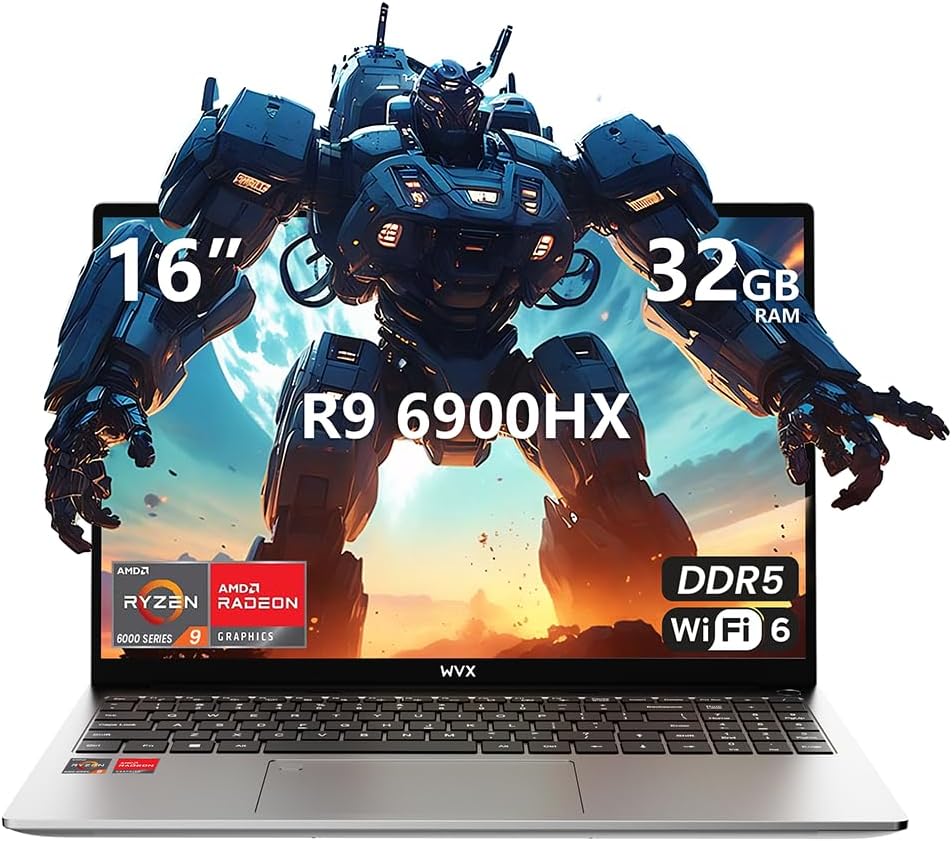
Image 1.1: WVX Gaming Laptop R9-6900HX
ძირითადი მახასიათებლები:
- მაღალი წარმადობის CPU: AMD Ryzen 9 6900HX with 8 cores and 16 threads, up to 4.9 GHz.
- ინტეგრირებული გრაფიკა: AMD Radeon 680M, delivering strong visual performance.
- სწრაფი მეხსიერება: 32 GB DDR5 ოპერატიული მეხსიერება, გაფართოება 64 GB-მდე.
- Ampშენახვა: 512GB SSD, expandable up to 2TB.
- ძლიერი ეკრანი: 16-inch Full HD (1920x1200) screen.
- გაფართოებული კავშირი: Wi-Fi 6 და Bluetooth 5.2.
- ოპერაციული სისტემა: წინასწარ დაინსტალირებულია Windows 11 Pro.
2. დაყენება
2.1 ყუთის გახსნა და პირველადი შემოწმება
Carefully remove the laptop and its accessories from the packaging. Ensure all components listed in the 'What's in the Box' section are present and undamaged.
- R9-6900HX laptop
- PD100W adapter (charger)
2.2 კვების ადაპტერის შეერთება
Connect the PD100W adapter to the laptop's power input port and then plug it into a power outlet. It is recommended to fully charge the laptop before its first use.
2.3 საწყისი ჩატვირთვა და Windows-ის დაყენება
Press the power button located on the laptop. The system will guide you through the initial Windows 11 Pro setup process. Follow the on-screen instructions to configure your language, region, network, and user account.
3. საოპერაციო ინსტრუქციები
3.1 კლავიატურა და სენსორული პანელი
The laptop features a full-size keyboard with a numeric keypad and a responsive touchpad. The keyboard is backlit for comfortable use in low-light conditions. The touchpad supports multi-touch gestures for enhanced navigation.

Image 3.1: Laptop keyboard and touchpad layout.
3.2 ეკრანი და გრაფიკა
The 16-inch FHD display offers a resolution of 1920x1200 pixels, providing clear and vibrant visuals. The AMD Radeon 680M graphics processor handles demanding visual tasks efficiently.

Image 3.2: Display features including 300 nits brightness, IPS, and low blue light.
3.3 პორტები და დაკავშირებადობა
The laptop is equipped with various ports for external devices and connectivity:
- 4x USB 3.0 პორტი
- HDMI პორტი
- Full-function Type-C Port (supports charging, data transfer, external 4K monitor)
- 3.5 მმ ყურსასმენის ჯეკი
- SD ბარათის წამკითხველი
For wireless connectivity, the laptop supports Wi-Fi 6 for high-speed internet and Bluetooth 5.2 for connecting peripherals.
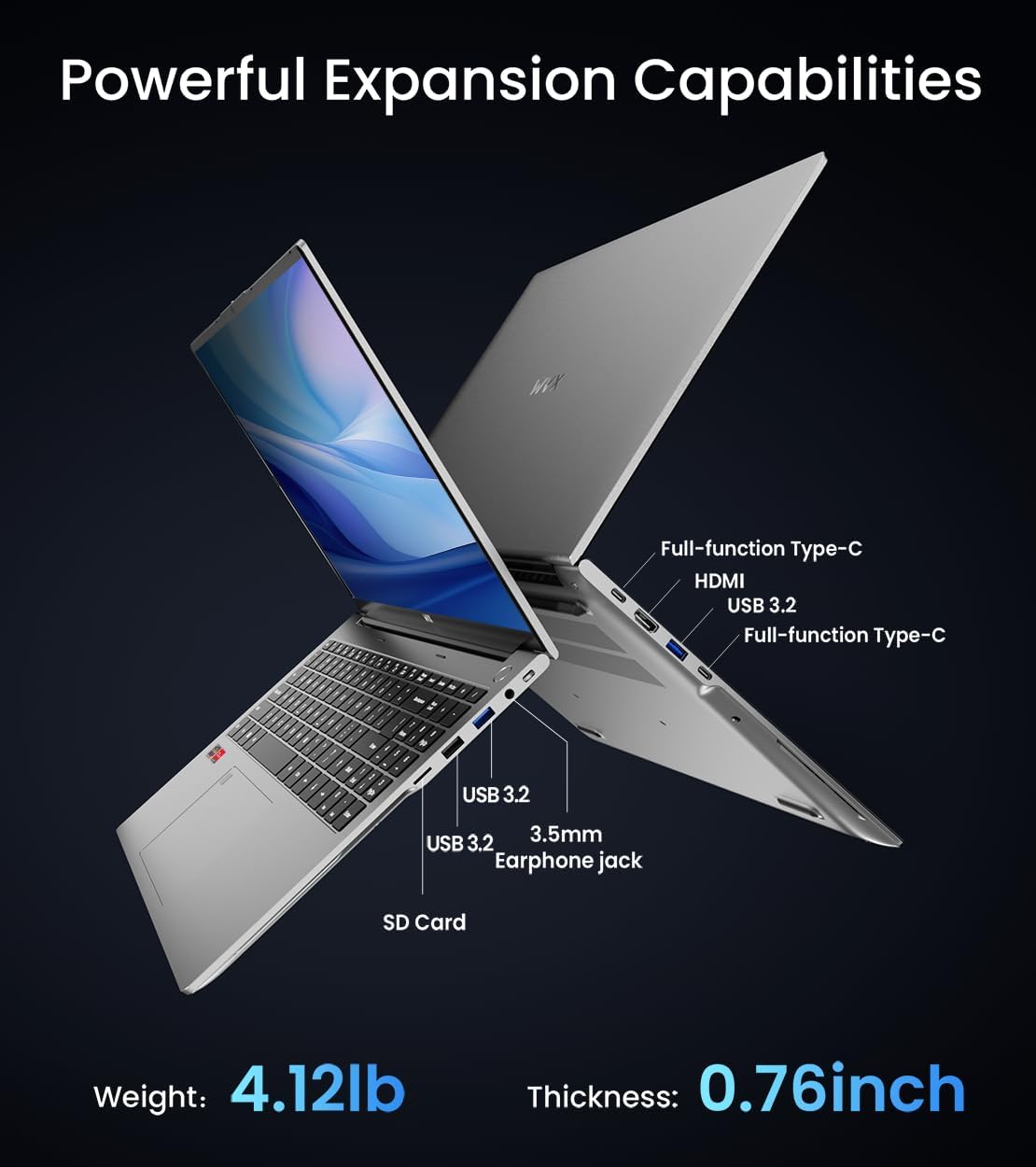
სურათი 3.3: დასრულდაview of available ports and physical dimensions.
4. მოვლა
4.1 დასუფთავება
ოპტიმალური მუშაობისა და გარეგნობის შესანარჩუნებლად, რეგულარულად გაწმინდეთ თქვენი ლეპტოპი. ეკრანისა და გარე ზედაპირისთვის გამოიყენეთ რბილი, უბუშტო ქსოვილი. ჯიუტი ლაქების შემთხვევაში, ოდნავ გაწმინდეთ.ampened cloth with water or a specialized screen cleaner can be used. Avoid harsh chemicals.
4.2 პროგრამული უზრუნველყოფის განახლებები
Regularly update your Windows operating system and drivers to ensure system stability, security, and optimal performance. Windows Update can be accessed through the Settings menu.
4.3 მეხსიერებისა და მეხსიერების განახლებები
The laptop's RAM can be upgraded to a maximum of 64GB, and the SSD storage can be expanded up to 2TB. Consult a qualified technician for hardware upgrades to avoid voiding your warranty.

Image 4.1: Illustration of memory and storage upgrade capabilities.
5. Დიაგნოსტიკა
5.1 ელექტროენერგიის პრობლემები
- ლეპტოპი არ ირთვება: დარწმუნდით, რომ კვების ადაპტერი საიმედოდ არის დაკავშირებული და აკუმულატორი საკმარისად დატენილია. სცადეთ სხვა კვების წყარო.
- აკუმულატორი არ იტენება: Verify the power adapter is functioning correctly. Check the charging port for any obstructions.
5.2 ჩვენების პრობლემები
- ცარიელი ეკრანი: შეაერთეთ გარე მონიტორი, რათა შეამოწმოთ, პრობლემა ლეპტოპის ეკრანშია თუ არა. გადატვირთეთ ლეპტოპი.
- მოციმციმე ეკრანი: Update graphics drivers. Adjust display refresh rate in Windows settings.
5.3 შესრულების პრობლემები
- ნელი შესრულება: დახურეთ არასაჭირო აპლიკაციები. შეამოწმეთ მავნე პროგრამები. უზრუნველყავით საკმარისი თავისუფალი მეხსიერება.
- გადახურება: Ensure ventilation vents are clear. Consider using a cooling pad.

Image 5.1: Illustration of the laptop's cooling system with pure copper heat pipes and fan speed.
6. სპეციფიკაციები
| ფუნქცია | სპეციფიკაცია |
|---|---|
| ბრენდი | WVX |
| მოდელის სახელი | R9-6900HX (A02) |
| პროცესორი | AMD Ryzen 9 6900HX (4.9 GHz, 8 Cores, 16 Threads) |
| გრაფიკული კოპროცესორი | AMD Radeon 680M |
| ოპერატიული მეხსიერება | 32 GB DDR5 (მაქს. 64 GB) |
| მყარი დისკი | 512 GB SSD (Max 2TB) |
| ეკრანის ზომა | 16 ინჩი |
| ეკრანის მაქსიმალური გარჩევადობა | 1920x1200 პიქსელი |
| ოპერაციული სისტემა | Windows 11 Pro |
| უკაბელო ტიპი | 802.11ax (Wi-Fi 6) |
| Bluetooth | 5.2 |
| USB 3.0 პორტების რაოდენობა | 4 |
| პროდუქტის ზომები | 14 x 9.7 x 0.78 ინჩი |
| ნივთის წონა | 5.89 ფუნტი |
| ბატარეა | 58 Wh |
| განსაკუთრებული თვისებები | Backlit Keyboard, Fingerprint Reader, HD Audio |
7. გარანტია და მხარდაჭერა
WVX offers comprehensive support for your laptop:
- ტექნიკური მხარდაჭერა: Enjoy unlimited technical support.
- სარემონტო მომსახურება: 12 months of repair service for all customers.
- რეაგირების დრო: Online connection within 24 hours for inquiries.
For any questions or concerns, please reach out to the WVX support team.

სურათი 7.1: დასრულდაview of WVX customer support services.
8. პროდუქტის ოფიციალური ვიდეო
ვიდეო 8.1: ოფიციალური ვიდეო ჩვენებაasing the WVX R9 6900HX Laptop, highlighting its features and design.