
1. შესავალი
მადლობა შენაძენისთვისasing the Sofirn HS21 and D25S headlamps. These headlamps are designed for various outdoor activities, offering reliable illumination and convenient features. This manual provides detailed instructions for the safe and effective use, setup, operation, and maintenance of your new headlamps. Please read this manual thoroughly before use and retain it for future reference.
2. უსაფრთხოების ინსტრუქციები
- Do not shine the light directly into eyes. The powerful beam can cause temporary vision impairment or permanent eye damage.
- შეინახეთ ბავშვებისთვის მიუწვდომელ ადგილას.
- არ დაშალოთ თავიamp. This may damage the device and void the warranty.
- Use only the recommended battery types. Improper battery use can lead to fire, explosion, or leakage.
- მოერიდეთ თავსახურის გამოვლენასamp ექსტრემალურ ტემპერატურაზე ან მზის პირდაპირ სხივებზე ხანგრძლივი პერიოდის განმავლობაში.
- წყლისგან დაცვის შესანარჩუნებლად, დარწმუნდით, რომ USB-C დამტენი პორტის საფარი საიმედოდ არის დახურული, როდესაც არ იტენება.
3. პაკეტის შიგთავსი
- 1 x Sofirn HS21 Headlamp
- 1 x Sofirn D25S Headlamp
- 2 x თავსაბურავი
- 2 x USB-C დამტენი კაბელი
- 2 x დატენვადი ელემენტი (წინასწარ დაყენებული ან ცალკე)
- 1 x მომხმარებლის სახელმძღვანელო
4. პროდუქტი დასრულდაview
4.1 Sofirn HS21 Headlamp
The Sofirn HS21 is a versatile headlamp featuring a combination of spotlight, floodlight, and red light. It is equipped with a convenient rotary switch for easy mode selection and offers a wide 130° rotation adjustment for optimal illumination angle.

Image 1: Sofirn HS21 Headlamp showing its various light modes including red light, spotlight, and floodlight.

Image 2: The Sofirn HS21 headlamp demonstrating its 130-degree rotation capability for adjustable light direction.
4.2 Sofirn D25S Headlamp
The Sofirn D25S is a compact and powerful headlamp utilizing an SST40 LED, offering multiple brightness levels. It features a hidden USB-C charging port for convenient recharging and a simple user interface with memory mode.

Image 3: Sofirn D25S Headlamp highlighting its comfortable switch and simple user interface.
5. დაყენება
5.1 ბატარეის დაყენება
Both HS21 and D25S headlamps typically come with batteries pre-installed. If not, or if replacing batteries:
- მოხსენით თავსახურის უკანა თავსახურიamp სხეული.
- Insert the rechargeable battery with the positive (+) terminal facing towards the head of the lamp.
- მჭიდროდ დაახურეთ უკანა თავსახური სათანადო კონტაქტისა და წყალგამძლეობის უზრუნველსაყოფად.
5.2 დატენვა
ორივე თავითamps feature a built-in USB-C charging port.
For HS21:
- იპოვეთ USB-C დამტენი პორტი თავსახურის გვერდზე.amp სხეული.
- Gently lift the protective rubber cover to expose the port.
- მოწოდებული USB-C კაბელი შეაერთეთ თავაკისთანamp და USB კვების წყაროზე (მაგ., კედლის ადაპტერი, დენის ბანკი, კომპიუტერი).
- დატენვის დროს ინდიკატორის შუქი წითლად ანათებს და სრულად დატენვისას მწვანედ გადაიქცევა.
- Once charging is complete, securely close the rubber cover to protect the port from dust and water.
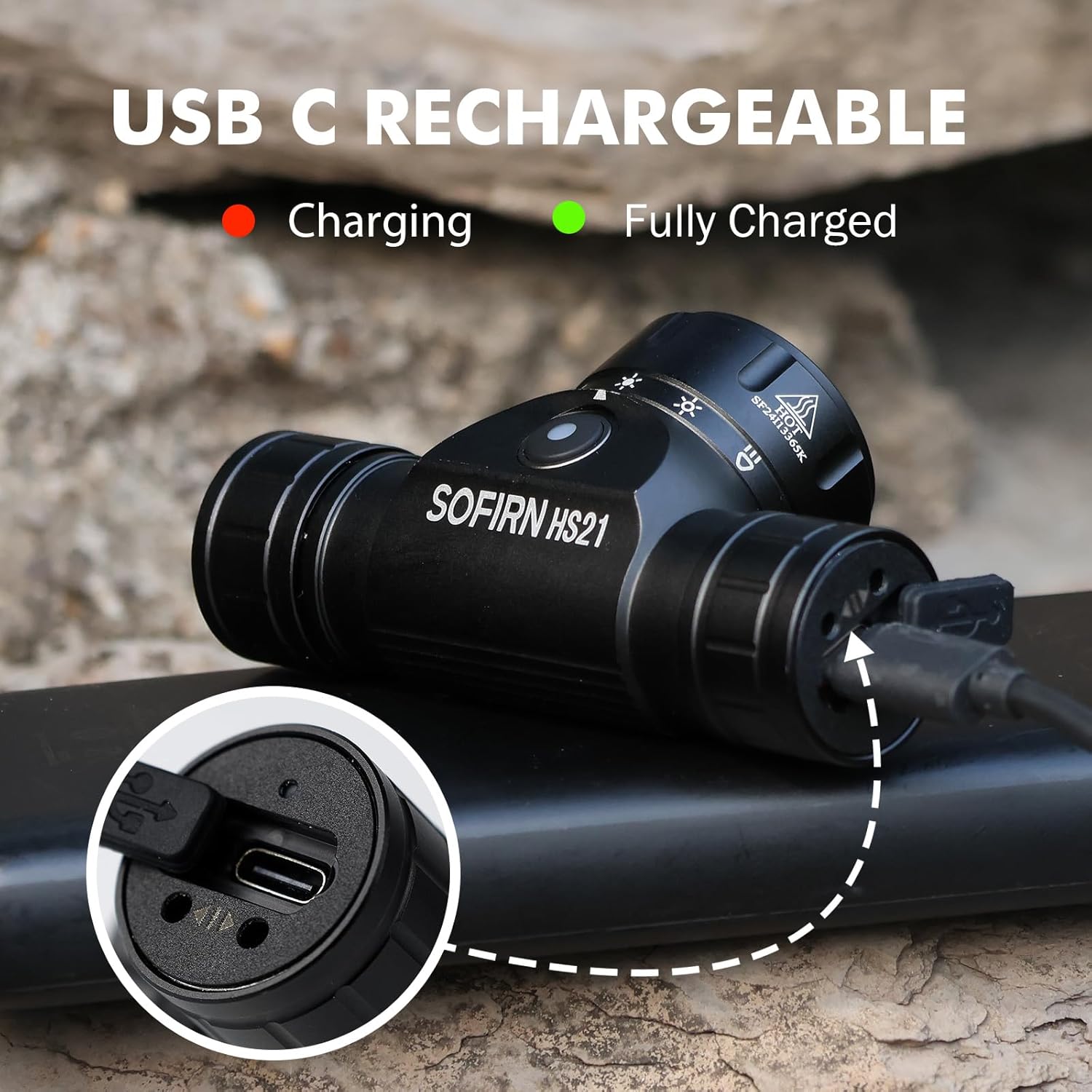
Image 4: Sofirn HS21 Headlamp connected to a USB-C charging cable, showing the charging indicator light.
For D25S:
- Unscrew the head of the D25S headlamp to reveal the hidden USB-C charging port.
- მოწოდებული USB-C კაბელი შეაერთეთ თავაკისთანamp and to a USB power source.
- დატენვის დროს ინდიკატორის შუქი წითლად ანათებს და სრულად დატენვისას მწვანედ გადაიქცევა.
- After charging, screw the head back on tightly to ensure water resistance.

Image 5: Sofirn D25S Headlamp with its head unscrewed, revealing the built-in USB-C charging port.
6. საოპერაციო ინსტრუქციები
6.1 Sofirn HS21 Headlamp ოპერაცია
The HS21 features a rotary switch for easy mode selection and a separate power button.
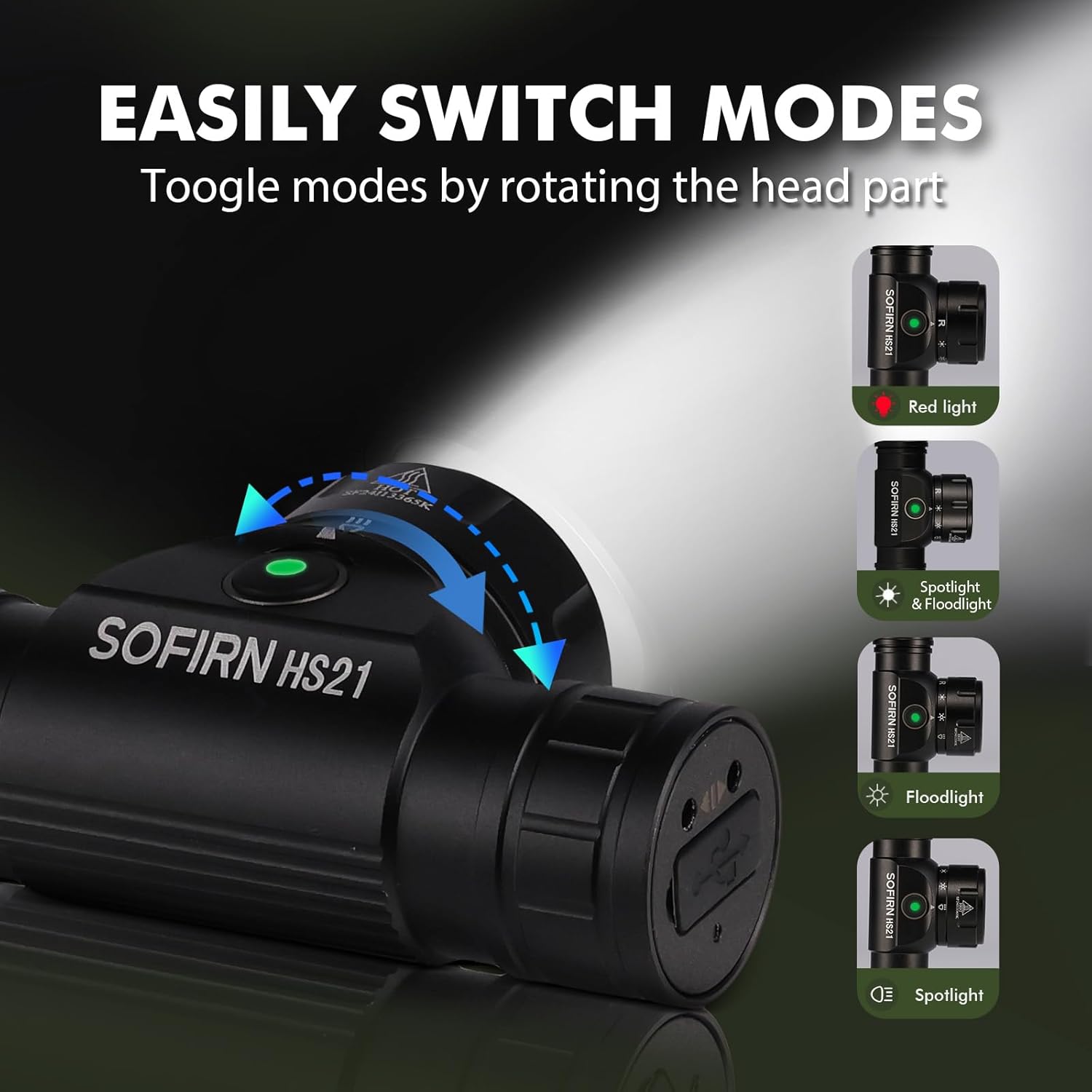
Image 6: Illustration of the Sofirn HS21's rotary switch mechanism for changing light modes.
- ჩართვა/გამორთვა: Press the power button once to turn the headlamp ჩართვა ან გამორთვა.
- რეჟიმის შერჩევა: Rotate the head part of the headlamp to cycle through the main light modes: Red Light, Spotlight, Floodlight, and Spotlight + Floodlight (combined).
- სიკაშკაშის რეგულირება: While a mode is active, press and hold the power button to cycle through brightness levels (Low, Medium, High). Release the button at your desired brightness.
- წითელი შუქის გააქტიურება: Rotate to the red light setting. Press and hold the power button for additional red light modes (e.g., red strobe, red beacon).
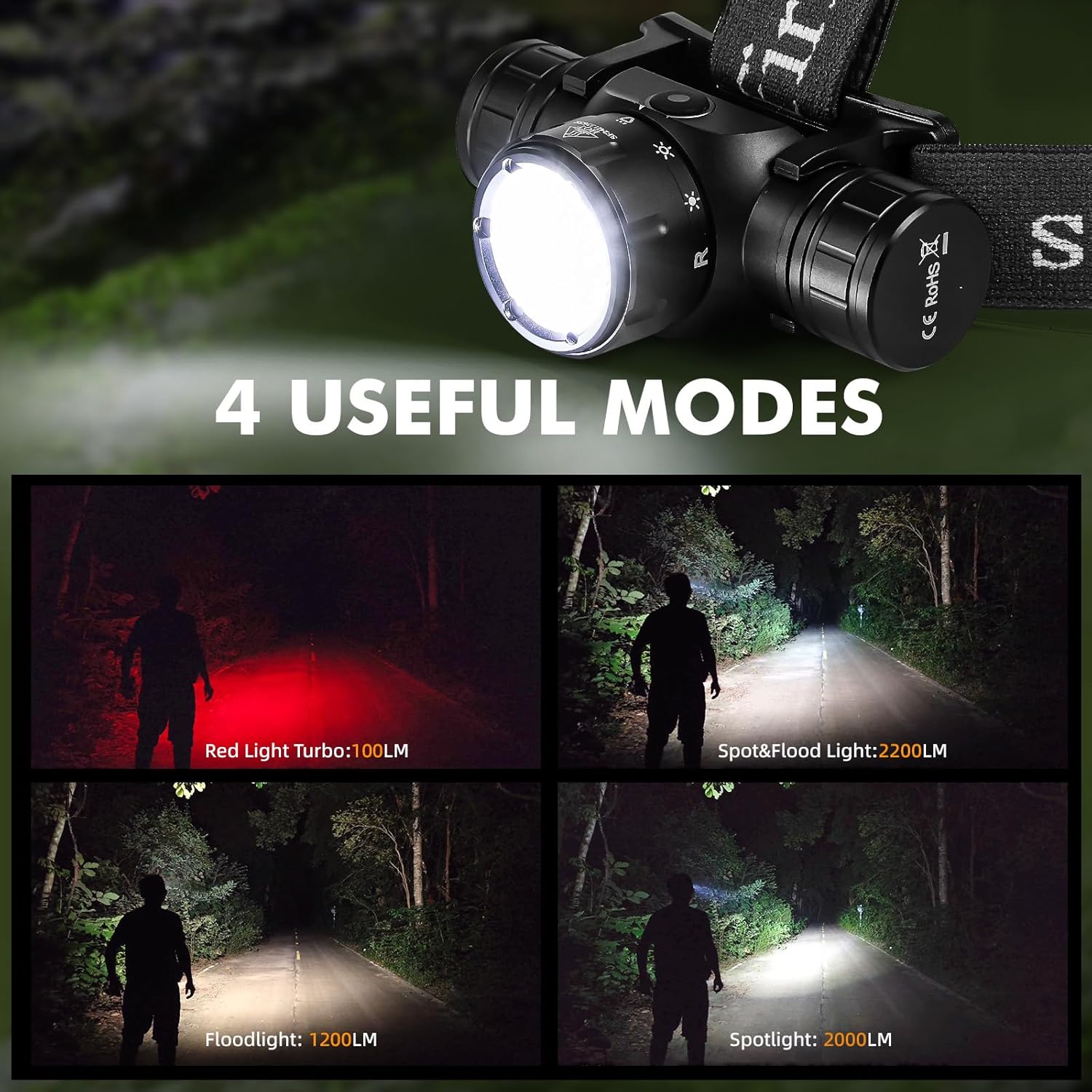
Image 7: The Sofirn HS21 headlamp displaying its four primary light modes: Red Light, Spot & Flood, Floodlight, and Spotlight.
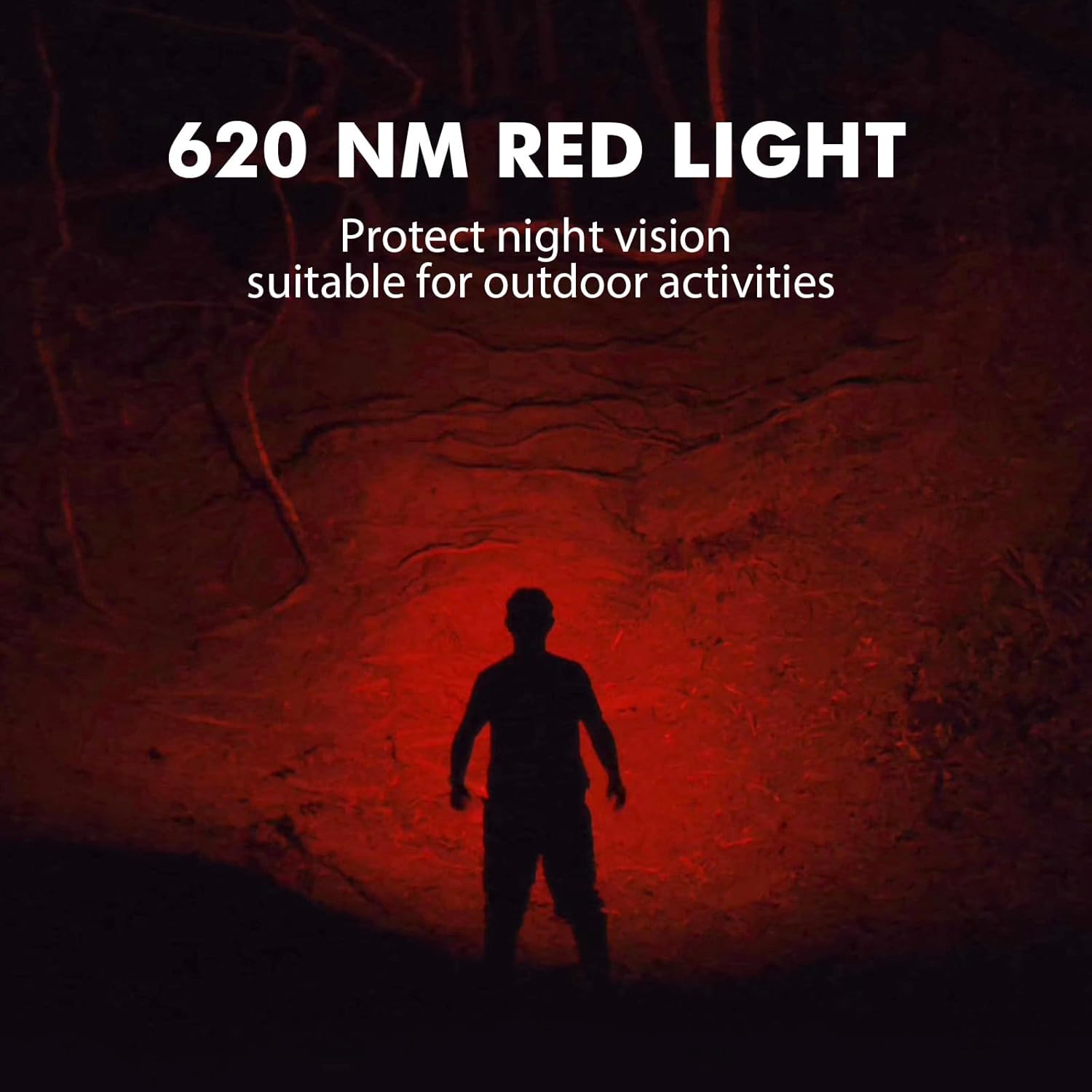
Image 8: The Sofirn HS21 headlamp emitting a 620 NM red light, suitable for preserving night vision.
6.2 Sofirn D25S Headlamp ოპერაცია
The D25S operates with a single button interface.
- ჩართვა/გამორთვა: Press the button once to turn the headlamp ჩართვა ან გამორთვა.
- რეჟიმი ველოსიპედით სიარული: მიუხედავად იმისა, რომ თავიamp is on, press and hold the button to cycle through brightness modes: Low → Medium 1 → Medium 2 → High. Release the button at your desired mode.
- ტურბო რეჟიმი: From any mode, double-click the button to activate Turbo mode. Double-click again to return to the previous mode.
- მეხსიერების ფუნქცია: The D25S will remember the last used brightness level (excluding Turbo) and turn on in that mode.
7. მოვლა
- დასუფთავება: გაწურეთ თავიamp რბილით, დamp ქსოვილი. არ გამოიყენოთ აბრაზიული გამწმენდები ან გამხსნელები.
- O-rings: Periodically check and lubricate the O-rings with silicone grease to maintain water resistance. Replace damaged O-rings.
- ბატარეის მოვლა: თუ თავიamp will not be used for an extended period, remove the battery to prevent leakage. Recharge batteries regularly to prolong their lifespan.
- შენახვა: შეინახეთ თავიamp გრილ, მშრალ ადგილას მზის პირდაპირი სხივებისგან მოშორებით.
8. Დიაგნოსტიკა
| პრობლემა | შესაძლო მიზეზი | გამოსავალი |
|---|---|---|
| სათავეamp არ ირთვება | Low battery; Battery incorrectly installed; Loose tail cap; Faulty battery. | Charge battery; Reinstall battery with correct polarity; Tighten tail cap; Replace battery. |
| სინათლის გამომუშავება სუსტია | Low battery; Lens is dirty. | Charge battery; Clean the lens. |
| დატენვა არ მუშაობს | Cable not connected properly; Faulty cable or power source; Charging port obstructed. | Ensure secure connection; Try a different cable/power source; Clean charging port. |
| წყლის შეღწევა | O-rings damaged or missing; Tail cap/charging port cover not sealed properly. | Check and replace O-rings; Ensure all caps are tightly sealed. |
9. სპეციფიკაციები
9.1 Sofirn HS21 Headlamp
| ფუნქცია | დეტალი |
|---|---|
| სინათლის წყარო | LED (Spotlight, Floodlight, Red Light) |
| მაქსიმალური გამომავალი | 2200 Lumens (Spotlight + Floodlight) |
| წითელი სინათლის ტალღის სიგრძე | 620 ნმ |
| გადამრთველის ტიპი | Rotary Switch + Push Button |
| დამუხტვა | USB-C დატენვადი |
| როტაცია | რეგულირებადი 130° |
| ზომები | 3.4 x 1.8 x 1.4 ინჩი |
| წონა | 0.3 ფუნტი (ბატარეის ჩათვლით) |
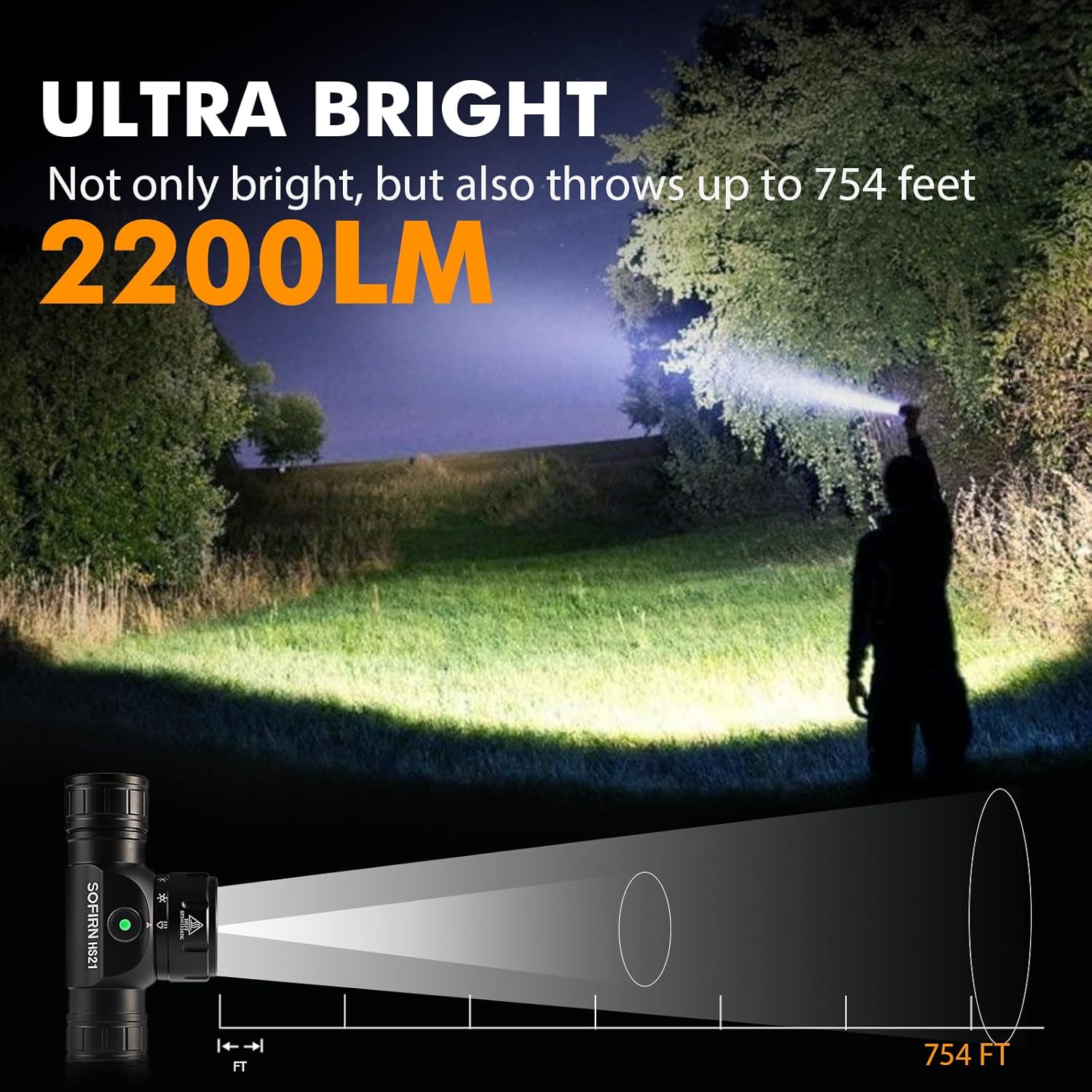
Image 9: The Sofirn HS21 headlamp demonstrating its ultra-bright output and beam distance of up to 754 feet.
9.2 Sofirn D25S Headlamp
| ფუნქცია | დეტალი |
|---|---|
| სინათლის წყარო | SST40 LED |
| მაქსიმალური გამომავალი | 1200 ლუმენი |
| რეჟიმები | Low, Medium 1, Medium 2, High, Turbo |
| დამუხტვა | Hidden USB-C Rechargeable |
| განსაკუთრებული თვისებები | მეხსიერების რეჟიმი |
10. გარანტია და მხარდაჭერა
Sofirn products are covered by a limited warranty. For specific warranty details, please refer to the warranty card included with your product or visit the official Sofirn website. For technical support, troubleshooting assistance, or warranty claims, please contact Sofirn customer service through the retailer where you purchased the product or via the contact information provided on the official Sofirn webსაიტი.