
1. შესავალი
Thank you for choosing the COSTWAY 36k Quad 4 Zone Mini Split Air Conditioner. This system provides efficient, multi-zone heating and cooling for various areas within your home. Featuring inverter technology, a 23 SEER2 rating, and R32 refrigerant, it offers energy-efficient operation. This manual provides essential information for safe installation, operation, maintenance, and troubleshooting to ensure optimal performance and longevity of your unit. Please read this manual thoroughly before installation and use, and retain it for future reference.
2. უსაფრთხოების ინფორმაცია
ყოველთვის დაიცავით შემდეგი უსაფრთხოების ზომები, რათა თავიდან აიცილოთ დაზიანება ან მოწყობილობის დაზიანება:
- საჭიროა პროფესიონალური ინსტალაცია: Installation, maintenance, and repair of this unit must be performed by a qualified HVAC professional. Improper installation can lead to electric shock, fire, water leakage, or other hazards.
- ელექტრო უსაფრთხოება: Ensure the power supply matches the unit's specifications (208-230V). Do not use extension cords. Always disconnect power before servicing or cleaning.
- მაცივრის დამუშავება: This unit uses R32 refrigerant. Handling of refrigerants must be done by certified personnel to prevent environmental harm and ensure safety.
- კლირენსი: ჰაერის სათანადო ნაკადისა და სითბოს გაფრქვევისთვის, როგორც შიდა, ასევე გარე ბლოკების გარშემო საკმარისი მანძილი შეინარჩუნეთ.
- ბავშვები და შინაური ცხოველები: Keep children and pets away from the unit, especially during operation and maintenance. Remote controls should be kept out of reach of children.
- ვენტილაცია: Do not block air inlets or outlets on the indoor or outdoor units.
- აალებადი მასალები: არ მოათავსოთ აალებადი მასალები ან შეასხუროთ აეროზოლები მოწყობილობასთან ახლოს.
- წყლის დაზიანება: Ensure proper drainage for the indoor units to prevent water overflow.
3. პროდუქტი დასრულდაview
3.1 პაკეტის შიგთავსი
The COSTWAY 36k Quad 4 Zone Mini Split Air Conditioner package includes the following components:
- 1 x გარე ბლოკი
- 4 x Indoor Units (7000 BTU, 7000 BTU, 9000 BTU, 24000 BTU)
- 4 x Communication Wires
- 4 x Copper Connection Pipes
- 4 x Drain Hoses
- 4 x დისტანციური მართვის პულტი
- 4 x სამონტაჟო ფირფიტა
- 4 x Wall Sleeves
- 8 x Wall Caps
- 4 x ხრახნების ნაკრები
- 8 x Putties
- 8 x Tapes
- 5 x User Guides (one for the outdoor unit, one for each indoor unit)

Figure 3.1: Package Contents. This image illustrates the outdoor unit, four indoor units, remote controls, and various installation accessories such as pipes, wires, and mounting hardware.
3.2 ძირითადი მახასიათებლები
- Multi-Zone Operation: Independently control the temperature in up to four different rooms with varying BTU capacities (7k+7k+9k+24k BTU).
- მაღალი ეფექტურობა: Energy Star certified with a 23 SEER2 rating and 10 HSPF2 rating, utilizing R32 refrigerant for reduced environmental impact.
- ფართო ოპერაციული დიაპაზონი: The outdoor unit features a chassis heating function, allowing operation in extreme temperatures from -13°F to 125°F.
- მრავალი რეჟიმი: Offers Auto, Cool, Heat, Dry, Fan, and Sleep modes to suit various comfort needs.
- ვენტილატორის ცვლადი სიჩქარე: Choose from Auto, Low, Mid, High, and Strong fan speeds.
- სმარტ კონტროლი: WiFi enabled for control via a smartphone app and includes a remote control. Features a 24-hour timer.
- მშვიდი ოპერაცია: Designed for low noise levels, especially in sleep mode.
- მარტივი მოვლა: Removable and washable filters for simple cleaning.
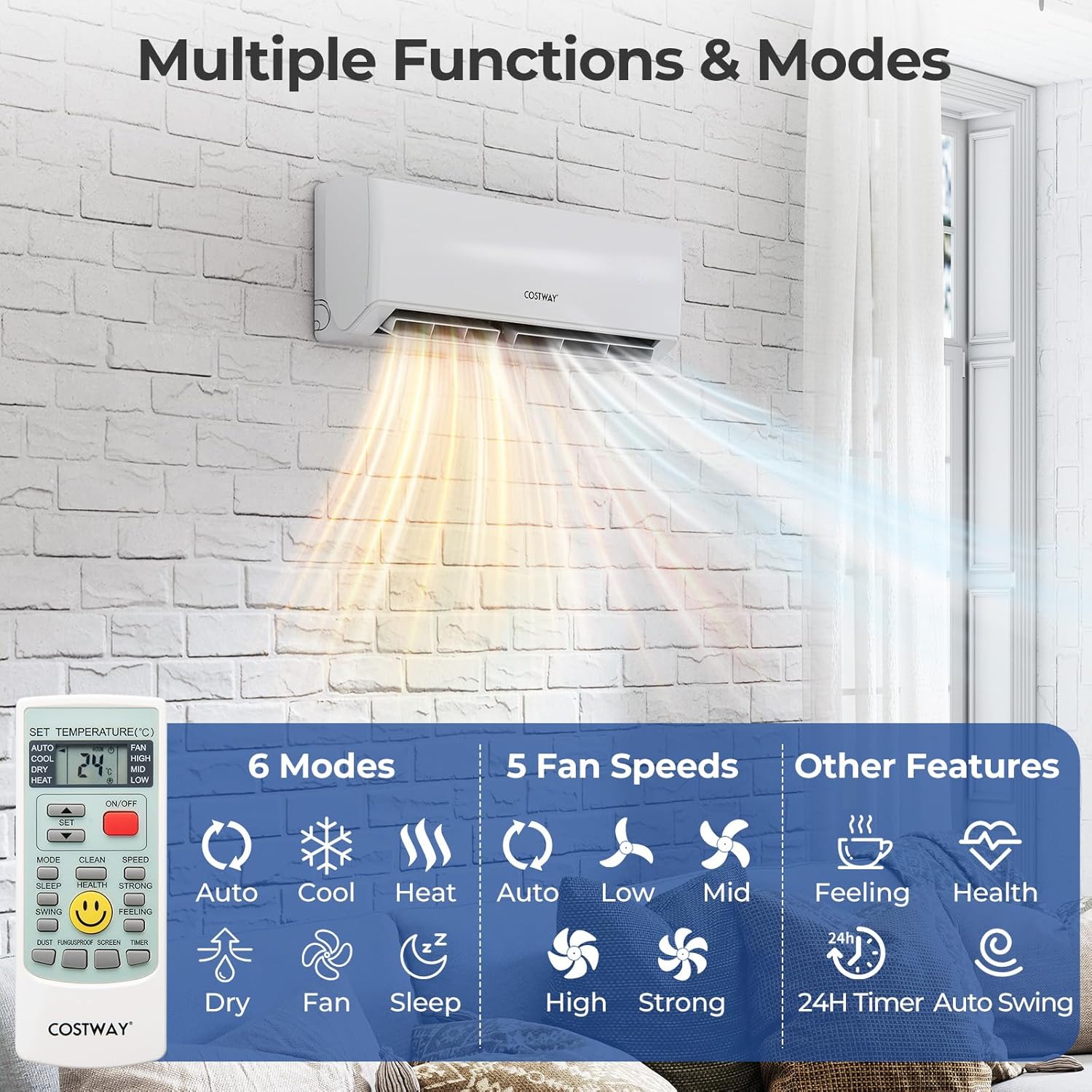
Figure 3.2: Multiple Functions and Modes. This image highlights the various operational modes and fan speed settings available on the system, controlled via the included remote.

Figure 3.3: Smart Control via Smartphone. This image demonstrates the convenience of controlling the air conditioner remotely using a smartphone application.
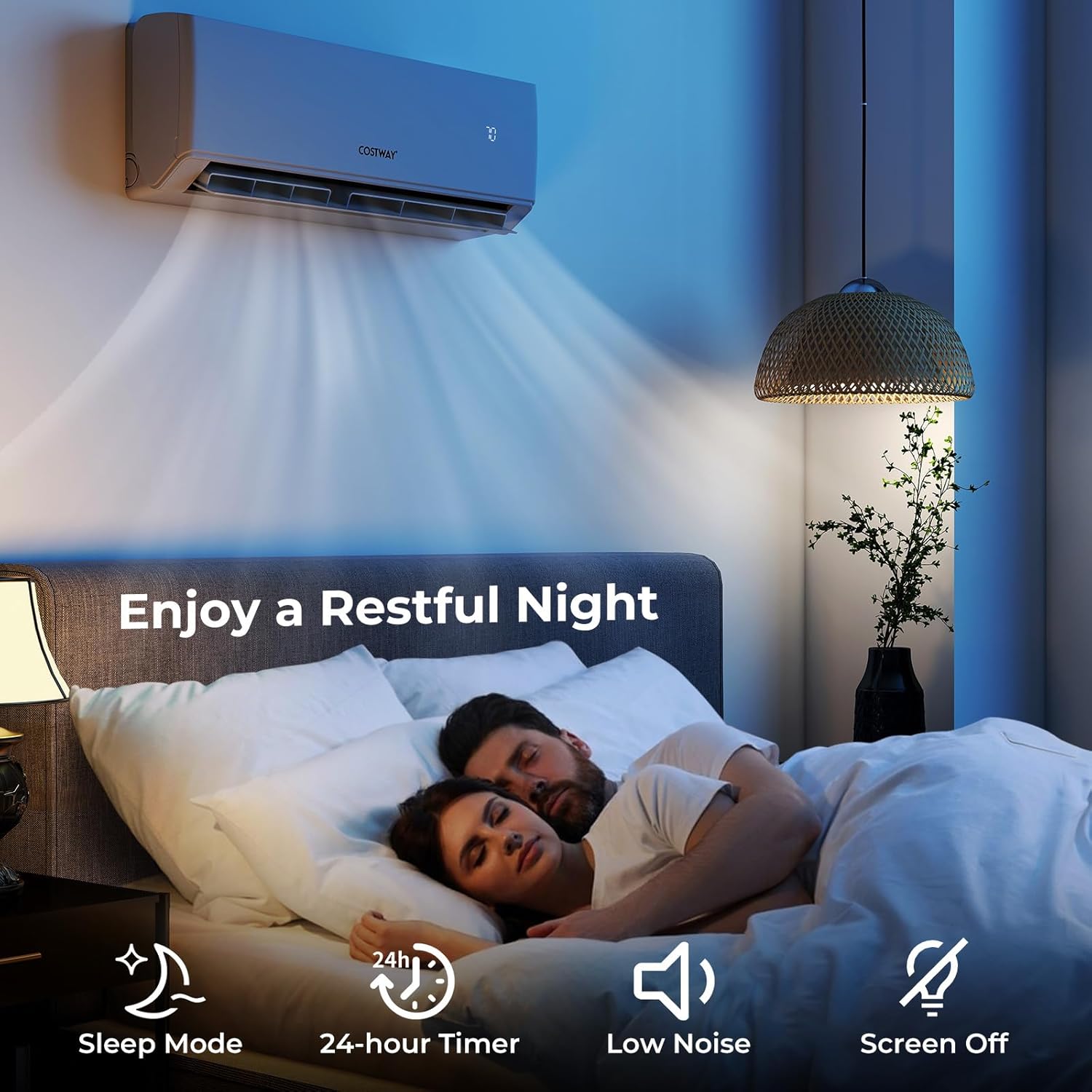
Figure 3.4: Multi-Room Cooling Solution. This diagram illustrates how the quad-zone system can independently cool or heat different areas of a home.
4. დაყენება და ინსტალაცია
მნიშვნელოვანია: Installation of this mini split system requires specialized tools and knowledge. It must be performed by a certified HVAC professional to ensure safety, proper function, and to maintain warranty validity.
4.1 წინასწარი ინსტალაციის შემოწმება
- Verify that the power supply at the installation site is 208-230V, 60Hz, as required by the unit.
- Ensure the outdoor unit is placed on a stable, level surface with adequate clearance for airflow (refer to installation manual for specific distances).
- Select appropriate locations for the four indoor units, considering room size, airflow, and proximity to the outdoor unit for refrigerant line and electrical connections.
4.2 ინსტალაციის ნაბიჯები (ზემოთview პროფესიონალებისთვის)
- Mount indoor units using the provided mounting plates, ensuring they are level and secure.
- Drill wall holes for refrigerant lines, communication wires, and drain hoses.
- Connect copper refrigerant lines between indoor and outdoor units. Ensure proper flaring and torque.
- Connect communication wires and power cables according to the wiring diagram in the detailed installation manual.
- Perform vacuuming of the refrigerant lines to remove air and moisture.
- Check for leaks in all connections.
- Open refrigerant service valves.
- Connect drain hoses to ensure proper condensate removal.
- Apply power to the system and perform initial test run.
5. საოპერაციო ინსტრუქციები
Your COSTWAY mini split system can be controlled via the included remote controls or a smartphone app.
5.1 დისტანციური მართვის ოპერაცია
Each indoor unit has a dedicated remote control. Point the remote directly at the indoor unit when operating.
- ჩართვა/გამორთვა: დააჭირეთ ჩართვა/გამორთვა ღილაკი მოწყობილობის დასაწყებად ან გასაჩერებლად.
- რეჟიმის შერჩევა: დააჭირეთ MODE button to cycle through Auto, Cool, Heat, Dry, and Fan modes.
- ტემპერატურის რეგულირება: გამოიყენეთ ტემპერატურის აწევა/დაწევა ღილაკები სასურველი ტემპერატურის დასაყენებლად.
- ვენტილატორის სიჩქარე: დააჭირეთ FAN button to select Auto, Low, Mid, High, or Strong fan speeds.
- Ძილის რეჟიმი: გააქტიურება ძილი mode for quiet operation and optimized temperature settings during sleep.
- ტაიმერის ფუნქცია: გამოიყენეთ ტაიმერი button to set a 24-hour on/off schedule.
- სვინგის ფუნქცია: დააჭირეთ სვინგი to adjust the louver direction for optimal airflow distribution.
5.2 WiFi App Control
The system is WiFi enabled, allowing control from your smartphone. Download the COSTWAY Smart App from your device's app store.
- დარწმუნდით, რომ თქვენი სმარტფონი დაკავშირებულია 2.4 GHz WiFi ქსელთან.
- Open the COSTWAY Smart App and follow the on-screen instructions to add your air conditioner units.
- Once connected, you can adjust settings, monitor performance, and set schedules from anywhere.

Figure 5.1: Smart Home Integration. The system is compatible with popular smart home platforms like Amazon Alexa and Google Home for voice control.
6. მოვლა
Regular maintenance ensures efficient operation and extends the lifespan of your unit. Always disconnect power before performing any maintenance.
6.1 შიდა ბლოკის ფილტრის გაწმენდა
Clean the air filters every two weeks or more frequently if the unit is used heavily or in dusty environments.
- გახსენით შიდა განყოფილების წინა პანელი.
- ამოიღეთ ჰაერის ფილტრები.
- ფილტრები გარეცხეთ თბილი წყლით და რბილი სარეცხი საშუალებით. კარგად ჩამოიბანეთ.
- Allow filters to air dry completely before reinstalling. Do not expose to direct sunlight.
- ხელახლა დააინსტალირეთ მშრალი ფილტრები და დახურეთ წინა პანელი.
6.2 გარე ბლოკის მოვლა-პატრონობა
The outdoor unit should be inspected and cleaned periodically by a qualified technician, at least once a year.
- Keep the area around the outdoor unit clear of debris, leaves, and vegetation to ensure proper airflow.
- Clean the outdoor coil fins gently with a soft brush or vacuum cleaner. Avoid bending the fins.
- Check the condensate drain for blockages.
- Ensure electrical connections are secure and free from corrosion.
7. Დიაგნოსტიკა
მომხმარებელთა მხარდაჭერის სამსახურთან დაკავშირებამდე, ხელახლაview შემდეგი საერთო პრობლემები და გადაწყვეტილებები:
| პრობლემა | შესაძლო მიზეზი | გამოსავალი |
|---|---|---|
| ერთეული არ ირთვება | დენი არ არის, დისტანციური მართვის ბატარეები დაცლილია, ავტომატური ამომრთველი გამოირთო. | შეამოწმეთ კვების წყარო, შეცვალეთ დისტანციური მართვის ბატარეები, გადატვირთეთ ავტომატური ამომრთველი. |
| არასაკმარისი გაგრილება/გათბობა | დაბინძურებული ჰაერის ფილტრები, გაჭედილი გარე ბლოკი, არასწორი რეჟიმი/ტემპერატურა, დაბალი მაცივრის დონე. | Clean air filters, clear obstructions from outdoor unit, verify settings, contact professional for refrigerant check. |
| წყლის გაჟონვა შიდა ბლოკიდან | გაჭედილი სადრენაჟე შლანგი, არასწორი მონტაჟი. | Check and clear drain hose, contact professional for inspection. |
| არაჩვეულებრივი ხმები | ფხვიერი ნაწილები, ვენტილატორის გაჭედვა, მაცივრის ნაკადის ხმაური (ნორმალური). | Inspect for loose parts, clear obstructions, consult professional if noise is persistent or loud. |
| WiFi კავშირის პრობლემები | Incorrect WiFi password, router issues, unit too far from router. | Verify WiFi credentials, restart router, ensure unit is within WiFi range. |
For issues not listed above or if problems persist, please contact COSTWAY customer support.
8. სპეციფიკაციები
| ფუნქცია | დეტალი |
|---|---|
| ბრენდი | კოსტვეი |
| მოდელის ნომერი | B0F92HTK41 |
| გაგრილების სიმძლავრე | 36000 BTU (Quad Zone: 7k+7k+9k+24k BTU) |
| SEER2 რეიტინგი | 23 |
| HSPF2 რეიტინგი | 10 |
| მაცივრის ტიპი | R32 |
| დენის წყარო | ელექტრო კაბელი (208-230 ვ) |
| განსაკუთრებული თვისებები | WiFi Enabled, Inverter Technology, Chassis Heating |
| ხმაურის დონე | 40 დეციბელი (ტიპიური მუშაობა) |
| გარე ბლოკის ზომები (სიღრმე x სიგანე x სიმაღლე) | 17.9" x 41.2" x 31.8" |
| კონტროლის მეთოდი | აპლიკაცია, დისტანციური მართვა |
| ოპერაციული რეჟიმები | Auto, Cool, Heat, Dry, Fan, Sleep |
| სერთიფიკატები | Energy Star, ETL, AHRI |

Figure 8.1: Energy Efficiency and Certifications. This image highlights the system's high SEER2 rating, use of R32 refrigerant, and various industry certifications.

Figure 8.2: Zone Capacity Guide. This diagram helps in understanding the appropriate BTU distribution for different room sizes within a multi-zone setup.
9. გარანტია და მხარდაჭერა
9.1 პროდუქტის გარანტია
The COSTWAY 36k Quad 4 Zone Mini Split Air Conditioner comes with a comprehensive warranty:
- კომპრესორი: 7 წლიანი გარანტია
- ნაწილები: 5 წლიანი გარანტია
Please retain your proof of purchase for warranty claims. The warranty is subject to terms and conditions, including proper professional installation.
9.2 მომხმარებელთა მხარდაჭერა
For technical assistance, warranty inquiries, or any questions regarding your COSTWAY mini split system, please contact our customer support team:
- უწყვეტი ტექნიკური მხარდაჭერა
- 24/7 მხარდაჭერა: Available via phone, email, or live chat.
Refer to the contact information provided in the separate user guides included in your package or visit the official COSTWAY webსაიტი მიმდინარე მხარდაჭერის დეტალებისთვის.

Figure 9.1: Extended Service and Support. This image outlines the warranty coverage and available customer support channels for the product.