
1. შესავალი
The EDIFIER MP330 is a portable Bluetooth speaker designed to deliver a high-quality audio experience with its retro aesthetic and advanced features. It supports Hi-Res audio and offers versatile connectivity options.

Image: The EDIFIER MP330 portable Bluetooth speaker, showcasing its brown finish and integrated leather handle.
2. პაკეტის შიგთავსი
გთხოვთ, მონიშნოთ ველი შემდეგი ნივთებისთვის:
- EDIFIER MP330 Speaker x 1
- USB-C to USB-C კაბელი x 1
- სწრაფი დაწყება სახელმძღვანელო x 1
- Important Safety Information x 1

Image: A visual representation of the EDIFIER MP330 speaker and its included accessories: USB-C cable, quick start guide, and safety information.
3. პროდუქტი დასრულდაview
3.1 კონტროლი და პორტები
The EDIFIER MP330 features intuitive controls and essential ports for various audio sources.
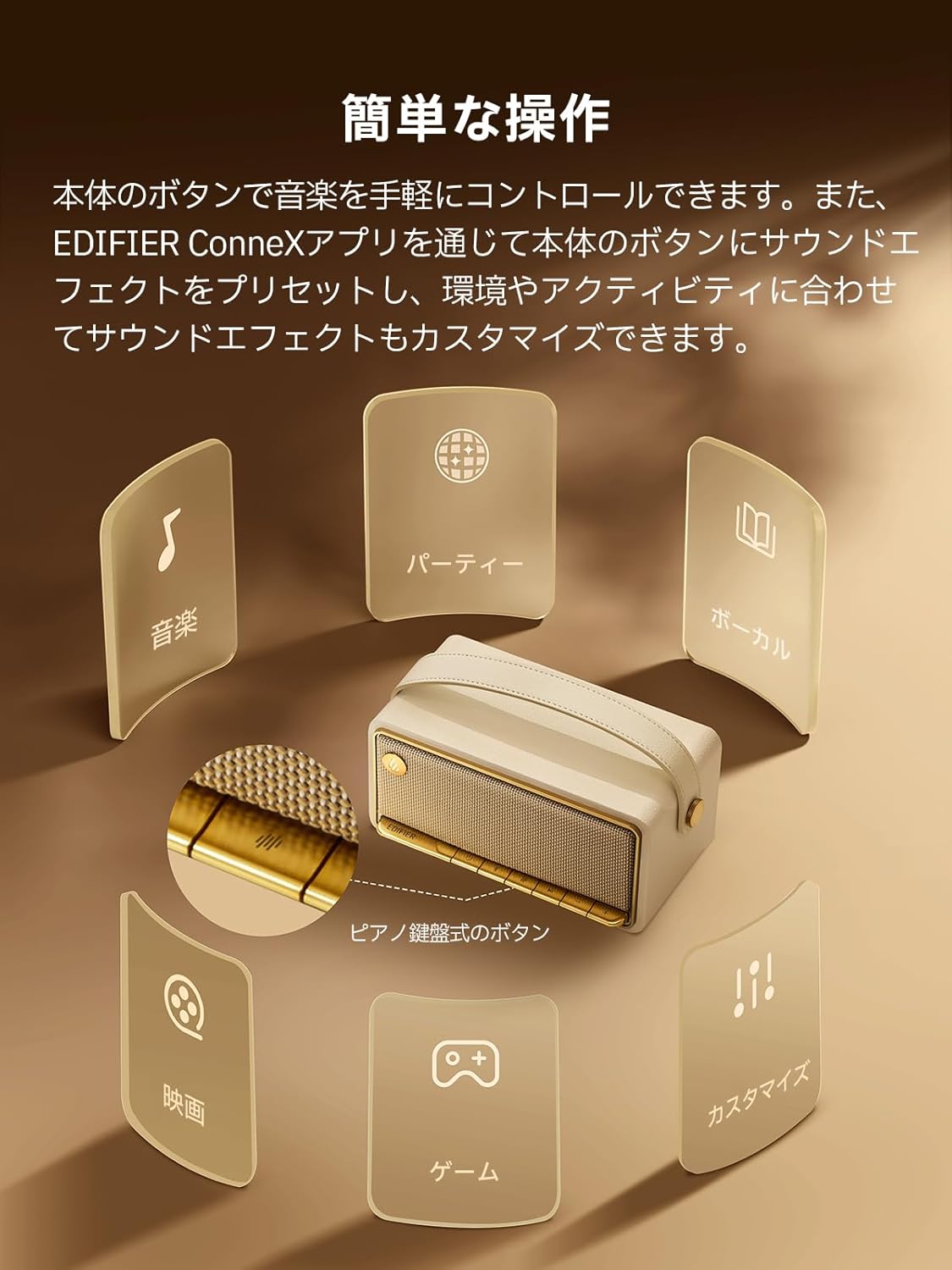
Image: A diagram illustrating the control buttons and indicator lights on the EDIFIER MP330 speaker, showing their functions for power, mode selection, playback, and volume.
- დენის ღილაკი: ხანგრძლივად დააჭირეთ ჩართვის/გამორთვისთვის.
- რეჟიმის ღილაკი: Short press to cycle through Bluetooth, USB-C, and microSD card input modes.
- დაკვრის/პაუზის ღილაკი: აუდიოს დასაკრავად ან დასაპაუზებლად მოკლე დაჭერით.
- ხმის აწევის/შემდეგი სიმღერის ღილაკი: ხმის ასაწევად დააჭირეთ ხანმოკლედ, შემდეგი ტრეკის სანახავად კი - ხანგრძლივად.
- ხმის დაწევის/წინა ტრეკის ღილაკი: ხმის დასაწევად დააჭირეთ ღილაკს მოკლედ, წინა ტრეკის გადასატანად კი - ხანგრძლივად.
- USB-C პორტი: For charging and audio input.
- microSD ბარათის სლოტი: აუდიოს დასაკრავად files directly from a microSD card.
4. დაყენება
4.1 დინამიკის დატენვა
Before first use, fully charge the speaker using the provided USB-C cable and a compatible power adapter (not included). The indicator light will show charging status.
4.2 ჩართვა/გამორთვა
- ჩართვისთვის: დააჭირეთ და გეჭიროთ ჩართვის ღილაკი, სანამ ინდიკატორის შუქი არ აინთება.
- გამორთვისთვის: დააჭირეთ და გეჭიროთ ჩართვის ღილაკი, სანამ ინდიკატორის შუქი არ გაქრება.
4.3 Bluetooth დაწყვილება
თქვენი მოწყობილობის Bluetooth-ით დასაკავშირებლად:
- Power on the MP330 speaker. The Bluetooth indicator will flash, indicating it is in pairing mode.
- თქვენს მოწყობილობაზე (სმარტფონი, პლანშეტი და ა.შ.) ჩართეთ Bluetooth და მოძებნეთ ხელმისაწვდომი მოწყობილობები.
- Select "EDIFIER MP330" from the list of devices.
- დაკავშირების შემდეგ, Bluetooth ინდიკატორი უცვლელი დარჩება.
4.4 მრავალპუნქტიანი კავშირი
The MP330 supports connecting to two Bluetooth devices simultaneously. After connecting the first device, put the speaker back into pairing mode and connect the second device. You can then switch between audio sources by pausing playback on one device and starting it on the other.

Image: Two mobile phones displaying music playback interfaces, indicating a multipoint Bluetooth connection to the EDIFIER MP330 speaker.
4.5 სტერეო დაწყვილება (TWS)
For an enhanced stereo sound experience, you can pair two MP330 speakers together:
- Ensure both MP330 speakers are powered on and not connected to any Bluetooth device.
- On one speaker, press and hold the Bluetooth button until it enters TWS pairing mode (indicator light will flash a specific pattern).
- The two speakers will automatically connect to each other. One speaker will become the left channel and the other the right.
- Once paired, connect your device to the primary speaker via Bluetooth as described in section 4.3.

Image: Two EDIFIER MP330 speakers, one black and one ivory, positioned to illustrate stereo pairing, with a Bluetooth logo and arrows indicating connection.
5. საოპერაციო ინსტრუქციები
5.1 შეყვანის რეჟიმების გადართვა
Short press the Mode button to switch between Bluetooth, USB-C, and microSD card input modes. The indicator light will change color to reflect the active mode.
5.2 USB-C Audio Playback
Connect the MP330 to your computer using the provided USB-C cable. The speaker will automatically switch to USB-C audio mode. Select "EDIFIER MP330" as the audio output device on your computer.

Image: A diagram showing the EDIFIER MP330 speaker connected to a computer via a USB-C cable, indicating USB-C audio playback.
5.3 microSD Card Playback
ჩადეთ microSD ბარათი, რომელიც შეიცავს აუდიოს files into the microSD card slot. The MP330 will automatically switch to microSD card mode and begin playback.

Image: A diagram illustrating how to insert a microSD card into the dedicated slot on the EDIFIER MP330 speaker.
5.4 Using the EDIFIER Connex App
Download the EDIFIER Connex app to unlock extended features and customize your listening experience. The app allows you to:
- შეყვანის წყაროების შეცვლა.
- აკონტროლეთ დაკვრა.
- Customize sound effects (equalizer presets or custom settings).
- Access the electronic user manual and other settings.

Image: Multiple smartphone screens displaying the EDIFIER Connex app interface, highlighting various control and customization options for the speaker.
6. მოვლა
To ensure the longevity and optimal performance of your EDIFIER MP330 speaker, follow these maintenance guidelines:
- დასუფთავება: Use a soft, dry cloth to clean the speaker's surface. Avoid using abrasive cleaners, solvents, or strong chemicals, as they may damage the finish.
- შენახვა: შეინახეთ დინამიკი გრილ, მშრალ ადგილას, მოარიდეთ მზის პირდაპირ სხივებს, ექსტრემალურ ტემპერატურას და მაღალ ტენიანობას.
- წყლის ექსპოზიცია: The speaker is not waterproof. Avoid exposing it to water, rain, or excessive moisture.
- დამუშავება: დინამიკს სიფრთხილით მოეპყარით. მოერიდეთ მის ჩამოვარდნას ან ძლიერ დარტყმებს.
- ბატარეის მოვლა: For optimal battery life, avoid fully discharging the battery frequently. If storing for an extended period, charge the battery to about 50% every few months.
7. Დიაგნოსტიკა
If you encounter issues with your EDIFIER MP330 speaker, refer to the following common troubleshooting steps:
- ძალა არ არის:
- დარწმუნდით, რომ დინამიკი სრულად დატენულია.
- Check if the power button is pressed and held correctly to turn on the device.
- ხმა არ არის:
- Verify the volume level on both the speaker and your connected device.
- Ensure the correct input mode (Bluetooth, USB-C, microSD) is selected.
- If using Bluetooth, ensure the speaker is properly paired and connected to your device.
- If using a microSD card, ensure the card is inserted correctly and contains playable audio files.
- Bluetooth დაწყვილების პრობლემები:
- Make sure the speaker is in Bluetooth pairing mode (flashing indicator light).
- გამორთეთ და ხელახლა ჩართეთ Bluetooth თქვენს მოწყობილობაზე.
- Move the speaker closer to your device and away from potential interference sources.
- სცადეთ დინამიკის დაწყვილების გაუქმება და ხელახლა დაწყვილება თქვენი მოწყობილობის Bluetooth პარამეტრებიდან.
- Stereo Pairing Not Working:
- Ensure both speakers are not connected to any other Bluetooth device before initiating TWS pairing.
- ყურადღებით მიჰყევით TWS დაწყვილების ნაბიჯებს (ნაწილი 4.5).
- აპებთან დაკავშირების პრობლემები:
- Ensure Bluetooth is enabled and the speaker is connected to your device.
- Update the EDIFIER Connex app to the latest version.
- გადატვირთეთ როგორც დინამიკი, ასევე თქვენი მოწყობილობა.
If the problem persists after trying these steps, please contact Edifier customer support for further assistance.
8. სპეციფიკაციები
Detailed technical specifications for the EDIFIER MP330 speaker:

Image: A comparison chart highlighting key specifications of the EDIFIER MP330 and MP230 models, including output power, Bluetooth version, battery capacity, playback time, and Hi-Res audio support.
| ფუნქცია | სპეციფიკაცია |
|---|---|
| მოდელის სახელი | MP330 |
| სპიკერის ტიპი | პორტატული სპიკერი |
| მასალა | ხე (MDF) |
| ფერი | ყავისფერი |
| გამომავალი სიმძლავრე | 40 W RMS |
| Bluetooth ვერსია | 6.0 |
| ბატარეის ტევადობა | 4800 mAh |
| დაკვრის დრო | 19 საათამდე (50% მოცულობით) |
| სიხშირის პასუხი | 53Hz-40kHz |
| მაღალი რეზოლუციის აუდიო | Supported (up to 24bit/96kHz) |
| დაკავშირება | Bluetooth, USB-C, microSD card |
| ზომები (W x D x H) | 20.7 x 11.6 x 10.1 სმ |
| წონა | 1.13 კგ |
| კონტროლის მეთოდი | აპლიკაცია, ღილაკის დაჭერა |
| სიგნალი-ხმაურის თანაფარდობა (S/N) | 85 დბ |

Image: A technical drawing showing the dimensions (width, depth, height) and weight of the EDIFIER MP330 speaker.
9. გარანტია და მხარდაჭერა
For warranty information, please refer to the warranty card included in your product packaging or visit the official Edifier website. If you require technical support or have questions about your EDIFIER MP330 speaker, please contact Edifier customer service through their official channels.
Edifier Official Webსაიტი: www.edifier.com