1. შესავალი
This manual provides comprehensive instructions for the Generic M81915-603 motherboard, designed for compatibility with HP OMEN GT15 and GT14 desktop systems. It covers essential information regarding installation, operation, maintenance, and troubleshooting to ensure optimal performance and longevity of your system component.
The M81915-603 motherboard supports multiple motherboard IDs including 894A, M81915-003, and M75026-003. It is equipped with DDR4 memory slots, facilitating faster data transfer speeds and improved system responsiveness.
2. პროდუქტი დასრულდაview
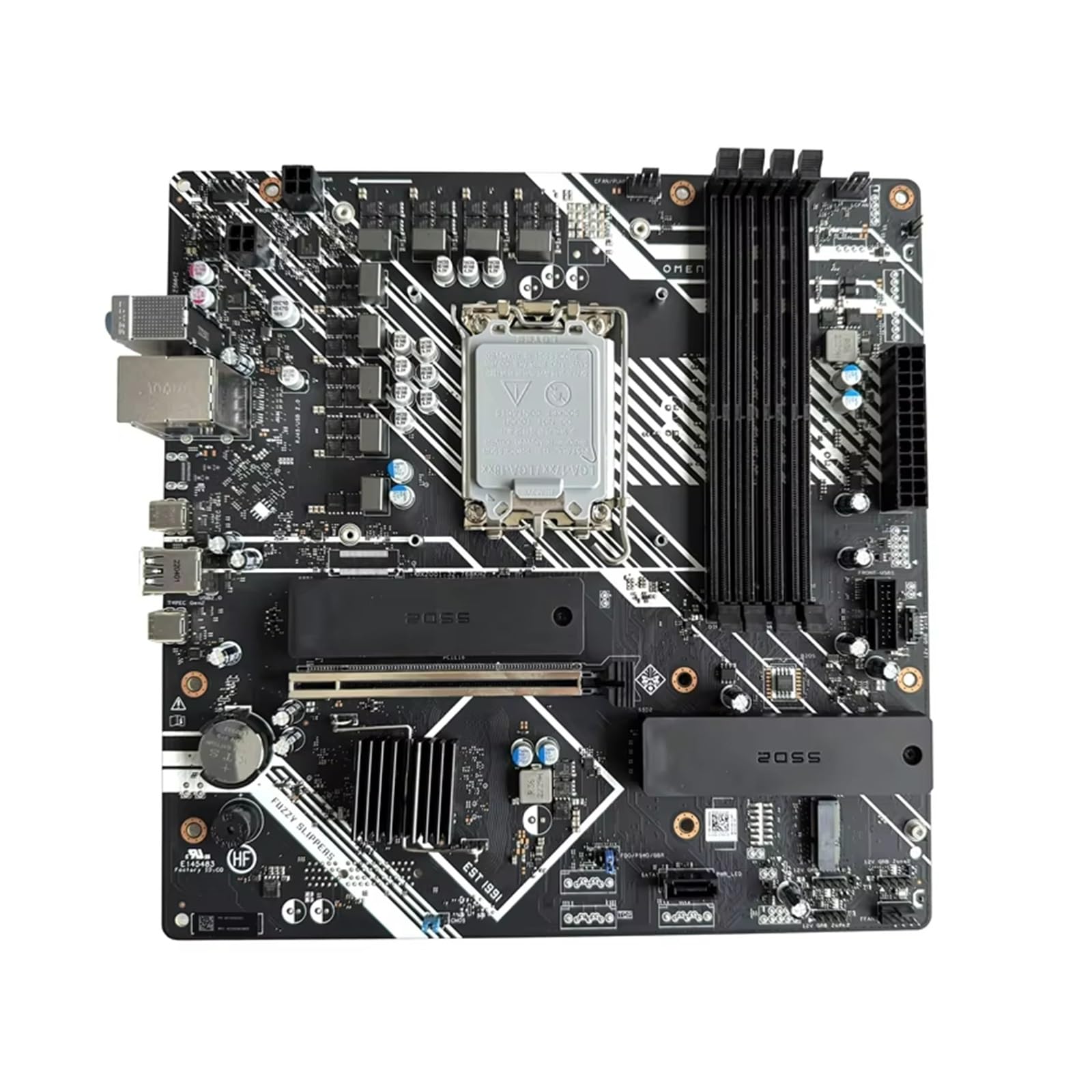
სურათი 1: ზემოდან ქვემოთ view of the M81915-603 motherboard, illustrating the layout of the CPU socket, DDR4 memory slots, PCIe slots, and various I/O connectors.
The M81915-603 motherboard is engineered for durability and reliable performance. Key features include:
- თავსებადობა: Specifically designed for HP OMEN GT15 and GT14 motherboards.
- Motherboard ID Support: Compatible with IDs 894A, M81915-003, and M75026-003.
- DDR4 Memory Slot: Enhances data transfer speeds and system responsiveness.
- უმაღლესი შესრულება: Built for durability to withstand daily use.
- საიმედო შესრულება: Designed for long-lasting reliability, reducing the need for frequent replacements.
3. დაყენება და ინსტალაცია
Proper installation is crucial for the functionality and stability of your system. Please follow these general guidelines carefully. For specific system disassembly and reassembly instructions, refer to your HP OMEN GT15 or GT14 service manual.
- მომზადება:
- Ensure your computer is powered off and disconnected from all power sources.
- Discharge any static electricity by touching a grounded metal object before handling the motherboard.
- Gather necessary tools: Phillips head screwdriver, anti-static wrist strap (recommended).
- Removing the Old Motherboard (if applicable):
- Carefully disconnect all cables (power, data, front panel) from the existing motherboard.
- Remove any expansion cards (GPU, sound card, etc.) and memory modules.
- Unscrew the motherboard from the chassis standoffs and gently lift it out.
- Installing the M81915-603 Motherboard:
- Align the new motherboard with the standoffs in your HP OMEN GT15/GT14 chassis.
- დედა დაფა შესაბამისი ხრახნებით დაამაგრეთ. ზედმეტად არ მოუჭიროთ.
- Install your CPU, CPU cooler, and DDR4 memory modules into their respective slots. Ensure proper seating.
- Reconnect all power cables (24-pin ATX, 8-pin CPU), data cables (SATA), and front panel connectors (power switch, reset, USB, audio). Refer to your chassis manual for front panel header pinouts.
- Install any expansion cards.
- საწყისი ჩართვა:
- Before closing the chassis, connect a monitor, keyboard, and mouse.
- Connect the power supply to an electrical outlet and power on the system.
- Verify that the system POSTs (Power-On Self-Test) and displays video output.
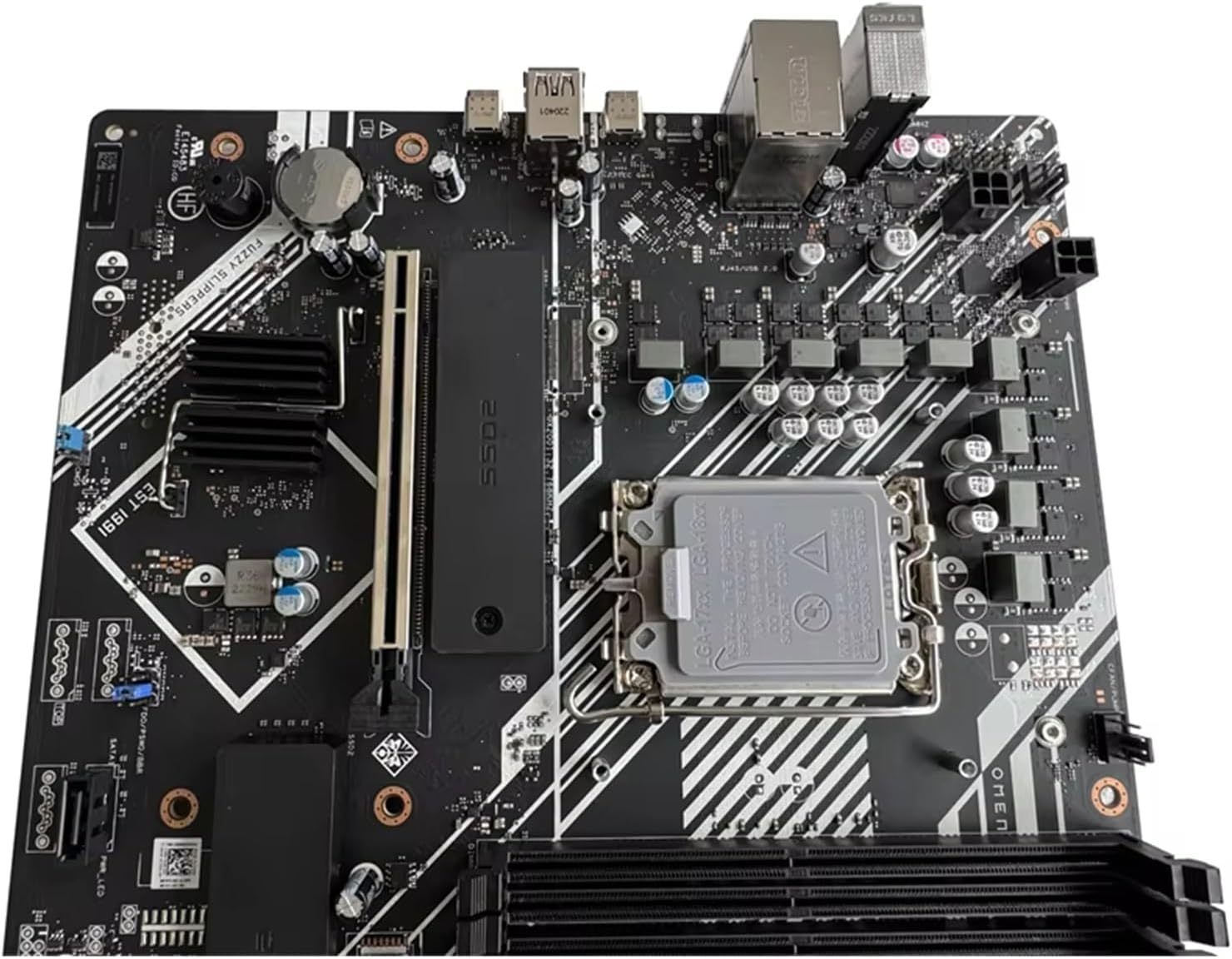
სურათი 2: დეტალური view of the CPU socket and adjacent DDR4 memory slots on the M81915-603 motherboard, crucial areas for component installation.
4. საოპერაციო ინსტრუქციები
Once the motherboard is correctly installed and the system is assembled, operating it involves standard computer usage. The motherboard acts as the central hub for all components.
- ჩართვა/გამორთვა: Use the power button on your computer case to turn the system on or off. For proper shutdown, always use the operating system's shutdown function.
- BIOS/UEFI წვდომა: To access the system's BIOS/UEFI settings (e.g., for boot order, system configuration), press the designated key (commonly Del, F2, F10, or F12) during the initial boot sequence. Refer to your HP OMEN system documentation for the exact key.
- დრაივერის ინსტალაცია: After installing a new operating system or if you encounter device issues, ensure all necessary drivers for the motherboard's chipsets, audio, and network interfaces are installed. These are typically provided by HP or the chipset manufacturer.
5. მოვლა
Regular maintenance helps prolong the life of your motherboard and ensures stable system operation.
- მტვრის მოცილება: პერიოდულად გაწმინდეთ დედაპლატა და სხვა შიდა კომპონენტები მტვერიდან შეკუმშული ჰაერის გამოყენებით. გაწმენდამდე დარწმუნდით, რომ სისტემა გამორთულია და დენის წყაროდან გამორთულია.
- საკაბელო მენეჯმენტი: Ensure internal cables are neatly routed to prevent obstruction of airflow, which can lead to overheating.
- BIOS/UEFI განახლებები: შეამოწმეთ HP-ის მხარდაჭერა website for BIOS/UEFI updates for your specific HP OMEN GT15/GT14 model. Updates can improve compatibility, stability, and performance. Follow update instructions carefully.
- გარემო პირობები: Operate the computer in a well-ventilated area, away from direct sunlight, excessive heat, humidity, and dust.
6. Დიაგნოსტიკა
If you encounter issues with your system after installing the M81915-603 motherboard, consider the following common troubleshooting steps:
- დენი არ არის/პოსტი არ არის:
- დარწმუნდით, რომ ყველა კვების კაბელი (24-პინიანი ATX, 8-პინიანი CPU) საიმედოდ არის დაკავშირებული დედაპლატთან და კვების წყაროსთან.
- Ensure the CPU and memory modules are correctly seated.
- შეამოწმეთ წინა პანელის დენის გადამრთველის კავშირი დედაპლატთან.
- ტესტირება ერთი ოპერატიული მეხსიერების ბარათით სხვადასხვა სლოტში.
- ვიდეო გამომავალი არ არის:
- Ensure the monitor is connected to the correct video output port (dedicated GPU or integrated graphics).
- ხელახლა დააინსტალირეთ გრაფიკული ბარათი (ასეთის არსებობის შემთხვევაში).
- სხვა მონიტორით ან კაბელით გატესტე.
- სისტემის არასტაბილურობა/გაჭედვა:
- Check for overheating. Ensure CPU cooler is properly installed and fans are working.
- გაუმართავი ოპერატიული მეხსიერების შესამოწმებლად, გაუშვით მეხსიერების დიაგნოსტიკური ინსტრუმენტები.
- დარწმუნდით, რომ ყველა დრაივერი განახლებულია.
- პერიფერიული მოწყობილობების პრობლემები (USB, აუდიო, ქსელი):
- Verify that the respective drivers are installed and up to date.
- Check physical connections of front panel headers or external devices.

Figure 3: Identification label on the motherboard, displaying critical model numbers such as M81915-003 and M81915-603, useful for troubleshooting and verification.
7. სპეციფიკაციები
The following table outlines the key technical specifications for the M81915-603 motherboard component:
| ფუნქცია | სპეციფიკაცია |
|---|---|
| მოდელის ნომერი | M81915-603 (also LLWWDEECC) |
| თავსებადობა | HP OMEN GT15, HP OMEN GT14 |
| Motherboard IDs Supported | 894A, M81915-003, M75026-003 |
| მეხსიერების ტიპი | DDR4 |
| CPU სოკეტი | BGA 1023 |
| თავსებადი მოწყობილობები | Gaming Console (as per product data, typically refers to desktop gaming systems) |
| ჩიპსეტის ტიპი | 480 დრამი |
| მეხსიერების საათის სიჩქარე | 1 GHz (Note: This may refer to a specific component or bus speed, not necessarily RAM speed) |
| ოპერატიული მეხსიერების მაქსიმალური ზომა | 1 GB (Note: This specification seems unusually low for a DDR4 motherboard and might be an error in the source data or refer to a specific component's cache. Actual system RAM capacity will be much higher.) |
| ნივთის წონა | 1.76 უნცია |
| პაკეტის ზომები | 0.39 x 0.39 x 0.39 inches (Note: This seems to be an error in the source data, as a motherboard would be significantly larger.) |
| მწარმოებელი | გენერიკული |
| პირველი ხელმისაწვდომი თარიღი | 4 წლის 2025 აგვისტო |
Note: Some specifications, such as "RAM Memory Maximum Size" and "Package Dimensions," appear to be inconsistent or placeholder values in the provided source data. Please refer to your specific HP OMEN GT15/GT14 system documentation for precise motherboard dimensions and maximum supported RAM capacity.

სურათი 4: უკანა view of the M81915-603 motherboard, displaying the CPU backplate and various solder points on the PCB.
8. ინფორმაცია გარანტიის შესახებ
As this product is listed as "Generic," specific warranty terms may vary. It is recommended to contact the seller, Yang Pei Store, directly for detailed warranty information and return policies. Generally, new computer components come with a limited warranty against manufacturing defects.
გთხოვთ, შეინახოთ შეძენის დამადასტურებელი საბუთი ნებისმიერი საგარანტიო პრეტენზიისთვის.
9. მხარდაჭერა
For technical assistance, troubleshooting beyond this manual, or inquiries regarding your M81915-603 motherboard, please contact the seller or manufacturer.
- გამყიდველი: Yang Pei Store
- Amazon-ის პროდუქტის გვერდი: https://www.amazon.com/dp/B0FL1LCVVD
For system-specific support related to your HP OMEN GT15 or GT14, please refer to HP's official support channels and documentation.


