
1. შესავალი
The Cherry KW 550 MX LP is a 96% mechanical low-profile keyboard designed for multi-device wireless connectivity. It features durable PBT keycaps and Cherry MX LP 2.0 Ivory switches, offering a smooth and direct typing experience. This manual provides essential information for setting up, operating, maintaining, and troubleshooting your keyboard.
ვიდეო: Cherry KW 550 MX LP Mechanical Keyboard Overviewეს ვიდეო ვიზუალურ მიმოხილვას იძლევაview of the Cherry KW 550 MX LP mechanical keyboard, demonstrating its slim design, low-profile MX 2.0 Ivory switches, PBT keycaps, and multi-device wireless capabilities. It shows the keyboard in use, highlighting its ergonomic features and backlighting.
2. დაყენება
2.1 პაკეტის შიგთავსი
- Cherry KW 550 MX LP Keyboard
- USB-A-დან USB-C-მდე დატენვის კაბელი
2.2 საწყისი დატენვა
Before first use, connect the keyboard to a USB power source using the provided USB-A to USB-C cable. The RGB LED under the CHERRY key indicates the battery status during charging. The keyboard can be used while charging.

სურათი: Rechargeable Lithium Battery. This image focuses on the keyboard's rechargeable lithium battery, which allows for continued operation while charging. It also shows the sturdy, fold-out feet for height adjustment and the included USB-A to USB-C charging cable.
2.3 მოწყობილობებთან დაკავშირება
The Cherry KW 550 MX LP supports wireless multi-device connectivity for up to 4 devices via Bluetooth or a wired USB-C connection.
- Bluetooth კავშირი: The keyboard has 3 Bluetooth channels. To pair, select a channel (F1, F2, or F3) by pressing the FN key simultaneously with the desired F-key. The corresponding LED will blink, indicating pairing mode. ძიება the keyboard on your device's Bluetooth settings and connect.
- სადენიანი კავშირი: Connect the keyboard directly to your computer using the supplied USB-A to USB-C cable. The keyboard will automatically switch to wired mode.

სურათი: Mechanical Multi-Device Keyboard in 96% Layout. This image illustrates the compact 96% layout of the Cherry KW 550 MX LP keyboard, highlighting its dimensions (14.80 inches length, 4.92 inches width, 0.98 inches height) and weight (1.58 lbs). It also shows icons for Bluetooth and wired USB connectivity, indicating its multi-device capability for up to 4 devices.
2.4 კლავიატურის სიმაღლის რეგულირება
The keyboard features sturdy, fold-out feet on the underside to adjust the typing angle for improved ergonomics.
3. ოპერაცია
3.1 Typing Experience with MX LP 2.0 Ivory Switches
The keyboard is equipped with Cherry MX Low Profile 2.0 Ivory switches. These switches provide a smooth and direct typing feel with linear switching characteristics, meaning there is no tactile bump or audible click. They are designed for durability with over 100 million actuations per key.

სურათი: Original Cherry MX Low Profile 2.0 Switches. This image provides a close-up view of the Cherry MX Low Profile 2.0 Ivory switches, emphasizing their linear switching characteristics without a click. It highlights the smooth typing feel and optimized acoustics, along with the "Made in Germany" origin.
3.2 Backlighting and Status LEDs
კლავიატურას აქვს 10-stage dimmable white illumination. Use the designated function keys (often combined with the FN key) to adjust the brightness. Additionally, red status LEDs are present for CAPS LOCK, NUM LOCK, WIN key, and F1 to F4 keys, providing visual feedback on their activation status.

სურათი: Elegant White Lighting. This image showcases the keyboard's 10-stage dimmable white backlighting, allowing for a customized setup. It also points out the additional red status LEDs for CAPS LOCK, NUM LOCK, WIN, and F1 to F4 keys, which indicate activated functions.
3.3 PBT Keycaps and Advanced Features
The keyboard is fitted with high-end PBT keycaps, known for their durability and abrasion resistance. It also incorporates N-Key rollover, ensuring all key presses are registered simultaneously, and anti-ghosting technology to prevent unintended inputs during fast typing.
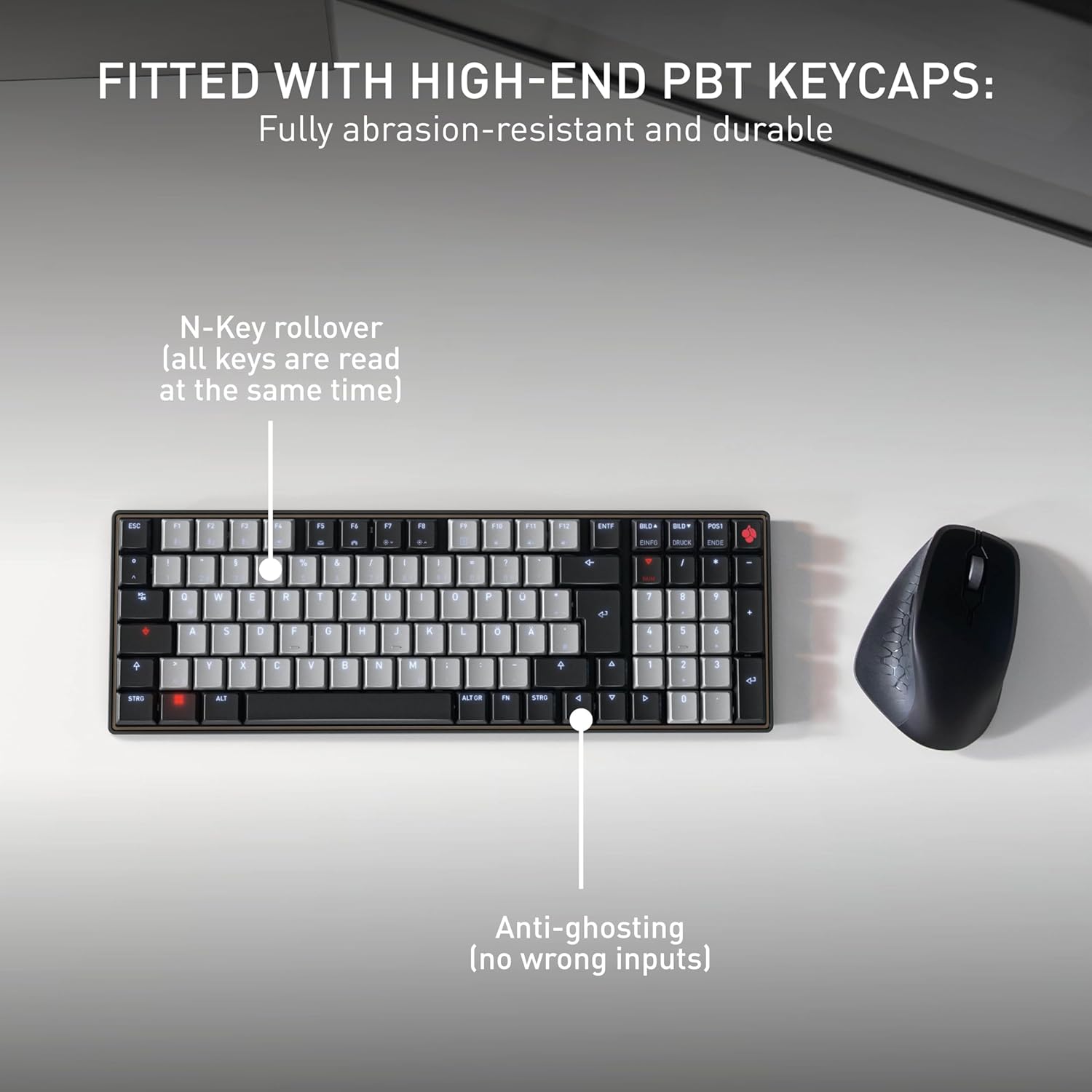
სურათი: Fitted with High-End PBT Keycaps. This image displays the keyboard's durable, abrasion-resistant PBT keycaps. It also illustrates key features like N-Key rollover, ensuring all keys are registered simultaneously, and anti-ghosting technology to prevent incorrect inputs during rapid typing.
4. მოვლა
4.1 კლავიატურის გაწმენდა
- გაწმენდის წინ კლავიატურა ყველა მოწყობილობიდან გათიშეთ.
- გამოიყენეთ რბილი, უბინავის ქსოვილი ოდნავ დampწყლით ან რბილი საწმენდი ხსნარით გაწმინდეთ კლავიშების თავსახურები და ზედაპირი.
- მოერიდეთ უხეში ქიმიკატების, აბრაზიული საწმენდი საშუალებების გამოყენებას ან სითხეების პირდაპირ კლავიატურაზე შესხურებას.
- გასაღებებს შორის ნარჩენების მოსაშორებლად გამოიყენეთ შეკუმშული ჰაერი.
4.2 ბატარეის მოვლა
- To maximize battery life, avoid fully discharging the keyboard frequently.
- დატენეთ ბატარეა, როდესაც დაბალი დატენვის ინდიკატორი გამოჩნდება.
- თუ კლავიატურა დიდი ხნის განმავლობაში არ გამოიყენება, შეინახეთ გრილ, მშრალ ადგილას.
5. Დიაგნოსტიკა
5.1 კლავიატურა არ რეაგირებს
- შეამოწმეთ ბატარეა: Ensure the keyboard is charged. Connect it via USB-C cable to see if it powers on.
- სადენიანი კავშირი: If using wirelessly, try connecting directly with the USB-C cable to rule out Bluetooth issues.
- Bluetooth Re-pairing: If using Bluetooth, delete the keyboard from your device's Bluetooth list and attempt to re-pair it. Ensure the correct Bluetooth channel (F1, F2, or F3) is selected on the keyboard.
- მოწყობილობის გადატვირთვა: Restart the connected computer or device.
5.2 Backlighting Issues
- სიკაშკაშის რეგულირება: Ensure the backlighting is not set to the lowest brightness level. Adjust using the designated function keys.
- Ძალის შენახვა: The backlighting may turn off after a period of inactivity to conserve battery. Press any key to reactivate.
5.3 Keys Not Registering or Double Typing
- სუფთა გასაღებები: Check for any debris under the affected keycaps.
- Firmware განახლება: Check the official Cherry webსაიტი თქვენი კლავიატურის მოდელისთვის ხელმისაწვდომი პროგრამული უზრუნველყოფის განახლებების სანახავად.
6. სპეციფიკაციები
| ფუნქცია | დეტალი |
|---|---|
| ბრენდი | ალუბალი |
| მოდელის სახელი | Cherry MX KW 550 LP |
| მოდელის ნომერი | G8A-25510HOAUS-2 |
| დაკავშირების ტექნოლოგია | Bluetooth |
| კლავიატურის აღწერა | Compact Mechanical |
| გადამრთველის ტიპი | Linear (Cherry MX Low Profile 2.0 Ivory) |
| გასაღებების რაოდენობა | 99 |
| კლავიატურის განლაგება | QWERTY |
| განსაკუთრებული თვისებები | Multi-Connection, PBT Keycaps, Slim Mechanical |
| მასალა | მეტალი |
| დენის წყარო | იკვებება ბატარეით |
| მოყვება კომპონენტები | USB კაბელი |
| UPC | 840183609207 |
7. გარანტია და დახმარება
7.1 ინფორმაცია გარანტიის შესახებ
The Cherry KW 550 MX LP keyboard comes with a 2 წლიანი გარანტია შეძენის დღიდან. ეს გარანტია ფარავს წარმოების დეფექტებს და გაუმართაობას ნორმალური გამოყენების პირობებში. გთხოვთ, შეინახოთ შეძენის დამადასტურებელი საბუთი გარანტიის მოთხოვნებისთვის.
7.2 მომხმარებელთა მხარდაჭერა
For technical assistance, troubleshooting, or warranty inquiries, please visit the official Cherry website or contact their customer support. You can find contact details and further resources at www.cherry.de/en/support.