
1. შესავალი და მეტიview
This manual provides detailed instructions for setting up and using your Rapoo Blade-Series E9310M Wireless Keyboard and M300G Silent Mouse Combo. This combo offers multi-device connectivity and a compact design for enhanced productivity across various operating systems.
ძირითადი მახასიათებლები:
- Compact Wireless Combo: Features a 99-key layout with number pad and arrow keys, paired with a silent mouse with side buttons. This design optimizes typing and browsing efficiency while occupying 20% less space.
- Multi-Device and Multi-OS Support: Connects to up to 4 devices across Windows, Mac OS, and Linux via Bluetooth 5.0/4.0 and a plug-and-play USB receiver.
- Fluid Typing Experience: Laptop-like profile with incurve rounded keys ensures a fast, fluid, precise, and quiet typing experience.
- 5-DPI Adjustable Silent Mouse: The M300G mouse offers good portability and ergonomics, with 5 preset DPI levels (800/1000/1200/1600/2400) for smooth tracking.
- მულტიმედიური კლავიშები: Supports Windows and Mac OS dual system shortcuts for 12 common functions like play/pause and volume control.
- Aesthetic and Durable Design: Constructed with an aluminum alloy frame and a matte antioxidant finish for a delicate texture and enhanced durability.
- Refined Details: Includes device and capitalization indicator lights for improved user awareness and an upgraded Bluetooth 5.0/4.0 for extended battery life.
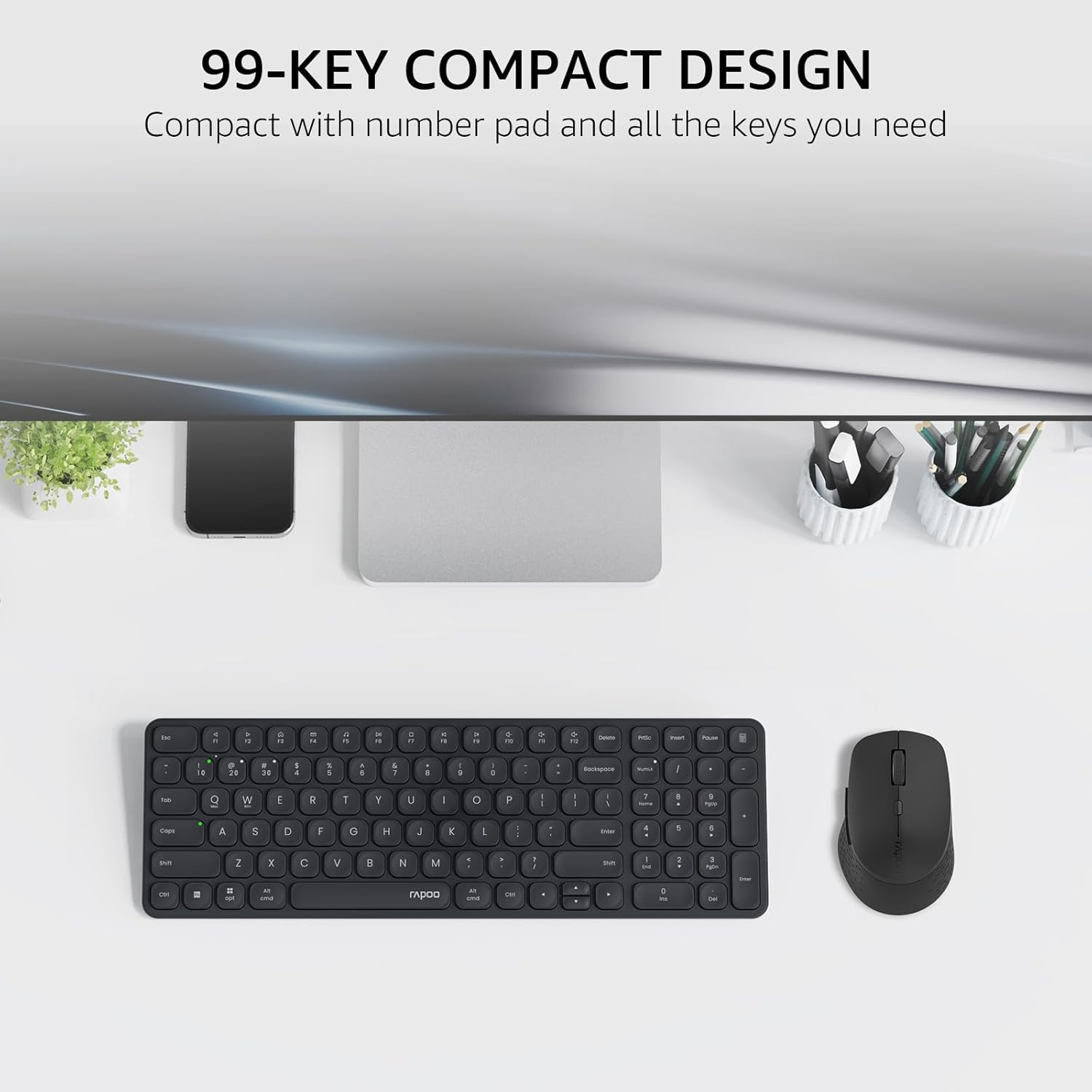
Image: The Rapoo E9310M keyboard and M300G mouse combo, showcasing its compact design on a desk.
2. დაყენების ინსტრუქციები
2.1 ბატარეის დაყენება
The keyboard and mouse require AAA batteries. Two AAA batteries are included with the product.
- იპოვეთ ბატარეის განყოფილება კლავიატურისა და მაუსის ქვედა მხარეს.
- გახსენით ბატარეის განყოფილების საფარი.
- ჩადეთ AAA ტიპის ბატარეები, დარწმუნდით, რომ სწორი პოლარობაა (+/-).
- უსაფრთხოდ დახურეთ ბატარეის განყოფილების საფარი.
2.2 მოწყობილობებთან დაკავშირება
Your Rapoo combo supports connection via 2.4GHz USB receiver or Bluetooth 5.0/4.0, allowing connection to up to 4 devices (3 via Bluetooth, 1 via 2.4GHz).
2.2.1 2.4 გჰც USB მიმღების შეერთება
- Locate the USB receiver, typically stored within the mouse's battery compartment.
- შეაერთეთ USB მიმღები თქვენს კომპიუტერში არსებულ USB პორტში.
- ჩართეთ კლავიატურა და მაუსი მათი შესაბამისი ჩართვის გადამრთველების გამოყენებით.
- The devices should automatically connect to your computer. If not, press the 2.4G pairing button on the keyboard/mouse (refer to device for exact button location).
2.2.2 Bluetooth Connection (for up to 3 devices)
- ჩართეთ კლავიატურა და მაუსი.
- On the keyboard, press and hold one of the Bluetooth pairing keys (e.g., Fn + 1, Fn + 2, or Fn + 3) until the indicator light flashes, indicating pairing mode.
- On your device (PC, tablet, phone), go to Bluetooth settings and search for new devices.
- Select the Rapoo keyboard from the list and follow any on-screen prompts to complete pairing.
- Repeat steps 2-4 for the mouse, pressing its Bluetooth pairing button (usually on the underside) until its indicator flashes.
- To switch between paired Bluetooth devices, simply press the corresponding Bluetooth key (Fn + 1/2/3) on the keyboard or the Bluetooth switch on the mouse.
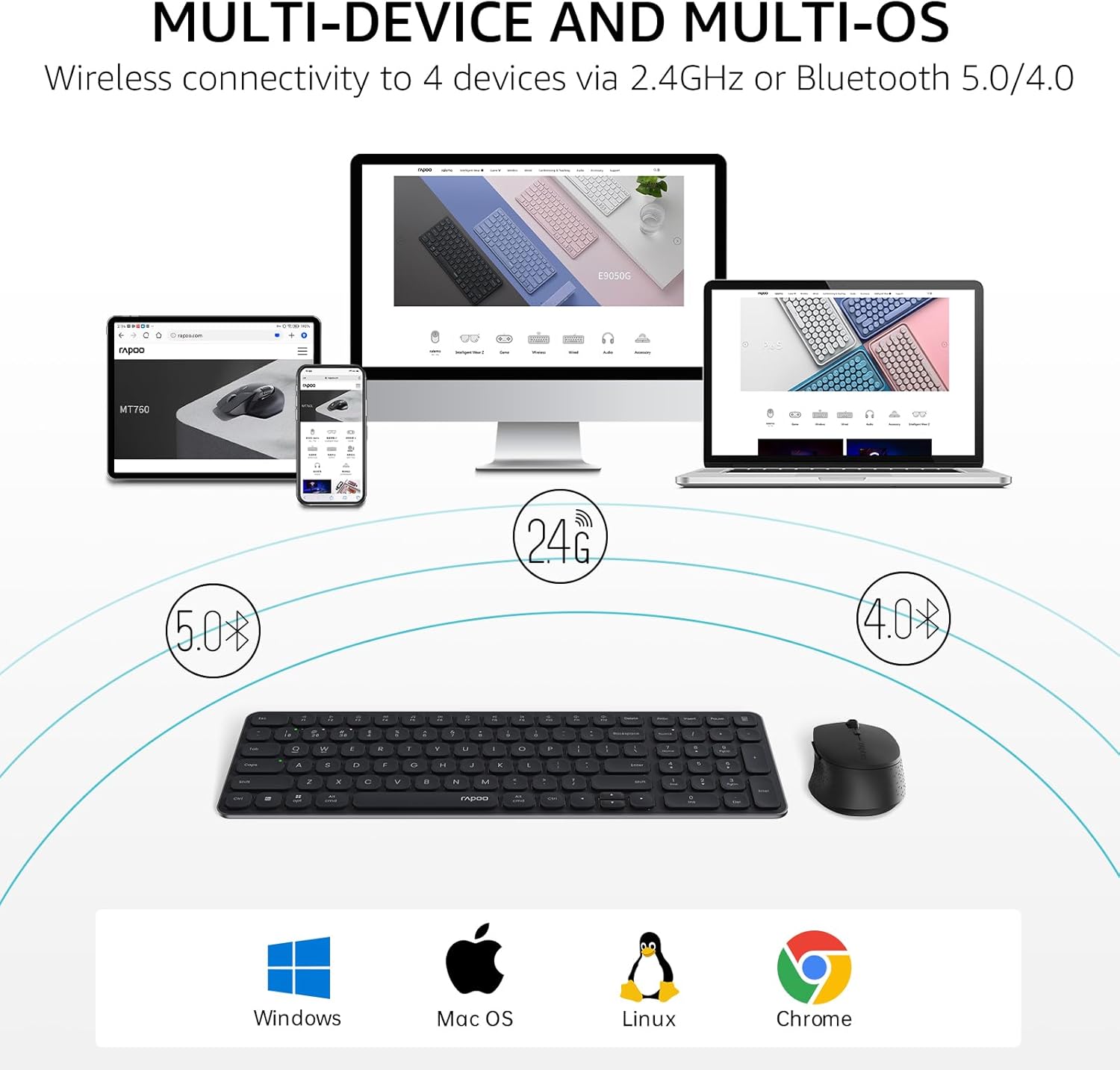
Image: The Rapoo keyboard and mouse combo connected to a desktop, laptop, tablet, and smartphone, illustrating its multi-device capability.
3. საოპერაციო ინსტრუქციები
3.1 კლავიატურის ფუნქციები
The E9310M keyboard features a 99-key layout, including a number pad and dedicated arrow keys, designed for efficient input.
3.1.1 მულტიმედიური გასაღები
Access 12 widely used function keys by pressing the Fn key in combination with the corresponding F-keys (F1-F12). These shortcuts are compatible with both Windows and Mac OS.
- Fn+F1: დაკვრა/პაუზა
- Fn+F2: გაჩერდი
- Fn+F3: წინა სიმღერა
- Fn+F4: შემდეგი სიმღერა
- Fn+F5: დადუმება
- Fn+F6: ხმის დაკლება
- Fn+F7: ხმის ამაღლება
- Fn+F8: ძებნა
- Fn+F9: მთავარი
- Fn+F10: ფოსტა
- Fn+F11: ჩემი კომპიუტერი
- Fn+F12: რჩეულები
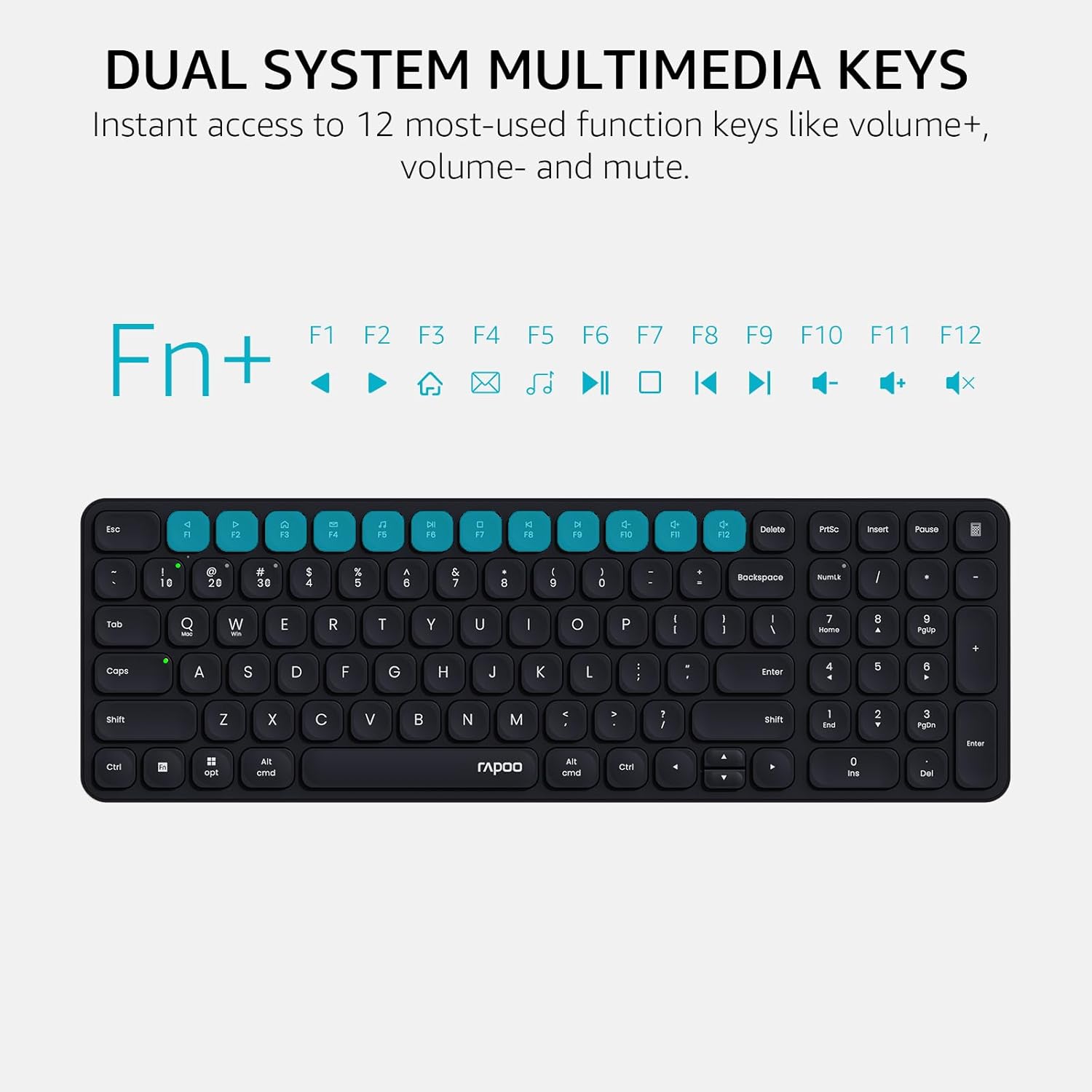
Image: Close-up of the Rapoo E9310M keyboard highlighting the multimedia function keys (F1-F12) and their corresponding icons.
3.1.2 Device and Capitalization Indicator Lights
The keyboard includes indicator lights to show which device is currently active and the status of the Caps Lock key.
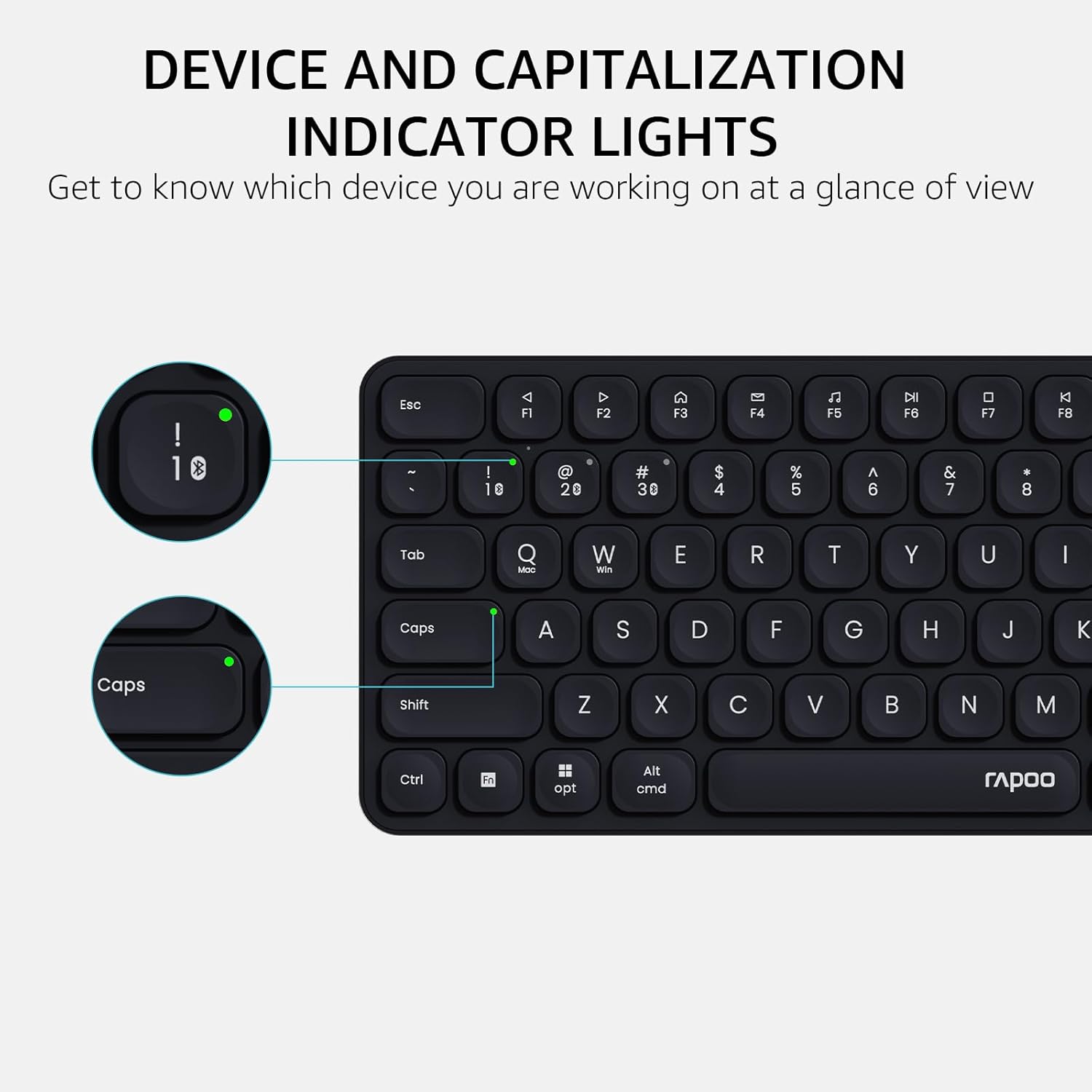
სურათი: დეტალური view of the Rapoo E9310M keyboard, pointing out the indicator lights for device connection and Caps Lock status.
3.2 მაუსის ფუნქციები
The M300G Silent Mouse provides precise control with adjustable DPI settings and a quiet click design.
3.2.1 DPI რეგულირება
The mouse features 5 adjustable DPI levels (800/1000/1200/1600/2400) to suit different screen resolutions and user preferences. Press the DPI button (usually located near the scroll wheel) to cycle through the settings.
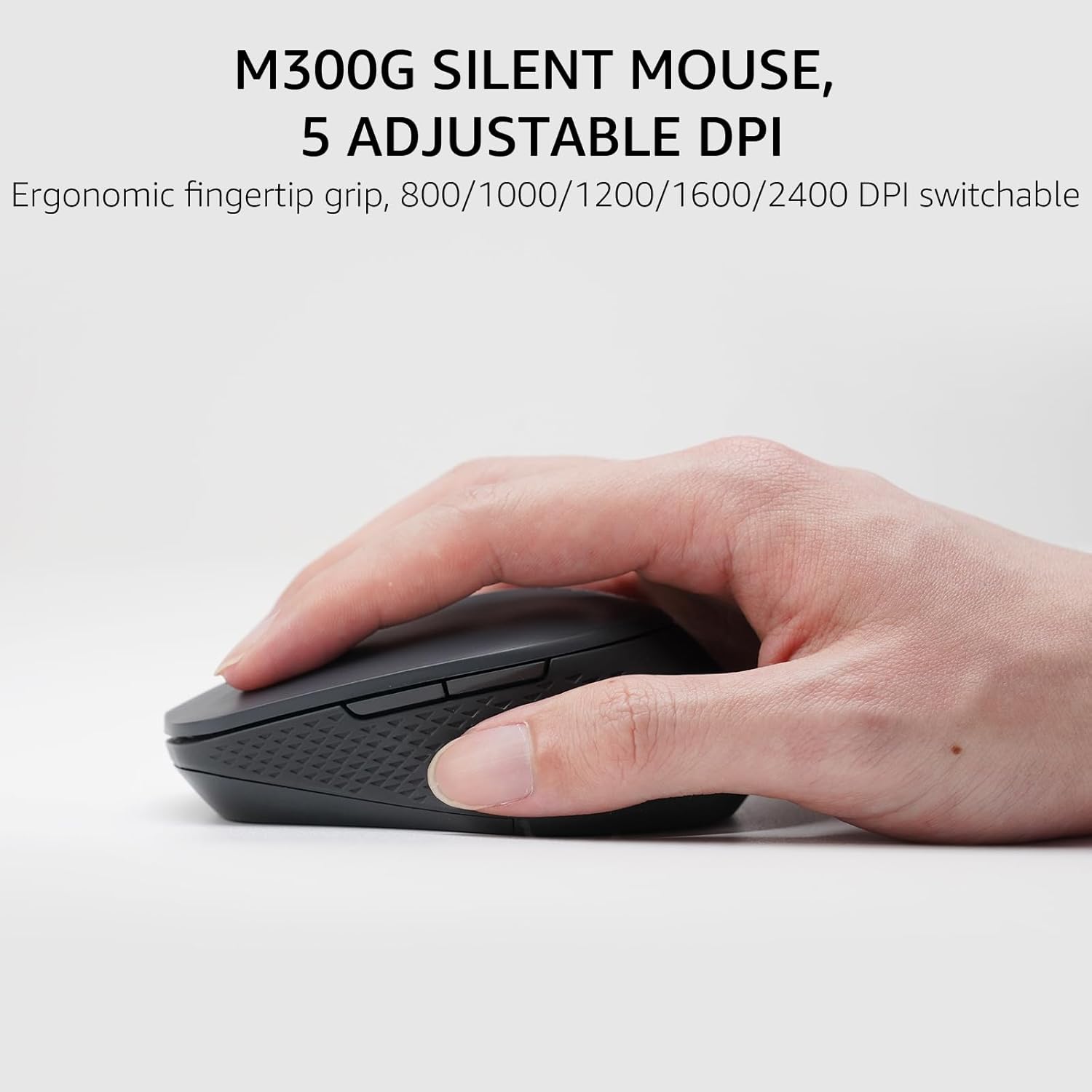
Image: The Rapoo M300G Silent Mouse, highlighting its ergonomic design and the DPI adjustment button.
4. მოვლა
4.1 დასუფთავება
- კლავიატურისა და მაუსის ზედაპირების გასაწმენდად გამოიყენეთ რბილი, მშრალი ქსოვილი.
- ჯიუტი ჭუჭყისთვის, ოდნავampქსოვილი წყლით ან რბილი საწმენდი ხსნარით დაასველეთ. მოერიდეთ ზედმეტ ტენიანობას.
- არ გამოიყენოთ აბრაზიული საწმენდები, გამხსნელები ან აეროზოლური სპრეი.
4.2 ბატარეის გამოცვლა
When the battery indicator light flashes or performance degrades, replace the batteries. The upgraded Bluetooth 5.0/4.0 technology extends battery life up to 12 months.
- გამორთეთ მოწყობილობა.
- გახსენით ბატარეის განყოფილება.
- ამოიღეთ ძველი ბატარეები და გადააგდეთ ისინი ადგილობრივი რეგულაციების შესაბამისად.
- Insert new AAA batteries, observing correct polarity.
- დახურეთ კუპე.
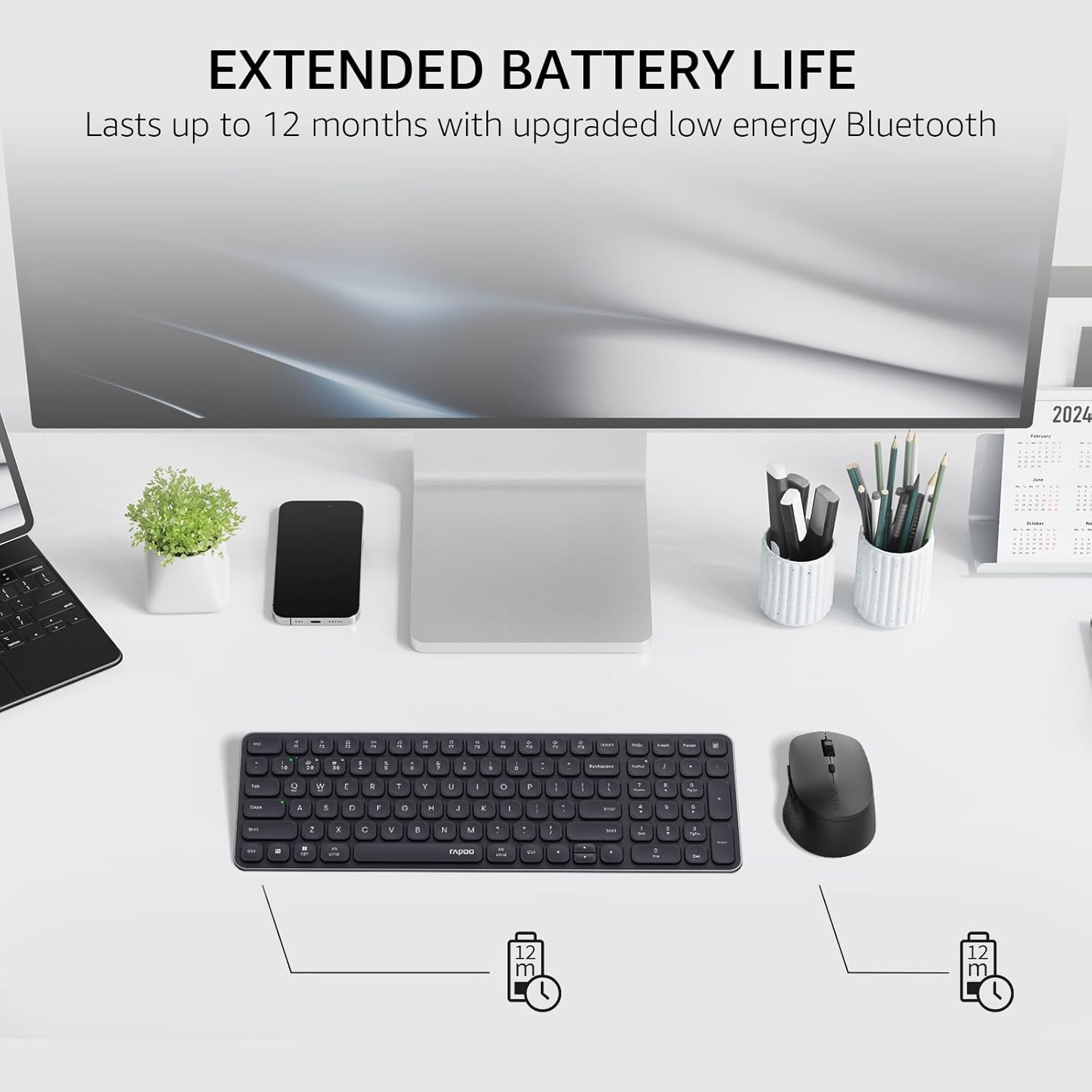
Image: The Rapoo keyboard and mouse on a desk, with an overlay indicating an extended battery life of up to 12 months.
5. Დიაგნოსტიკა
5.1 კავშირის პრობლემები
- მოწყობილობა არ უკავშირდება: Ensure the keyboard/mouse is turned on and in pairing mode (indicator light flashing). Check your device's Bluetooth settings to ensure Bluetooth is enabled and the correct Rapoo device is selected.
- 2.4GHz connection unstable: Ensure the USB receiver is securely plugged into a working USB port. Try a different USB port. Ensure no other wireless devices are causing interference.
- Bluetooth connection dropping: Ensure the devices are within the effective range (typically 10 meters/33 feet). Check battery levels. Remove and re-pair the device if issues persist.
5.2 კლავიატურა/მაუსი არ რეაგირებს
- No input: Check battery levels and replace if necessary. Ensure the correct connection mode (2.4GHz or Bluetooth channel) is selected on the keyboard/mouse.
- გასაღებები არ მუშაობს: გაწმინდეთ დაზიანებული კლავიშების გარშემო არსებული ნარჩენების მოსაშორებლად.
- Mouse cursor erratic: Clean the mouse sensor. Ensure the mouse is used on a suitable surface. Adjust DPI settings if sensitivity is an issue.
6. სპეციფიკაციები
| ფუნქცია | დეტალი |
|---|---|
| ბრენდი | რაპუო |
| მოდელი (კლავიატურა) | E9310M |
| Model (Mouse) | M300G |
| ფერი | შავი |
| დაკავშირების ტექნოლოგია | Bluetooth (5.0/4.0), Radio Frequency (2.4GHz) |
| თავსებადი მოწყობილობები | Laptop, Personal Computer (Windows, macOS, Linux, Chrome OS) |
| კლავიატურის განლაგება | QWERTY, 99-Key with Number Pad |
| მაუსის DPI | 800/1000/1200/1600/2400 (Adjustable) |
| დენის წყარო | იკვებება ბატარეით (მოყვება 2 AAA ბატარეა) |
| ნივთის წონა | 393.2 გრამი |
| მწარმოებელი | Shenzhen Rapoo Technology Co., Ltd. |
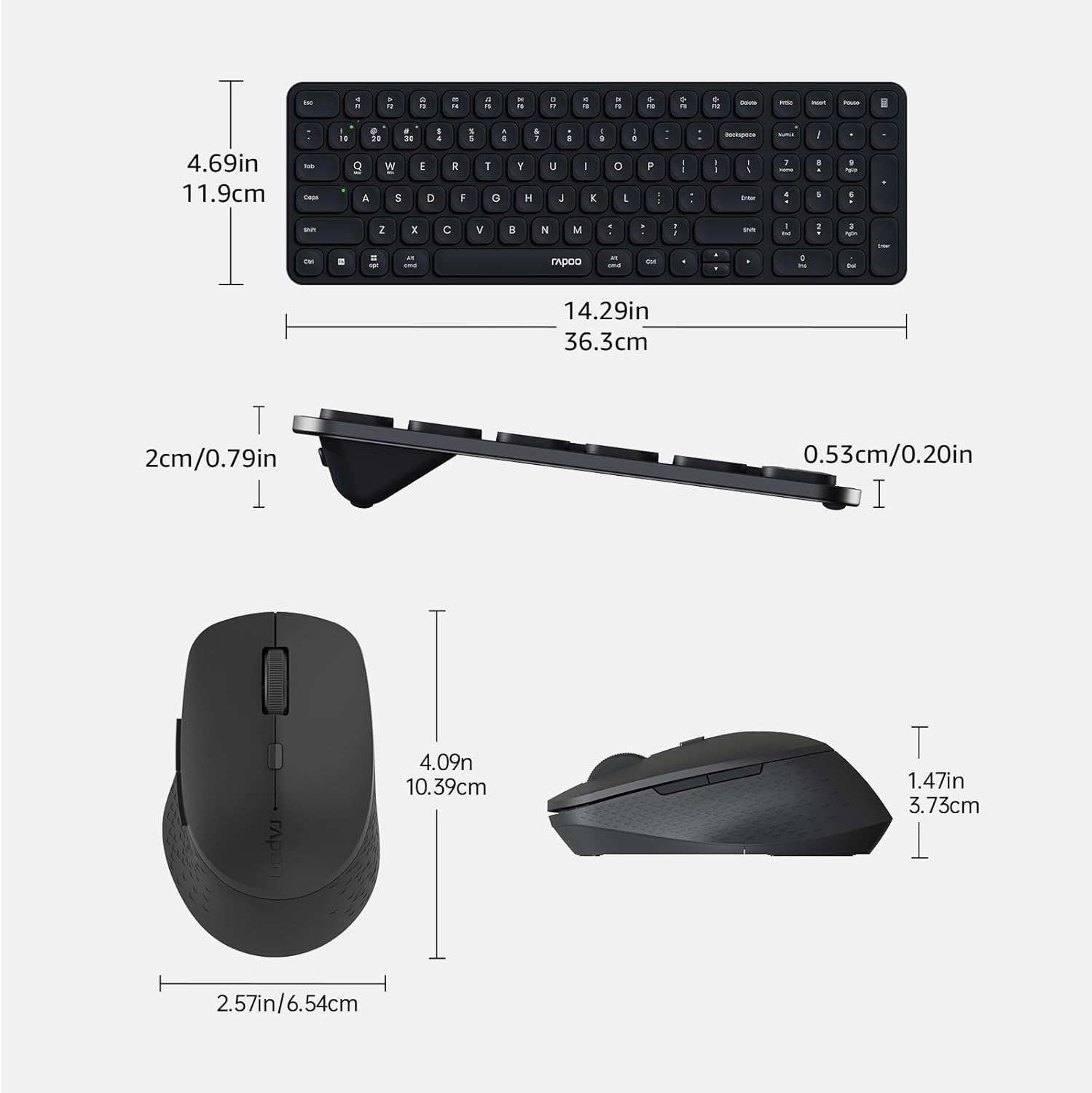
Image: Technical drawing showing the dimensions of the Rapoo E9310M keyboard and M300G mouse in inches and centimeters.
7. გარანტია და მხარდაჭერა
7.1 ინფორმაცია გარანტიის შესახებ
ამ პროდუქტს მოყვება ა 1 წლიანი გარანტია from the date of purchase. Please retain your proof of purchase for warranty claims. The warranty covers manufacturing defects and malfunctions under normal use conditions.
7.2 მომხმარებელთა მხარდაჭერა
For technical assistance, troubleshooting, or warranty inquiries, please contact Rapoo customer support. Refer to the official Rapoo webუახლესი საკონტაქტო ინფორმაციისთვის იხილეთ საიტი ან პროდუქტის შეფუთვა.