
1. შესავალი
მადლობა შენაძენისთვისasing the LG 27G411A UltraGear Gaming Monitor. This manual provides essential information for the safe and efficient use of your monitor. Please read it thoroughly before operating the product and retain it for future reference. This 27-inch Full HD (1920 x 1080) IPS display is designed for an immersive gaming experience, featuring a 144Hz refresh rate, 1ms Motion Blur Reduction (MBR), HDR10 support, and compatibility with NVIDIA G-Sync and AMD FreeSync technologies.
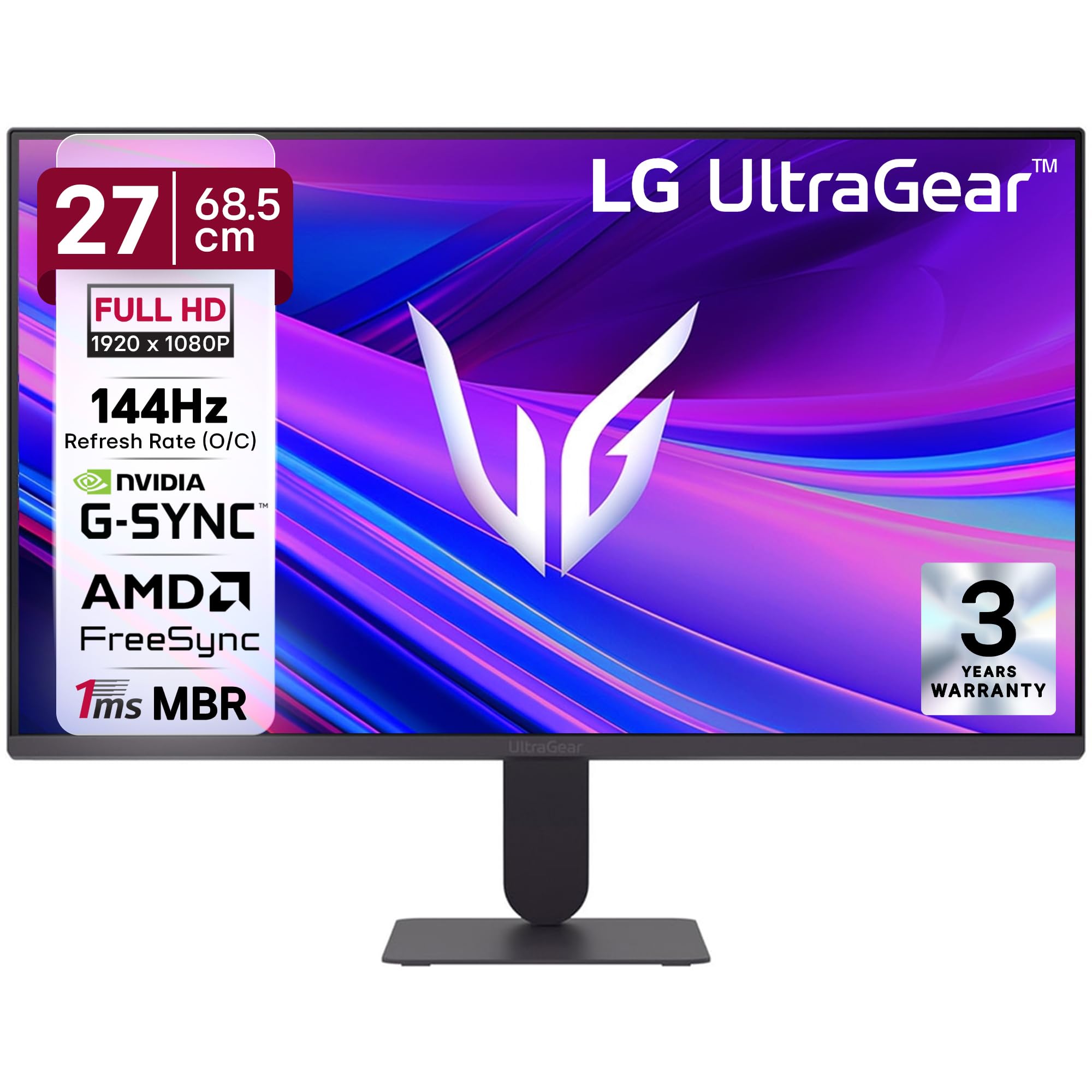
სურათი 1: წინა view of the LG 27G411A UltraGear Gaming Monitor.
2. უსაფრთხოების ინფორმაცია
დაიცავით შემდეგი უსაფრთხოების ზომები, რათა თავიდან აიცილოთ პროდუქტის დაზიანება ან საკუთარი თავის და სხვების დაზიანება.
- სიმძლავრე: Use only the power cord and adapter supplied with the monitor. Do not overload power outlets.
- განთავსება: Place the monitor on a stable, level surface. Avoid direct sunlight, heat sources, and areas with high humidity or dust. Ensure adequate ventilation around the monitor.
- დამუშავება: Do not drop the monitor or subject it to strong impacts. Avoid touching the screen with sharp objects.
- დასუფთავება: გაწმენდის წინ გამორთეთ კვების კაბელი. გამოიყენეთ რბილი, მშრალი ქსოვილი. არ გამოიყენოთ თხევადი საწმენდი საშუალებები ან აეროზოლური სპრეი.
- რემონტი: ნუ ეცდებით ამ პროდუქტის საკუთარ მომსახურებას. მიაწოდეთ ყველა სერვისი კვალიფიციურ მომსახურე პერსონალს.
3. პაკეტის შიგთავსი
დარწმუნდით, რომ ყველა ნივთი თქვენი პროდუქტის ყუთშია:
- LG 27G411A UltraGear Monitor
- დენის კაბელი
- HDMI კაბელი
- მონიტორის სადგამი (ძირი და კისერი)
- მომხმარებლის სახელმძღვანელო (ეს დოკუმენტი)
4. დაყენება
4.1 მონიტორის აწყობა
Follow these steps to assemble the monitor stand and attach it to the display panel.
- Carefully place the monitor face down on a soft cloth or cushion to prevent scratches.
- Attach the stand neck to the base, securing it with the captive screw.
- Align the assembled stand with the mounting slot on the back of the monitor panel and push until it clicks into place.
- Alternatively, the monitor supports VESA 100x100mm wall mounting. Remove the stand if using a wall mount.

Figure 2: Illustration of the monitor's ultra-slim design, tilt adjustment, and VESA wall mount compatibility.
4.2 მონიტორის დაკავშირება
შეაერთეთ თქვენი მოწყობილობები მონიტორთან შესაბამისი კაბელის გამოყენებით.
- დენის კავშირი: შეაერთეთ კვების კაბელი მონიტორის დენის წყაროსთან, შემდეგ კი კედლის სოკეტთან.
- HDMI კავშირი: Use the supplied HDMI cable to connect your computer or gaming console to the HDMI port on the monitor.
- DisplayPort კავშირი: For optimal performance, especially for 144Hz refresh rate, connect your computer to the DisplayPort (DP) on the monitor using a DisplayPort cable (not always included).
- ყურსასმენის ამოღება: Connect headphones or external speakers to the 3-pole headphone out port for audio output.

სურათი 3: უკანა view of the monitor displaying the power input, HDMI, DisplayPort, and headphone out ports.

სურათი 4: დეტალური view of the DisplayPort (DP-IN), HDMI, and Headphone (HP) ports.
5. საოპერაციო ინსტრუქციები
5.1 ჩართვა/გამორთვა
Press the joystick button located at the bottom center of the monitor to turn it on or off. A short press will bring up the OSD menu, while a long press will power off the monitor.
5.2 ეკრანზე ჩვენების (OSD) მენიუ
OSD მენიუ საშუალებას გაძლევთ შეცვალოთ მონიტორის სხვადასხვა პარამეტრები. ნავიგაციისთვის გამოიყენეთ ჯოისტიკის ღილაკი:
- მენიუს ვარიანტებში ნავიგაციისთვის ჯოისტიკი ზემოთ/ქვემოთ/მარცხნივ/მარჯვნივ გადაიტანეთ.
- Press the joystick to select an option or confirm a setting.
5.3 სურათის რეჟიმები
The monitor offers several preset picture modes optimized for different content types:
- მორგებული: Allows manual adjustment of all picture settings.
- Gamer1/Gamer2: User-configurable modes for gaming preferences.
- FPS/RTS: Optimized for First-Person Shooter and Real-Time Strategy games.
- ნათელი: Enhances color and contrast for general viewინგ.
- მკითხველი: ამცირებს ლურჯ შუქს კომფორტული კითხვისთვის.
- HDR ეფექტი: Simulates HDR content for non-HDR sources.
- ფერის სისუსტე: Adjusts color settings to assist users with color vision deficiency.
5.4 Gaming Enhancements
The LG 27G411A is equipped with features to enhance your gaming experience:
- 144Hz Refresh Rate & 1ms MBR: Experience fluid motion and reduced ghosting. The monitor supports a native 120Hz refresh rate and up to 144Hz in overclock mode via DisplayPort 1.4 (HDMI 2.0 supports up to 144Hz).
- AMD FreeSync & NVIDIA G-Sync Compatible: მონიტორის განახლების სიხშირეს თქვენი GPU-ს კადრების სიხშირესთან სინქრონიზებს, რათა თავიდან აიცილოს ეკრანის ჩახევა და შეფერხება.
- შავი სტაბილიზატორი: Brightens dark areas to help you spot enemies hiding in shadows.
- დინამიური მოქმედების სინქრონიზაცია (DAS): Minimizes input lag for real-time action.
- ჯვარედინი: Places a fixed crosshair in the center of the screen for improved aiming in FPS games.
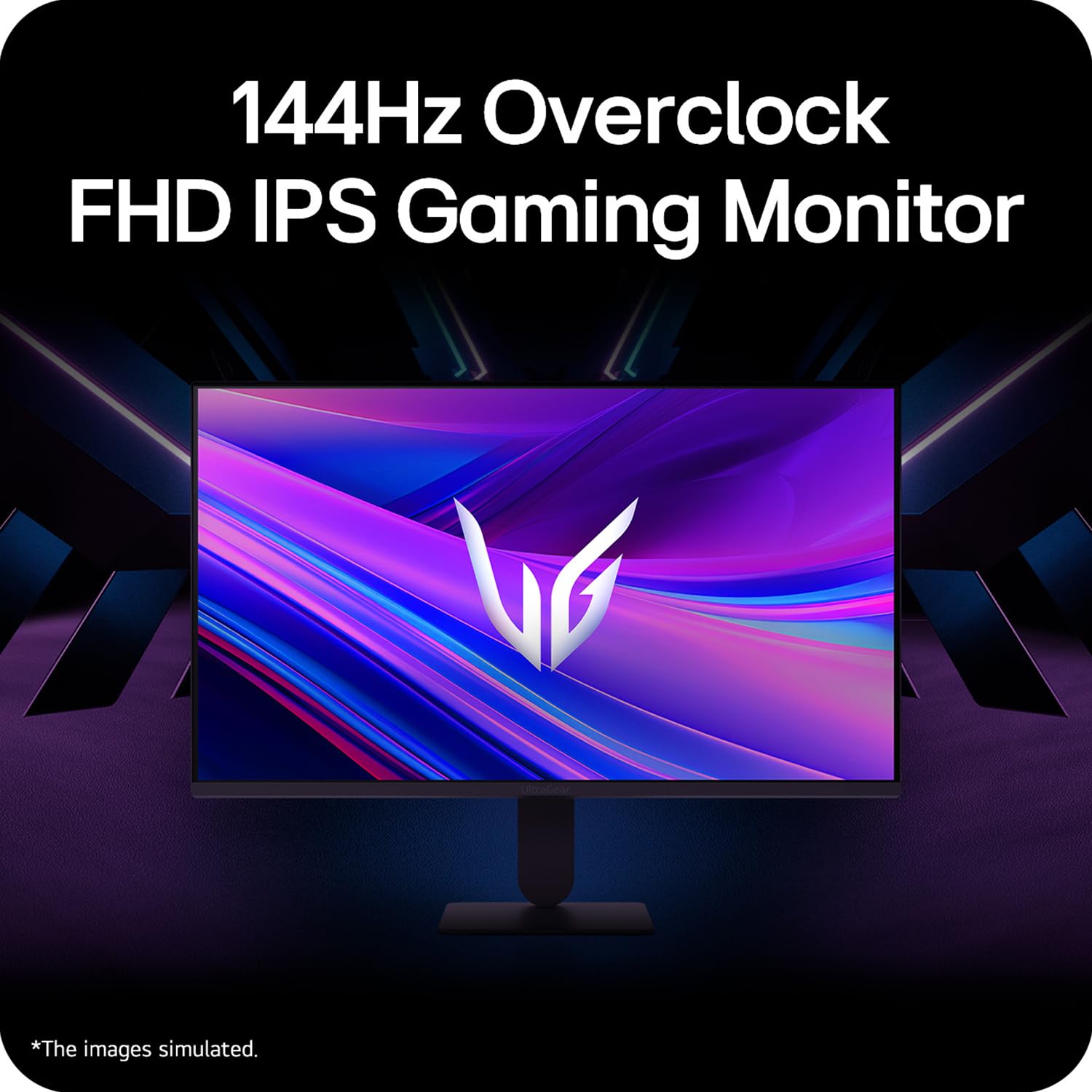
Figure 5: Visual representation of 144Hz overclock for fluid gaming motion.

Figure 6: Illustration of 1ms Motion Blur Reduction (MBR) for fast-paced gaming. Note: 1ms MBR causes lowered luminance and cannot be used with AMD FreeSync/DAS. Flicker may occur during 1ms MBR operation.

Figure 7: The monitor is certified compatible with NVIDIA G-Sync and AMD FreeSync technologies.

Figure 8: Precision Gaming Mode features: Dynamic Action Sync (DAS), Black Stabilizer, and Crosshair.
5.5 Eye-Care Features
To reduce eye strain during prolonged use, the monitor includes:
- ციმციმის უსაფრთხო: Reduces screen flicker to minimize eye fatigue.
- მკითხველის რეჟიმი: Adjusts color temperature and brightness to simulate paper, making it easier on the eyes for reading tasks.
- ფერის სისუსტე: Provides color adjustments for users with color vision deficiencies.
5.6 Smart Convenience (LG Switch App)
The LG Switch app offers enhanced control and customization options for your monitor directly from your computer. Features include Dual mode, Smart screen split, Launch a video call, and Personalized Picture Wizard.

Figure 9: The LG Switch app provides smarter control and seamless switching between various display modes and settings.
6. მოვლა
6.1 მონიტორის გაწმენდა
მონიტორის გარეგნობისა და მუშაობის შესანარჩუნებლად:
- მონიტორის გაწმენდამდე ყოველთვის გამორთეთ დენის წყაროდან.
- ეკრანისა და გარე ზედაპირების ნაზად გასაწმენდად გამოიყენეთ რბილი, უბუშტო ქსოვილი.
- ჯიუტი ლაქებისთვის, მსუბუქად დააწვეთეთampქსოვილი დაასველეთ წყლით ან რბილი, არააბრაზიული ეკრანის საწმენდი საშუალებით. არ შეასხუროთ სითხე პირდაპირ ეკრანზე.
- Avoid using benzene, alcohol, or other volatile solvents, as they may damage the monitor.
7. Დიაგნოსტიკა
თუ თქვენს მონიტორთან დაკავშირებით პრობლემები შეგექმნათ, იხილეთ შემდეგი გავრცელებული გადაწყვეტილებები:
| პრობლემა | შესაძლო მიზეზი / გამოსავალი |
|---|---|
| არავითარი ძალა | Ensure the power cable is securely connected to the monitor and a working power outlet. Check if the power outlet is functional. |
| სიგნალი არ არის / ცარიელი ეკრანი | Verify that the video cable (HDMI or DisplayPort) is securely connected to both the monitor and your computer/device. Ensure the correct input source is selected in the OSD menu. Check if the computer is powered on and not in sleep mode. |
| ციმციმი ან დამახინჯებული გამოსახულება | Check the video cable for damage or loose connections. Try a different video cable or port. Adjust the refresh rate settings on your computer. Disable 1ms MBR if flicker is observed. |
| Backlight leakage on corners | Minor backlight leakage can be a characteristic of IPS panels, especially visible on a completely black screen in a dark environment. This is generally not considered a defect unless it significantly impacts normal viewინგ. |
| Monitor not recognized by PC | Update your graphics card drivers. Restart your computer. |
8. სპეციფიკაციები
Key technical specifications for the LG 27G411A UltraGear Gaming Monitor:
- ეკრანის ზომა: 27 ინჩი (68.5 სმ)
- პანელის ტიპი: IPS
- რეზოლუცია: FHD (1920 x 1080)
- ასპექტის თანაფარდობა: 16:9
- განახლების სიჩქარე: 144 Hz (Overclock)
- რეაგირების დრო: 1ms MBR (5ms GTG)
- სიკაშკაშე: 250 cd/m² (ჩვეულებრივი)
- კონტრასტის თანაფარდობა: 1500:1
- ფერის დიაპა: SRGB 99%
- HDR მხარდაჭერა: HDR10
- ადაპტური სინქრონიზაცია: NVIDIA G-Sync Compatible, AMD FreeSync
- Viewკუთხე: 178° (H/V)
- დაკავშირება: 1 x HDMI, 1 x DisplayPort, 1 x Headphone Out
- Dimensions (with stand, WxHxD): 61.2 x 45.2 x 22 სმ (24.07 x 17.81 x 8.66 ინჩი)
- წონა (სადგამთან ერთად): 3.8 კგ
- ენერგიის მოხმარება: 20 W (ჩვეულებრივი)
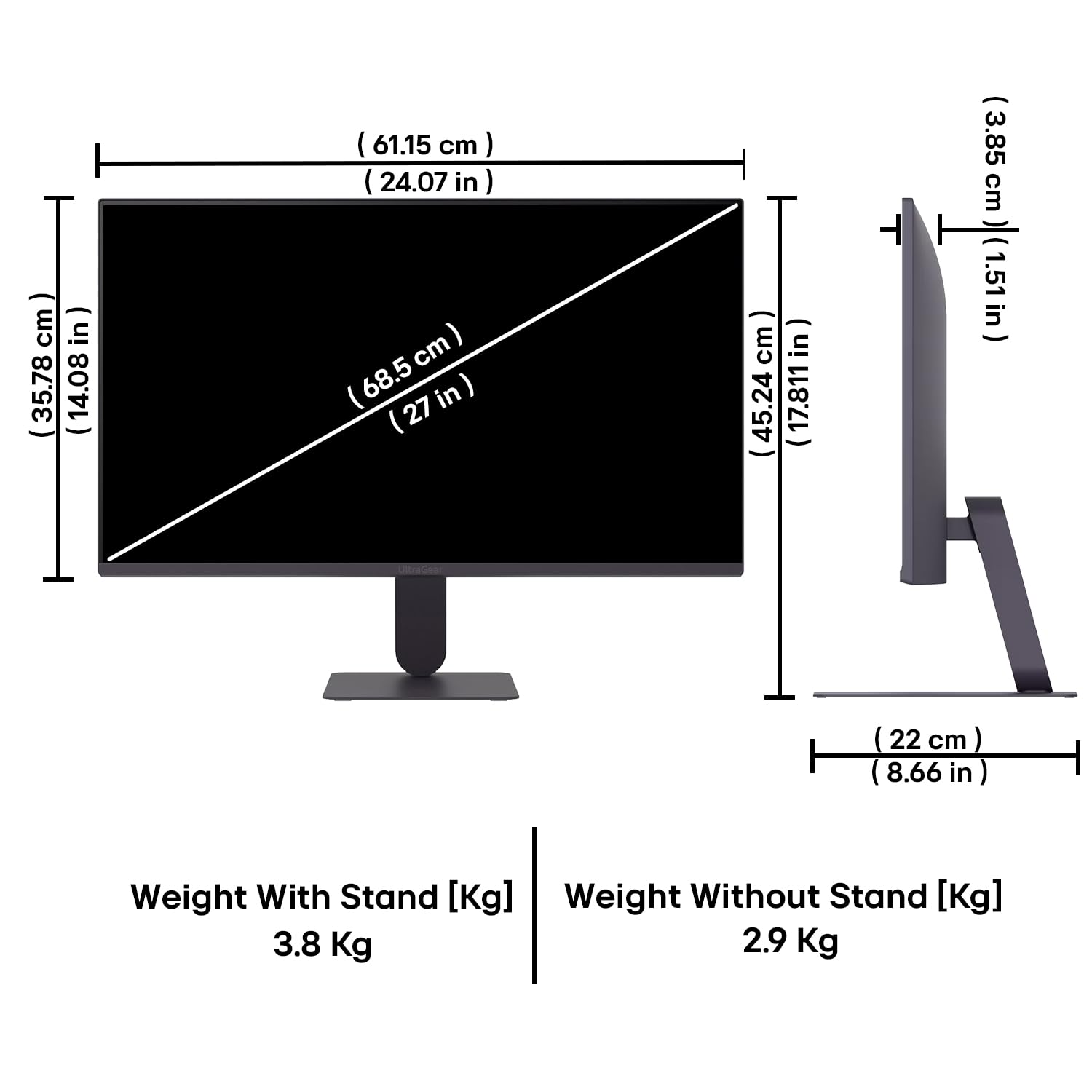
Figure 10: Physical dimensions and weight of the LG 27G411A monitor with and without the stand.
9. ინფორმაცია გარანტიის შესახებ
This LG 27G411A UltraGear Gaming Monitor comes with a 3 წლიანი მწარმოებლის გარანტია covering parts and labor. Please retain your proof of purchase for warranty claims. For detailed terms and conditions, refer to the warranty card included in your product packaging or visit the official LG webსაიტი.
10. მომხმარებელთა მხარდაჭერა
For further assistance, technical support, or service inquiries, please contact LG Customer Service. You can find contact information on the official LG webსაიტზე ან თქვენს მონიტორთან ერთად მოწოდებულ დოკუმენტაციაში.
LG Electronics India Pvt. შ.პ.ს.
PLOT NO. A-5, MIDC RANJANGAON.
TALUKA SHIRUR, PUNE, MAHRASHTRA (INDIA), 412220