
1. შესავალი
Welcome to the user manual for your new Xiaomi 17 Ultra smartphone. This device combines cutting-edge technology with a sophisticated design, offering an exceptional user experience. Key features include a powerful Leica 200MP telephoto lens, a 1-inch ultra-dynamic camera with LOFIC HDR technology for stunning night photography, and the advanced Snapdragon 8 Elite Gen 5 mobile platform for superior performance. The device is also equipped with a long-lasting 6000 mAh Xiaomi Surge battery and integrates HyperAI for enhanced productivity and smart features.

Figure 1: Xiaomi 17 Ultra smartphone in hand.
2. დაყენება
2.1 ყუთის გახსნა და შეფუთვის შიგთავსი
Carefully unbox your Xiaomi 17 Ultra. Ensure all components are present. The standard package includes the Xiaomi 17 Ultra smartphone, a USB-C cable, and a SIM ejector tool (SIM-Pin).

Figure 2: Package contents including the Xiaomi 17 Ultra, USB-C cable, and SIM-Pin.
2.2 SIM ბარათის ჩასმა
- იპოვეთ SIM ბარათის უჯრა თქვენი მოწყობილობის გვერდზე.
- SIM ბარათის ამოსაღები ხელსაწყო SIM ბარათის უჯრაზე არსებულ პატარა ხვრელში ჩადეთ და ფრთხილად დააჭირეთ, სანამ უჯრა არ ამოვარდება.
- მოათავსეთ თქვენი Nano-SIM ბარათი(ები) უჯრაში ოქროსფერი კონტაქტებით ქვემოთ. დარწმუნდით, რომ ისინი სწორადაა განლაგებული.
- Carefully push the SIM tray back into the slot until it is flush with the device.

სურათი 3: მხარე view of the Xiaomi 17 Ultra, indicating the SIM card tray.
2.3 პირველადი ჩართვა და დატენვა
To power on your device, press and hold the power button located on the side until the Xiaomi logo appears. For initial setup, it is recommended to fully charge your device. Connect the USB-C cable to the phone's charging port and the other end to a compatible power adapter (not included) or a computer.
3. Operating Your Xiaomi 17 Ultra
3.1 ძირითადი ნავიგაცია
- ჩართვა/გამორთვა: Press and hold the power button. Select "Power off" or "Restart" from the menu.
- ეკრანის დაბლოკვა/განბლოკვა: Briefly press the power button. Use your fingerprint, face unlock, or PIN/pattern to unlock.
- საწყისი ეკრანი: საწყის ეკრანზე გადასასვლელად გადაფურცლეთ ეკრანის ქვემოდან ზემოთ.
- ბოლო აპლიკაციები: ქვემოდან ზემოთ გადაფურცლეთ და გააჩერეთ view ბოლოდროინდელი აპლიკაციები.
- შეტყობინებები და სწრაფი პარამეტრები: შეტყობინებებსა და სწრაფი პარამეტრების გადართვისთვის გადაფურცლეთ ეკრანის ზედა ნაწილიდან ქვემოთ.
3.2 კამერის მახასიათებლები
The Xiaomi 17 Ultra features an advanced Leica camera system designed for professional-grade photography.
- Leica 200MP Telephoto Lens: Experience exceptional detail and clarity with the 75–100mm optical zoom, eliminating the need for digital cropping.
- Leica 1-inch Ultra-Dynamic Camera: The large 1-inch sensor, combined with LOFIC HDR technology, captures stunning images even in challenging low-light conditions, preserving intricate details.
- Leica UltraPure Optical Design: An updated optical structure with precision glass elements significantly reduces reflections, ensuring purer image quality.
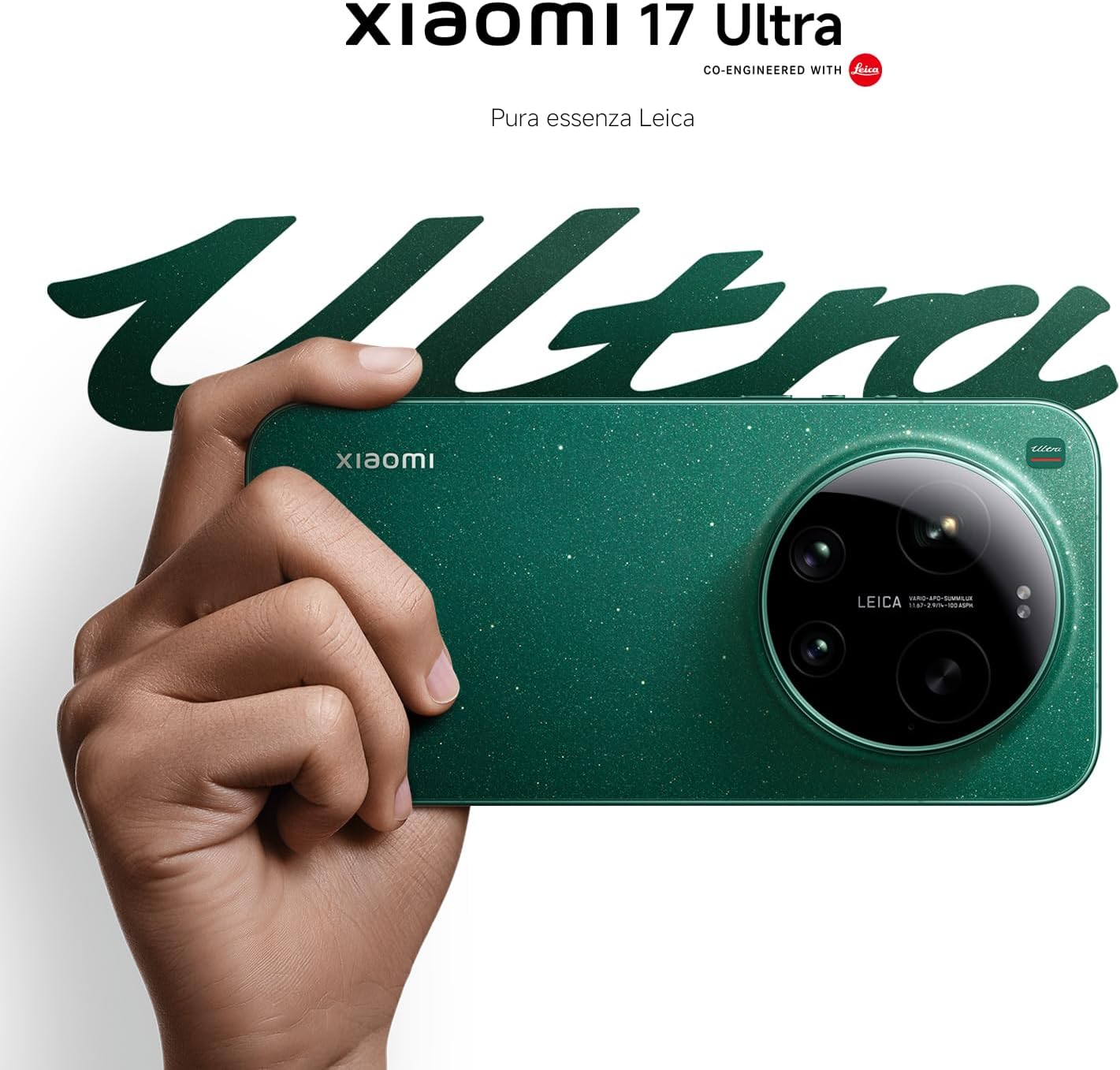
Figure 4: Leica 200MP Telephoto Lens.

Figure 5: Leica 1-inch Ultra-Dynamic Camera Sensor.

Figure 6: Leica UltraPure Optical Design.
Video 1: Demonstration of the Xiaomi 17 Ultra's camera capabilities, capturing fireworks with detail and clarity.
3.3 HyperAI Features
The integrated HyperAI enhances various aspects of your smartphone experience, offering intelligent assistance and improved productivity.
- ხელოვნური ინტელექტის წერა: Assists with text composition and suggestions.
- ხელოვნური ინტელექტის ხმის ამოცნობა: Provides accurate voice-to-text conversion and command execution.
- AI ძიება: Intelligently processes search queries for more relevant results.
- Dynamic AI Wallpapers: Offers personalized and adaptive visual experiences.

სურათი 7: დასრულდაview of Xiaomi HyperAI functionalities.
4. მოვლა
4.1 ბატარეის მოვლა
Your Xiaomi 17 Ultra is equipped with a 6000 mAh Xiaomi Surge battery for extended usage. To maximize battery lifespan:
- მოერიდეთ ექსტრემალურ ტემპერატურას (ცხელი ან ცივი).
- არ დაუშვათ ბატარეის სრულად დაცლა რეგულარულად. დატენეთ ის მანამ, სანამ მისი დატენვის დონე ძალიან დაბალ დონეს მიაღწევს.
- გამოიყენეთ მხოლოდ დამტკიცებული დამტენები და კაბელები.
- Avoid overcharging for prolonged periods.

სურათი 8: შიდა view of the 6000 mAh Xiaomi Surge battery.
4.2 Screen and Device Cleaning
To clean your device, use a soft, lint-free cloth. Avoid abrasive materials, sprays, or harsh chemicals. For stubborn smudges, slightly dampen the cloth with water. Do not submerge the device in water.
4.3 პროგრამული უზრუნველყოფის განახლებები
Regularly check for and install software updates to ensure optimal performance, security, and access to new features. You can usually find this option in your device's settings under "About phone" or "System updates."
5. Დიაგნოსტიკა
5.1 საერთო საკითხები და გადაწყვეტილებები
| საკითხი | შესაძლო გამოსავალი |
|---|---|
| მოწყობილობა არ ირთვება | Ensure the battery is charged. Press and hold the power button for at least 10-15 seconds to force a restart. |
| აპლიკაციების გათიშვა ან გაყინვა | Close the app and reopen it. Clear the app's cache and data in settings. Update the app or the phone's software. |
| ცუდი ბატარეის ხანგრძლივობა | Check background app usage. Reduce screen brightness. Disable unnecessary features like GPS or Bluetooth when not in use. Refer to battery care tips. |
| ქსელთან დაკავშირების პრობლემები | Restart the device. Check if airplane mode is off. Reinsert the SIM card. Reset network settings. Contact your service provider. |
6. სპეციფიკაციები
| ფუნქცია | დეტალი |
|---|---|
| მოდელი | Xiaomi 17 Ultra |
| პროცესორი | Snapdragon 8 Elite Gen 5 Mobile Platform |
| ოპერატიული მეხსიერება | 16 GB |
| შიდა საცავი | 512 GB |
| მთავარი კამერა | Leica 1-inch Ultra-Dynamic Camera with LOFIC HDR |
| ტელეფოტო ობიექტივი | Leica 200MP, 75–100mm Optical Zoom |
| ბატარეა | 6000 mAh Xiaomi Surge Battery (typical) |
| AI მახასიათებლები | Xiaomi HyperAI (AI Writing, Voice Recognition, Search, Dynamic Wallpapers) |

Figure 9: Snapdragon 8 Elite Gen 5 Mobile Platform.
7. გარანტია და მხარდაჭერა
7.1 მწარმოებლის გარანტია
თქვენს Xiaomi 17 Ultra-ს მოყვება 3 წლიანი მწარმოებლის გარანტია. This includes the standard 2-year manufacturer warranty plus an additional 1 year of extended warranty, automatically applied upon purchase.
გთხოვთ, შეინახოთ თქვენი შეძენის მტკიცებულება გარანტიის პრეტენზიებისთვის.
7.2 მომხმარებელთა მხარდაჭერა
For further assistance, technical support, or warranty inquiries, please visit the official Xiaomi support website or contact their customer service. You can find contact information on the Xiaomi official website or within your device's "Settings" under "About phone" > "Legal information" or "Support".