
1. შესავალი
The KAIWEETS KTS02 is a versatile 2-in-1 tool combining a voltage tester and a slotted screwdriver. It is designed for electrical circuit checks, voltage measurement, non-contact voltage detection, live wire identification, continuity testing, and basic screw tightening or loosening. This manual provides essential information for safe and effective use of the device.
პაკეტის შიგთავსი:
- 1 x KAIWEETS KTS02 2-in-1 Voltage Tester Screwdriver
- მომხმარებლის სახელმძღვანელო
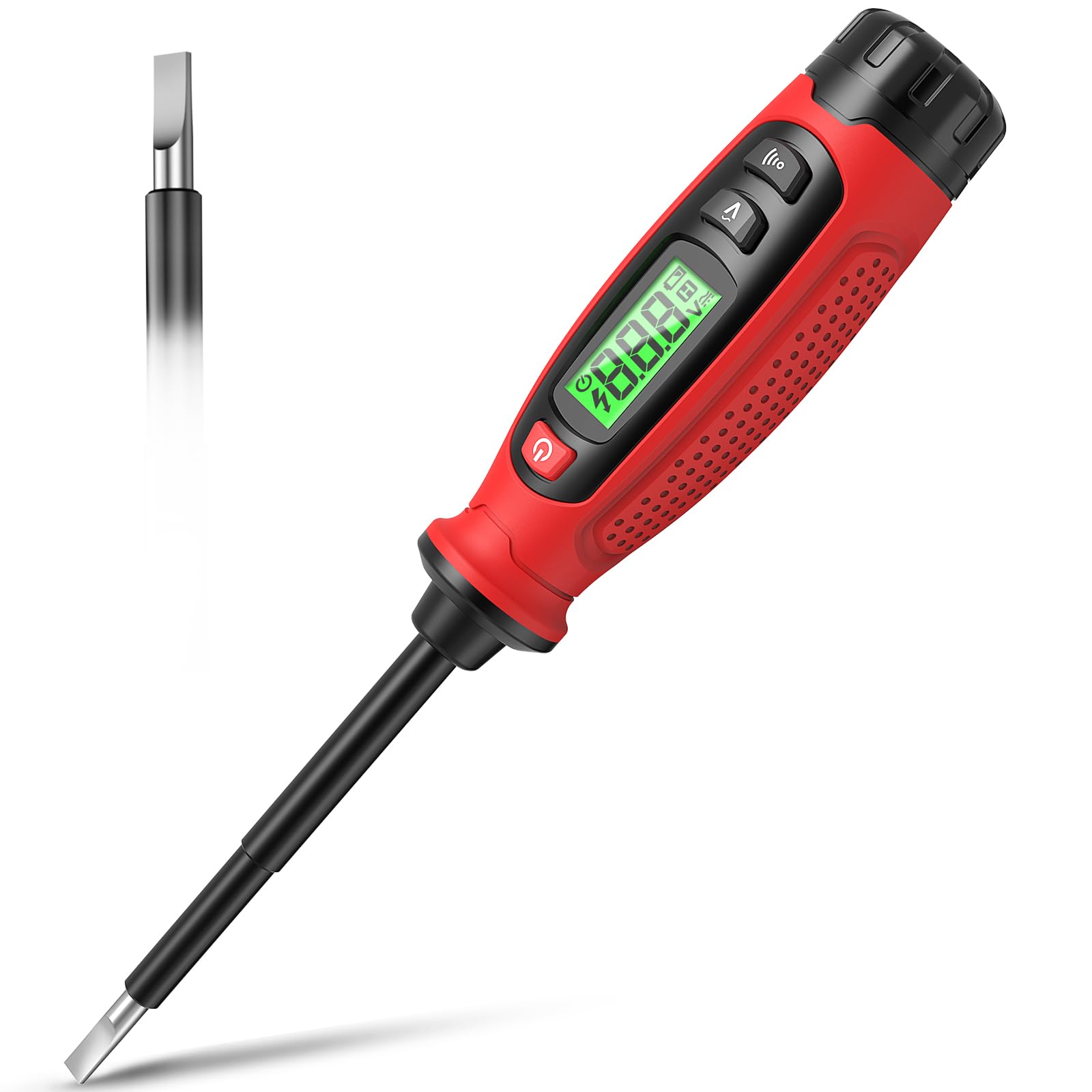
Image 1.1: KAIWEETS KTS02 2-in-1 Voltage Tester Screwdriver.
2. უსაფრთხოების სახელმძღვანელო
Always prioritize safety when working with electrical systems. Failure to follow these safety instructions may result in electric shock, fire, or personal injury.
- წაიკითხეთ სახელმძღვანელო: Thoroughly read and understand all instructions before using the device.
- შეამოწმეთ გამოყენებამდე: Before each use, inspect the device for any damage, cracks, or exposed wiring. Do not use if damaged.
- ტtage ლიმიტები: ნუ ეცდებით მოცულობის გაზომვასtages outside the specified range of 3-500V AC.
- იზოლაცია: Ensure your hands are dry and you are standing on an insulated surface when testing live circuits.
- პირადი დამცავი მოწყობილობა (PPE): Always wear appropriate PPE, such as safety glasses and insulated gloves, when working with electricity.
- არაკონტაქტური გამოვლენა: უკონტაქტო ტომიtage detection is a preliminary test. Always verify with direct contact measurement when possible and safe.
- ბატარეის გამოცვლა: ზუსტი მაჩვენებლების უზრუნველსაყოფად, დაუყოვნებლივ შეცვალეთ ბატარეები, როდესაც დაბალი ბატარეის ინდიკატორი გამოჩნდება.
- ბავშვები: შეინახეთ ეს მოწყობილობა ბავშვებისთვის მიუწვდომელ ადგილას.
3. პროდუქტის მახასიათებლები
The KAIWEETS KTS02 offers a range of functionalities for electrical testing and light-duty fastening:
- დიზაინი 2-ში: Combines a voltage tester with a slotted screwdriver, featuring a magnetic tip for convenience.
- AC Contact Voltage გაზომვა: Directly measures AC voltage 3V-დან 500V-მდე.
- უკონტაქტო ტომიtage (NCV) გამოვლენა: აღმოაჩენს ტtage presence without direct contact, indicated by an audible buzzer and LCD display.
- ცოცხალი მავთულის იდენტიფიკაცია: Helps distinguish between live and neutral wires.
- უწყვეტობის ტესტი: Verifies the continuity of wires, switches, and fuses.
- შესვენების წერტილის ტესტი: Locates breaks in electrical wires.
- LCD ეკრანი: Provides clear, real-time voltage levels and signal strength readings.
- ავტომატური გამორთვა: ბატარეის დაზოგვის მიზნით, 3 წუთიანი უმოქმედობის შემდეგ ავტომატურად ითიშება.
- დაბალი ბატარეის მაჩვენებელი: Alerts users when batteries need replacement.
- იზოლირებული სხეული: Designed with a fully insulated body and non-slip grip for enhanced safety.

სურათი 3.1: დასრულდაview of KAIWEETS KTS02 features.
4. დაწყება
ბატარეის დაყენება:
The KTS02 is powered by AAA batteries (not always included). Ensure correct polarity during installation.
- Locate the battery compartment cap at the end of the handle.
- Twist or slide the cap to open the compartment.
- Insert the required AAA batteries, observing the polarity markings (+/-).
- Securely close the battery compartment cap.
5. საოპერაციო ინსტრუქციები
5.1 ჩართვა/გამორთვა
Press the power button (usually marked with ⑂ ) to turn the device on or off. The LCD will illuminate upon activation.
5.2 AC Contact Voltage გაზომვა
This mode allows for direct measurement of AC voltage.
- დარწმუნდით, რომ მოწყობილობა ჩართულია.
- Press the AC Contact Test Button (often marked with a 'V' or wave symbol).
- Carefully touch the metal probe tip to the conductor or terminal you wish to test.
- The LCD will display the measured AC voltage. An audible beep may also sound.
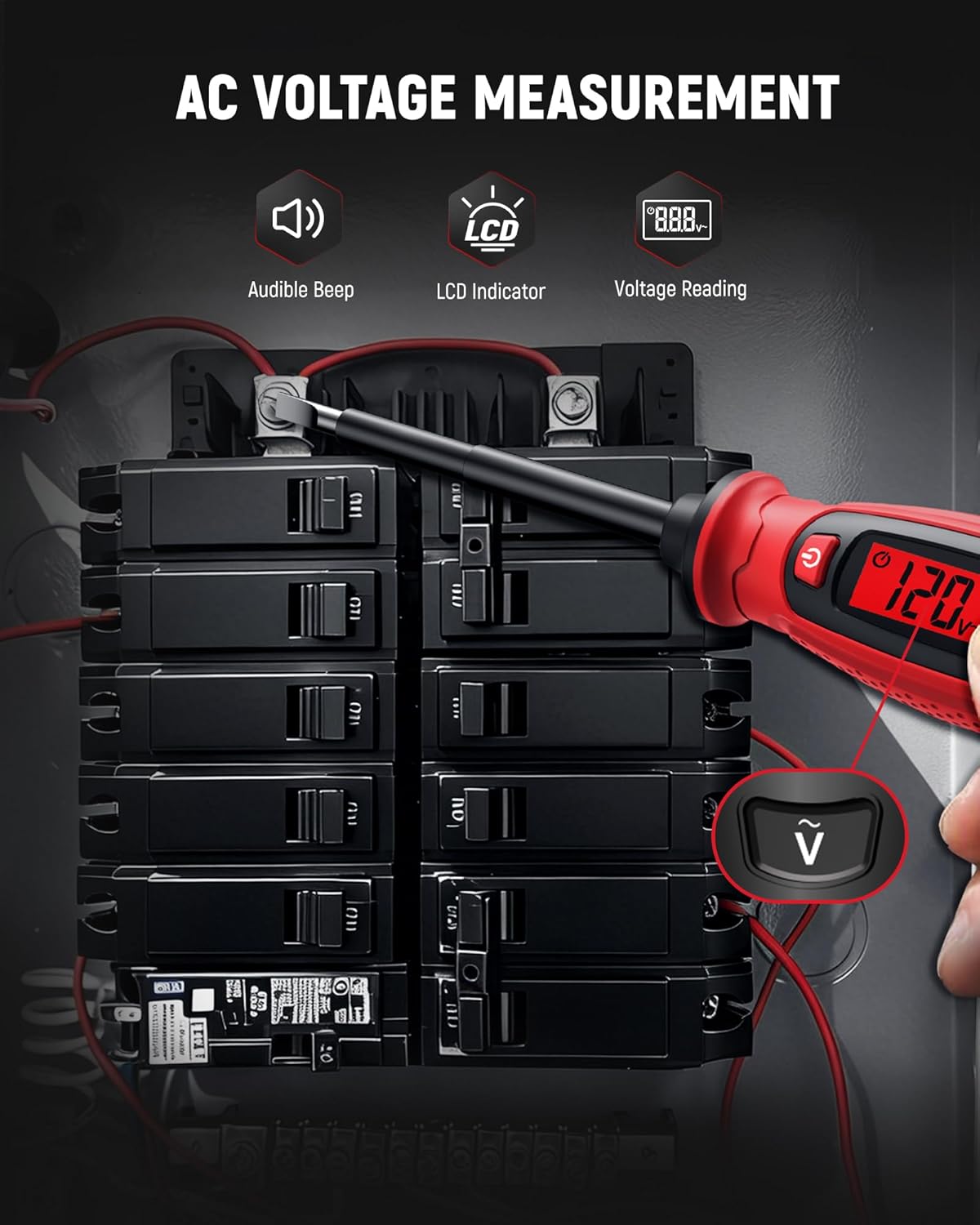
სურათი 5.1: ცვლადი დენის მოცულობის გაზომვაtage on a circuit breaker.
5.3 არაკონტაქტური ტtage (NCV) გამოვლენა
Use NCV mode to detect the presence of AC voltagპირდაპირი კონტაქტის გარეშე, რაც ზრდის უსაფრთხოებას.
- დარწმუნდით, რომ მოწყობილობა ჩართულია.
- Bring the tip of the tester close to the wire, outlet, or breaker panel.
- თუ AC voltage is detected, the LCD will indicate signal strength (e.g., 'HI' for high voltage) and an audible buzzer will sound.

Image 5.2: Non-contact voltage detection near a wall switch.
5.4 Live Wire Identification
This function helps identify live wires in an electrical system.
- In AC Contact Voltage Measurement mode, touch the probe tip to the wire.
- უფრო მაღალი ტომიtage reading or a specific indicator on the LCD (refer to device display for specific symbols) typically signifies a live wire.
- A lower or zero reading indicates a neutral or ground wire.
5.5 უწყვეტობის ტესტი
Test the continuity of circuits, wires, switches, or fuses.
- Ensure the circuit or component is de-energized before testing continuity.
- Press the Continuity Test Button (often marked with a speaker or wave symbol).
- Touch the probe tip to one end of the component and the other end to a reference point (e.g., your finger on the metal cap if applicable, or another part of the circuit).
- A continuous beep and a 'Connected' indication on the LCD signify continuity. No beep or a 'Disconnected' indication means an open circuit.

Image 5.3: Performing a wire continuity test.
5.6 Breakpoint Test
Locate breaks in insulated wires.
- Ensure the wire is connected to a live AC source at one end.
- Use the NCV detection mode.
- Run the tip of the tester along the insulated wire.
- The tester will indicate voltage up to the point of the break. The absence of a signal beyond a certain point indicates a break in the wire.

Image 5.4: Performing a breakpoint test.
5.7 Screwdriver Function
The integrated slotted screwdriver can be used for light-duty fastening tasks.
- Ensure the electrical circuit is de-energized before using the screwdriver on electrical components.
- Align the slotted tip with the screw head.
- Turn the handle to tighten or loosen the screw.

Image 5.5: Using the integrated screwdriver function.
5.8 პროდუქტის ოფიციალური ვიდეო
Video 5.1: An official product video demonstrating the KAIWEETS KTS02 2-in-1 Voltage Tester Screwdriver (Slotted) in use, showcasing its various functions.
6. მოვლა და მოვლა
- დასუფთავება: Wipe the device with a dry, clean cloth. Do not use abrasive cleaners or solvents.
- შენახვა: შეინახეთ მოწყობილობა გრილ, მშრალ ადგილას, მოარიდეთ მზის პირდაპირ სხივებს და ექსტრემალურ ტემპერატურას.
- ბატარეის მოცილება: თუ მოწყობილობას დიდი ხნის განმავლობაში არ გამოიყენებთ, გაჟონვის თავიდან ასაცილებლად ამოიღეთ ბატარეები.
7. Დიაგნოსტიკა
| პრობლემა | შესაძლო მიზეზი | გამოსავალი |
|---|---|---|
| მოწყობილობა არ ჩაირთვება. | მკვდარი ან არასწორად დამონტაჟებული ბატარეები. | შეამოწმეთ ბატარეის პოლარობა ან შეცვალეთ ახალი AAA ბატარეებით. |
| არაზუსტი ტtagსაკითხავი. | Low battery, environmental interference, or improper contact. | Replace batteries. Ensure firm contact with the conductor. Avoid strong electromagnetic fields. |
| NCV ვერ აფიქსირებს მოცულობასtage. | ტtage too low, thick insulation, or device malfunction. | უზრუნველყოს ტtage is within detectable range. Try direct contact measurement if safe. |
| Continuity test fails on a known good circuit. | Poor contact or device malfunction. | Ensure firm contact. Test on a known continuous wire to verify device function. |
8. სპეციფიკაციები
| პარამეტრი | ღირებულება |
|---|---|
| ბრენდი | KAIWEETS |
| მოდელი | KTS02 |
| ტიპი | 2-1-ში მოცულობაtage Tester Screwdriver (Slotted) |
| AC ტომიtage საზომი დიაპაზონი | 3V - 500V ცვლადი დენი |
| უკონტაქტო ტომიtage (NCV) | დიახ |
| უწყვეტობის ტესტი | დიახ |
| ცოცხალი მავთულის გამოვლენა | დიახ |
| ჩვენება | LCD |
| დენის წყარო | ბატარეით მომუშავე (AAA) |
| ავტომატური გამორთვა | 3 წუთი |
| დაბალი ბატარეის ინდიკატორი | დიახ |
| ფერი | შავი/წითელი |
9. გარანტია და მხარდაჭერა
The KAIWEETS KTS02 Voltage Tester Screwdriver is backed by a 3 წლიანი გარანტია, providing peace of mind for reliable use. For warranty claims, technical support, or any inquiries, please refer to the contact information provided on the product packaging or the official KAIWEETS webსაიტი.
Additionally, the product is eligible for a 30-day refund/replacement return policy through Amazon, as per standard terms.