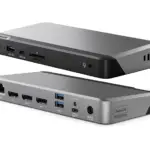
DisplayLink-ის სახელმძღვანელოები და მომხმარებლის სახელმძღვანელოები
DisplayLink is a universal graphics technology by Synaptics that enables multi-monitor connectivity and docking solutions via USB for Windows, macOS, Chrome OS, and Android devices.
DisplayLink-ის სახელმძღვანელოების შესახებ Manuals.plus
DisplayLink, a technology brand owned by Synaptics, specializes in USB graphics solutions that connect computers and displays using standard interfaces like USB, Ethernet, and Wi-Fi.
This technology is widely integrated into universal docking stations, video adapters, and monitors from various manufacturers, allowing users to effortlessly extend their desktops and connect peripherals regardless of the host device's make or model. DisplayLink is particularly renowned for enabling multiple external displays on computers with limited native video support, such as Apple M-series MacBooks. The core software driver acts as a virtual graphics card, compressing and transmitting video data to offer high-resolution productivity setups.
DisplayLink-ის სახელმძღვანელოები
უახლესი სახელმძღვანელოები manuals+ ამ ბრენდისთვის შემუშავებული.
DisplayLink PN 27263 USB-C Triple DisplayDock 4K ინსტრუქციის სახელმძღვანელო
DisplayLink Docking Station 150W დენის ადაპტერის ინსტრუქციის სახელმძღვანელო
DisplayLink Docking Station სამმაგი მონიტორის ინსტალაციის სახელმძღვანელო
DisplayLink მენეჯერის აპლიკაციის მომხმარებლის სახელმძღვანელო
DisplayLink USB Graphics Software მომხმარებლის სახელმძღვანელო
Anker A83B6 14-1-ში Prime Docking Station-ის მომხმარებლის სახელმძღვანელო
ALOGIC DisplayLink დრაივერები MacOS 12 ვერსიის ინსტრუქციის სახელმძღვანელო
Totu ჩვენების მოწყობილობის დრაივერები Windows და Mac- ებისთვის
DisplayLink Graphics Adapter User Manual - Software Version 5.3
DisplayLink დრაივერის ინსტალაციის სახელმძღვანელო macOS-ისთვის
როგორ გამოვიყენოთ DisplayLink Manager აპლიკაცია macOS-ზე - ინსტალაციისა და დაყენების სახელმძღვანელო
DisplayLink-ის პრობლემების მოგვარება macOS Ventura-ზე: ეკრანის ჩაწერის, შესვლის ელემენტების და ინსტალაციის პრობლემები
DisplayLink USB გრაფიკული პროგრამული უზრუნველყოფა: ჩამოტვირთვა და ინსტალაციის სახელმძღვანელო
DisplayLink support FAQ
ხშირად დასმული კითხვები ამ ბრენდის სახელმძღვანელოებთან, რეგისტრაციასთან და მხარდაჭერასთან დაკავშირებით.
-
Where can I download DisplayLink drivers?
Drivers for Windows, macOS, Android, and Ubuntu Chrome OS are available on the official Synaptics DisplayLink downloads page.
-
Why does the DisplayLink Manager app require Screen Recording permission on macOS?
On macOS, 'Screen Recording' permission is necessary for the DisplayLink driver to access the pixel data required to render your screen to external monitors. The software does not record or store your screen content; it only captures data to transmit to the extended display.
-
Can I use DisplayLink with Apple M1, M2, or M3 MacBooks?
Yes, DisplayLink technology allows Apple Silicon (M1/M2/M3) Macs to support multiple external monitors, bypassing the native single-external-display limitation of the base chips.
-
What should I do if my monitors are not detected?
Ensure you have the latest DisplayLink software installed and that the application is running. For macOS users, verify that the DisplayLink Manager app is running in the menu bar and permissions are granted.